설치
npx -y @deepseek-ai/dsh plugin --profile web add github:afrel1024/dsh-client-ui-aqua-unofficial이 설치 명령은 GitHub 저장소 주소에서 생성된 확인되지 않은 시작점입니다.
README
유지 관리자가 작성한 문서 스냅샷입니다.
dsh-client-ui-aqua-unofficial
English | 中文
UNOFFICIAL — This is a community third-party fork. It is not an official DeepSeek product, is not affiliated with or endorsed by DeepSeek, and claims no connection to the
@deepseek-aipackage scope. Use at your own risk.Upstream: WYH66666666/DSH-Transparent-UI-Plugin (MIT, (c) 2026 John Wu). This fork adds DSH rc.7 compatibility and rebrands the package as unofficial.
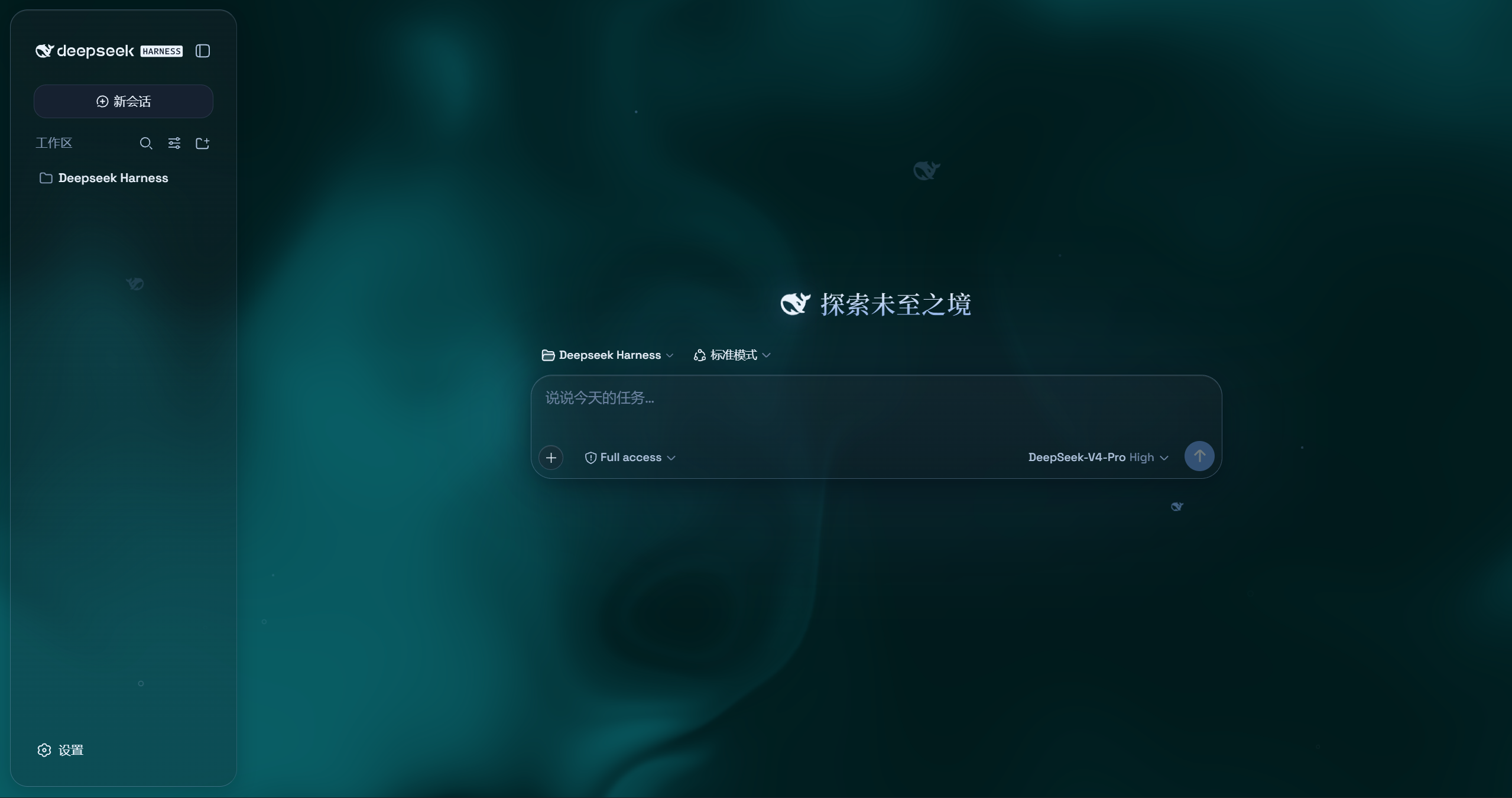
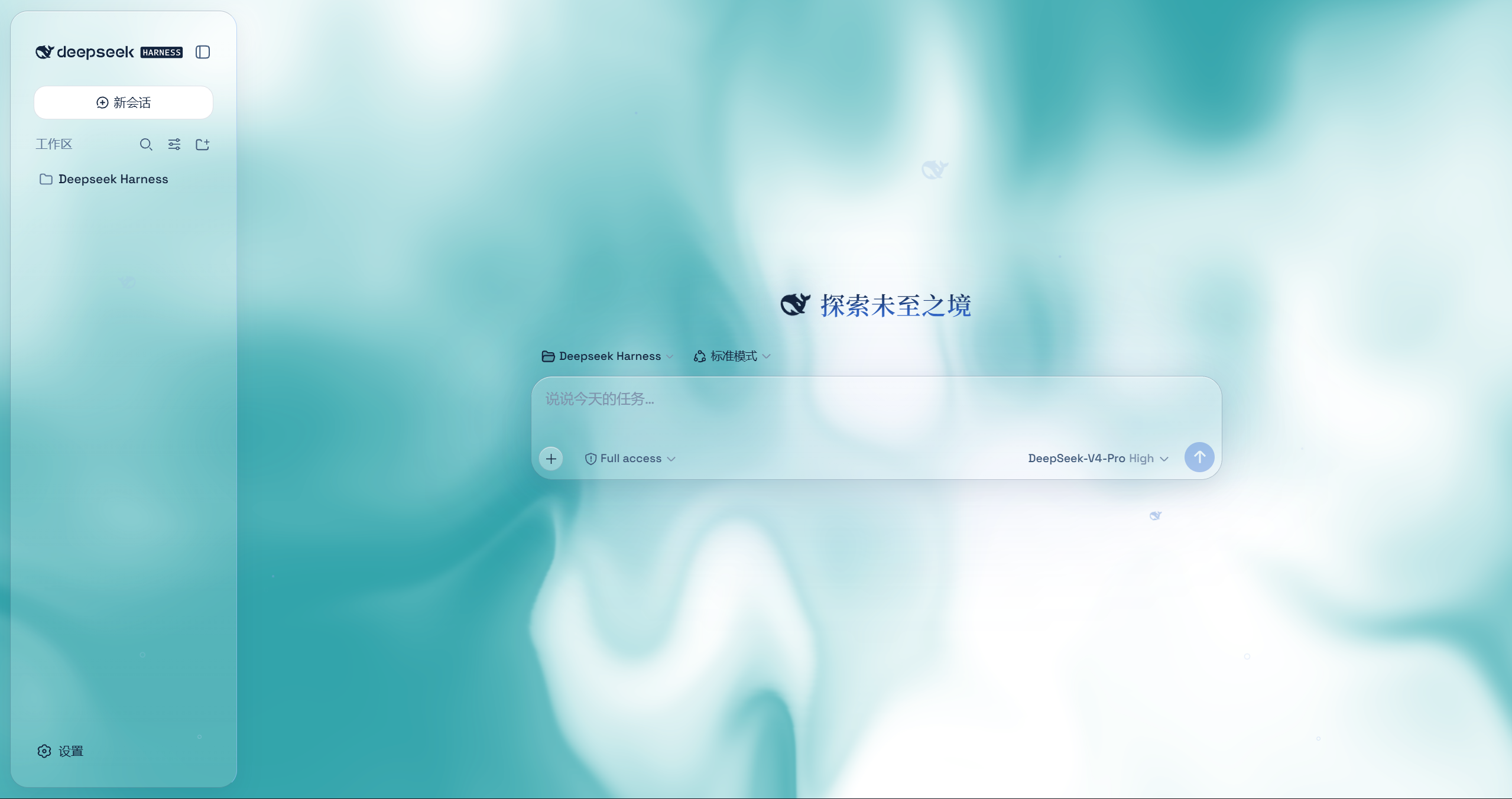
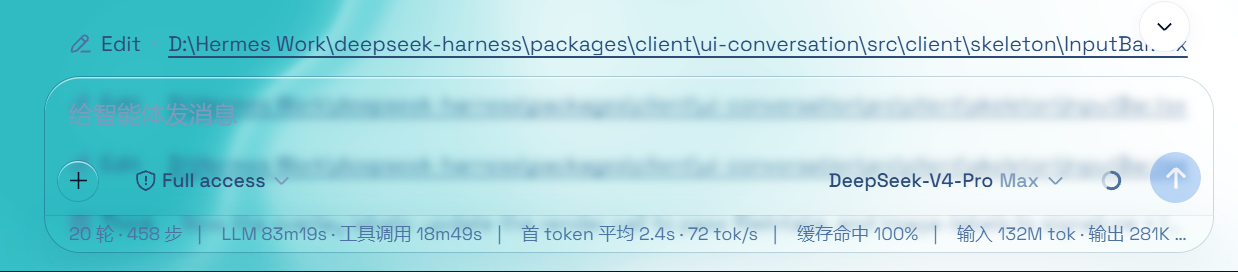
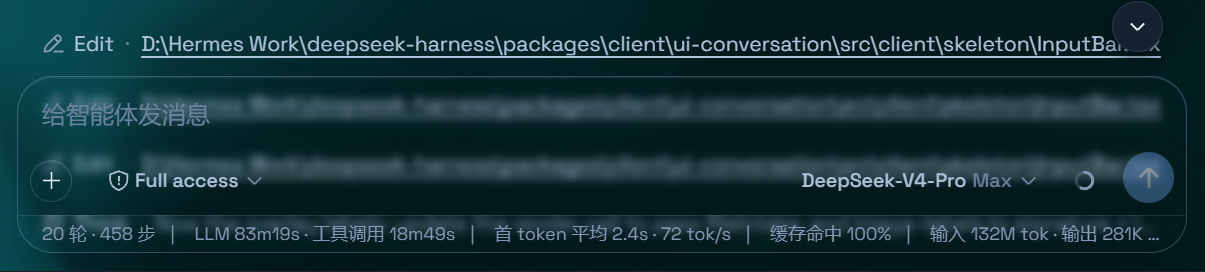
Aqua is a highly customizable glassmorphism theme for the DeepSeek Harness web UI. The header, sidebar, composer, stats line, and trajectory view all become panes of frosted glass. You can set an image or video as wallpaper, and switching it off restores the stock UI exactly — with no source changes to DSH itself.
Features
- Two modes: Mica restyles the layout into floating glass cards (blur and frost adjustable), while Compatibility Mode keeps the stock layout byte-for-byte and only swaps the material to generic glass — other plugins' UI gets the same treatment automatically
- Free backdrop: a living fluid board (hue adjustable) or your own wallpaper (fills the page, aspect preserved, with its own blur and frost); light wallpapers look best in light mode, dark wallpapers in dark mode
- Background brightness: follows the resolved scheme — dark mode darkens (0–50), light mode brightens (50–100), 50 is unchanged
- Particle whale: the deepseek.com/harness centerpiece fish (a 2D port of the site's particle engine), centered in the chat area right of the sidebar — white particles on dark, gray on light, toggleable in settings
- Glossy "Harness" badge: in dark mode the sidebar wordmark wears the official nameplate pill (135° gradient ring + soft glow); light mode keeps the stock plate
- Edge fades: 5px gradient blur bands pinned to the top and bottom of the page, above the chat content — scrolling content melts into the edges; faint white veil on light, faint black on dark
- One switch: off restores the stock UI exactly, and every effect is removed with the plugin
What this fork changes
- DSH rc.7 compatibility (v1.4.0): the Plugins-section card slot became a keyed slot; the master-switch card now registers with
key: 'aqua'and the node half serves theaquasettings namespace so the card still appears in Settings → Plugins. - Unofficial rebrand: package renamed to
dsh-client-ui-aqua-unofficial(no@deepseek-aiscope) and the repository name carries the-unofficialsuffix. - Everything else (theme, settings, wallpapers) is unchanged from upstream v1.3.0.
Installation
Option 1: npm one-liner (recommended)
dsh plugin --profile web add dsh-client-ui-aqua-unofficial
Installs the latest version from npm and registers it as a profile plugin layer (dsh.bundle patch) — works on every platform. Reload the web UI and it is on.
Auto-registration: v1.4.1+ ships the
dsh.bundlepatch inside the package, sodsh plugin addregisters the plugin layer automatically. v1.4.0 needs theui-aquarow added tocordis.patch.ymlby hand.
DSH rc.7: v1.4.0+ targets
@deepseek-ai/dsh-*rc.7 (the Plugins-section card slot became a keyed slot). Earlier versions still run on rc.5/rc.6.
Option 2: GitHub installer (fallback)
No npm account and no git needed (falls back to a plain zip download).
Windows (one command):
powershell -ExecutionPolicy Bypass -Command "Invoke-WebRequest 'https://github.com/afrel1024/dsh-client-ui-aqua-unofficial/raw/main/install.ps1' -OutFile install.ps1; .\install.ps1"
Installs the latest release by default. The script links the plugin into the profile's node_modules and registers ui-aqua in cordis.patch.yml (idempotent — safe to run again).
Pin a version or track the dev branch:
.\install.ps1 -Version 'v1.4.0'   # a specific release
.\install.ps1 -Version 'main'     # the development branch
macOS / Linux (manual, three steps):
git clone --depth 1 https://github.com/afrel1024/dsh-client-ui-aqua-unofficial.git
ln -s "$PWD/dsh-client-ui-aqua-unofficial" "$DSH_HOME/profiles/node_modules/dsh-client-ui-aqua-unofficial"
then append to $DSH_HOME/profiles/web/cordis.patch.yml:
- insert:
    - id: ui-aqua
      name: 'dsh-client-ui-aqua-unofficial'
Usage
Reload the web UI. Aqua is on by default; the master switch lives in Settings → Plugins → Glass theme (same shape as the other plugin cards), and every other control sits directly under Settings → General → Appearance (no title of its own): mode, blur/frost (Mica mode), fluid color, background brightness, backdrop (fluid/wallpaper) with its wallpaper controls, and the particle-whale toggle. With the master switch off, the whole control block under Appearance is hidden.
License
MIT, inherited from the upstream project ((c) 2026 John Wu). See LICENSE.
저장소 정보
- 언어
- JavaScript
- 라이선스
- MIT
- 마지막 업데이트
- 2026. 8. 18. 오후 1:50
신중하게 설치하기
소스 코드, 권한, 수명 주기 스크립트, 의존성 및 네트워크 접근을 검토하고 신뢰하지 않는 플러그인은 격리 환경에서 테스트하세요.