설치
npx -y @deepseek-ai/dsh plugin --profile web add github:BrambleXu/dsh-revdiff이 설치 명령은 GitHub 저장소 주소에서 생성된 확인되지 않은 시작점입니다.
README
유지 관리자가 작성한 문서 스냅샷입니다.
dsh-revdiff





English | 中文
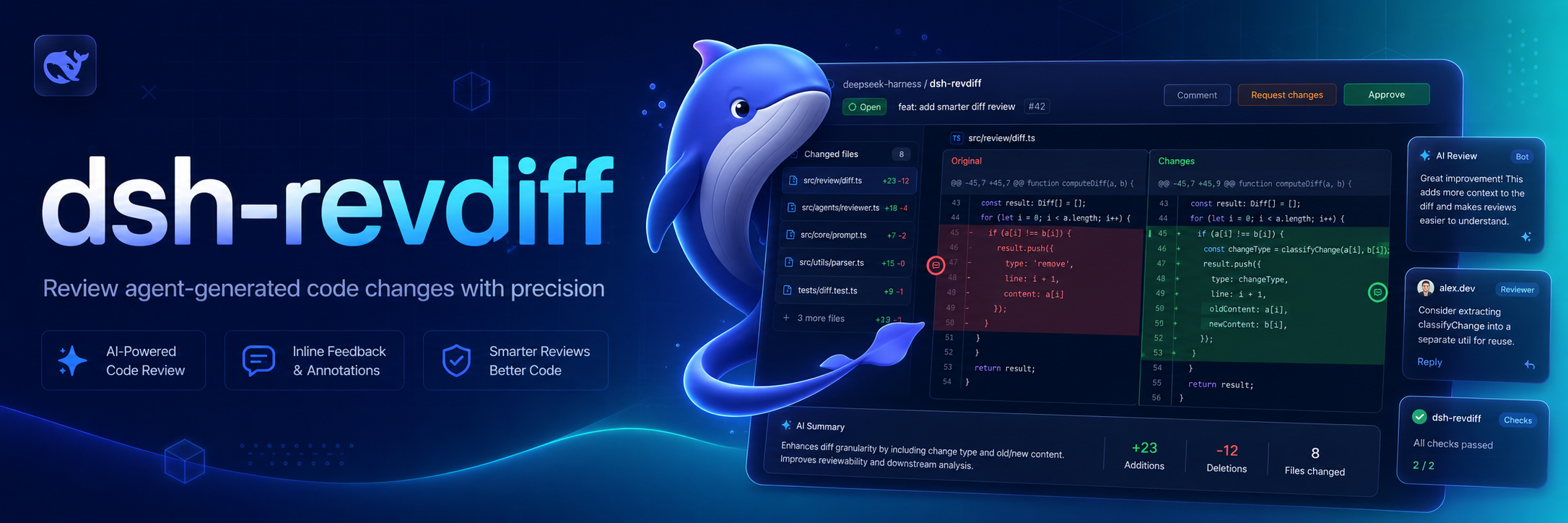
Native interactive diff review for DeepSeek Harness. The plugin reads a Git unified diff, parses it into files, hunks, and line locations, presents its own terminal review interface, and queues submitted annotations as the Agent's next durable follow-up turn.
Why this exists 💡
Reviewing a diff in a separate tool breaks the connection between the change, the review context, and the Agent that will act on the feedback. dsh-revdiff keeps review inside Harness, so annotations are created against the actual Git diff and returned to the same durable session.
Features ✨
- Review tracked working-tree, staged, unstaged, or base-revision changes with optional path filters.
- Navigate between files, hunks, and diff lines from an interactive terminal.
- Add, edit, and delete issue, suggestion, question, or praise annotations.
- Submit structured annotations to the current Agent through
agent.followup()with message provenance. - Configure Git execution, diff context, size and time limits, terminal grace period, and comment length.
Install 📦
Add this checkout to a Harness profile:
dsh plugin --profile demo add ./dsh-revdiff
The only external runtime requirement is Git in the same execution world as Harness.
Use 🚀
/revdiff
/revdiff --staged
/revdiff --unstaged
/revdiff main
/revdiff --base main -- src/index.ts README.md
The default reviews all tracked working-tree changes against HEAD, including staged and unstaged changes. --staged reviews the index, --unstaged reviews only worktree changes relative to the index, and a base revision reviews the working tree against that revision. Put path filters after --.
The Harness process must own an interactive terminal. The review interface supports:
↑/↓ork/j: move between diff linesn/p: move between hunks]/[or→/←: move between filesa: add an issue, suggestion, question, or praise annotatione: edit the selected line's annotationd: delete the selected line's annotations: submit annotations to the current Agentq, Escape, or Ctrl-C: cancel without sending a message
Annotations retain the file, old/new side, line number, selected code, kind, and comment. They are sent through agent.followup() with dsh-revdiff message provenance, so the review enters the same Harness session rather than an external side channel.
Configure ⚙️
Override the inserted row in a later Harness patch layer:
- id: dsh-revdiff
  name: dsh-revdiff
  config:
    gitBinary: git
    contextLines: 3
    maxDiffBytes: 2097152
    diffTimeoutMs: 30000
    graceMs: 2000
    maxCommentLength: 4000
Develop 🧑💻
pnpm install
pnpm run check
Scope 🎯
Version 0.1 reviews textual changes already represented by git diff. Untracked files, binary patches, side-by-side rendering, mouse input, and a browser-hosted review surface are not included yet. The review engine and annotation model are owned by this project so those capabilities can evolve for Harness without following another review tool's interface.
License 📄
MIT
Credits 🙏
The product idea is informed by pi-diff-review and revdiff, but this is an independent implementation built specifically around Harness commands, managed subprocesses, Agent lifecycle, and message provenance. It does not install, execute, wrap, or parse output from revdiff.
프로젝트 파일 및 신호
표시된 항목은 디렉터리 스냅샷에서 감지된 공개 저장소 신호입니다.
저장소 정보
- 언어
- TypeScript
- 라이선스
- MIT
- 최신 릴리스
- v0.1.0
- 마지막 업데이트
- 2026. 8. 14. 오전 6:57
신중하게 설치하기
소스 코드, 권한, 수명 주기 스크립트, 의존성 및 네트워크 접근을 검토하고 신뢰하지 않는 플러그인은 격리 환경에서 테스트하세요.