설치
npx -y @deepseek-ai/dsh plugin --profile web add github:chokwinlee/deepseek-harness-desktop이 설치 명령은 GitHub 저장소 주소에서 생성된 확인되지 않은 시작점입니다.
README
유지 관리자가 작성한 문서 스냅샷입니다.
DeepSeek Harness Desktop
A compact, self-contained desktop host for the official DeepSeek Harness experience.
Download · Highlights · Development · Contributing
English · 简体中文


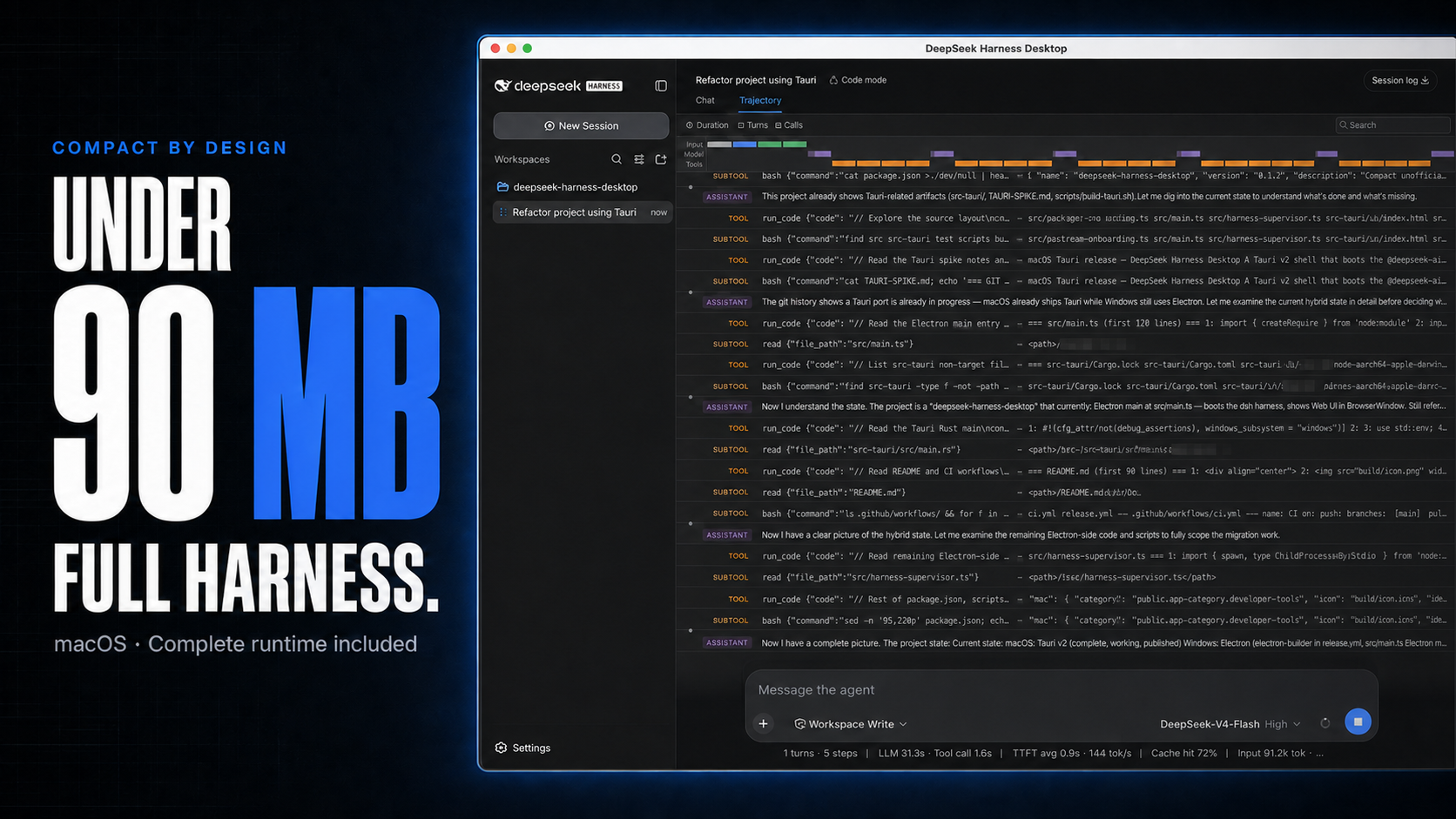
DeepSeek Harness Desktop runs the official DeepSeek Harness Web UI and runtime in a desktop window. It manages the local Harness process automatically, so users do not need to install Node.js or start dsh web themselves.
[!IMPORTANT] This is an independent community project, not an official DeepSeek AI product. DeepSeek Harness is a developer preview and may introduce breaking changes.
Highlights
- Ready to run — bundles a pinned Node.js sidecar, the official Harness runtime, native modules, and release-time runtime checks.
- Native desktop integration — uses Tauri and the system WKWebView on macOS, Electron on Windows, and binds Harness only to a random
127.0.0.1port. - Usage at a glance on macOS — shows today and seven-day token totals, estimated cost, active task count, and aggregate running throughput in the title bar.
- Quiet UI polish — the macOS title bar follows the active Harness theme, while both builds add default-on smooth streaming with a General Settings toggle.
- Safer plugin workflow on macOS — installs with bundled tools, verifies the restarted runtime, and rolls back to the last healthy profile after a failed change.
- CLI-compatible — shares
~/.dshwith the official CLI and accepts documented install commands without executing pasted text through a shell.
Cost figures are estimates derived from local token logs and available public model prices. Unmatched models stay visibly unpriced rather than being counted as free.
Download
Installers are published on the latest GitHub Release.
| Platform | Architecture | File |
|---|---|---|
| macOS | Apple Silicon | mac-arm64.dmg |
| macOS | Intel | mac-x64.dmg |
| Windows 10/11 | x64 installer | win-x64.exe |
| Windows 10/11 | x64 portable | win-x64.zip |
Releases also include ZIP archives and SHA256SUMS.txt. macOS builds are hardened and ad-hoc signed unless Developer ID credentials are configured; Windows builds are currently unsigned. Your operating system may therefore show a security confirmation—verify that the download came from this repository before continuing.
Quick start
- Install and open DeepSeek Harness Desktop.
- Open Settings → Models and configure a provider and API key.
- Add or select a workspace.
- Start a Harness session.
Configuration, workspaces, and sessions live in the same DSH_HOME used by the official CLI (~/.dsh by default).
Plugins and recovery
On macOS, open Settings → Plugins → Install & manage. The installer accepts an npm package, github:owner/repo, a public GitHub HTTPS URL, or a full command such as:
dsh plugin --profile web add github:owner/repo
The command is parsed narrowly and never shell-executed. Desktop uses its bundled DSH and pnpm, restarts only the supervised Harness process, verifies the new profile for five seconds, and restores the previous plugin transaction files if startup fails. Third-party plugins run code on the local machine; inspect their source and publisher before installation.
Architecture
Desktop shell → loopback-only dsh web → official Harness UI/runtime
       └────── shared DSH_HOME for settings, sessions, and plugins
The project does not fork or reimplement the Harness agent runtime. The shell owns desktop packaging, process lifecycle, navigation boundaries, recovery, native integration, and release verification.
Development
Node.js 22.19 or newer is required.
git clone https://github.com/chokwinlee/deepseek-harness-desktop.git
cd deepseek-harness-desktop
npm ci
npm test
npm start
Build the macOS Tauri release with npm run build:mac; build the Windows Electron release with npm run dist. Packaging changes should also pass the real packaged-runtime checks in the release workflow.
Project
- Read CONTRIBUTING.md before opening a pull request.
- Report vulnerabilities through the process in SECURITY.md.
- Product and UI decisions follow PRODUCT.md.
- The desktop host is MIT licensed. Harness and bundled dependencies retain their own licenses; see THIRD_PARTY_NOTICES.md.
프로젝트 파일 및 신호
표시된 항목은 디렉터리 스냅샷에서 감지된 공개 저장소 신호입니다.
저장소 정보
- 언어
- JavaScript
- 라이선스
- MIT
- 최신 릴리스
- v0.2.1
- 마지막 업데이트
- 2026. 8. 18. 오전 6:27
신중하게 설치하기
소스 코드, 권한, 수명 주기 스크립트, 의존성 및 네트워크 접근을 검토하고 신뢰하지 않는 플러그인은 격리 환경에서 테스트하세요.