설치
npx -y @deepseek-ai/dsh plugin --profile web add github:edfrey0044/dsh-unarchive이 설치 명령은 GitHub 저장소 주소에서 생성된 확인되지 않은 시작점입니다.
README
유지 관리자가 작성한 문서 스냅샷입니다.
dsh-unarchive
English | 中文
Restore archived sessions in the DeepSeek Harness. Archiving a session hides it from every grouping surface (workspace groups, Ungrouped, flat list, search) but never deletes it. This plugin adds the missing inverse: two entry points that remove a session from the registry-global archive set so it reappears at its original position.
What you get
| Entry point | Where | Behavior |
|---|---|---|
/unarchive | GUI command palette (/ menu) or any command surface | No argument lists the archived sessions (ids plus best-effort titles); a session id restores it |
unarchive_session | Agent tools (any session) | Omitted sessionId lists the archived sessions; a sessionId restores one |
Both entry points restore the session live in every connected GUI client (host/archived-sessions-changed) and the change survives restarts. Session logs and workspace accounting slots are never touched.
Requirements
None beyond a stock DeepSeek Harness profile. The plugin is self-contained:
- On builds that ship
workspaceRegistry.unarchiveSession, it uses that durable core API. - Otherwise it writes the workspace domain's
archivedSessionIdsglobal directly — the same durable, live-updating dataarchiveSessionreads and writes.
Self-contained caveat: the direct-domain write leaves the workspace registry's in-memory cache stale until the next restart. Until then the session reappears live, but (a) refreshing the GUI re-hides it, and (b) a later archive/workspace change re-archives it. Restart dsh to fully settle it.
Install
As a profile bundle (recommended), from a checkout of this repository:
dsh plugin --profile web add github:edfrey0044/dsh-unarchive
# or, after publishing to npm:
dsh plugin --profile web add dsh-unarchive
Restart dsh web (or your profile). The bundle patch auto-joins the profile's layer stack because this package declares dsh.bundle.patch.
Manual composition: add the row to your profile's cordis.patch.yml and install the package into the profile:
# ~/.dsh/profiles/<name>/cordis.patch.yml (one insert over the profile root)
- insert:
    - id: dsh-unarchive
      name: dsh-unarchive
cd ~/.dsh/profiles/<name>
pnpm add github:edfrey0044/dsh-unarchive
Usage
Find what is archived, then restore it:
/unarchive
Archived sessions:
- session-0a701da0-449d-4997-bf87-a4b6aae7ceee  (张雪峰谈2026文科女生报考西财中外学院)
- session-b96a78f1-b6bf-439b-9570-c054307e6adb  (张雪峰视角:西财中外合作报考建议)

/unarchive session-0a701da0-449d-4997-bf87-a4b6aae7ceee
Session session-0a701da0-449d-4997-bf87-a4b6aae7ceee restored; it is visible again in the workspace at its original position.
English demo (the /unarchive command in the GUI command palette):
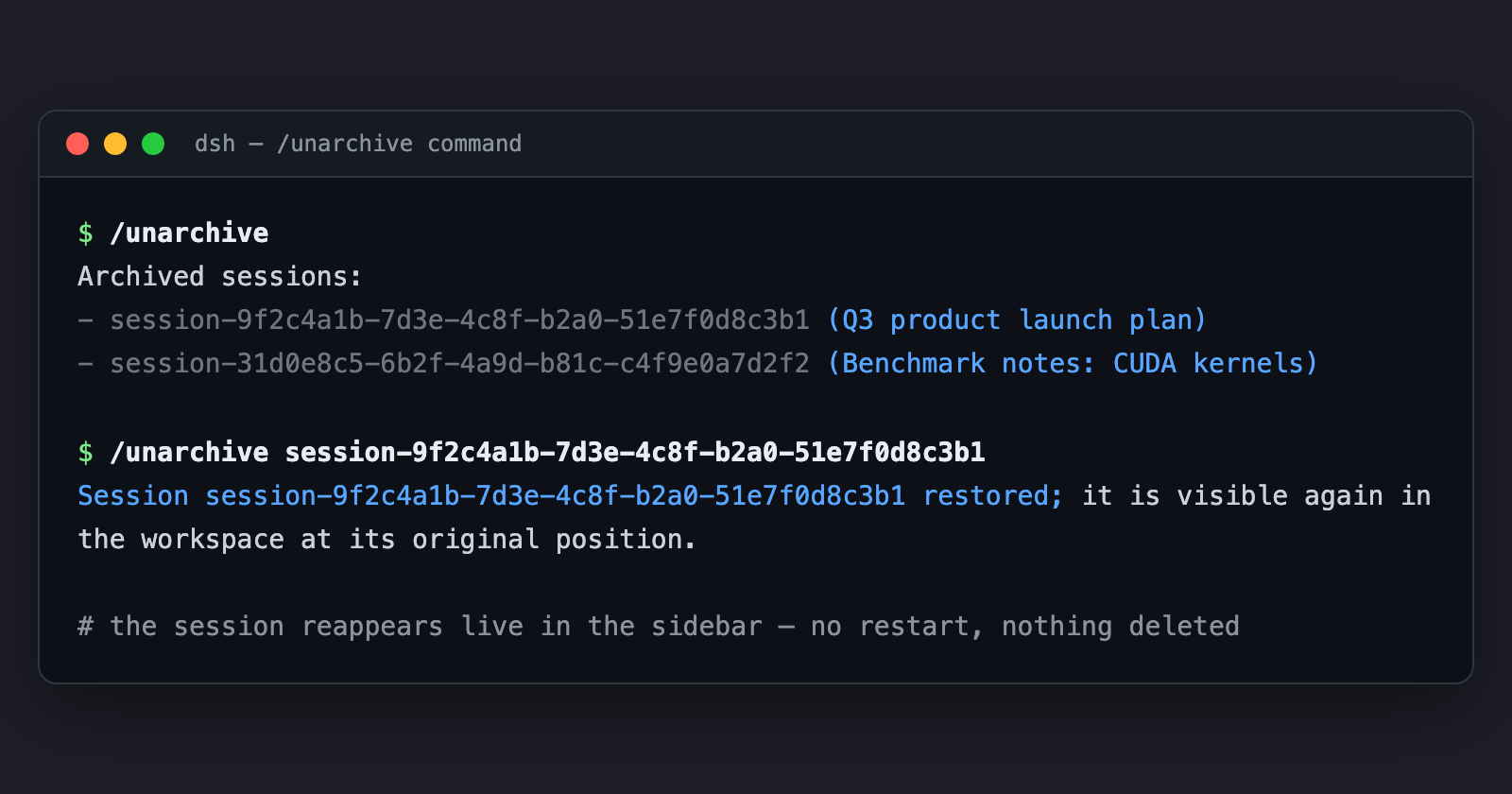
Or ask the agent in any session: "把归档的会话恢复一下" — the model calls unarchive_session for you.
Session ids also live on disk: ~/.dsh/sessions/<project>/<sessionId>/ (or $DSH_HOME/sessions/...), and the archive set itself is ~/.dsh/storages/workspace.json → global.archivedSessionIds.
How it works
Archiving keeps the session's sessionIds slot in the workspace account; only a display-set write moves the id into archivedSessionIds. Unarchiving is the inverse write, so the session resurfaces exactly where it was.
The plugin prefers the core API (WorkspaceRegistry.unarchiveSession) when the build ships it. On stock builds it writes the workspace domain's archivedSessionIds global directly via ctx.storageDomain; that write is durable and emits domain/changed, which the host turns into host/archived-sessions-changed for every connected client. The self-contained path's one limitation is the registry's in-memory cache (see Requirements).
Development
The implementation is plain ESM (lib/index.js) with hand-written declarations — no build step.
npm test— stub-based unit tests (fake registries; no DSH boot).- End-to-end verification against a real harness checkout: mount the plugin with real
storage-domain/workspaceRegistryin a temp world and drive the captured command handler. Seetests/for the scenario shape.
License
MIT
프로젝트 파일 및 신호
표시된 항목은 디렉터리 스냅샷에서 감지된 공개 저장소 신호입니다.
저장소 정보
- 언어
- JavaScript
- 라이선스
- MIT
- 마지막 업데이트
- 2026. 8. 16. 오후 2:25
신중하게 설치하기
소스 코드, 권한, 수명 주기 스크립트, 의존성 및 네트워크 접근을 검토하고 신뢰하지 않는 플러그인은 격리 환경에서 테스트하세요.