설치
pnpm tauri build # output: src-tauri/target/release/bundle/nsis/DSHDesktop_*_x64-setup.exe이 명령은 GitHub 저장소 주소에서 생성됩니다. 실행 전에 업스트림 README와 소스를 검토하고 재현성이 필요하면 release 또는 commit을 고정하세요.
README
유지 관리자가 작성한 문서 스냅샷입니다.
DSHDesktop
English | Chinese
A desktop shell for deepseek-harness (dsh), DeepSeek's agent harness CLI. The installer bundles a portable Node.js runtime and the @deepseek-ai/dsh package, so the official dsh Web UI runs as a regular Windows application with no prerequisites.
Screenshots
Desktop: the official dsh Web UI in a native window, following your system theme.
| Dark | Light |
|---|---|
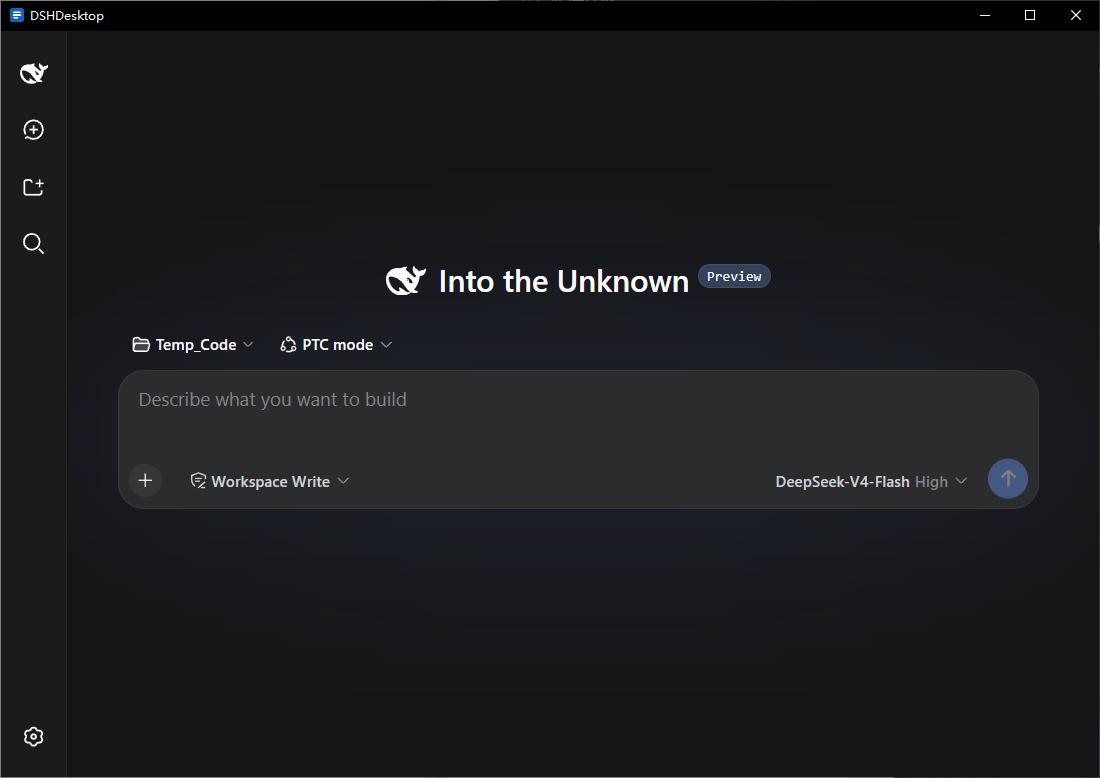 | 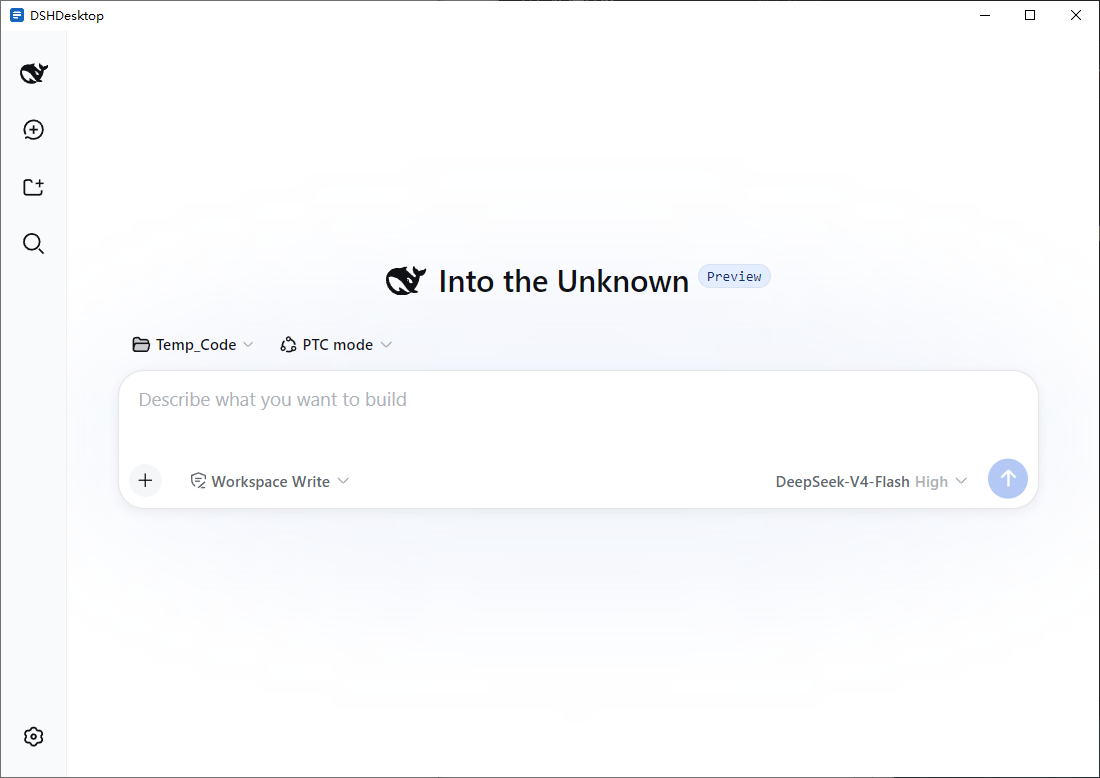 |
Mobile: one click in the tray menu puts the full Web UI on your phone through a Cloudflare Quick Tunnel.
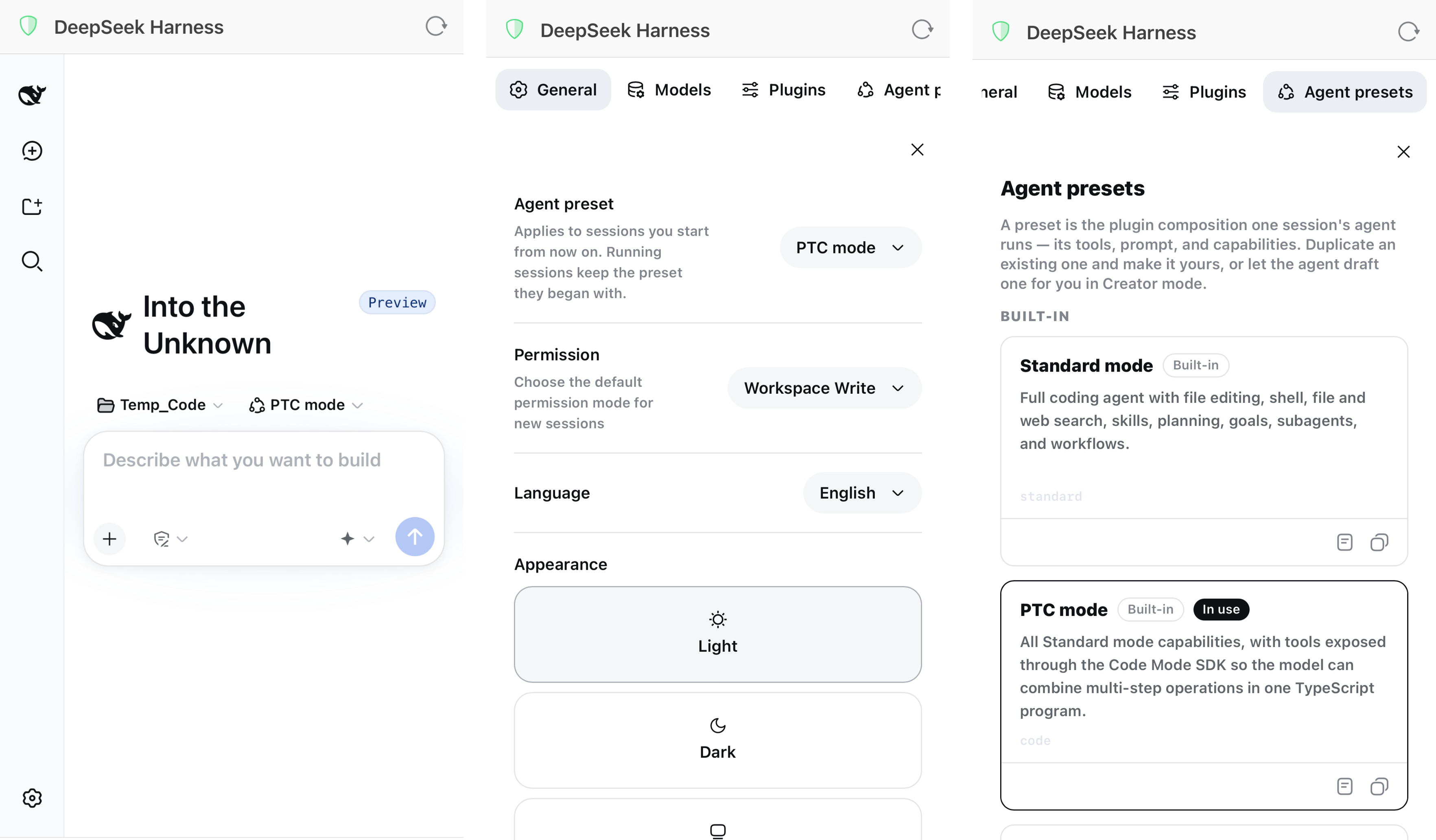
Features
- Zero prerequisites. Node.js 24 and dsh ship inside the installer; the app works out of the box on Windows 10/11 x64. WebView2 is installed automatically if missing.
- Official UI in a native window. Spawns
dsh webon a free loopback port and opens the official Web UI as soon as it is ready. - Remote access from your phone. One click in the tray menu starts a Cloudflare Quick Tunnel (cloudflared is bundled) behind the shell's token-gated proxy; scan the QR code and the full dsh Web UI is on your phone. The random token regenerates on every start and dies the moment you stop it — no server, account, or configuration needed.
- Guided first launch. A stage-based progress bar shows runtime preparation, service startup, and readiness while the app initializes for the first time.
- Tray resident. Closing the window hides it to the tray (or exits — your choice in Settings). Tray menu: open, diagnostics, skills, MCP servers, remote access, restart service, settings, quit.
- Native notifications. dsh approval requests and questions become Windows notifications while the window is hidden; completed turns can notify too, with optional built-in sounds.
- Skills and MCP management. Enable, disable, or delete skills (hot-reloaded by dsh's watcher) and import them from codex/claude/opencode; edit dsh's MCP server entries with hot-reload, no restart needed.
- Crash resilience. The dsh process is supervised and restarted with exponential backoff.
- Theme and language following. The title bar and the shell's own pages follow dsh's light/dark/system theme; the tray menu and local pages follow dsh's UI language (Chinese/English).
- Diagnostics panel. Service state, port, PID, live logs, remote-access state, one-click restart, and an autostart toggle.
- Settings window. Zoom step and shortcuts, close-window behavior, completion-notification toggle and sound.
- Remembers window geometry. Size and position are restored on the next launch.
- Single instance. A second launch simply focuses the existing window.
Download and install
Download DSHDesktop_<version>_x64-setup.exe from Releases and run it. No administrator rights are required; the app installs per user.
- Installed size: about 297 MB (installer about 59 MB)
- User data lives in
%LOCALAPPDATA%\DSHDesktop\(dsh settings, sessions, and logs) - Silent install:
DSHDesktop_<version>_x64-setup.exe /S(add/D=C:\path\to\dirto choose the install directory) - To upgrade, quit the app from the tray menu or uninstall the previous version, then run the new installer
DSHDesktop is an unofficial community shell. dsh itself is developed by DeepSeek at deepseek-ai/deepseek-harness.
How it works
main window (splash, then the official dsh Web UI at http://127.0.0.1:<port>)
      │ Tauri IPC
Rust core: runtime / process supervision / tray / notifications / theme / diagnostics
      │ spawn (no console window, DSH_HOME isolated under the app data directory)
bundled node.exe + dsh web --port <free port>   (binds 127.0.0.1 only)
dsh events (approval requested, question asked) are consumed over dsh's WebSocket channel /api/events.mux. With remote access enabled the chain gains a hop: phone → Cloudflare edge → cloudflared (outbound-only) → the shell's token-gate proxy on 127.0.0.1 → dsh. Everything platform-specific sits behind a Platform trait, leaving the door open for macOS and Linux. Full details in docs/design.md.
Build from source
Prerequisites: Rust (stable), Node.js 22 or later, pnpm 11.
pnpm install

# prepare the bundled runtime (pick one)
powershell -File scripts/fetch-runtime.ps1        # real runtime (Node 24 + dsh 0.1.0-rc.6 + cloudflared)
powershell -File scripts/use-fixture-runtime.ps1  # lightweight fake-dsh fixture for shell debugging

pnpm tauri dev
Tests and checks:
cd src-tauri && cargo test     # Rust unit and integration tests (113)
pnpm check && pnpm build       # frontend type check and build
Package the NSIS installer:
powershell -File scripts/fetch-runtime.ps1
pnpm tauri build               # output: src-tauri/target/release/bundle/nsis/DSHDesktop_*_x64-setup.exe
End-to-end acceptance on a real install (uninstall, install, launch, full checks, screenshots):
powershell -File scripts/acceptance.ps1 -SetupExe src-tauri/target/release/bundle/nsis/DSHDesktop_0.1.0_x64-setup.exe
Project docs
- Design document (English) and Chinese version: architecture, modules, packaging, testing, known limitations
- AGENTS.md: contributor guide with layout, commands, and pitfalls
- CHANGELOG.md: release history
Multi-platform roadmap
Windows x64 only for now. All platform differences are isolated behind src-tauri/src/platform/ (the Platform trait). Enabling the macOS and Linux rows in the CI matrix requires implementing platform/{macos,linux}.rs and teaching scripts/fetch-runtime.ps1 the new triplets. See section 10 of the design document.
License
프로젝트 파일 및 신호
표시된 항목은 디렉터리 스냅샷에서 감지된 공개 저장소 신호입니다.
저장소 정보
- 언어
- Rust
- 라이선스
- MIT
- 최신 릴리스
- v0.1.17
- 마지막 업데이트
- 2026. 8. 18. 오후 2:34
신중하게 설치하기
소스 코드, 권한, 수명 주기 스크립트, 의존성 및 네트워크 접근을 검토하고 신뢰하지 않는 플러그인은 격리 환경에서 테스트하세요.