설치
npx -y @deepseek-ai/dsh plugin --profile web add github:lincong1987/dsh-model-switch이 설치 명령은 GitHub 저장소 주소에서 생성된 확인되지 않은 시작점입니다.
README
유지 관리자가 작성한 문서 스냅샷입니다.
dsh-model-switch
English | 中文
Use the right model for each stage of work in DeepSeek Harness.
The main conversation, subagents, and plan execution serve different purposes. dsh-model-switch lets each of them use a suitable model without changing the normal DSH workflow.
Why use it
- Match models to tasks — keep your preferred model in the main conversation and use another model for subagents or plan execution.
- Avoid repeated switching — save defaults once instead of changing models before every task.
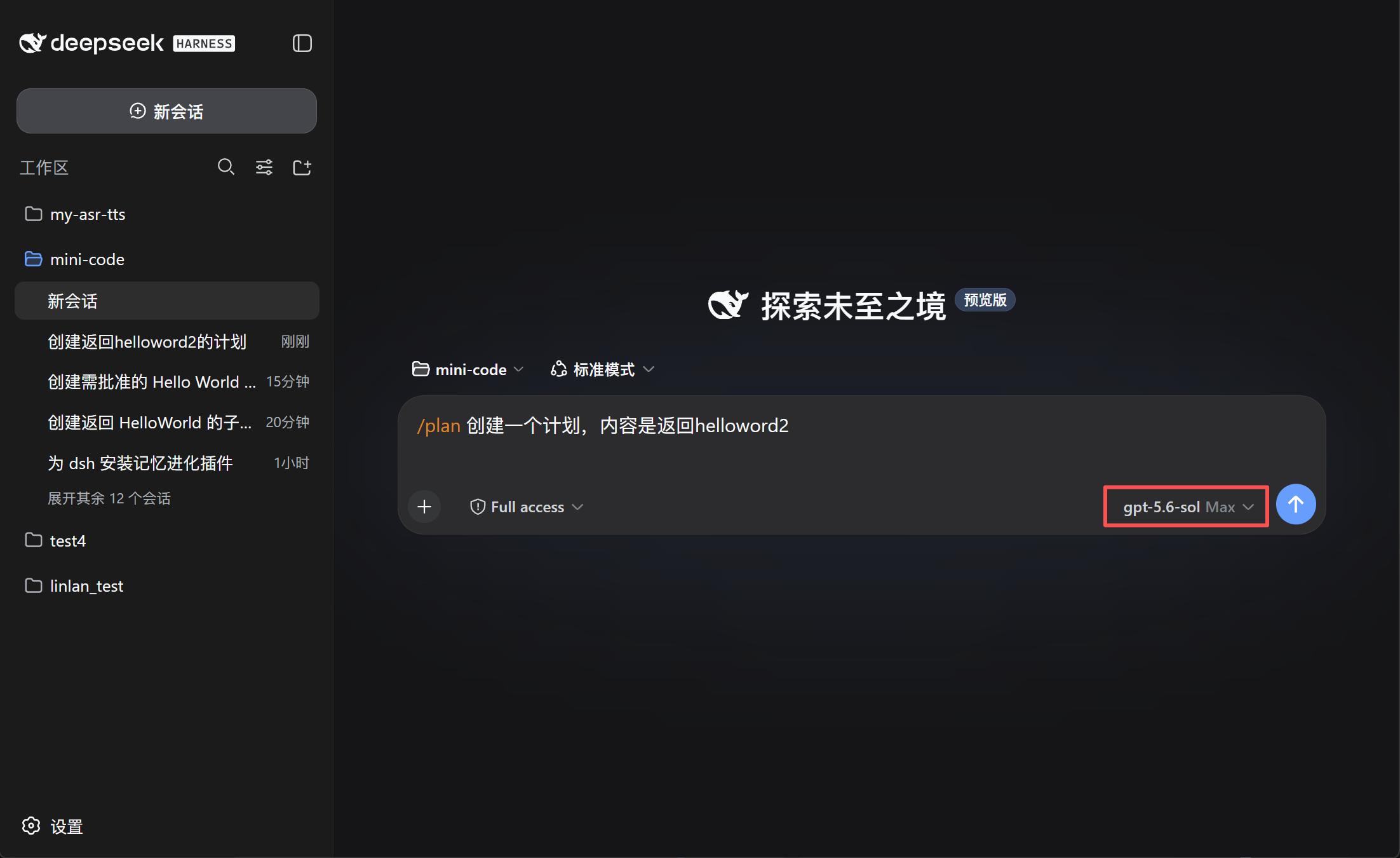
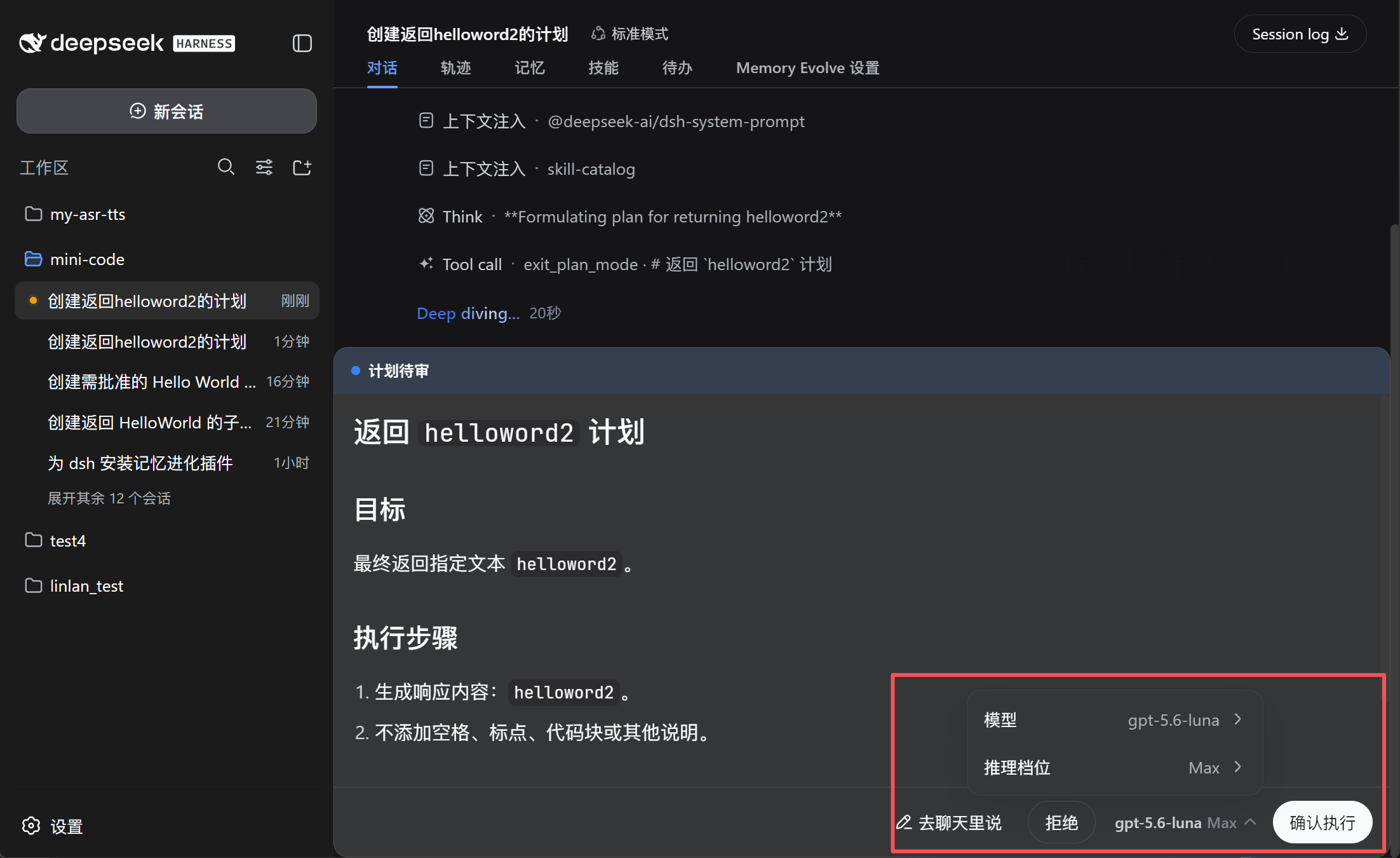
- Confirm before execution — review or change the model directly in the plan approval panel.
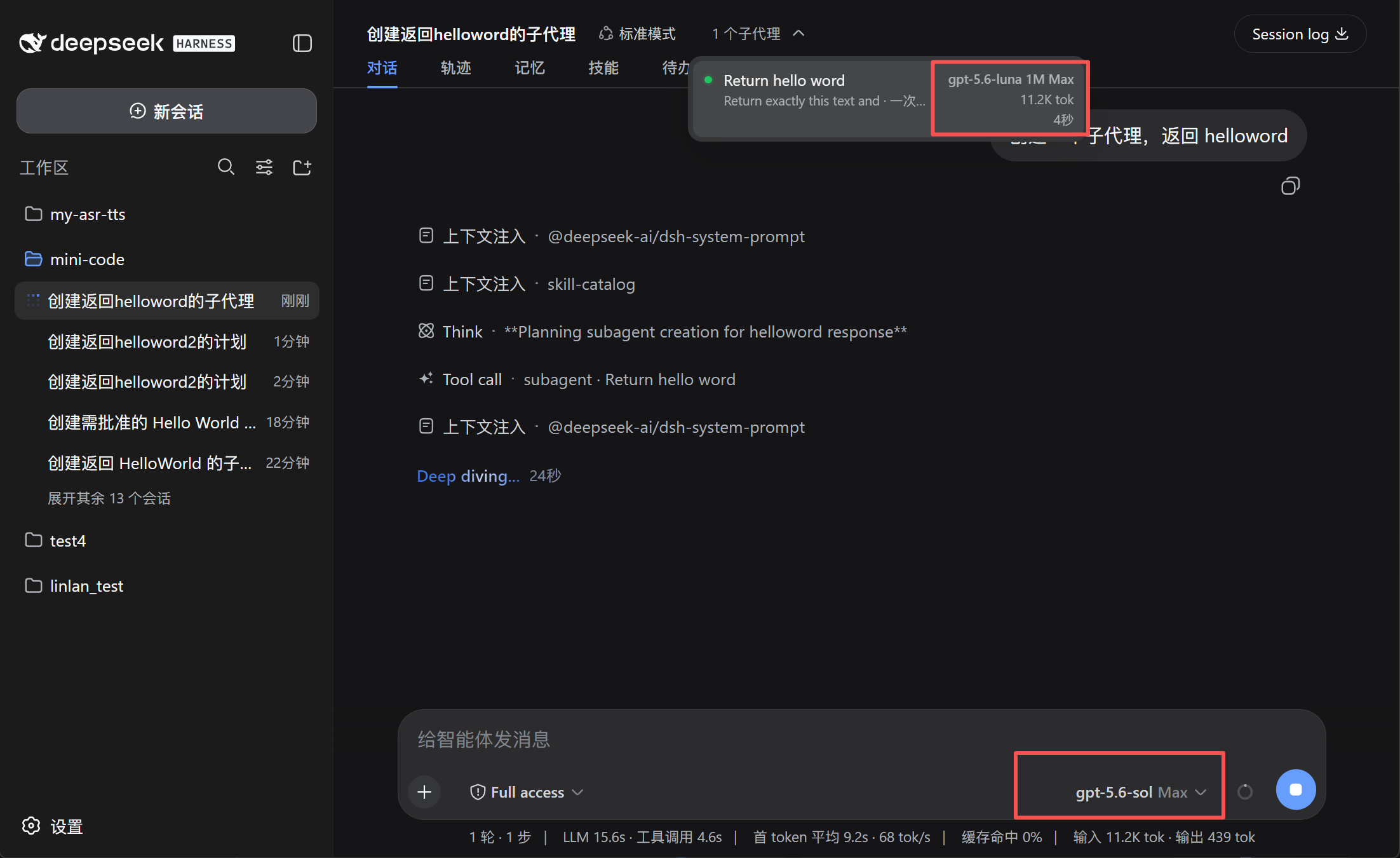
- See what subagents use — display the model, context window, and reasoning effort, such as
GPT-5.6 Sol 1M Max. - Keep the main model unchanged — after plan execution, DSH restores the previous main-session model.
Preview
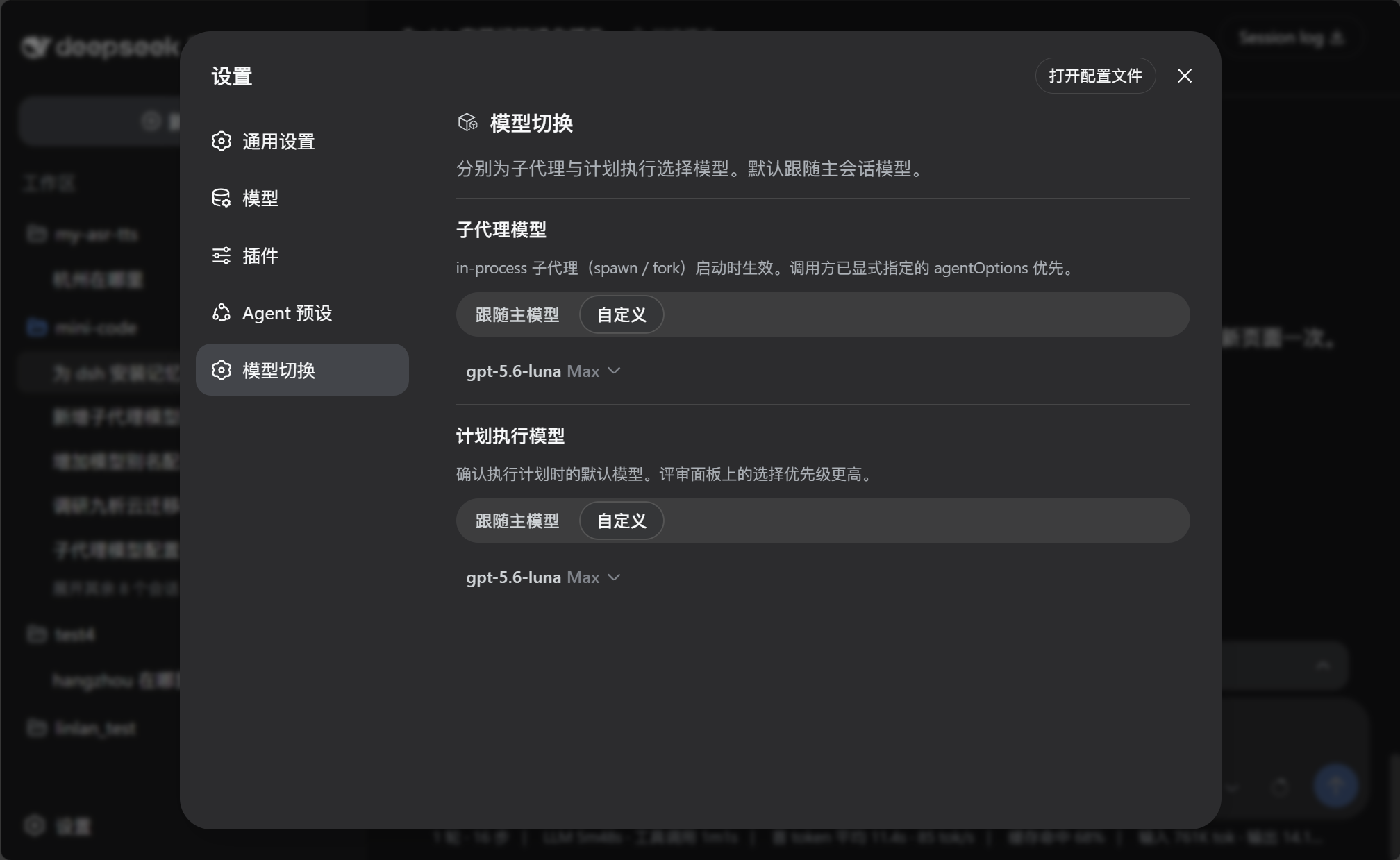
Configure model defaults
Choose the model for plan execution
 |  |
See the model used by subagents
 | 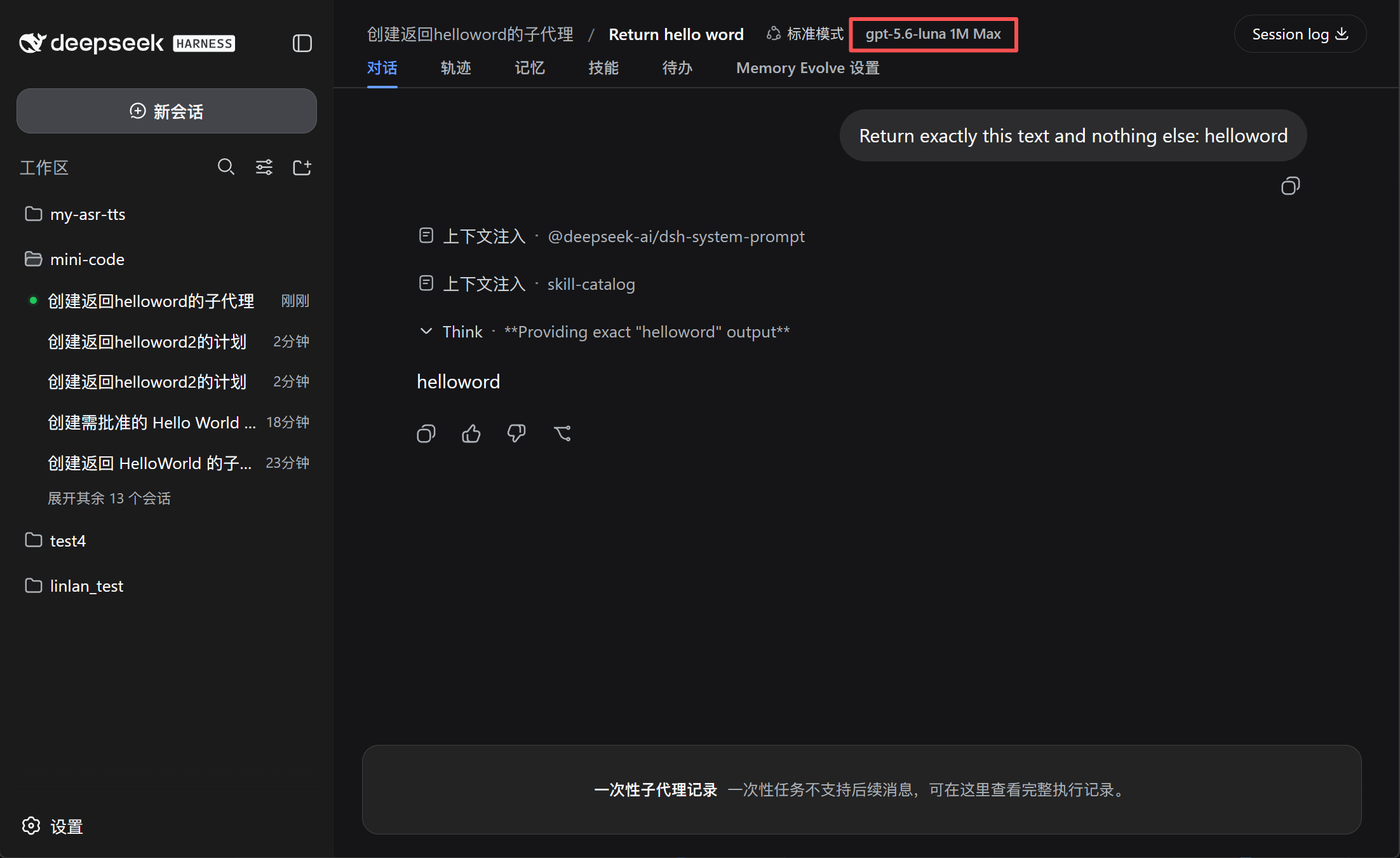 |
Install
dsh plugin --profile web add github:lincong1987/dsh-model-switch
Restart DSH after installation.
Use
- Open Settings → Model switch.
- Configure the Subagent model and Plan execution model:
- Follow main model uses the current conversation model.
- Custom lets you choose a model and reasoning effort.
- When reviewing a plan, confirm or change the execution model before selecting Approve.
The model selected in the plan review panel takes priority over the saved plan-execution setting.
Compatibility
Requires DeepSeek Harness 0.1.0-rc.7 or later. Settings are stored in the host settings document through the plugin's registered model-switch namespace.
Subagent model switching applies to in-process subagents such as spawn and fork. External-process agents may manage their models independently.
Community

Links
License
MIT
프로젝트 파일 및 신호
표시된 항목은 디렉터리 스냅샷에서 감지된 공개 저장소 신호입니다.
저장소 정보
- 언어
- TypeScript
- 라이선스
- MIT
- 마지막 업데이트
- 2026. 8. 18. 오전 10:27
신중하게 설치하기
소스 코드, 권한, 수명 주기 스크립트, 의존성 및 네트워크 접근을 검토하고 신뢰하지 않는 플러그인은 격리 환경에서 테스트하세요.