설치
npx -y @deepseek-ai/dsh plugin --profile web add github:naniwet/dsh-themes이 설치 명령은 GitHub 저장소 주소에서 생성된 확인되지 않은 시작점입니다.
README
유지 관리자가 작성한 문서 스냅샷입니다.
dsh-theme
A configurable skin for the DeepSeek Harness web UI.
One plugin, many looks: colours, fonts and artwork are all configuration, so a new skin is a config block rather than a fork.
Presets
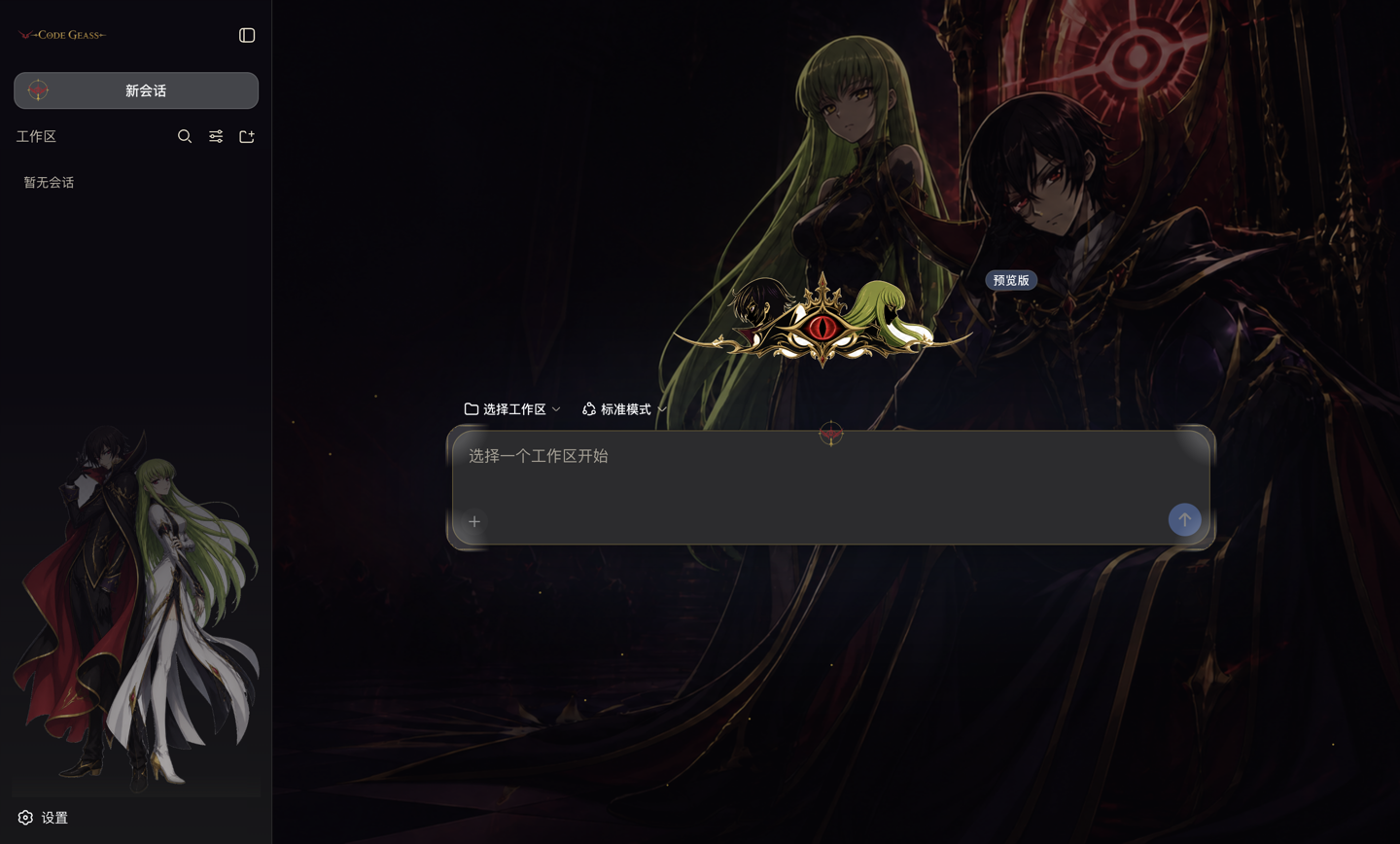 | 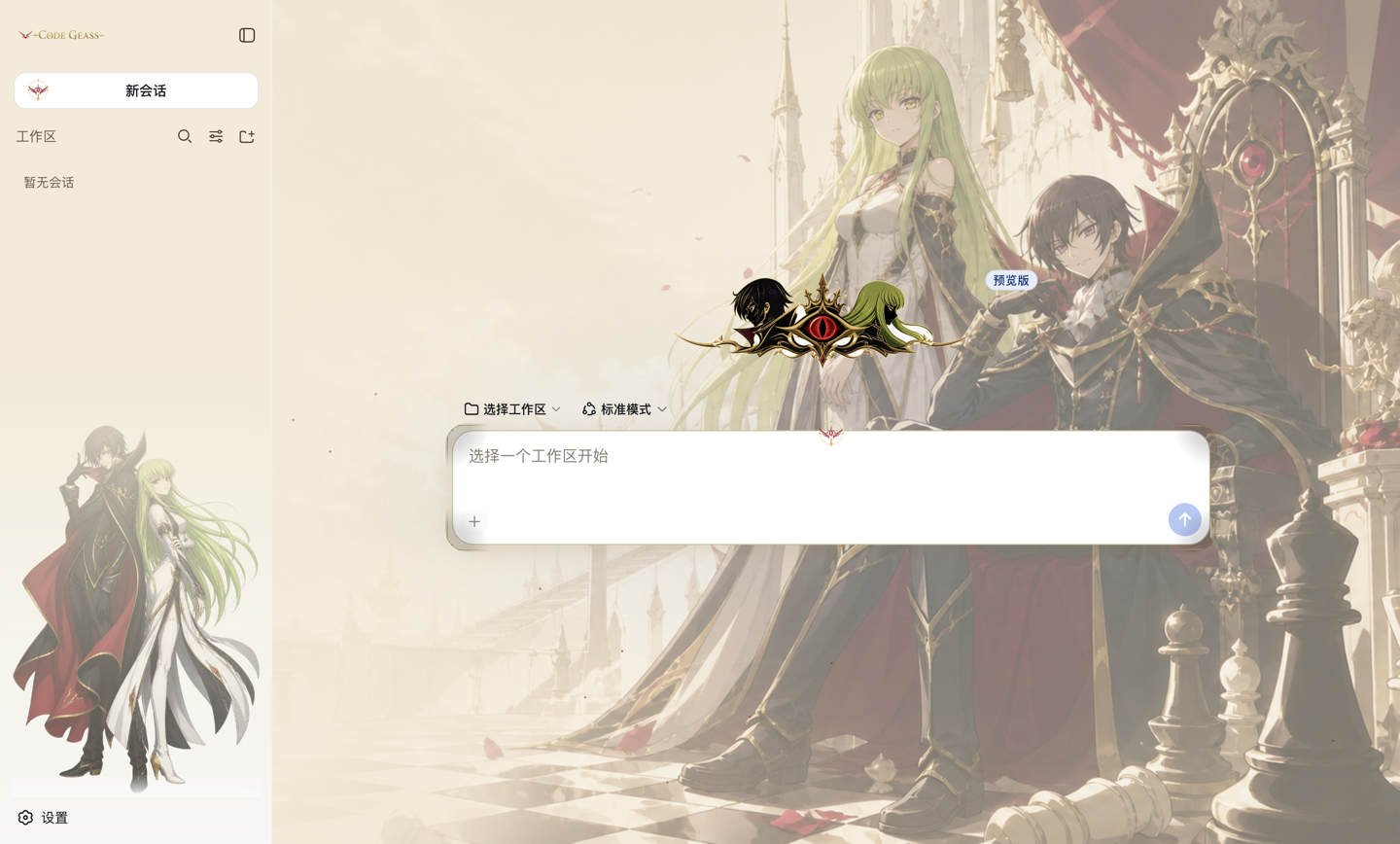 |
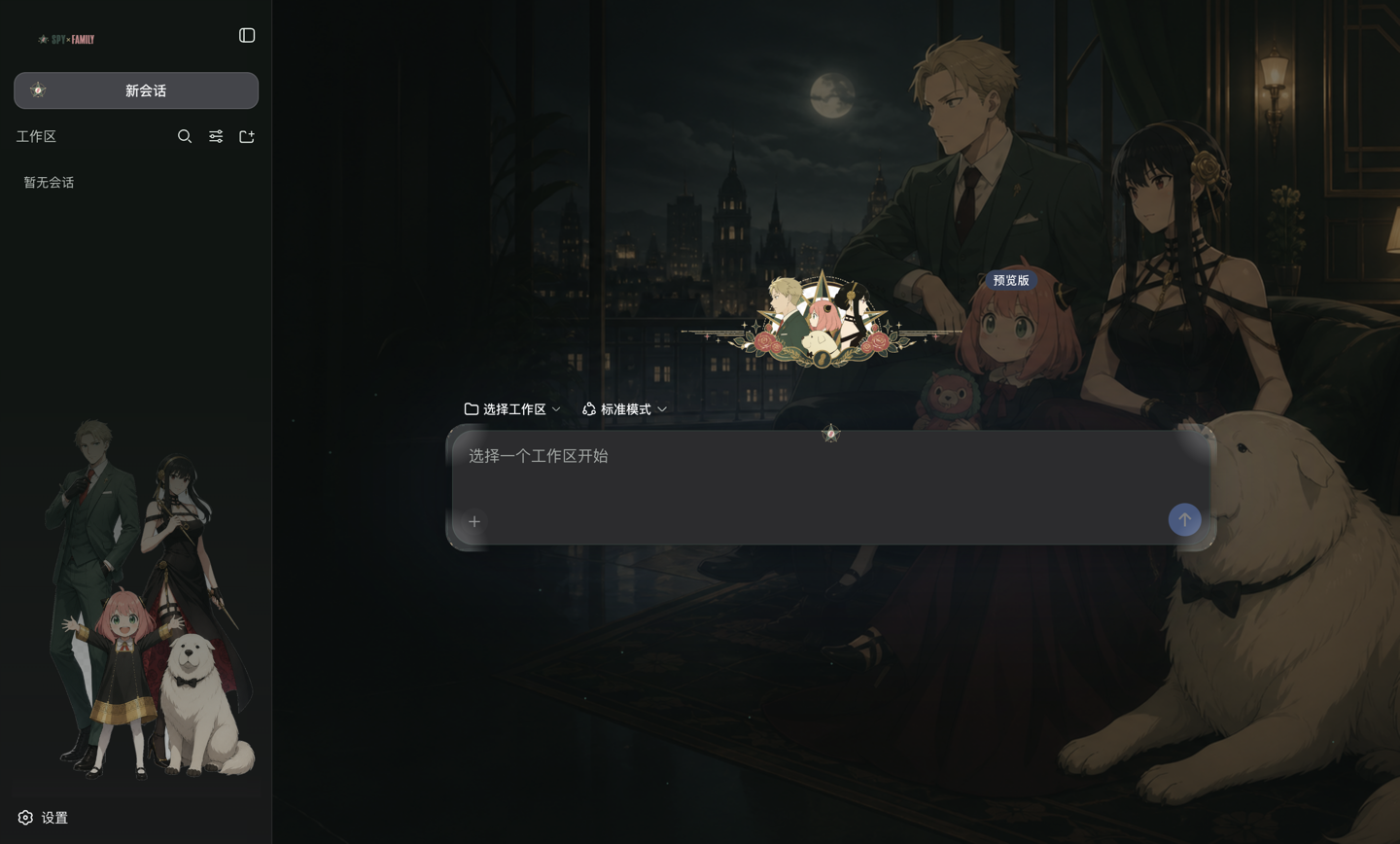 | 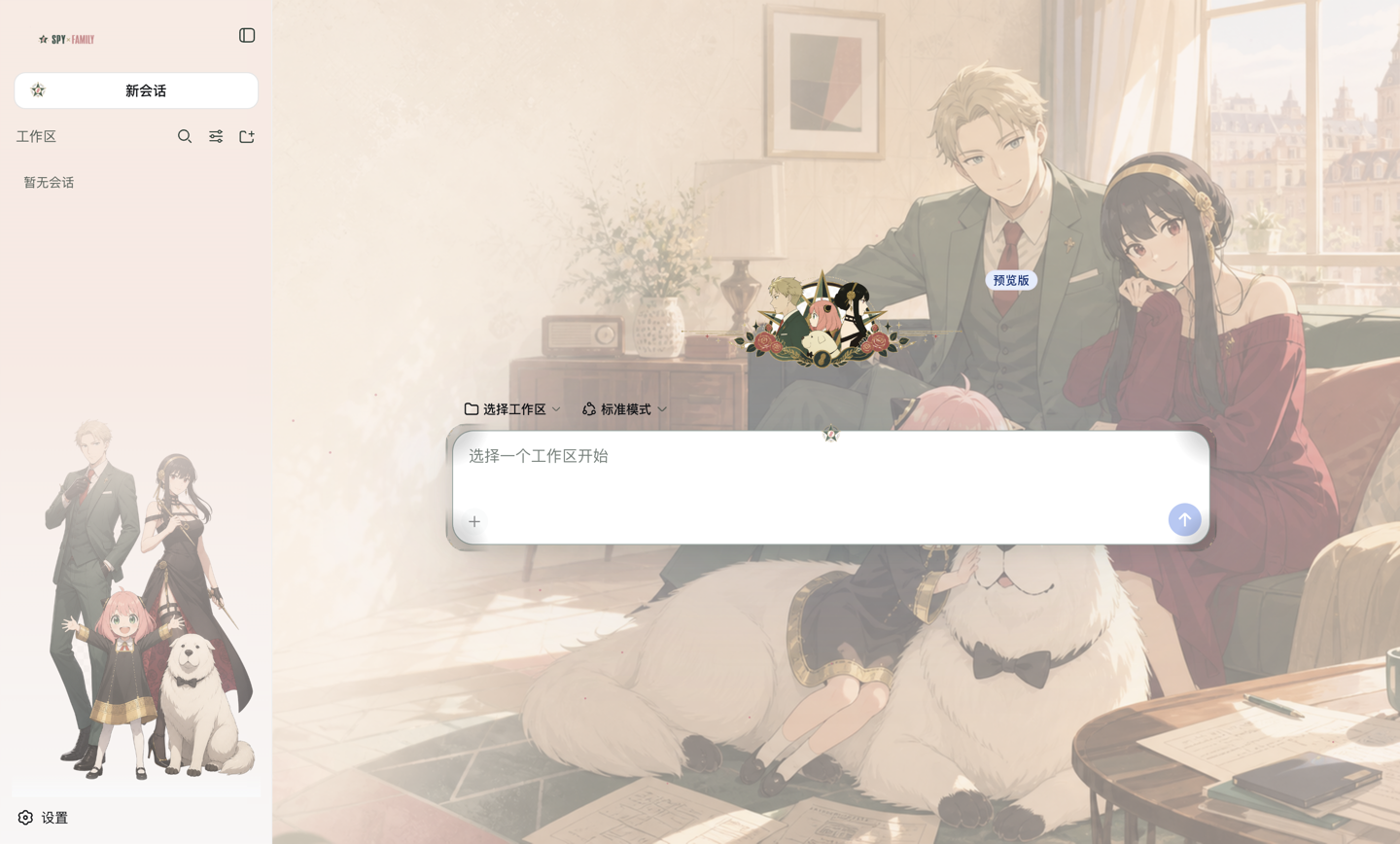 |
| Preset | Palette | Display font |
|---|---|---|
presets/code-geass.yml | Gold #c9a227 · crimson #a01c26 on near-black #0b0810 | Songti / serif |
presets/spy-family.yml | Forest green #2f5d50 · rose #d4788a on green-black #0f1512 | PingFang / rounded sans |
Mount them all with presets/all.yml and switch in Settings → General; the
choice applies at once and is remembered by the browser. active in the config
only decides what a browser sees before it has chosen one.
The choice is stored locally rather than in the settings document: a namespace registered by an out-of-tree plugin does not reach the browser's settings wire, so a picker bound to it silently drops every write.
Both presets ship with the light scheme tuned separately, not derived: a pale
ground needs a denser accent and darker secondary text than a dark ground does,
so accentLight and labelLight are their own values.
What it restyles
| Surface | Treatment |
|---|---|
| Page background | Your wallpaper, separate images for light and dark |
| Sidebar | Character art behind the session list, on a vertical ramp so the list keeps a clean ground |
| Sidebar wordmark | Replaced |
| New-session button | Icon replaced |
| Empty-state logo | Replaced |
| Favicon | Replaced, by claiming an exact route ahead of the SPA fallback |
| Composer | Accent border, blur, focus glow, centre ornament, hand-drawn corner flourishes |
| Messages | User bubbles take the highlight colour; assistant prose gets a halo or a blurred ground |
| Secondary text | Contrast raised — the stock greys vanish over artwork |
| Tool rows, cards, dialogs, scrollbars, focus rings, selection | All themed |
| Ambient motion | Drifting motes, silenced under prefers-reduced-motion |
Everything is scoped to one attribute and one <style> element, and the effect
destructor removes both, so unloading the plugin restores the stock UI exactly.
No DeepSeek Harness source is modified.
Install
dsh plugin --profile web add /path/to/dsh-theme
Installing a local checkout with link: does not install the plugin's own
dependencies. Run npm install in this directory once, or the profile fails to
boot with Cannot find package '@deepseek-ai/schemastery'.
Quick start
git clone https://github.com/naniwet/dsh-themes.git
cd dsh-themes && npm install
dsh plugin --profile web add .
Then paste a preset into $DSH_HOME/profiles/web/cordis.patch.yml, replace the
/path/to/... lines with your own image files, and restart. dsh --profile web --dump-config prints the composed result and marks which layer patched what,
which is the fastest way to confirm a change landed.
Configure
Copy a file from presets/ into your profile's cordis.patch.yml and point the
asset paths at your own images. Switching skins means swapping that block —
there is no second plugin to enable.
A
configblock REPLACES the whole config of an entry; it is not merged key by key. Keep every key you want in the block.
Artwork
Both presets ship with artwork under assets/, and their paths are relative to
the plugin, so a fresh checkout renders without editing anything. An absolute
path in any slot overrides the bundled file.
Provenance. The images in assets/code-geass/ and assets/spy-family/ are
AI-generated (GPT) fan art made for this theme. They are not official studio
material. The characters they depict belong to their respective rights holders —
Code Geass to Sunrise, SPY×FAMILY to Tatsuya Endo / Shueisha — and neither
rights holder is affiliated with or endorses this project. Use is
non-commercial. assets/background-light.svg and assets/background-dark.svg
are original abstract fallbacks used when a slot is left empty.
The plugin serves every image from the host process, so the browser never needs access to your filesystem and the paths never leave the machine.
| Slot | Suggested |
|---|---|
backgroundLight / backgroundDark | ≥1920×1080. Keep the subject right of centre — the sidebar covers the left and the composer the lower middle |
overlay | Transparent PNG, portrait, ~800×1200 |
iconNewSession | Square, ≥64×64, simple enough to read at 28px |
favicon | SVG or 512×512 PNG |
heroLogo | Transparent, landscape ~3:1 |
sidebarWordmark | Transparent, ~400×100 |
border9Slice | 120×120 with ~40px corners, transparent centre |
Every option
| Key | Default | What it does |
|---|---|---|
palette.accent | #c9a227 | Borders, focus, ornament — dark scheme |
palette.accentLight | #8a6d13 | Same role, light scheme; needs to be denser |
palette.highlight | #a01c26 | Primary buttons, selection, user bubbles |
palette.groundDark / groundLight | #0b0810 / #f3ead6 | Base colour each scheme derives its washes and halos from |
palette.labelDark / labelLight | #e6ddc9 / #46392c | Secondary text; tertiary and caption derive from it |
palette.displayFont | Songti serif | Headings and the empty-state title only; body copy keeps the system stack |
backgroundOpacity | 0.5 | Wallpaper strength; also controls how evenly halo works |
readingSurface | halo | halo / panel / none — see below |
overlayPlacement | sidebar | sidebar / corner / none |
overlayOpacity | 0.30 | How strongly the character art shows through its panel |
sidebarOverlayHeight | 46 | Character art height, percent of the sidebar |
overlayWidth | 320 | Character art width in pixels, corner placement only |
frameOnToolCards | false | Draw the nine-slice frame on tool cards; squares off their corners |
Reading surface
Prose renders over the wallpaper, so it needs help. readingSurface picks which
kind, and the two trade against each other:
halo(default) — outlines the glyphs. The artwork stays fully visible, but text crossing a region whose luminance matches the halo loses contrast.panel— a blurred ground behind the conversation column, faded at its left and right edges. Always readable; hides the artwork it covers.none— neither.
Lowering backgroundOpacity narrows the wallpaper's light-to-dark range, which
is what lets halo work evenly across the whole image rather than only over its
mid tones.
Known limits
border9Sliceis drawn as four corner flourishes, not a full frame:border-imageoverridesborder-radiusand stops the background being clipped to it, so a full frame squares off corners the rest of the UI keeps round.- Built-in icons are matched by a substring of their CSS-module class name. That survives a changed build hash, but not a rename upstream.
- The sidebar character art is hidden while the sidebar is collapsed; a 55px rail cannot show a figure.
Adding a theme
A theme is a file in presets/ plus a folder in assets/. No code changes:
copy a preset, swap the seven palette values and the display font, point the
slots at your own images. If you build one, a pull request is welcome.
License
MIT for the code. The bundled fan art is not covered by that licence — see Provenance above; it is AI-generated, non-commercial, and the characters belong to their rights holders.
프로젝트 파일 및 신호
표시된 항목은 디렉터리 스냅샷에서 감지된 공개 저장소 신호입니다.
저장소 정보
- 언어
- JavaScript
- 라이선스
- MIT
- 마지막 업데이트
- 2026. 8. 18. AM 7:21
신중하게 설치하기
소스 코드, 권한, 수명 주기 스크립트, 의존성 및 네트워크 접근을 검토하고 신뢰하지 않는 플러그인은 격리 환경에서 테스트하세요.