설치
npx -y @deepseek-ai/dsh plugin --profile web add github:pang123hui/dsh-workspace-sidebar이 설치 명령은 GitHub 저장소 주소에서 생성된 확인되지 않은 시작점입니다.
README
유지 관리자가 작성한 문서 스냅샷입니다.
dsh-workspace-sidebar
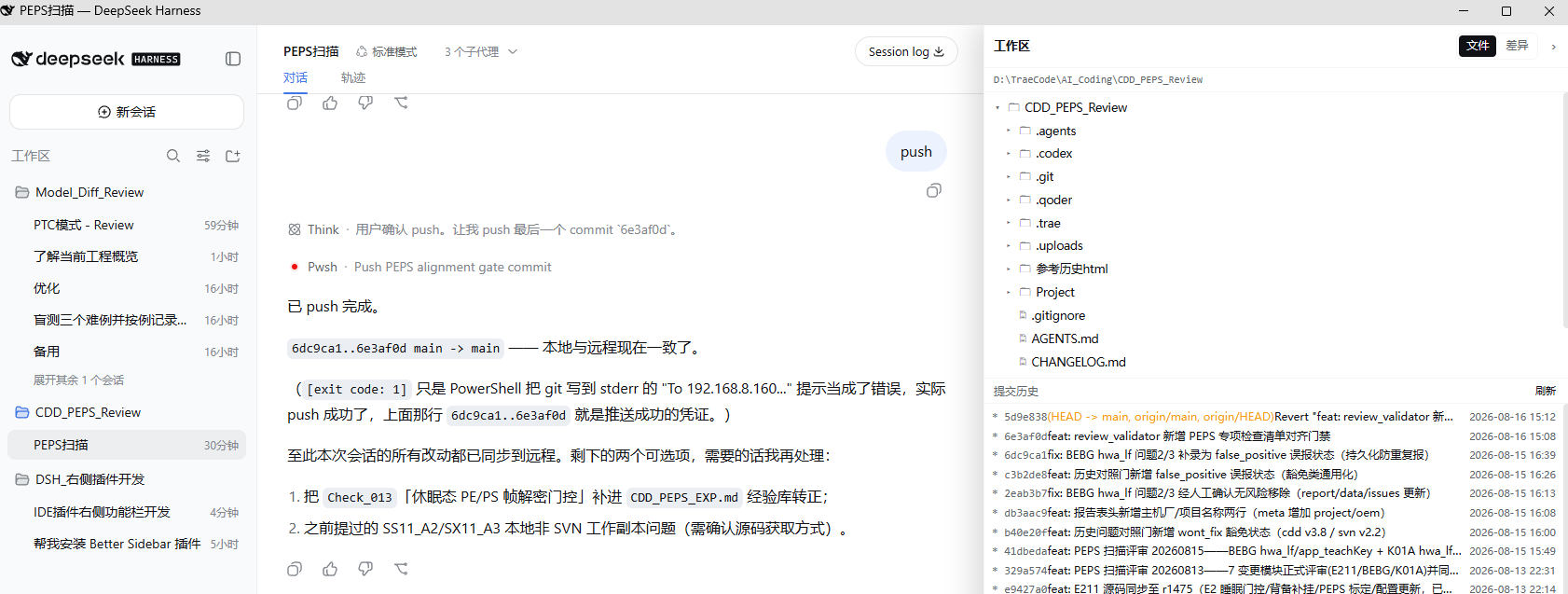
DSH Web 右侧工作区侧边栏:文件树 / git 差异 / 提交历史 / @文件 引用。
功能
- 文件:懒加载目录树、文件重命名/删除(「⋯」菜单)、Markdown / 代码高亮预览,自动刷新(2s)
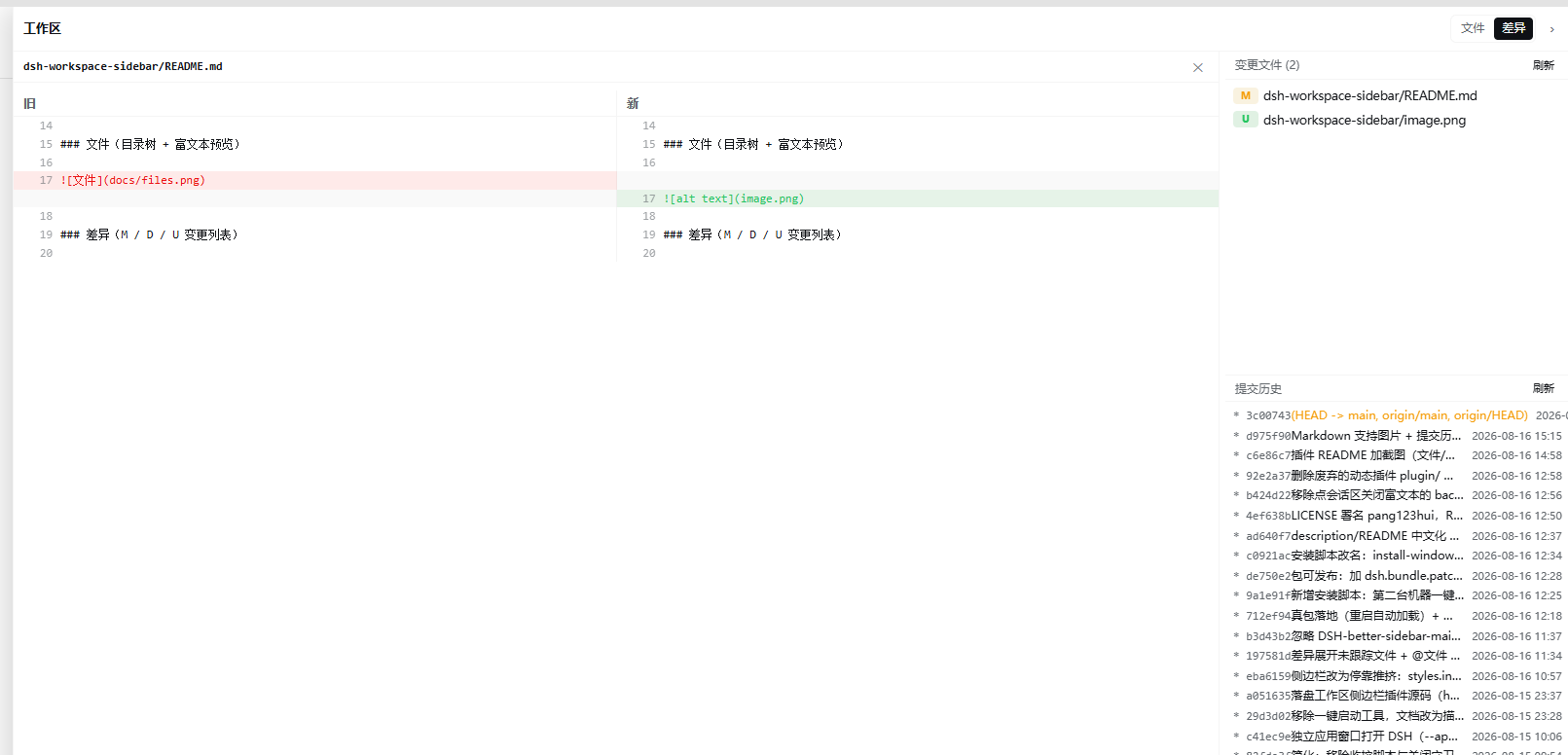
- 差异:git 变更文件列表(M=修改 / D=删除 / U=新建,优先级 M>D>U)、点文件看 diff,自动刷新(4s)
- 提交历史:
git log --graph提交树,点提交展开改动文件,点文件看该次提交 diff - @文件:文件行悬停「@」按钮,把
@相对路径追加到输入框 - 右侧停靠、可拖拽调宽,把会话区往左推(不覆盖聊天内容)
截图
文件(目录树 + 富文本预览)
差异(M / D / U 变更列表)
安装
# 从 GitHub
dsh plugin --profile web add github:pang123hui/dsh-workspace-sidebar

# 从 npm(发布后)
dsh plugin --profile web add dsh-workspace-sidebar
装完重启 dsh web(Ctrl+C 后重跑),浏览器硬刷新即可。
手动安装(不想用 dsh plugin 时)
- 把本包链接到
~/.dsh/profiles/node_modules/dsh-workspace-sidebar(Windows 用 junction,macOS/Linux 用 symlink) - 在
~/.dsh/profiles/web/cordis.patch.yml里加:
- insert:
    - id: workspace-sidebar
      name: 'dsh-workspace-sidebar'
开发
lib/index.js— host 半,/wspan/api/*HTTP 路由(文件读取、git 操作)lib/client.js— client 半,window.__ModuleLoader__.load打包格式
client 半改动后浏览器硬刷新即可;host 半改动需重启 dsh web。
License
MIT
프로젝트 파일 및 신호
표시된 항목은 디렉터리 스냅샷에서 감지된 공개 저장소 신호입니다.
문서감지됨
저장소 정보
- 언어
- JavaScript
- 라이선스
- MIT
- 최신 릴리스
- v0.1.0
- 마지막 업데이트
- 2026. 8. 18. 오후 3:04
신중하게 설치하기
소스 코드, 권한, 수명 주기 스크립트, 의존성 및 네트워크 접근을 검토하고 신뢰하지 않는 플러그인은 격리 환경에서 테스트하세요.