설치
npx -y @deepseek-ai/dsh plugin --profile web add github:PaRr0tBoY/dsh-toc-and-rewind이 설치 명령은 GitHub 저장소 주소에서 생성된 확인되지 않은 시작점입니다.
README
유지 관리자가 작성한 문서 스냅샷입니다.
dsh-toc-tail
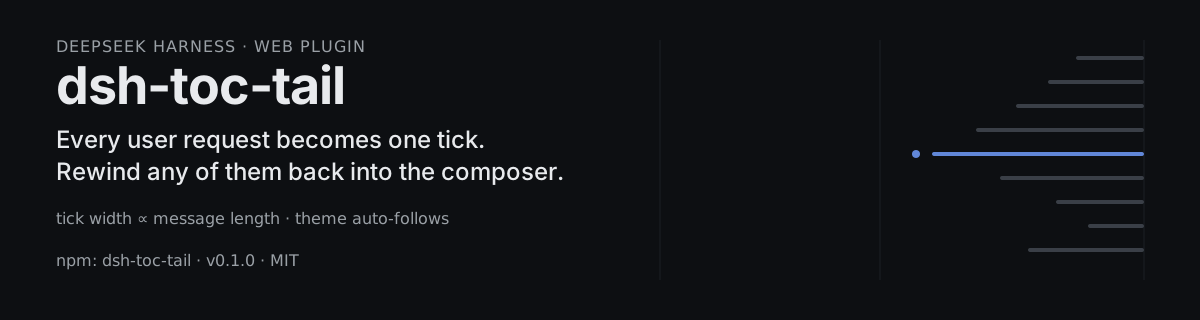
A conversation outline rail with rewind for the DeepSeek Harness web interface. Every user request becomes one tick in a vertical timeline at the conversation column's right edge; the directory panel can rewind to any user request, withdrawing it back to the composer.
Screenshots
The rail: one tick per user request, width proportional to message length.
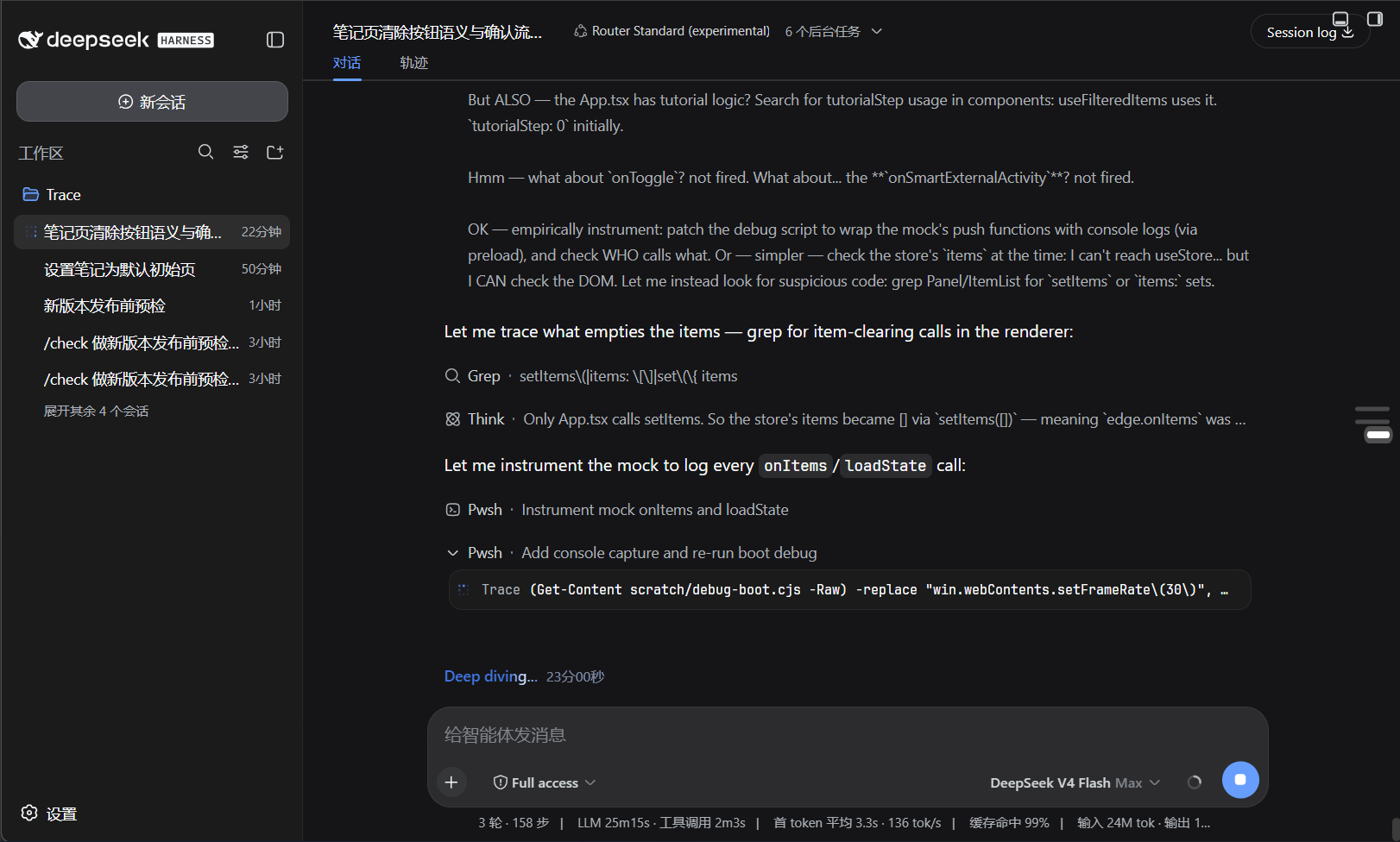
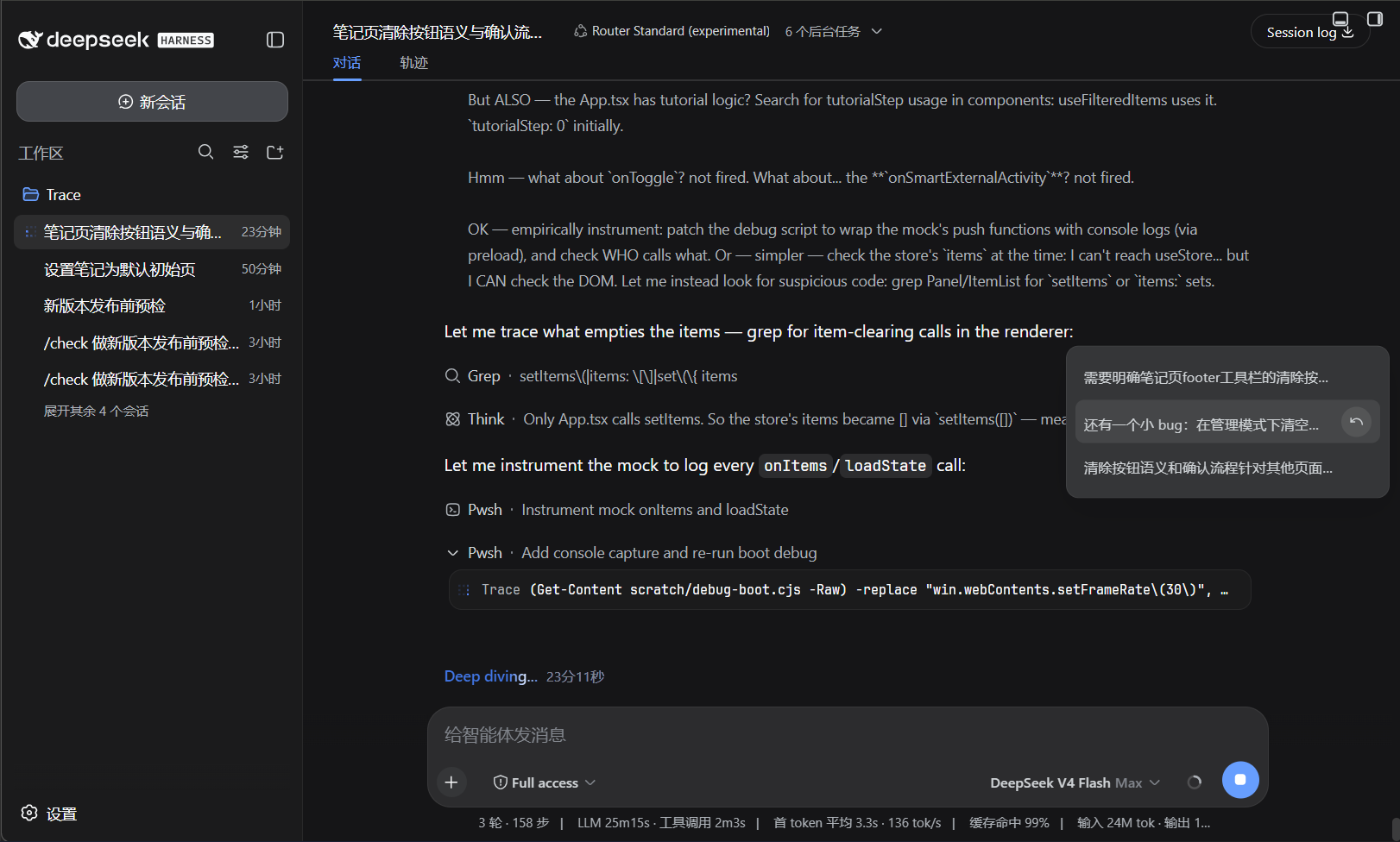
Hover or focus a tick to open the directory panel listing every request with its summary.
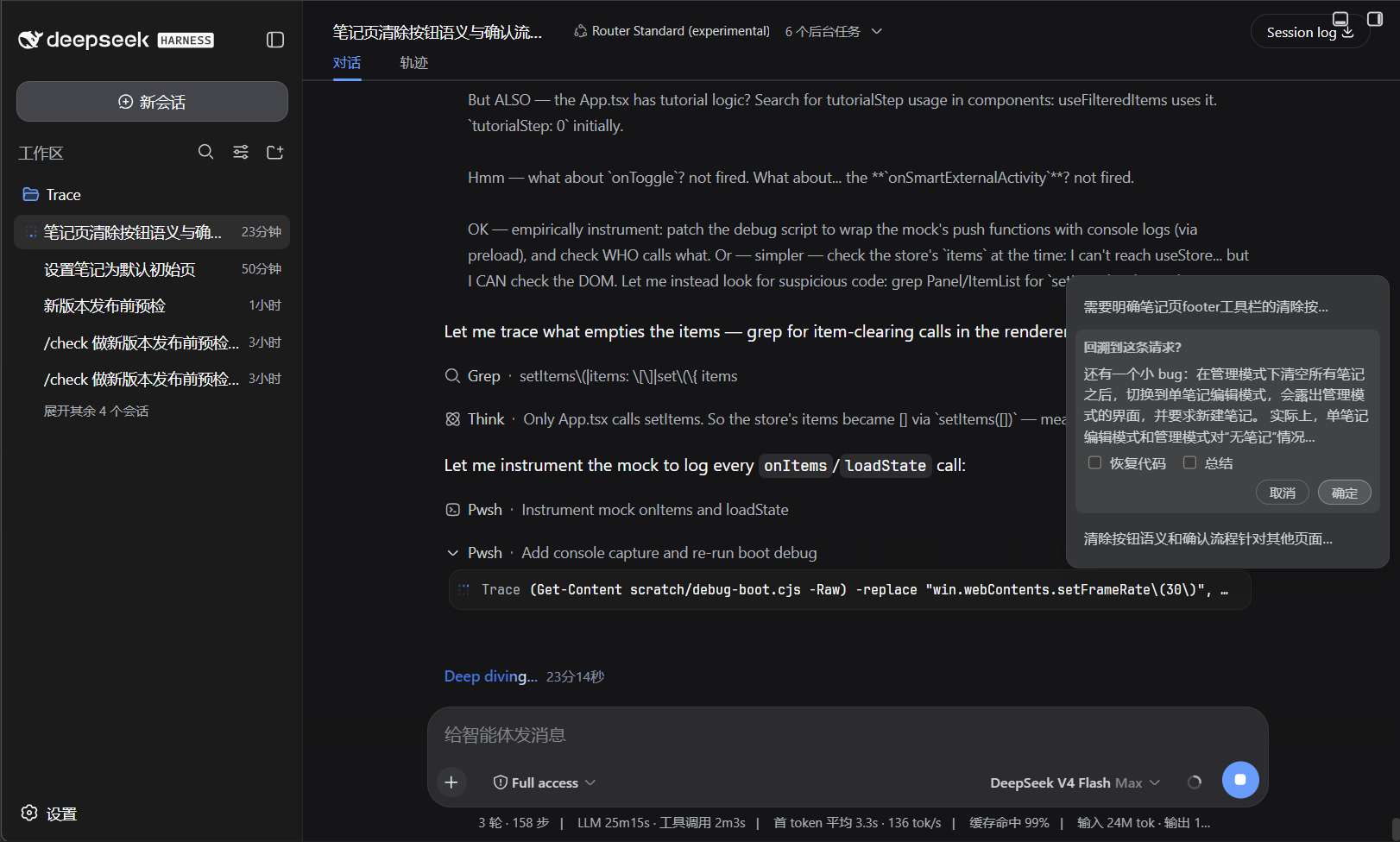
Each row carries a rewind button that opens the confirm menu: restore code and/or summarize, then confirm.
What it is
A lightweight conversation outline for long sessions. Each user request compresses into one horizontal tick; the tick width scales with the message length, and the longest request defines the scale. Hover or focus a tick to open a rounded directory panel with every request's summary and a rewind button.
Why it works
- Tick width ∝ message length: the longest request gets the widest tick, every other tick scales by its length ratio, so the rail reads like a map of the conversation.
- Paragraph-scoped highlighting: the request whose paragraph is in the viewport stays highlighted; an assistant reply keeps its request's tick highlighted until the next request scrolls into view.
- Theme auto-follow: the rail, directory, and rewind cards ride the theme tokens projected by the Harness (
--dsw-*), so light/dark switching recolors the whole plugin instantly.
Rewind
Rewinding to a user request withdraws that message as if it was never sent: the message text is prefilled back into the composer, and the conversation is folded up to the previous request's assistant reply. Everything from the withdrawn message onward is collapsed.
- No options selected — folds to the selected position only.
- Summarize — the folded span is summarized by the model and the report replaces it as context.
- Restore code — the workspace files are restored to their snapshot at that request (snapshots are taken automatically before every user request).
The folded conversation disappears from the web view, and the fold marker card shows the summary (or a fold notice) with the number of collapsed messages.
Install or Update
Install from npm:
dsh plugin --profile web add dsh-toc-tail
Or install from the GitHub release tarball:
dsh plugin --profile web add https://github.com/PaRr0tBoY/dsh-toc-tail/archive/refs/tags/v0.1.0.tar.gz
Use the same command to update an existing installation. Restart dsh web after installation so the Host and browser client load the new version.
Behavior Notes
- The rail appears once the conversation has at least three user requests.
- The rail is vertically centered against the viewport and sits at the conversation column's right edge, keeping the screen's small edge gap.
- Rewound requests lose their ticks and their flow rows are hidden.
- Clicking a row's summary area jumps to that message; clicking the rewind button opens the confirm menu.
Development
pnpm install
pnpm run verify
The development setup expects the Harness checkout available through the peer dependencies. Built files under lib/ are committed so profile installation does not require package build scripts.
License
MIT
프로젝트 파일 및 신호
표시된 항목은 디렉터리 스냅샷에서 감지된 공개 저장소 신호입니다.
저장소 정보
- 언어
- TypeScript
- 라이선스
- MIT
- 마지막 업데이트
- 2026. 8. 15. 오전 11:05
신중하게 설치하기
소스 코드, 권한, 수명 주기 스크립트, 의존성 및 네트워크 접근을 검토하고 신뢰하지 않는 플러그인은 격리 환경에서 테스트하세요.