설치
npx @deepseek-ai/dsh plugin --profile feishu add @dsh-feishu/dsh-feishu@latest이 명령은 GitHub 저장소 주소에서 생성됩니다. 실행 전에 업스트림 README와 소스를 검토하고 재현성이 필요하면 release 또는 commit을 고정하세요.
README
유지 관리자가 작성한 문서 스냅샷입니다.
The Feishu UI for DeepSeek Harness (dsh)
English | 中文


The Feishu UI for DeepSeek Harness (dsh) — a dsh-native plugin with a panel-driven control console: every slash command is a button on the ⚙️ control-panel card, approvals and questions resolve inside the chat, and one QR scan sets the whole app up.
Note: DeepSeek Harness is still pre-release (
0.1.0-rc.x) and may break between releases. dsh-feishu tracks the latest release — currently compatible with dsh0.1.0-rc.7.
https://github.com/user-attachments/assets/e9163793-52f2-4e2c-a08a-22b27372be61
2.5-min demo: control panel, streaming card, approval and question.
Quickstart
Install from npm
# 1. install Node.js ≥ 22.13
#    macOS / Linux: nvm (https://github.com/nvm-sh/nvm) → nvm install 22
#    Windows: https://nodejs.org  (or: winget install OpenJS.NodeJS.LTS)
node --version

# 2. install pnpm
npm install -g pnpm

# 3. install the plugin
#    (pnpm ≥ 11 blocks the protobufjs build script by default — if this
#     fails with ERR_PNPM_IGNORED_BUILDS, append --allow-build=protobufjs)
npx @deepseek-ai/dsh plugin --profile feishu add @dsh-feishu/dsh-feishu@latest

# 4. one QR scan — create + configure the Feishu app
npx --yes --package @dsh-feishu/dsh-feishu dsh-feishu-setup --new --profile feishu

# 5. run
npx @deepseek-ai/dsh --profile feishu
Install from source
# 1. install Node.js ≥ 22.13
#    macOS / Linux: nvm (https://github.com/nvm-sh/nvm) → nvm install 22
#    Windows: https://nodejs.org  (or: winget install OpenJS.NodeJS.LTS)
node --version

# 2. install pnpm
npm install -g pnpm

# 3. clone and build
git clone https://github.com/PGZXB/dsh-feishu.git
cd dsh-feishu
pnpm install
pnpm run build

# 4. install into a profile
npx @deepseek-ai/dsh plugin --profile feishu add link:.

# 5. one QR scan — create + configure the Feishu app
pnpm run setup:feishu -- --new --profile feishu

# 6. run
npx @deepseek-ai/dsh --profile feishu
Then message the bot in Feishu. The setup wizard handles the Feishu app end
to end — no web-console work and no manual credentials. Already have an app?
Set FEISHU_APP_ID / FEISHU_APP_SECRET (environment or profile config)
instead — see docs/feishu-setup.md.
Uninstall
# remove the plugin from the profile
npx @deepseek-ai/dsh plugin --profile feishu remove @dsh-feishu/dsh-feishu

# optional — full clean slate: delete the profile and its surface data
# (paths shown for the default dsh home, ~/.dsh)
rm -rf ~/.dsh/profiles/feishu ~/.dsh/feishu
Usage
A Feishu chat is a dsh session — the bot is the agent's avatar. A typical session goes like this:
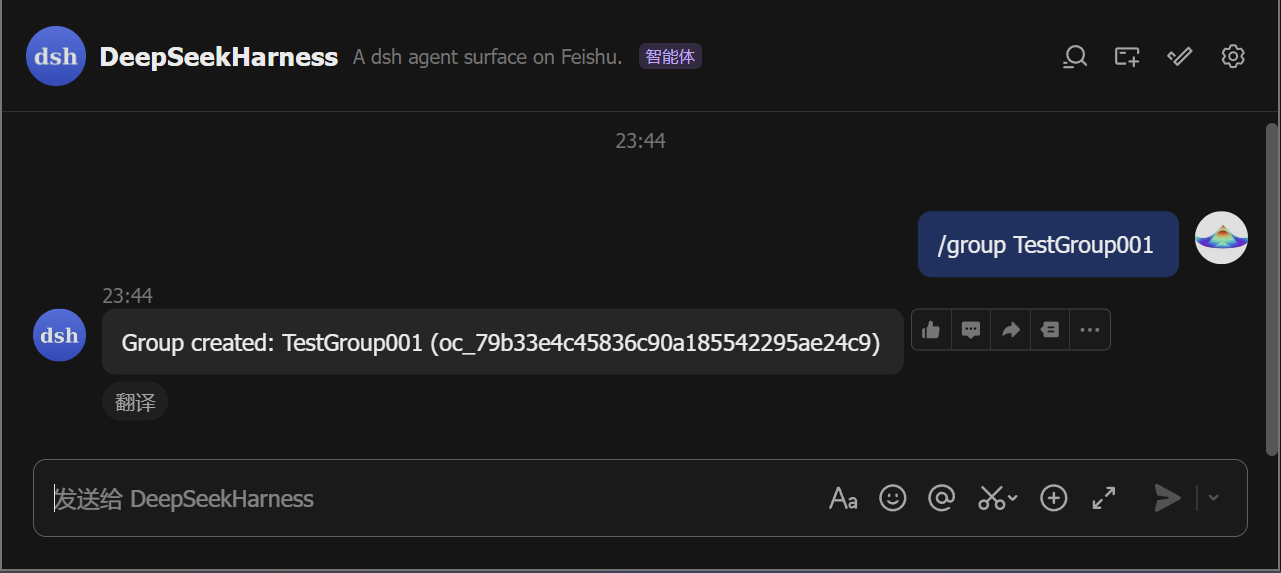
- Start a chat. Direct-message the bot, or run
/group <name>to create a group the bot joins. In a group, @-mention the bot (the default policy; a group with just you and the bot also answers plain messages, and the policy is configurable).
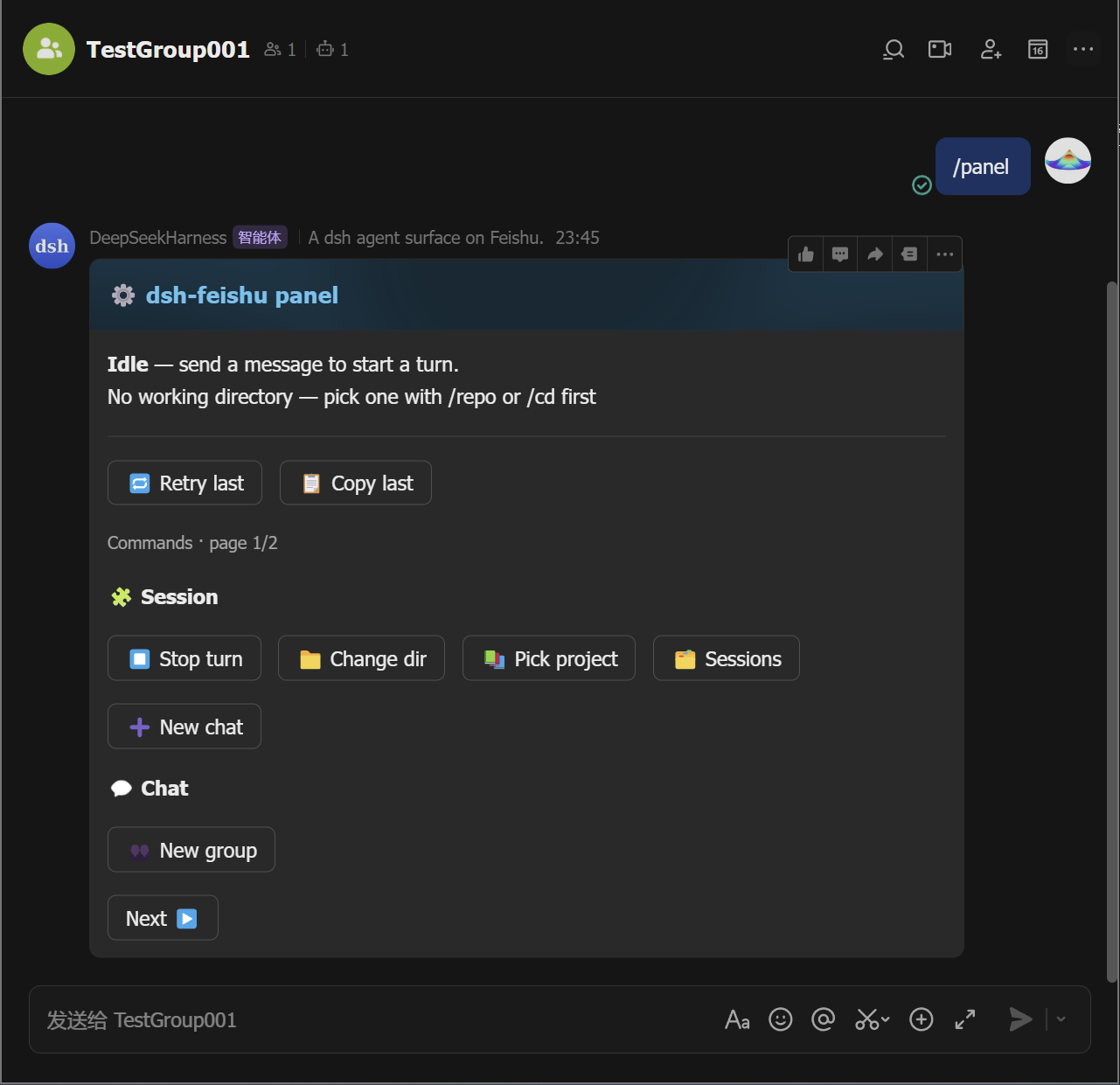
- Open the control panel. Send
/panelto pop up the panel card.
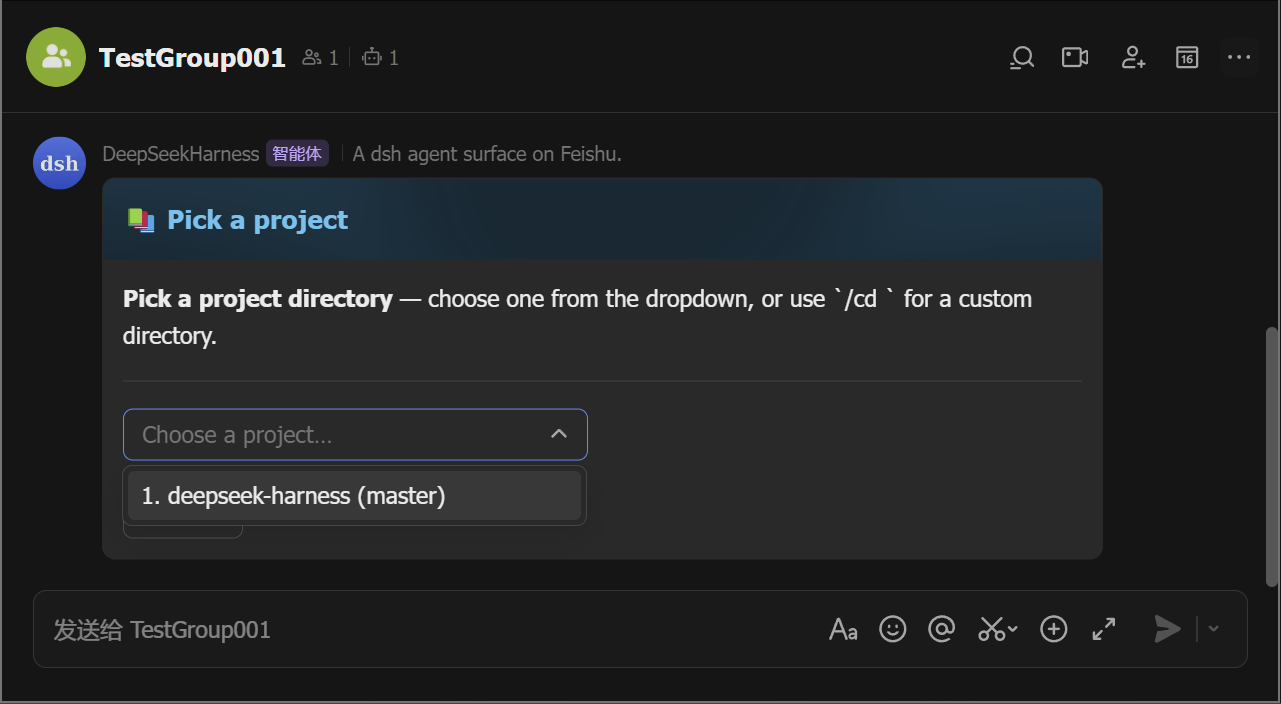
- Pick a working directory. The bot refuses work until the chat has
one: tap 📚 Pick project to choose from a list (the
/repoequivalent), or 📁 Change dir to type a path (the/cd <path>equivalent).
-
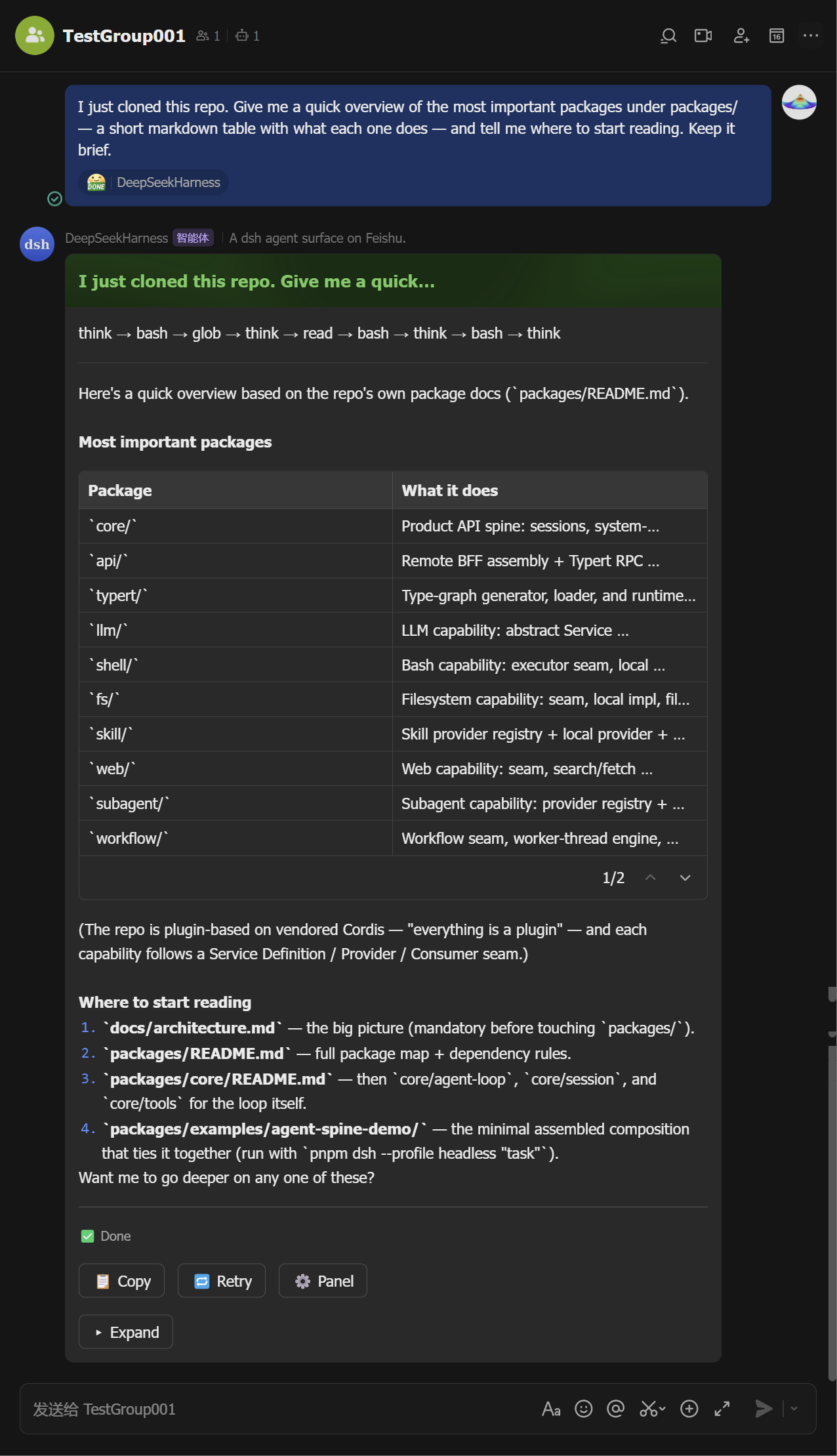
Ask. Send a message — the agent runs and its output streams into a live card (tool calls, reasoning, markdown, tables). The card ends green with the full answer inside; Stop, copy, retry, and the ⚙️ panel button sit on it.
Mid-stream Finalized 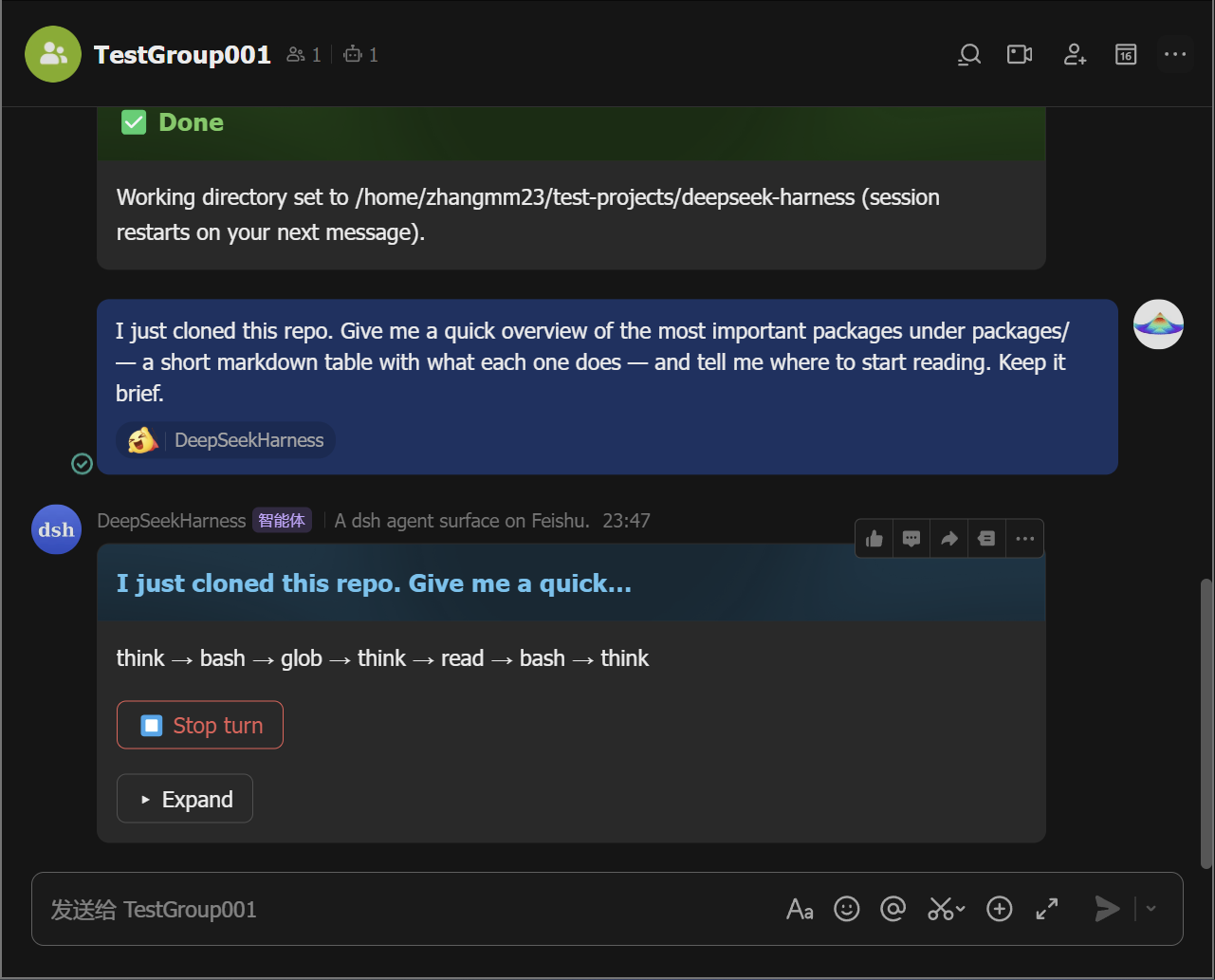
-
Approve or answer when asked. A permission escalation posts an approval card — tap Allow once (or Reject). A question posts a card you answer with a tap (or a reply).
Approval Question 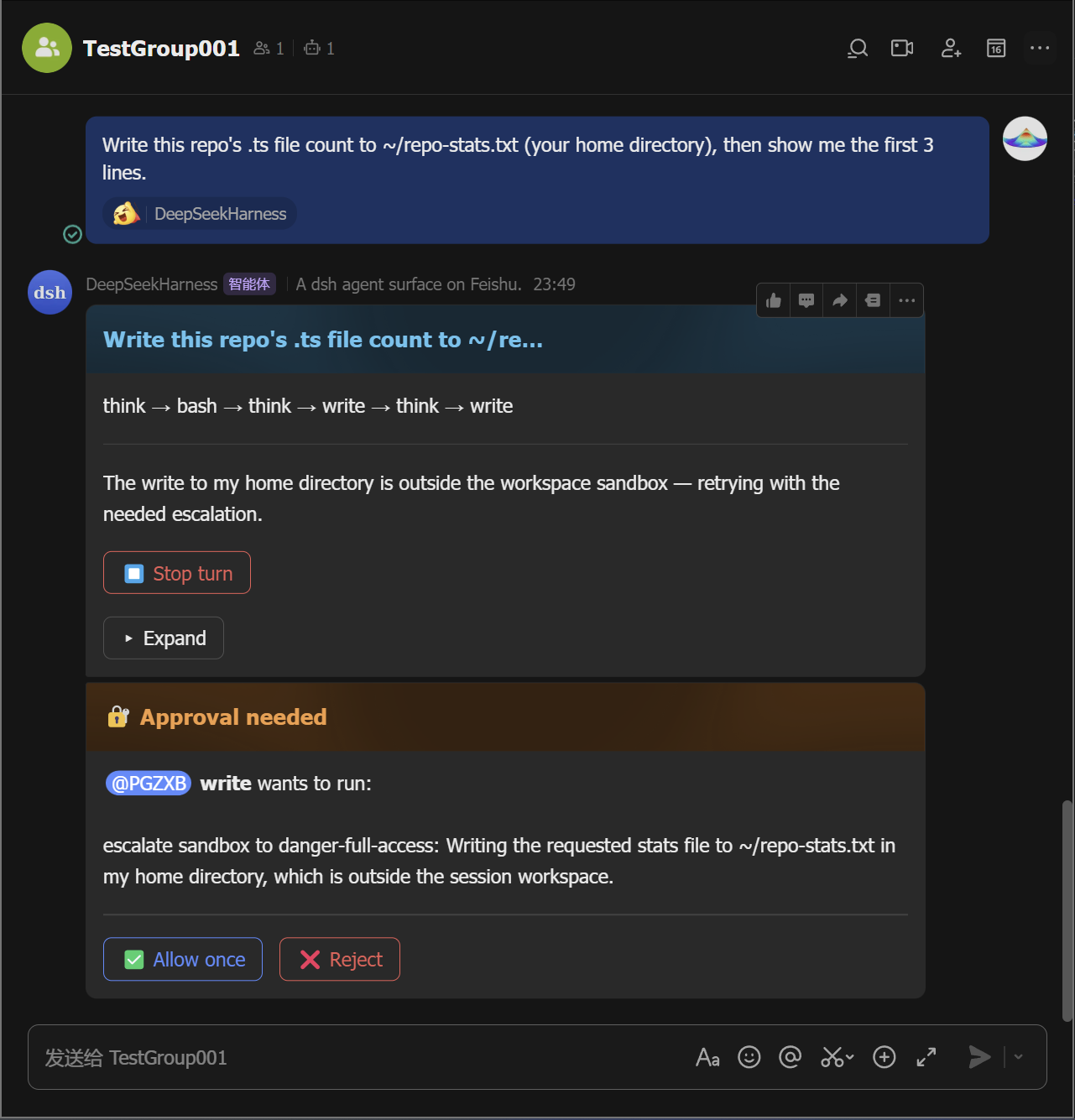
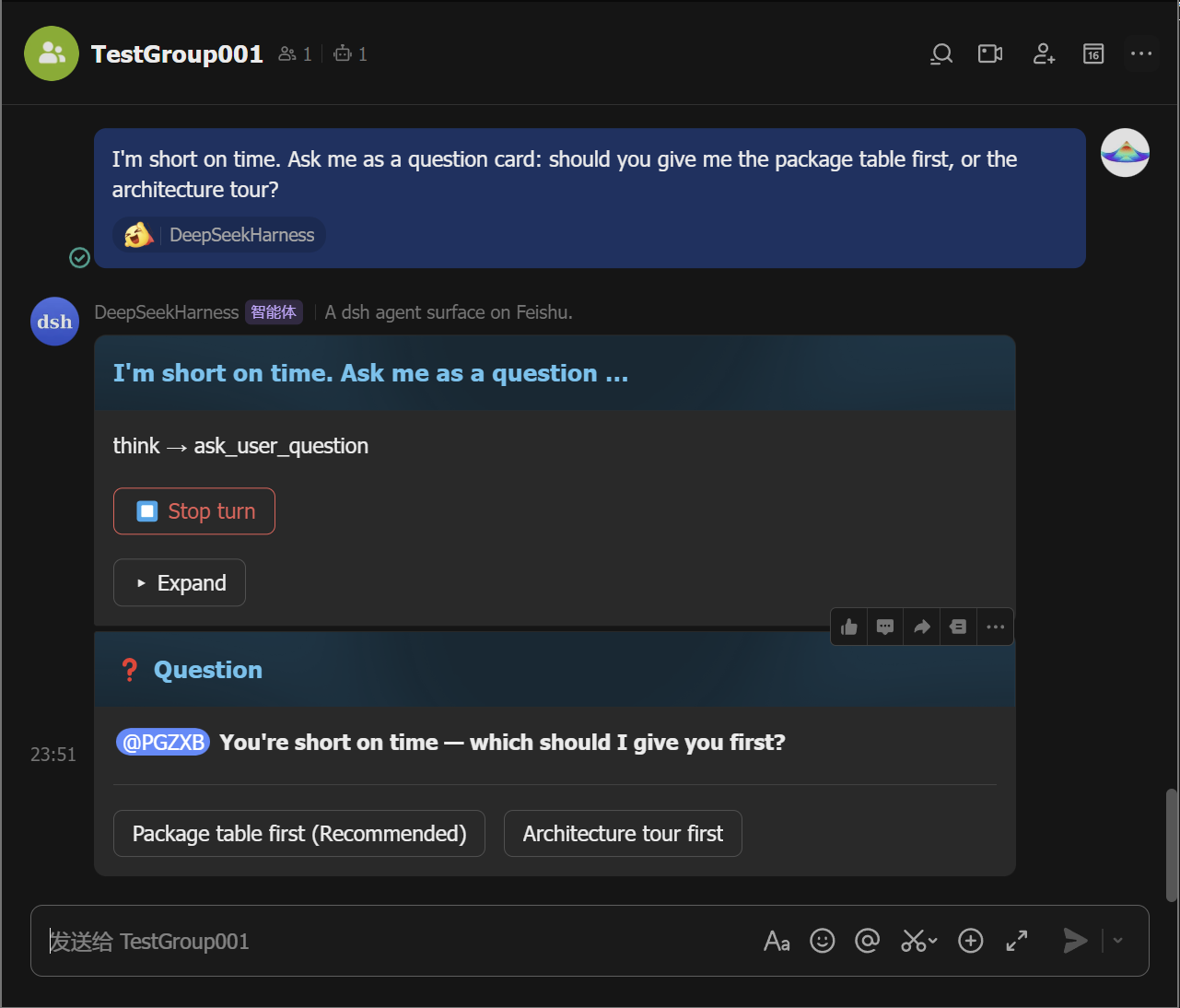
-
Manage sessions. Tap 🗂️ Sessions to list saved sessions and resume any of them from the card (the
/sessionsequivalent;/resume <id>moves one into this chat), and tap ➕ New chat (the/clearequivalent) to start fresh without deleting the old one.
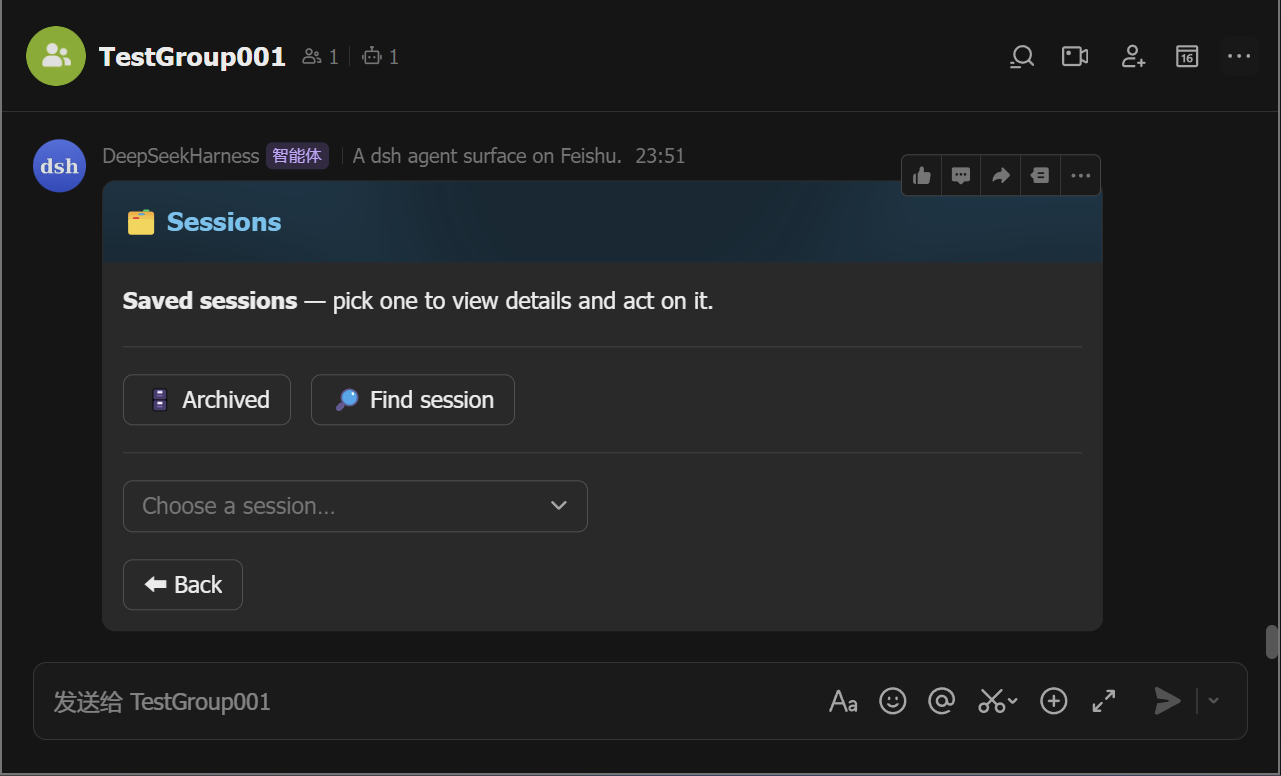
Every button on the panel card maps to a slash command — pick whichever
feels faster; /help lists them all.
Commands
| Command | What it does |
|---|---|
/cd <path> | set this chat's working directory |
/repo | list candidate project directories to pick from |
/sessions | list saved sessions (resume any of them from the card) |
/resume [id] | resume a saved session in this chat |
/clear /new | start a fresh conversation (the old session stays saved) |
/cancel | stop the running turn |
/status | show this chat's session status |
/model | pick or set the model |
/export | send this chat's session log as a file |
/schedule | list active reminders |
/feishu-status | show the surface diagnostic card |
/group | create a group with the bot |
/panel | open the control-panel card (all commands as buttons) |
/help | list all commands |
/plan /permission /goal /compact /feedback | dsh's own commands, same as the web UI |
Features
- Live streaming cards — tool calls, reasoning, markdown, and tables stream in as the agent works.
- One-tap control panel —
/panelrenders the full command palette as buttons; no command syntax to remember, and each button is the exact equivalent of typing the command. - In-card approvals & questions — approve a permission escalation or answer the agent's questions in the chat.
- Sessions survive restarts — a chat's session (and its working directory) is persisted across daemon restarts.
- Groups & mentions — @-mention the bot; error notices, approvals, and questions @ the requester.
- Reactions, allowlists, reminders, export, diagnostics — reaction ack,
allowedChats/allowedUsers, scheduled reminders, session-log files, and a status card.
Contributing
See CONTRIBUTING.md and SECURITY.md. Development, tests, and release: docs/development.md.
Credits
- botmux — the reference for the group-chat interaction patterns: streaming cards, approvals, and the QR-driven Open Platform quick-setup flow. dsh-feishu borrows botmux's interaction and onboarding patterns, not its architecture — botmux bridges external CLIs, while this surface is dsh-native and in-process.
- DeepSeek Harness — the platform this surface is built for.
- Lark Open Platform SDK — the WebSocket long connection and card APIs the transport builds on.
License
MIT — see LICENSE.
프로젝트 파일 및 신호
표시된 항목은 디렉터리 스냅샷에서 감지된 공개 저장소 신호입니다.
저장소 정보
- 언어
- TypeScript
- 라이선스
- MIT
- 최신 릴리스
- v0.2.0
- 마지막 업데이트
- 2026. 8. 18. 오후 4:25
신중하게 설치하기
소스 코드, 권한, 수명 주기 스크립트, 의존성 및 네트워크 접근을 검토하고 신뢰하지 않는 플러그인은 격리 환경에서 테스트하세요.