설치
npm install -g @deepseek-ai/dsh # 先安装 dsh CLI,然后才能执行 dsh 命令이 명령은 GitHub 저장소 주소에서 생성됩니다. 실행 전에 업스트림 README와 소스를 검토하고 재현성이 필요하면 release 또는 commit을 고정하세요.
README
유지 관리자가 작성한 문서 스냅샷입니다.
dsh-usage-lens


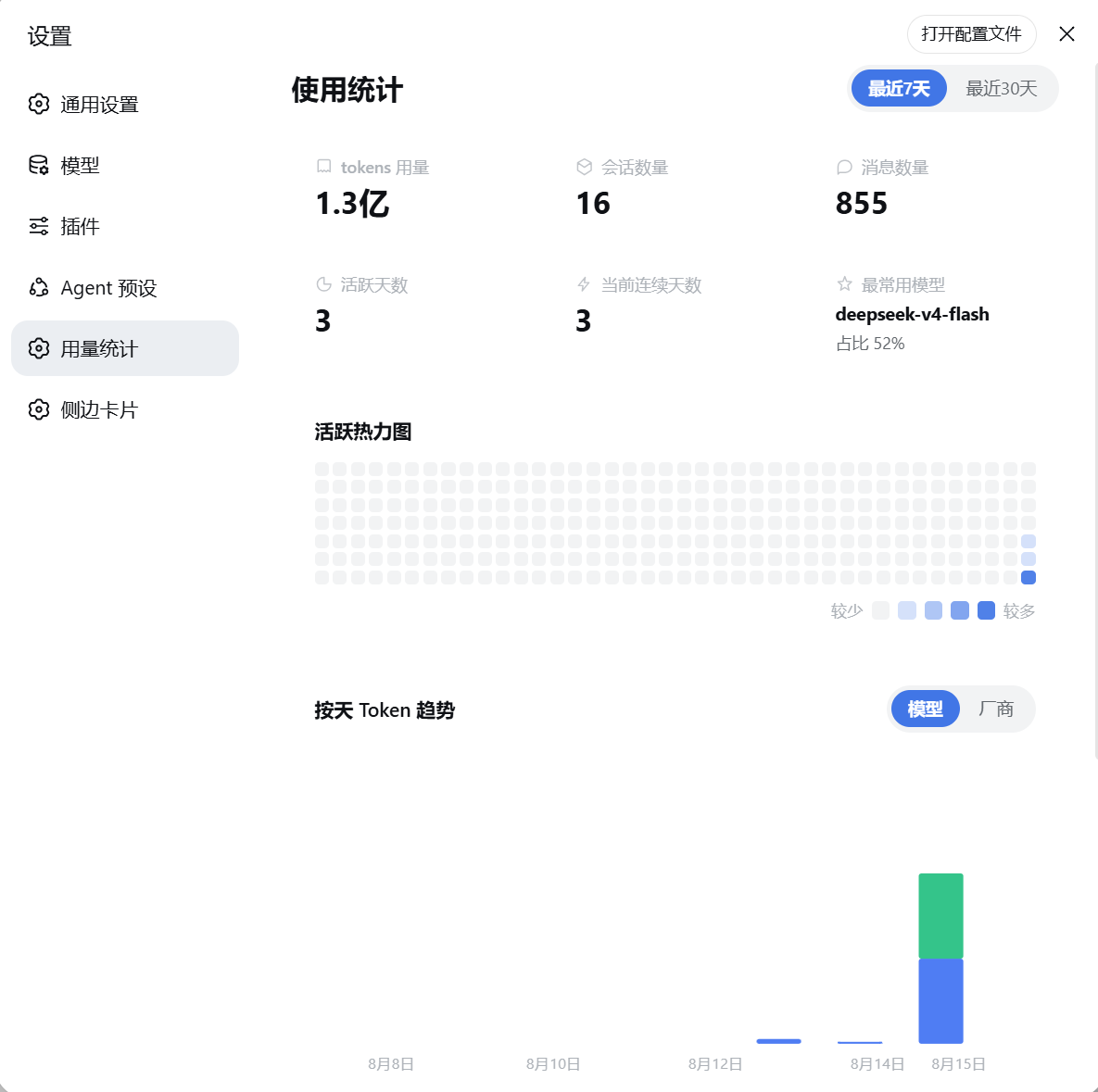
DeepSeek Harness(DSH)Web UI 的用量统计面板,风格参考作者喜欢的 ZCode Harness 设计。 安装后,设置面板会新增「用量统计」页面,直观展示你的使用情况。
预览
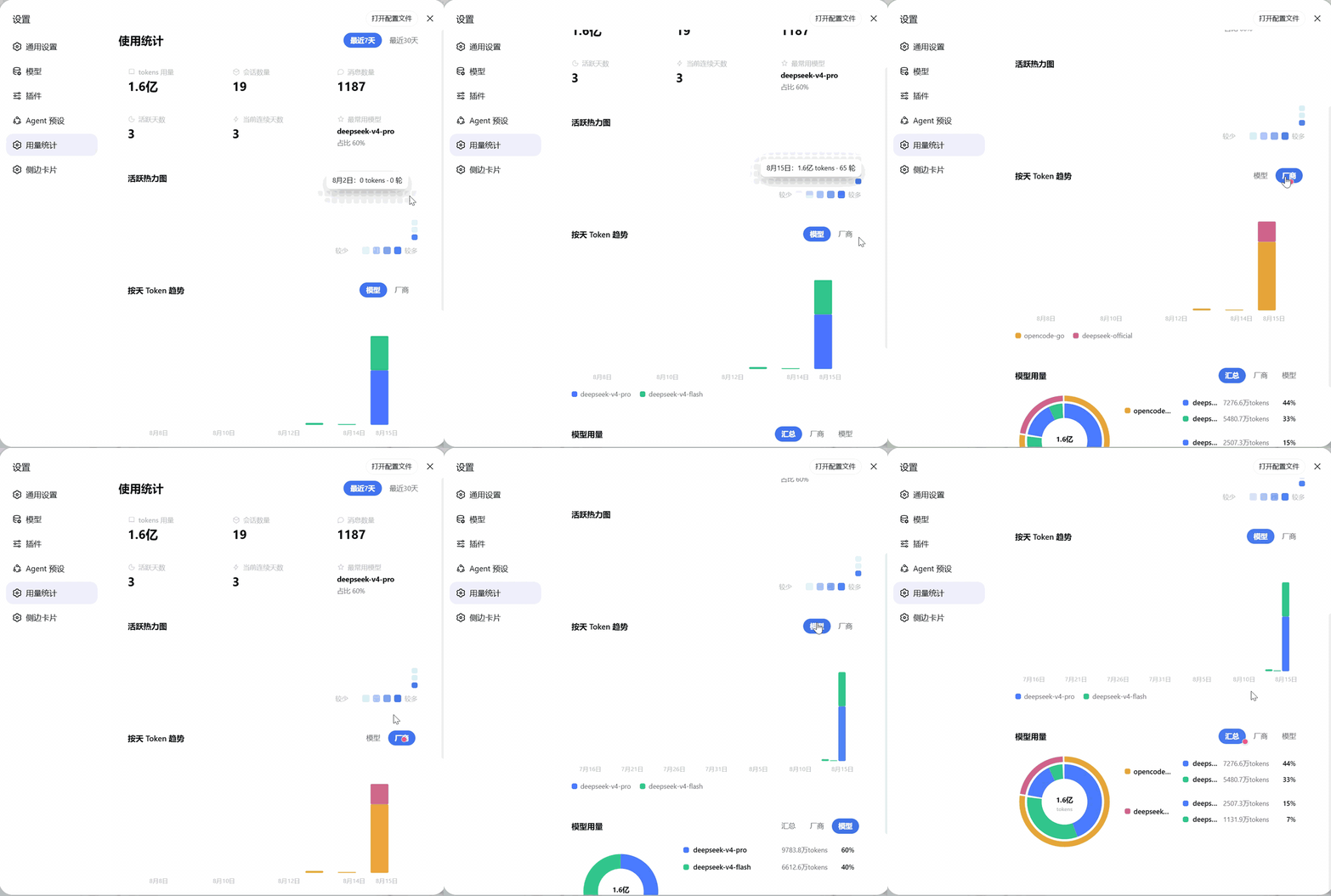
静态截图
功能
- 总览卡片:tokens 用量、会话数量、消息数量、活跃天数、当前连续天数、最常用模型。
- 活跃热力图:GitHub 风格的 280 天活跃热力图,一眼看清使用节奏。
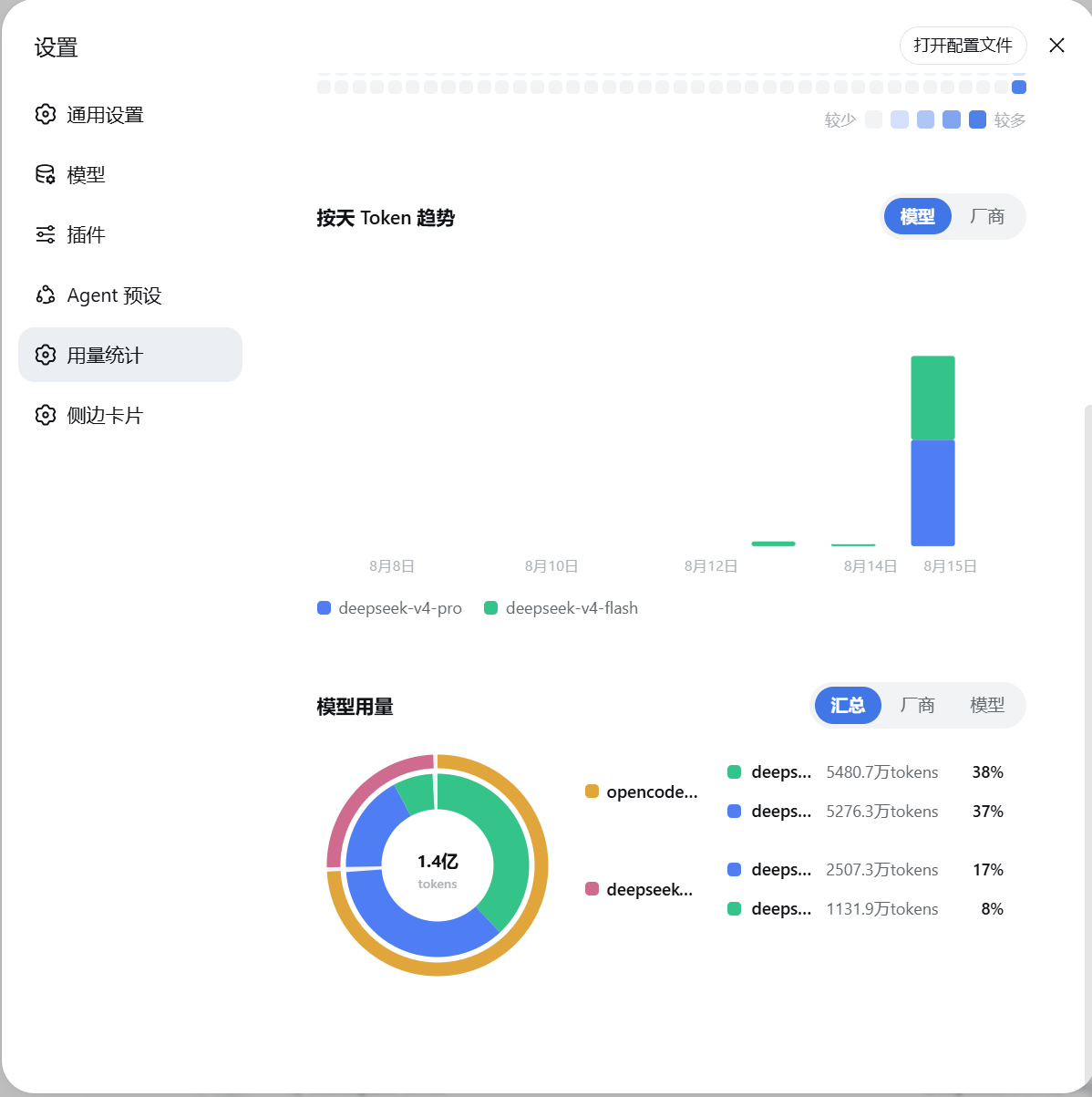
- 每日 Token 趋势:按天查看 token 消耗,可切换「模型 / 厂商」视角。
- 模型用量双环饼图:支持「汇总 / 厂商 / 模型」三种查看方式。
安装
方式一:npm 包
npm install -g @deepseek-ai/dsh   # 先安装 dsh CLI,然后才能执行 dsh 命令
dsh plugin --profile web add @yokesky/dsh-usage-lens
方式二:源码
# 需要已安装 dsh CLI(npm install -g @deepseek-ai/dsh),如已装可跳过
git clone https://github.com/yokesky/dsh-usage-lens.git
cd dsh-usage-lens
pnpm install
pnpm build
dsh plugin --profile web add link:<本仓库绝对路径>
说明:
link:方式指向本地源码,修改代码后重新pnpm build并重启 web 服务即可生效,无需重新安装。也可以直接从本仓库路径安装:dsh plugin --profile web add <本仓库路径>。
安装后
重启 web 服务,打开设置面板即可看到「用量统计」。
English
A usage statistics dashboard for the DeepSeek Harness (DSH) Web UI. Once installed, a new Usage Statistics page appears in Settings.
Features: overview cards (tokens, sessions, messages, active days, current streak, top model), a 280-day GitHub-style activity heatmap, a daily token trend chart with model/provider views, and a model-usage donut chart with summary/provider/model modes.
Install:
npm install -g @deepseek-ai/dsh
dsh plugin --profile web add @yokesky/dsh-usage-lens
Restart the web service, then open Settings → Usage Statistics.
数据说明 / Privacy
- 所有数据来自你本机的 DSH 会话记录,只在本地处理,不会上传到任何地方。
- 面板自动跟随 DSH 的亮色 / 暗色主题。
All data is read from your local DSH session logs and processed locally — nothing is uploaded. The panel follows DSH's light / dark theme automatically.
License
MIT © 2026 yokesky
저장소 정보
- 언어
- TypeScript
- 라이선스
- MIT
- 마지막 업데이트
- 2026. 8. 15. 오후 1:04
신중하게 설치하기
소스 코드, 권한, 수명 주기 스크립트, 의존성 및 네트워크 접근을 검토하고 신뢰하지 않는 플러그인은 격리 환경에서 테스트하세요.