安装
npx -y @deepseek-ai/dsh plugin --profile web add github:drfccv/dsh-theme-neko此安装命令根据 GitHub 仓库地址生成,是未经验证的安装起点。
README
维护者编写的文档快照。
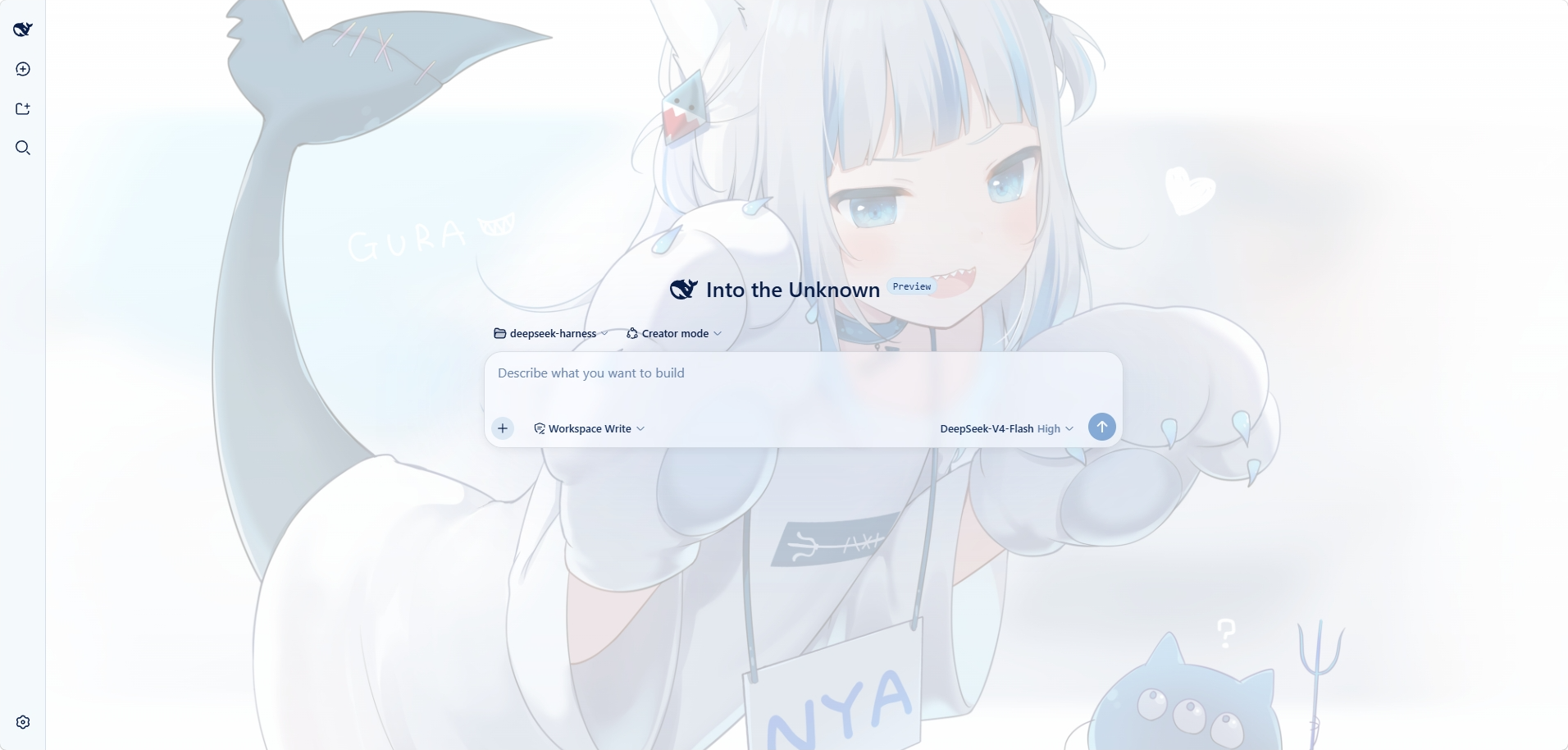
The interface uses the Nachoneko artwork by Amashiro Natsuki as the wallpaper background and applies a matching blue-and-white color palette.
Screenshot
Features
- Nachoneko wallpaper background, with light and dark variants
- Interface surfaces styled to match the artwork's palette, including the composer, popup menus, and the settings dialog
- Readability adjustments for tooltips, focus indicators, and buttons
Requirements
- DeepSeek Harness with a
webprofile
Installation
Install the plugin into your profile:
dsh plugin --profile web add dsh-theme-neko
Restart the web GUI so the plugin is loaded:
dsh web
The theme is applied automatically after the restart.
Usage
- The plugin appears under Settings > Plugins as
dsh-theme-neko. - To replace the wallpaper, overwrite
assets/wallpaper.png, then rebuild and reinstall the package. - To uninstall:
dsh plugin --profile web remove dsh-theme-neko
Development
pnpm install
pnpm build
npm publish
License
The software is licensed under the MIT License. See LICENSE.
The bundled wallpaper is not part of the software license. See THIRD-PARTY-NOTICE.md for the artwork attribution.
Background Artwork
- Artist: Amashiro Natsuki (Nachoneko)
- Source: https://amashiro.com/wp-content/uploads/2021/12/10.png
- Official Gallery: https://amashiro.com/gallery/
- Copyright: © Amashiro Natsuki
This artwork is not part of the project's software license. All rights remain with the original copyright holder.
仓库信息
- 开发语言
- TypeScript
- 许可证
- NOASSERTION
- 最后更新
- 2026年8月14日 00:14
谨慎安装
请检查源代码、权限、生命周期脚本、依赖与网络访问;不受信任的插件应先在隔离环境中测试。