安装
npx -y @deepseek-ai/dsh plugin --profile web add github:jarvis-intelligence/jarvis-index此安装命令根据 GitHub 仓库地址生成,是未经验证的安装起点。
README
维护者编写的文档快照。
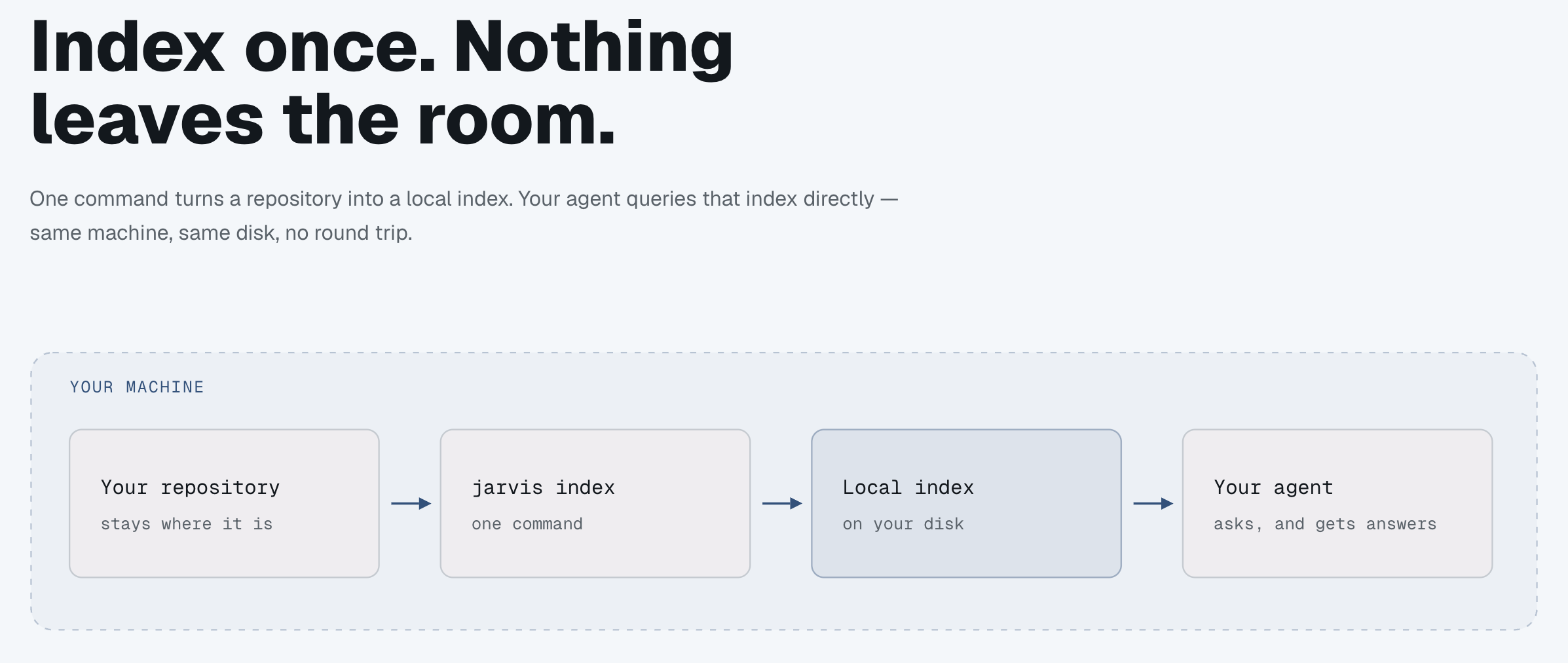
Local-first code intelligence for coding agents. Index your own repositories with SCIP and Zoekt, then let the agent ask structural questions — who calls this?, where is this defined? — instead of guessing from grep.



Everything runs on your machine. No code leaves it, no telemetry, no account.
This repo is the public distribution surface: the installer, the plugins, the binary release assets, and the issue tracker. It holds no source — see Why this repo exists.
What you get
Nine MCP tools, exposed to any MCP client:
| Tool | Answers | |
|---|---|---|
| Navigate | goToDefinition | Where is X defined? |
findReferences | Everywhere X is used | |
callHierarchy | What calls X, and what X calls | |
typeHierarchy | Super/subtypes of X | |
documentSymbols | Every symbol in a file | |
| Search | searchCode | Lexical search across indexed repos (Zoekt) |
semanticSearch | Natural-language search — needs the [semantic] extra | |
| Scope | blastRadius | Which other indexed repos depend on this package |
getIndexStatus | Is this repo indexed, and is the index stale? |
Plus three agent skills that ship with the plugin: jarvis-setup (onboarding),
jarvis-use (steers the agent toward structural queries over grep), and jarvis-issues
(files well-formed bug reports).
Full signatures and return shapes: plugin/skills/jarvis-use/references/tool-roster.md.
Quick start
# 1. External binaries (scip, zoekt, language indexers) → ~/.jarvis/bin
curl -fsSL https://raw.githubusercontent.com/jarvis-intelligence/jarvis-index/main/setup.sh | sh

# 2. The CLI + MCP server
uv tool install jarvis-mcp

# 3. Index a repo (slug defaults to the directory name)
jarvis index /path/to/your/repo

# 4. Verify
jarvis status <slug>          # expect: indexed
Then register the MCP server — or skip that entirely by installing the plugin below, which registers it for you.
setup.sh is idempotent; re-running skips what is already present. Options: --only <name>,
--force, --help.
Install as a plugin
The plugin bundles the MCP registration and all three skills, so there is no manual mcp add.
| Client | How |
|---|---|
| Claude Code | /plugin marketplace add jarvis-intelligence/jarvis-index/plugin install jarvis@jarvis |
| Codex CLI | codex plugin marketplace add https://github.com/jarvis-intelligence/jarvis-index --ref maincodex plugin add jarvis |
| Cursor | Dashboard → Plugins → Add Marketplace → Import from Repo (Teams/Enterprise) or clone and ln -s "$PWD/jarvis-index/plugin" ~/.cursor/plugins/local/jarvis |
| Other MCP clients | Point them at the stdio command jarvis-server |
Still run setup.sh + jarvis index afterwards — the plugin ships the wiring, not the binaries.
Details, the optional [semantic] extra, and privacy notes: plugin/README.md.
Requirements
- macOS or Linux. Windows is not supported.
uvonPATH.javaonPATHonly if you index Java/Kotlin repos.
Language support
One language per index — a polyglot repo indexes only its plurality language.
| Language | Indexer | Notes |
|---|---|---|
| TypeScript / JavaScript | scip-typescript | |
| Python | scip-python | |
| Swift | scip-swift | macOS arm64 only; pass --scheme if the Xcode project has several |
| Java / Kotlin | scip-java | Android/Gradle projects and repos off the pinned Kotlin version are published search-only — lexical and semantic search work, navigation does not |
Why this repo exists
jarvis's development repo is private, and GitHub serves raw files and release assets only to
viewers of the owning repo. An unauthenticated curl against a private repo's setup.sh 404s —
which is every real user. So every user-facing install path lives here, in public:
setup.sh, fetchable by anyone- the Claude Code / Codex / Cursor plugins
- the
scipandzoektbinaries, as GitHub release assets - the issue tracker
The Python package itself is on PyPI as jarvis-mcp.
Repo layout
setup.sh              Dependency bootstrapper — SYNCED from the dev repo, do not edit here
plugin/               The plugin: skills, MCP config, assets — source of truth, edit directly
.claude-plugin/       Claude Code marketplace manifest
.codex-plugin/        Codex CLI plugin manifest
.cursor-plugin/       Cursor marketplace manifest
docs/                 Maintainer documentation for this repo
Editing this repo
| Path | Rule |
|---|---|
setup.sh | Never edit here. Published automatically from the development repo and overwritten on the next release. Fix it upstream. |
| everything else | Source of truth is here — edit directly. |
Any change under plugin/ must bump the version in all three plugin manifests, to the same
value, or it reaches nobody: plugin/.claude-plugin/plugin.json,
plugin/.cursor-plugin/plugin.json, .codex-plugin/plugin.json. The plugin versions
independently of the jarvis-mcp package on PyPI.
Full conventions: docs/code-standards.md.
Docs
overview · architecture · codebase summary · standards · publishing · roadmap
Links
- Issues / feature requests: https://github.com/jarvis-intelligence/jarvis-index/issues
- Changelog: PyPI release history
- License: MIT
项目文件与信号
以下项目是目录快照中检测到的公开仓库信号。
仓库信息
- 开发语言
- HTML
- 许可证
- 未提供
- 最新发布
- scip-56791658a873
- 最后更新
- 2026年8月8日 13:24
谨慎安装
请检查源代码、权限、生命周期脚本、依赖与网络访问;不受信任的插件应先在隔离环境中测试。