安装
npx -y @deepseek-ai/dsh plugin --profile web add github:kairoz9/dsh-mcp-admin此安装命令根据 GitHub 仓库地址生成,是未经验证的安装起点。
README
维护者编写的文档快照。
dsh-mcp-admin
English | 简体中文
A dsh (DeepSeek Harness) plugin: Inspect MCP status (/mcp command) + Manage MCP servers in Settings (add / edit / delete / enable / disable, written back to cordis.patch.yml). MIT licensed.
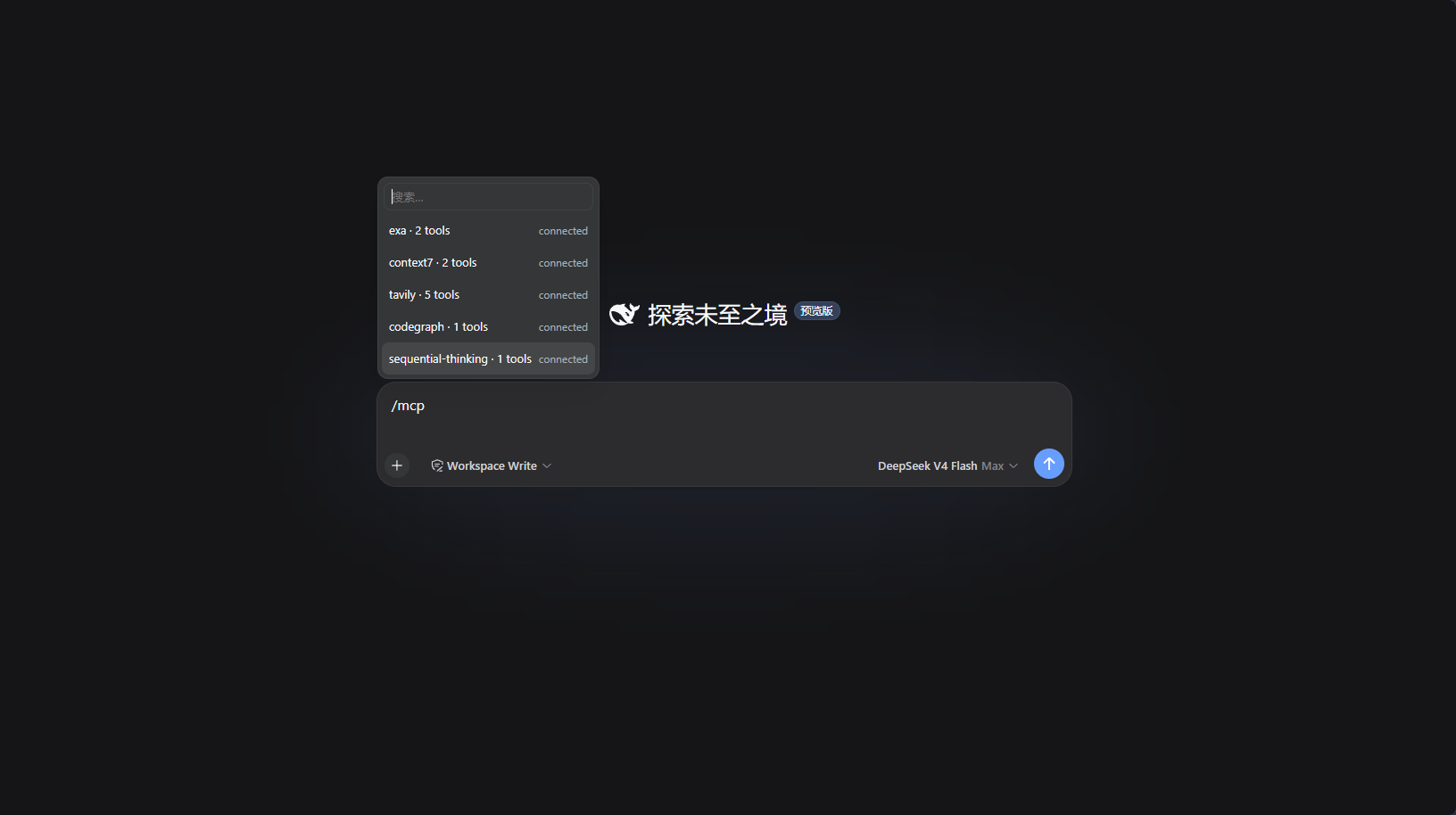
/mcp command output:
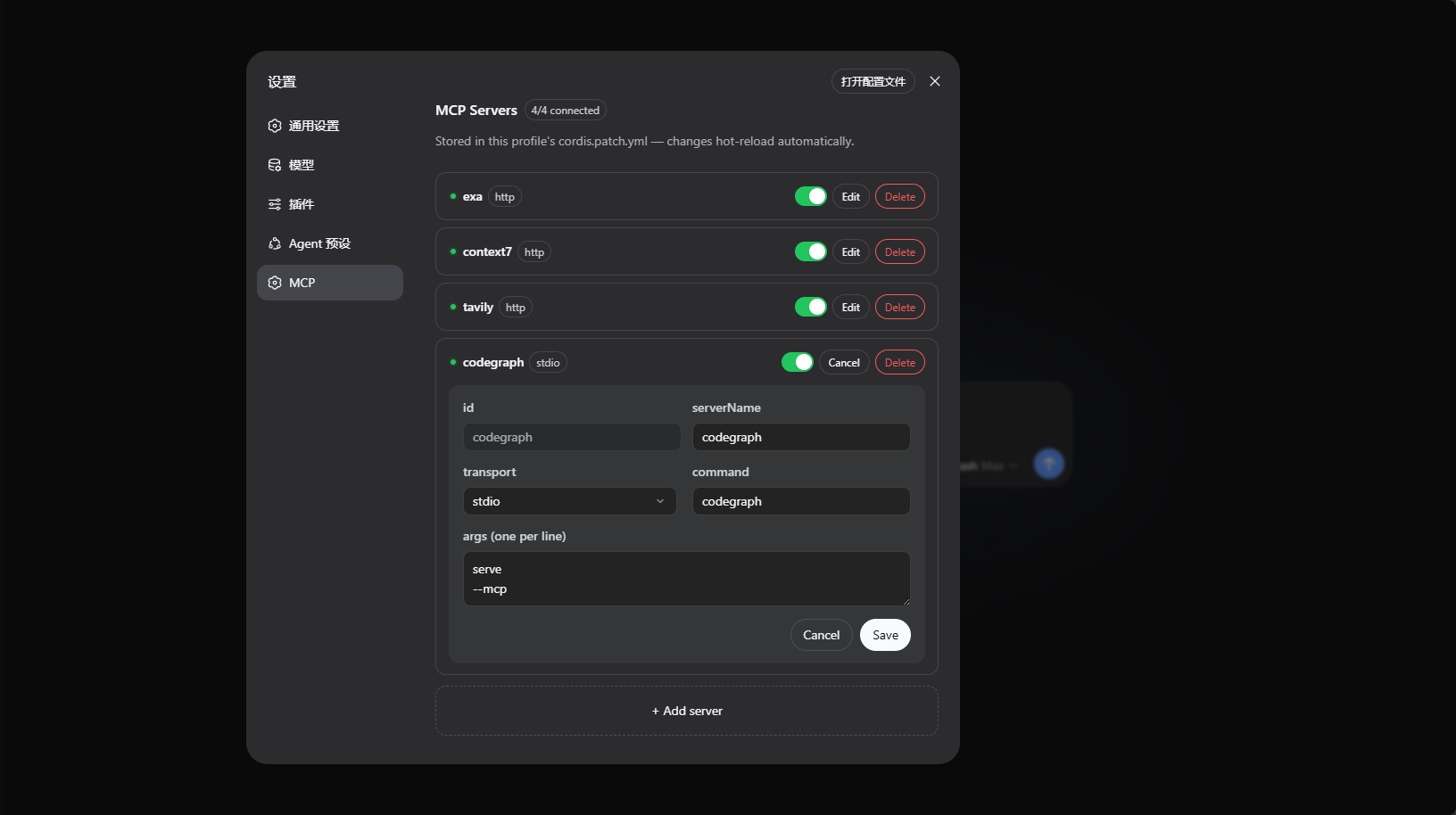
Settings page "MCP" panel:
Installation
Release tarball (Recommended, no build required): Download dsh-mcp-admin-<version>.tgz from Releases, then run:
dsh plugin --profile web add ./dsh-mcp-admin-0.2.0.tgz
Build tarball locally (if building yourself):
pnpm run build        # Builds to lib/
pnpm pack             # Packages into tarball
dsh plugin --profile web add ./dsh-mcp-admin-0.2.0.tgz
Git repository (installs from source via prepare build):
dsh plugin --profile web add github:kairoz9/dsh-mcp-admin
pnpm ≥10 refuses to run the
preparescript of git dependencies by default, which causes the initial Git installation to fail. dsh will print the fix in the error message: add the package key to that profile'spnpm-workspace.yamland re-runadd:allowBuilds: dsh-mcp-admin: trueIt is recommended to pin a commit or tag:
github:kairoz9/dsh-mcp-admin#v0.2.0.
Usage
/mcp— Lists MCP servers across all profiles + live tool count (including never-connected servers, read from full config inventory).- Settings page "MCP" panel — Manage MCP servers per profile: add / edit / disable / enable / delete, with status dots auto-refreshing every second. Saving writes back to that profile's
cordis.patch.yml, and dsh automatically hot-reloads (HMR).
How It Works
Host-side McpAdminRemote (TypertRemoteService, @Remote methods) is auto-discovered by the host gateway. The browser client self-mounts this namespace via ctx.remote.$mount, and both the panel and /mcp popup read the same structured data:
list()— Reads the full server inventory from the profile'scordis.patch.yml, then filtersmcp__prefix withctx.tools.schemas()to annotate real-time tool counts; enumerates activemcp-clientinstances from Cordis registry to distinguish "connected / instance present with 0 tools (connection failed) / not loaded".set()— Reconciles and writes back tocordis.patch.yml(single atomic write, comments preserved), and dsh'swatchUserPatchesHMR automatically reloadsmcp-client./mcpcommand reads all profiles and outputs the tool list for each server.
仓库信息
- 开发语言
- TypeScript
- 许可证
- MIT
- 最新发布
- v0.2.0
- 最后更新
- 2026年8月15日 04:41
谨慎安装
请检查源代码、权限、生命周期脚本、依赖与网络访问;不受信任的插件应先在隔离环境中测试。