설치
npx -y @deepseek-ai/dsh plugin --profile web add github:JeremyGuo/dsh-custom-workspace이 설치 명령은 GitHub 저장소 주소에서 생성된 확인되지 않은 시작점입니다.
README
유지 관리자가 작성한 문서 스냅샷입니다.
dsh-custom-workspace
English | 中文
An external DeepSeek Harness Web plugin that gives each workspace its own background, chat font size, line height, Markdown block spacing, and font-rendering preference.
Features
- Background color or image URL for the main workspace surface.
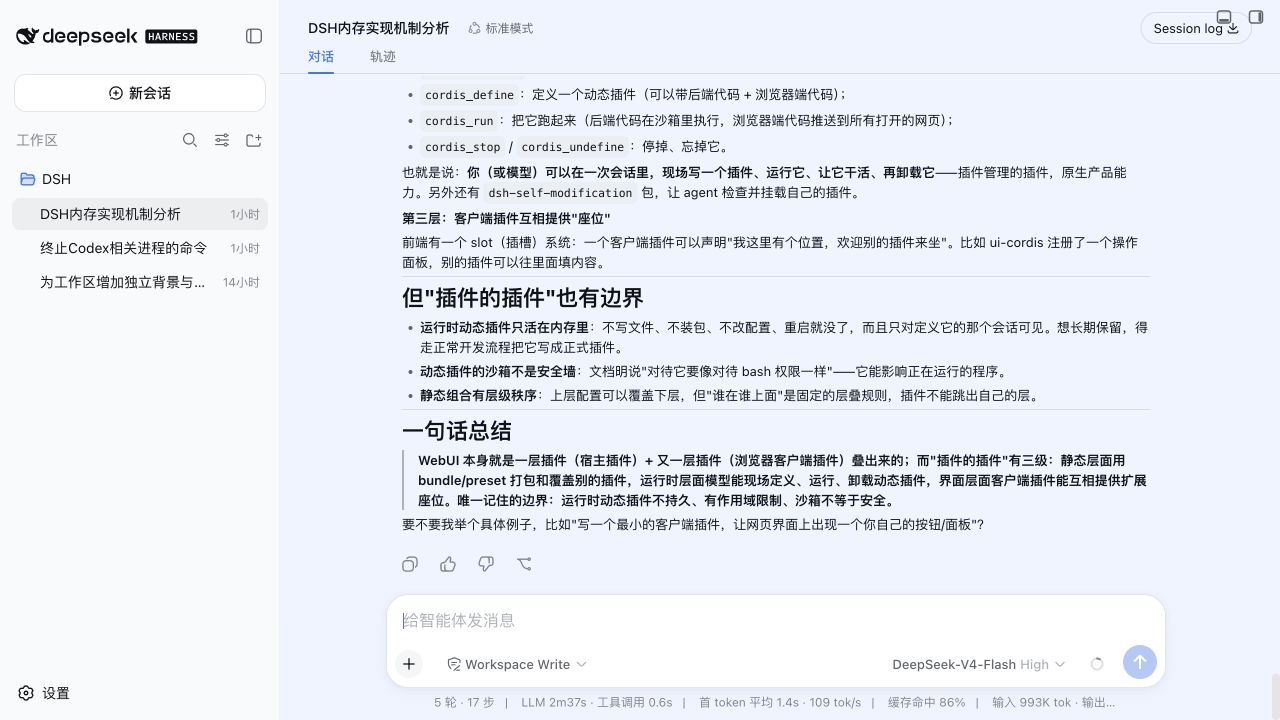
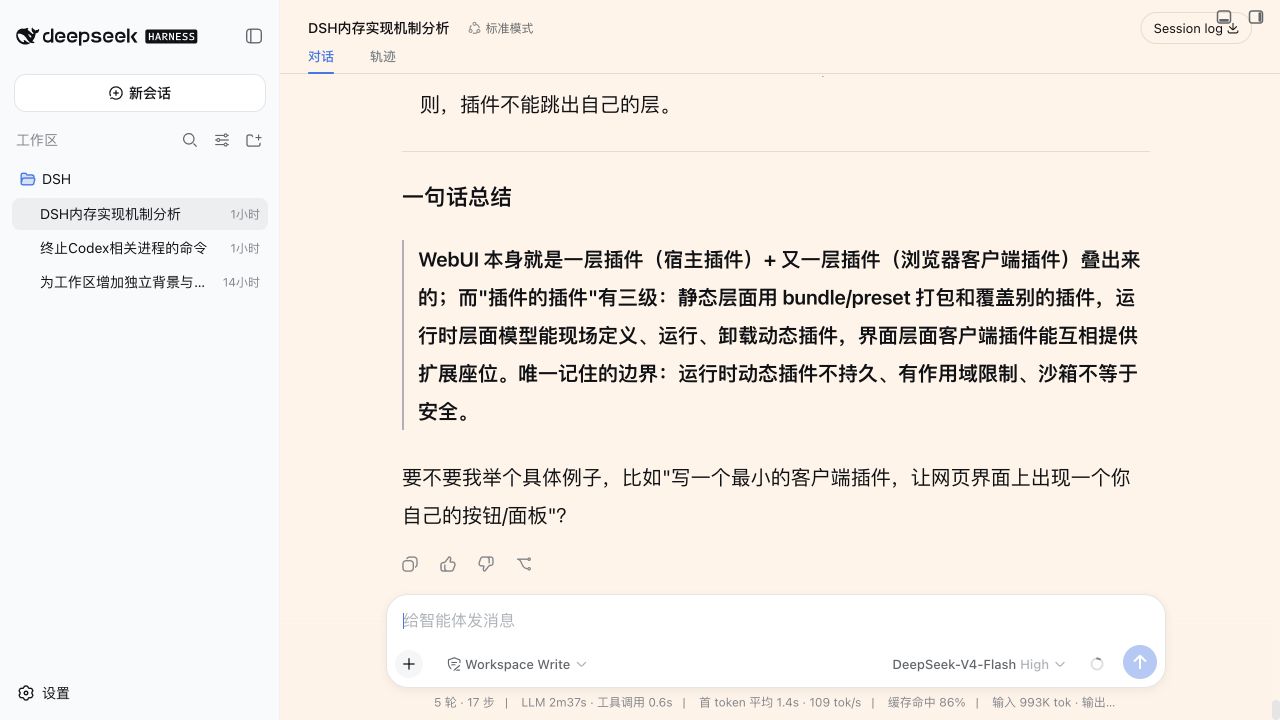
- Independent Markdown body font size and line height.
- Markdown block spacing for paragraphs, lists, headings, quotes, and code blocks.
- Grayscale antialiasing toggle for Retina displays.
- Per-workspace persistence in
$DSH_HOME/settings.yaml.
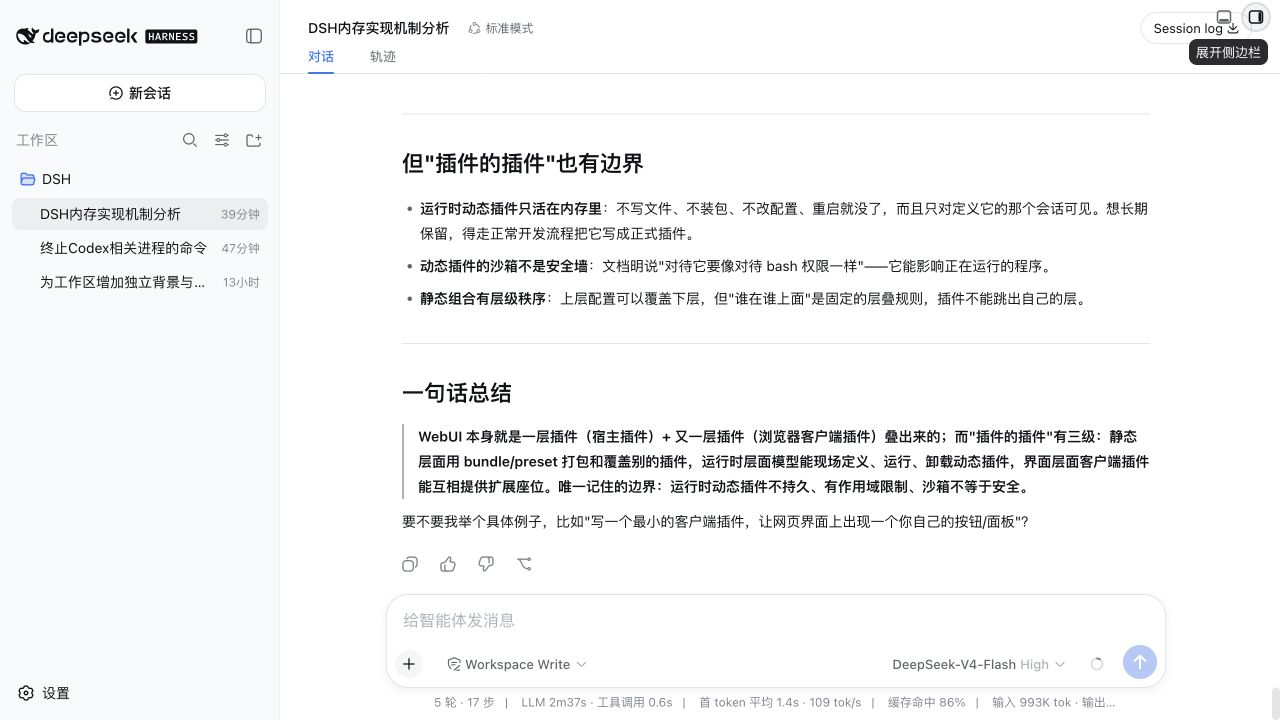
The active appearance follows the workspace containing the current session and falls back to the most recently selected workspace. Workspaces without an override inherit the active DSH theme.
Examples
Theme defaults (font and spacing inherit from DSH):
Compact reading — 13px font, 20px line height, 4px block spacing, #eef4ff background:
Spacious reading — 20px font, 38px line height, 28px block spacing, #fff3e8 background:
Requirements
- DeepSeek Harness
0.1.0-rc.6. - Node.js
^22.19.0or>=24.0.0. - A loopback DSH Web session. The settings RPC intentionally rejects non-loopback browsers.
Install
Install the published package into the Web profile, then restart DSH:
dsh plugin --profile web add dsh-custom-workspace
dsh web
Open Settings → General Settings → Workspace Appearance to configure the selected workspace. Changes are saved immediately.
To remove the plugin:
dsh plugin --profile web remove dsh-custom-workspace
Develop
pnpm install
pnpm run verify
dsh plugin --profile web add link:$PWD
pnpm run watch
Host changes in src/index.ts require a DSH restart. Browser changes under src/client/ are rebuilt by the watcher and loaded through DSH client HMR.
Run the optional browser smoke test against a running Web profile after installing Playwright Chromium:
pnpm exec playwright install chromium
pnpm run verify:browser -- http://127.0.0.1:3081
Persistence and security
The Host half owns the custom-workspace settings namespace. DSH does not expose third-party namespaces through its generic settings API, so this plugin registers a dedicated /custom-workspace Connection RPC channel. The channel accepts loopback requests only and exposes no other settings namespace.
The browser half validates every response before publishing it to the presenter. Failed writes reload the Host value; a disconnected or non-loopback browser marks the scope unavailable.
Model Experience
None. Workspace appearance affects only browser presentation and never reaches a model request or session log.
Known Limitations
- Settings are unavailable to browsers reached through a LAN hostname, even when the DSH Web server trusts that hostname.
- Background images use the configured URL directly and depend on the browser's network and content-security policy.
- This release targets DSH
0.1.0-rc.6; pre-release DSH APIs may change without compatibility shims.
License
저장소 정보
- 언어
- TypeScript
- 라이선스
- MIT
- 최신 릴리스
- v0.1.2
- 마지막 업데이트
- 2026. 8. 14. 오전 4:20
신중하게 설치하기
소스 코드, 권한, 수명 주기 스크립트, 의존성 및 네트워크 접근을 검토하고 신뢰하지 않는 플러그인은 격리 환경에서 테스트하세요.