설치
npm install -g @deepseek-ai/dsh이 명령은 GitHub 저장소 주소에서 생성됩니다. 실행 전에 업스트림 README와 소스를 검토하고 재현성이 필요하면 release 또는 commit을 고정하세요.
README
유지 관리자가 작성한 문서 스냅샷입니다.
DeepSeek Harness for VS Code
Use DeepSeek Harness as a coding assistant in the VS Code sidebar.
The goal is the same kind of workflow offered by Claude Code and Codex in VS Code: keep an assistant beside your editor while you work, with the current project, file, and selection already in context.
English | 简体中文


Features
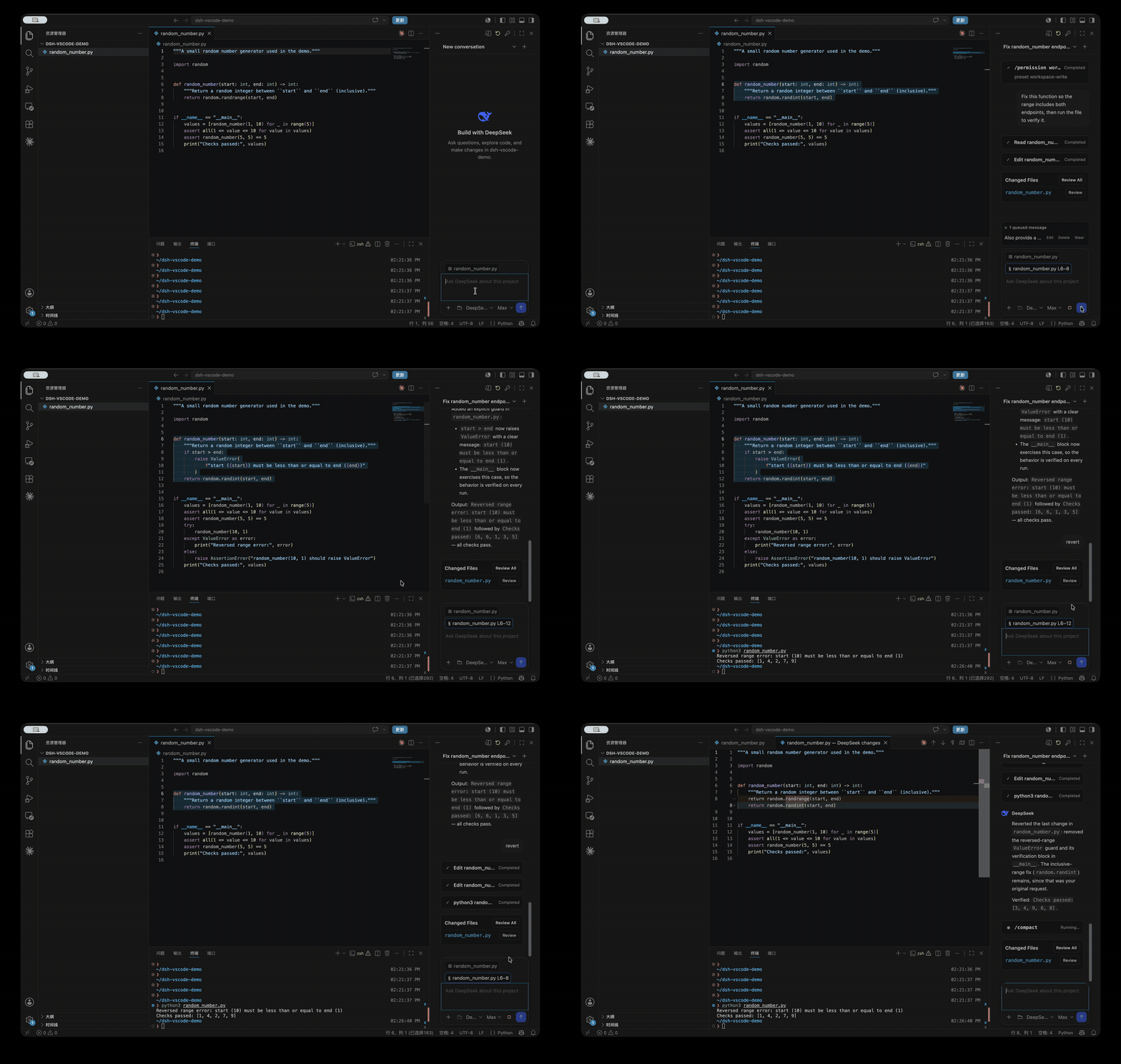
- A Claude Code/Codex-style coding assistant powered by the official DeepSeek Harness runtime, always available in the VS Code right sidebar.
- Project and editor context built in: DeepSeek sees the current workspace, active file, and selected code. Use
@file,@folder, or Add Selection to Chat for explicit context. - Native code review: open file references and tool results in the editor, then inspect individual changes or all changed files with VS Code's Diff Editor.
- Safe collaboration with unsaved code: if DeepSeek is about to modify a dirty editor buffer, the task stops before overwriting it.
- A complete task loop inside VS Code, including streaming, tool calls, approvals, follow-up questions, project sessions, and official
/commands. - Queue follow-up messages while a task runs, edit or remove them, or steer the current task immediately with
Cmd/Ctrl+Enter. - Choose Model and Reasoning Effort separately from the composer.
Install
Install the official DeepSeek Harness CLI first:
npm install -g @deepseek-ai/dsh
Then build and install the extension:
git clone https://github.com/Lixxx1/dsh-vscode.git
cd dsh-vscode
corepack pnpm install --frozen-lockfile
corepack pnpm run check
corepack pnpm run package
code --install-extension dsh-vscode.vsix
Requires VS Code 1.100 or newer and Node.js ^22.19 or >=24.
Use
- Open a trusted project folder in VS Code.
- Select DeepSeek Harness in the right sidebar. If it is hidden, find it under Other Views.
- Use the key button to configure
DEEPSEEK_API_KEY. - Choose a project, conversation, Model, and Reasoning Effort, then start working. Type
/for official DSH commands, or@to add files and folders.
License
프로젝트 파일 및 신호
표시된 항목은 디렉터리 스냅샷에서 감지된 공개 저장소 신호입니다.
테스트감지됨
저장소 정보
- 언어
- TypeScript
- 라이선스
- MIT
- 마지막 업데이트
- 2026. 8. 17. AM 6:41
신중하게 설치하기
소스 코드, 권한, 수명 주기 스크립트, 의존성 및 네트워크 접근을 검토하고 신뢰하지 않는 플러그인은 격리 환경에서 테스트하세요.