Installation
npm install -g @deepseek-ai/dshThis command is generated from the GitHub repository address. Inspect the upstream README and source before running it; pin a release or commit when reproducibility matters.
README
Maintainer-authored documentation snapshot.
DeepSeek Harness for VS Code
Use DeepSeek Harness as a coding assistant in the VS Code sidebar.
The goal is the same kind of workflow offered by Claude Code and Codex in VS Code: keep an assistant beside your editor while you work, with the current project, file, and selection already in context.
English | 简体中文


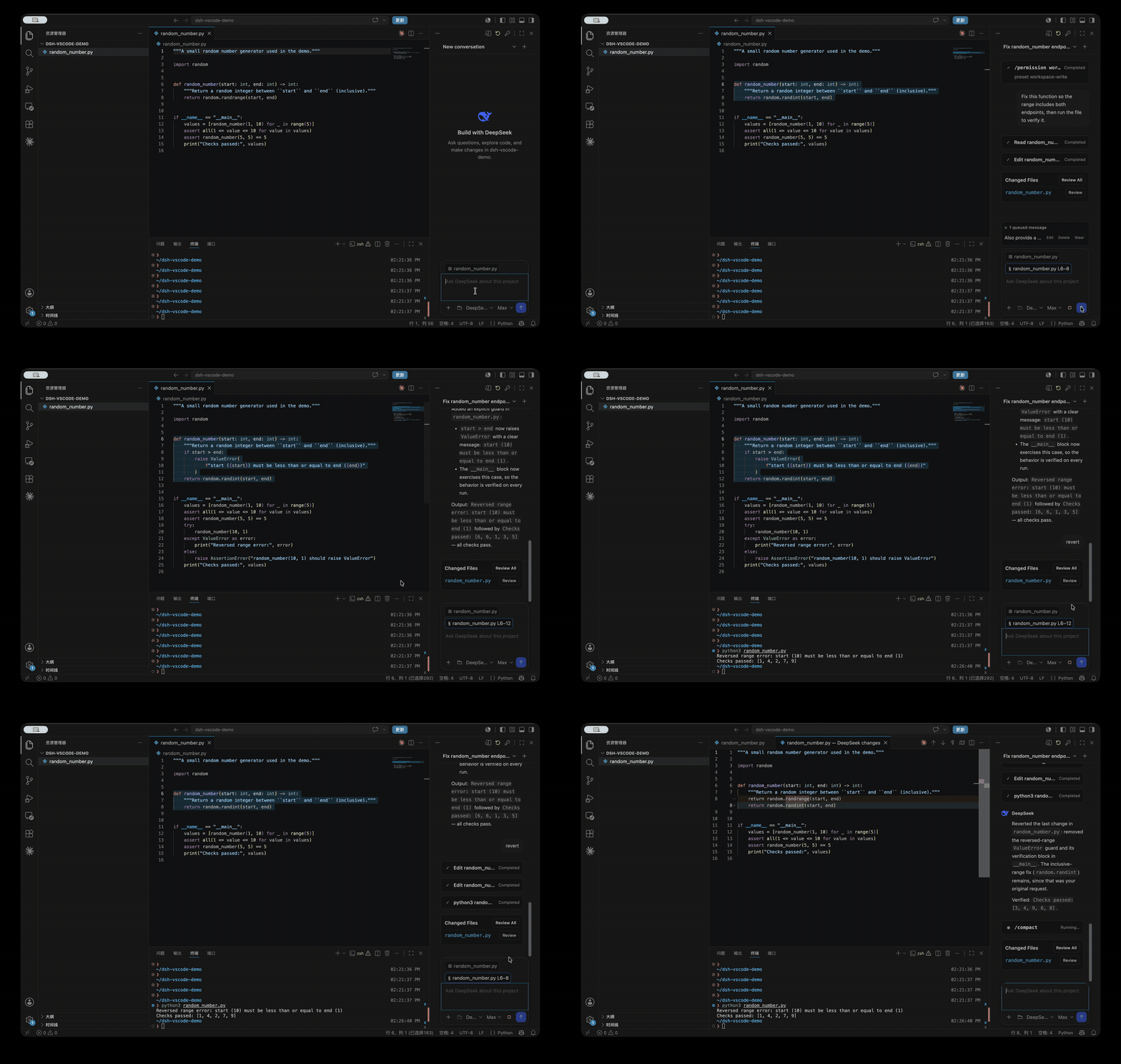
Features
- A Claude Code/Codex-style coding assistant powered by the official DeepSeek Harness runtime, always available in the VS Code right sidebar.
- Project and editor context built in: DeepSeek sees the current workspace, active file, and selected code. Use
@file,@folder, or Add Selection to Chat for explicit context. - Native code review: open file references and tool results in the editor, then inspect individual changes or all changed files with VS Code's Diff Editor.
- Safe collaboration with unsaved code: if DeepSeek is about to modify a dirty editor buffer, the task stops before overwriting it.
- A complete task loop inside VS Code, including streaming, tool calls, approvals, follow-up questions, project sessions, and official
/commands. - Queue follow-up messages while a task runs, edit or remove them, or steer the current task immediately with
Cmd/Ctrl+Enter. - Choose Model and Reasoning Effort separately from the composer.
Install
Install the official DeepSeek Harness CLI first:
npm install -g @deepseek-ai/dsh
Then build and install the extension:
git clone https://github.com/Lixxx1/dsh-vscode.git
cd dsh-vscode
corepack pnpm install --frozen-lockfile
corepack pnpm run check
corepack pnpm run package
code --install-extension dsh-vscode.vsix
Requires VS Code 1.100 or newer and Node.js ^22.19 or >=24.
Use
- Open a trusted project folder in VS Code.
- Select DeepSeek Harness in the right sidebar. If it is hidden, find it under Other Views.
- Use the key button to configure
DEEPSEEK_API_KEY. - Choose a project, conversation, Model, and Reasoning Effort, then start working. Type
/for official DSH commands, or@to add files and folders.
License
Project files and signals
Shown items are public repository signals detected in the directory snapshot.
Repository information
- Language
- TypeScript
- License
- MIT
- Last updated
- Aug 17, 2026, 6:41 AM
Install deliberately
Review source code, permissions, lifecycle hooks, dependencies and network access. Test untrusted plugins in an isolated environment.