설치
npx -y @deepseek-ai/dsh plugin --profile web add github:oioioioioioioioioioio/oi-dsh-desktop이 설치 명령은 GitHub 저장소 주소에서 생성된 확인되지 않은 시작점입니다.
README
유지 관리자가 작성한 문서 스냅샷입니다.
oi-dsh-desktop
Windows Electron client installer for a DeepSeek Harness source checkout.
The installer extends the Harness source composition and builds a packaged desktop application. The Harness Host runs inside Electron's main process and the renderer connects over process-local IPC. It does not run dsh web, open port 3080, or wrap a browser URL.
Preview
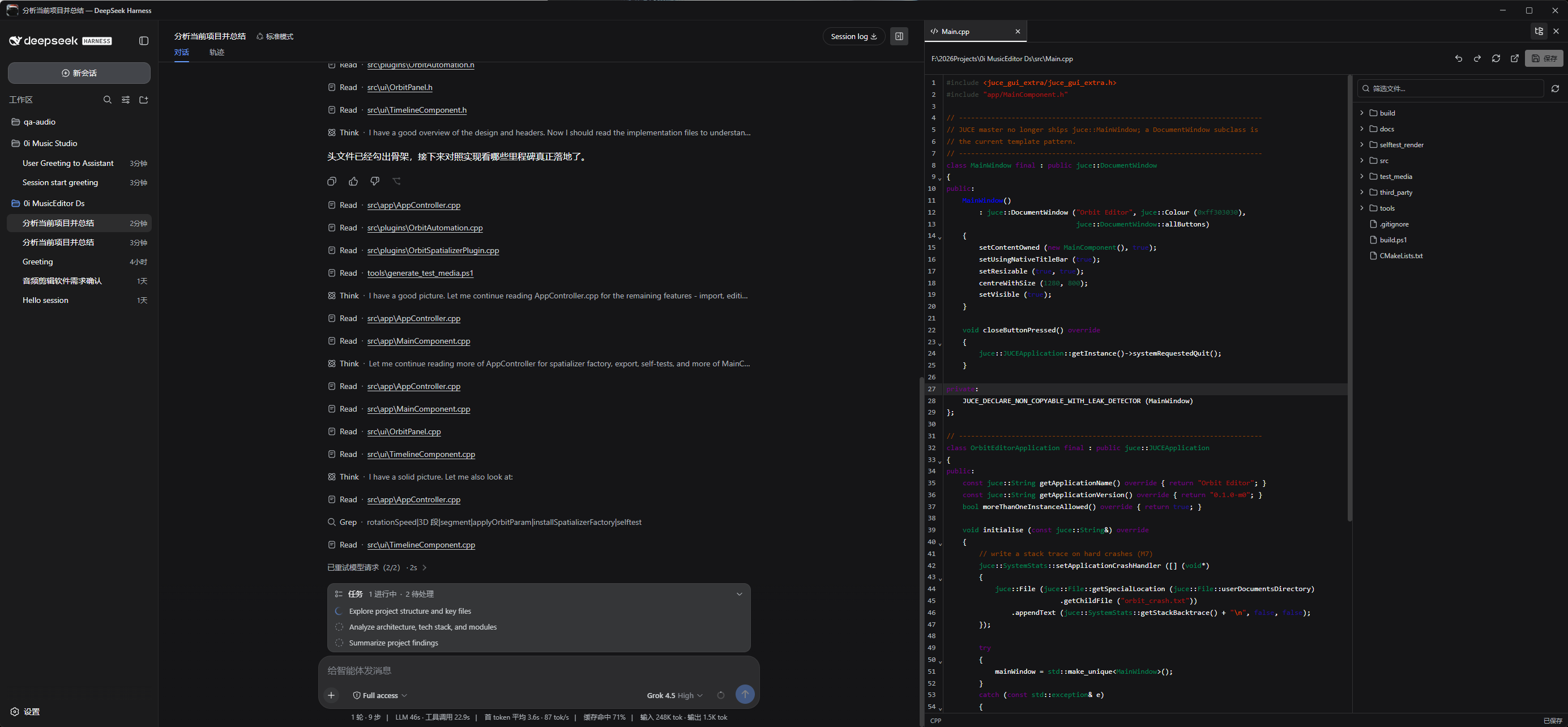
Requirements
- Windows 10 or Windows 11 x64
- Node.js 22.19.0 or newer, with npm
- Git
The installer carries its own pinned pnpm version. A global pnpm install is not required. It checks whether the desktop extension applies cleanly to the current Harness source and stops without modifying files when the source is incompatible.
Install
Clone this repository directly inside the Harness source root:
git clone https://github.com/deepseek-ai/deepseek-harness.git
cd deepseek-harness
git clone https://github.com/oioioioioioioioioioio/oi-dsh-desktop.git
cd oi-dsh-desktop
.\install.cmd
The generated application is:
deepseek-harness\dist\oi-dsh-desktop-win32-x64\oi-dsh-desktop.exe
Launch that executable directly after installation. Do not run npx @deepseek-ai/dsh web; that command starts the official browser deployment.
Upgrade
Close the client, then run inside the existing oi-dsh-desktop directory:
git pull
.\install.cmd
The installer recognizes supported older extensions, migrates the Harness source in place, and rebuilds the EXE. Recloning Harness is not required.
What setup does
- Installs
oi-dsh-desktopandoi-dsh-desktop-bundle. - Applies the Electron IPC, file workbench, and three-column source extension to Harness.
- Installs Harness dependencies with the pinned pnpm release.
- Builds the isolated production Electron runtime.
- Packages a directly launchable Windows application.
Features
- Process-local Electron IPC with no Harness HTTP or WebSocket listener.
- Custom native-style title bar and complete native window behavior.
- Multiple workspaces and sessions.
- Workspace
@fileand@folderreferences in both Harness Web and Electron, with fuzzy path search and path-only prompts that never attach file contents. - Toggleable, unrestricted-width project explorer and file workbench.
- Multi-tab CodeMirror editor with syntax highlighting, undo, redo, reload, and save.
- Markdown source, preview, and split modes.
- Workspace-confined, version-guarded file operations.
- Native folder picker and session export.
Commands
npm run install:harness
npm run build:exe
npm run setup
npm start
License
Apache-2.0. The extended DeepSeek Harness source remains under its MIT license.
프로젝트 파일 및 신호
표시된 항목은 디렉터리 스냅샷에서 감지된 공개 저장소 신호입니다.
저장소 정보
- 언어
- TypeScript
- 라이선스
- Apache-2.0
- 마지막 업데이트
- 2026. 8. 17. 오후 4:49
신중하게 설치하기
소스 코드, 권한, 수명 주기 스크립트, 의존성 및 네트워크 접근을 검토하고 신뢰하지 않는 플러그인은 격리 환경에서 테스트하세요.