Installation
npx -y @deepseek-ai/dsh plugin --profile web add github:2421873411a-rgb/dsh-usage-statsThis installation command is an unverified starting point generated from the GitHub repository address.
README
Maintainer-authored documentation snapshot.
dsh-usage-stats
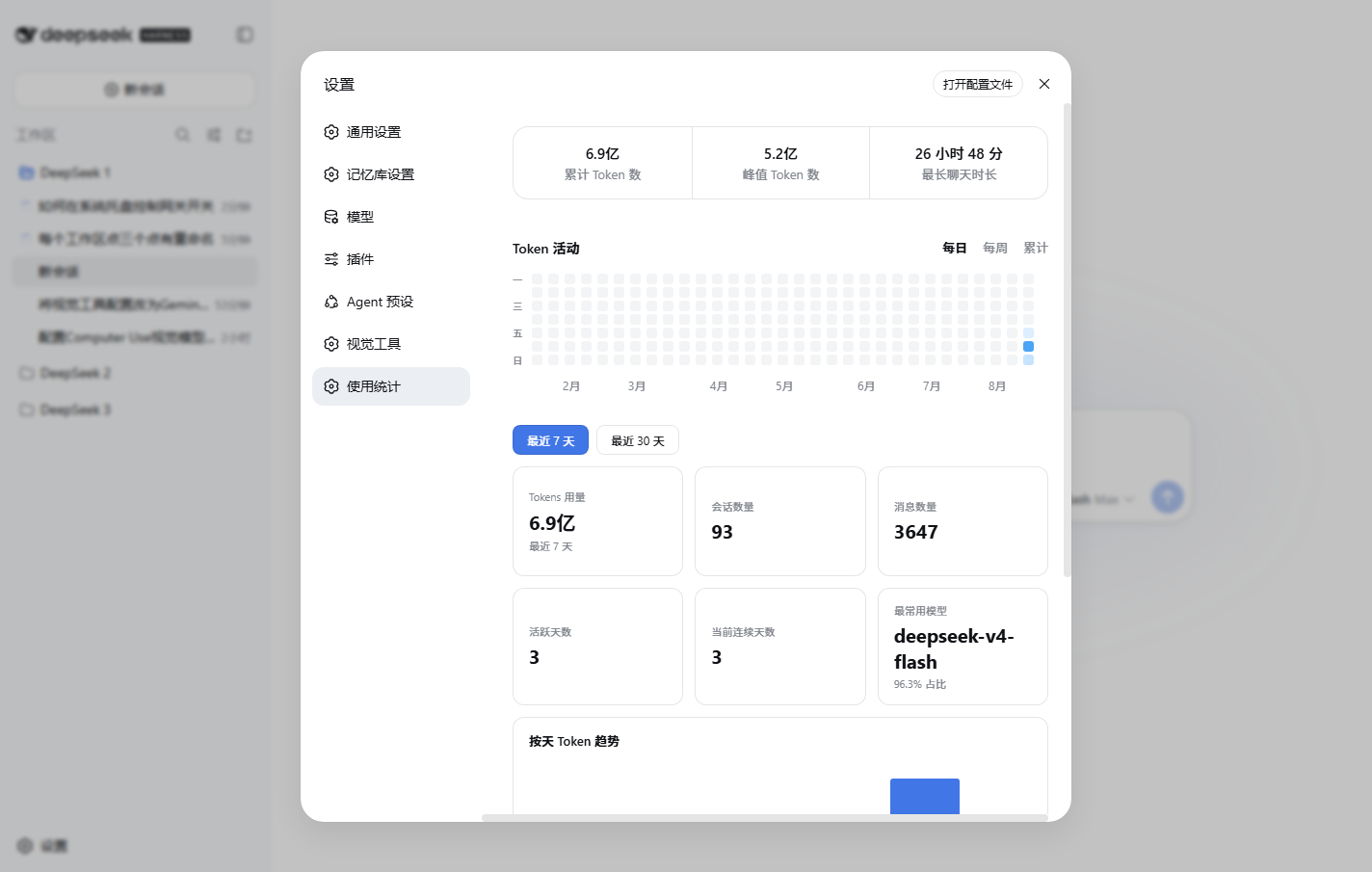
DeepSeek Harness(DSH Web)使用统计插件:在「设置 → 使用统计」页面展示真实 Token 消耗。
功能
- 顶部统计卡:累计 Token 数、峰值 Token 数、最长聊天时长
- Token 活动热力图:每日 / 每周 / 累计三种模式,每列 7 格 = 周一~周日,左侧星期标签(一/三/五/日),月份标签锚定在每月 1 号所在列
- 按天 Token 趋势:按模型分色堆叠柱状图,悬停/点击显示日期、总量与模型明细
- 模型用量:SVG 圆环 + 模型列表(超过 6 个模型自动合并为「其他」)
- 数据来源:
~/.dsh/storages/web-billing.json(真实 DeepSeek Harness 消耗)
数据口径
- 累计 Token:
byDay全量汇总(input + cacheRead + output) - 峰值 Token:单日最大 Token 消耗
- 最长聊天时长:单个会话首条消息到末条消息的最大时间跨度
- 热力图累计模式:从热力图起始周开始累计到当周最后一天(当周未结束则截至今天)
安装
npm pack
dsh plugin --profile web add dsh-external-dsh-usage-stats-0.3.1.tgz
开发
源码在 lib/,改完后执行:
node sync.mjs          # 同步到已安装副本
# 或
npm pack               # 重新打包安装
然后重启 dsh web 生效。
API
GET /usage-stats/api?days=7|30 返回统计 JSON(带服务端缓存,billing 文件变化或跨天自动失效)。
截图
License
MIT
Project files and signals
Shown items are public repository signals detected in the directory snapshot.
DocumentationDetected
Repository information
- Language
- JavaScript
- License
- MIT
- Last updated
- Aug 16, 2026, 11:42 AM
Install deliberately
Review source code, permissions, lifecycle hooks, dependencies and network access. Test untrusted plugins in an isolated environment.