Installation
npx @deepseek-ai/dsh plugin --profile web add @baikai233/dsh-skills-managerThis command is generated from the GitHub repository address. Inspect the upstream README and source before running it; pin a release or commit when reproducibility matters.
README
Maintainer-authored documentation snapshot.
dsh-skills-manager
众所周知,梁子的 DSH 发布之后,很多人都想从 Claude Code、Codex 以及其他 Agent 工具转过来,体验一下 DS 的原生工具。
但 DSH 的 Skill 支持目前做得还不太直观。移民过来以后,我们很难把原来那套开发习惯原封不动地带进 DSH。
于是我用 DSH + DS 开发了这个开源插件:dsh-skills-manager(Skills Manager)。
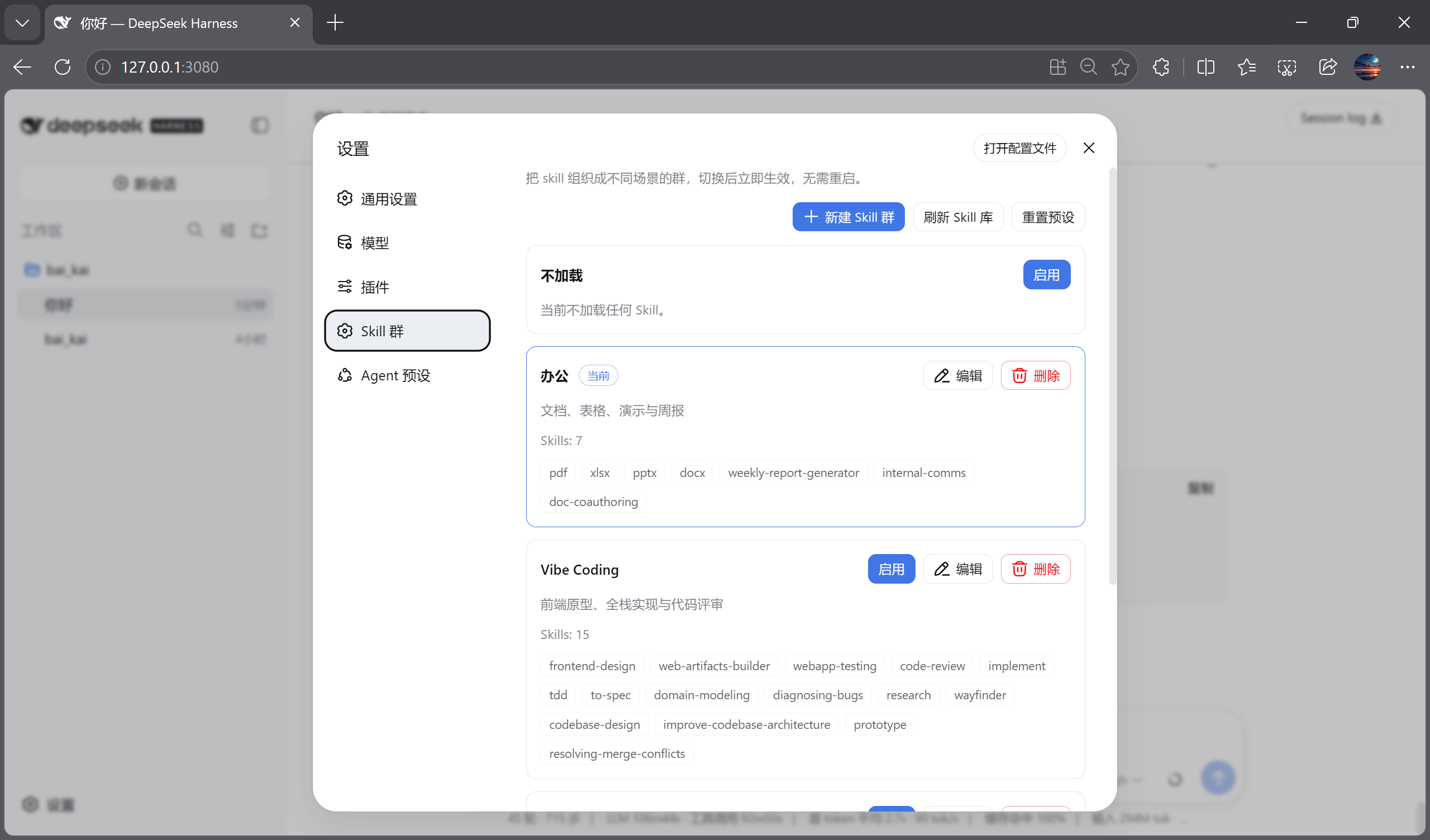
它能够方便地完成 Skill 的导入和管理,并且提供按任务场景分类的 Skill 集群自由切换能力,帮我们省 Token;同时支持一键全关,让你体会原汁原味的大鲸鱼。
能力
- 拖拽
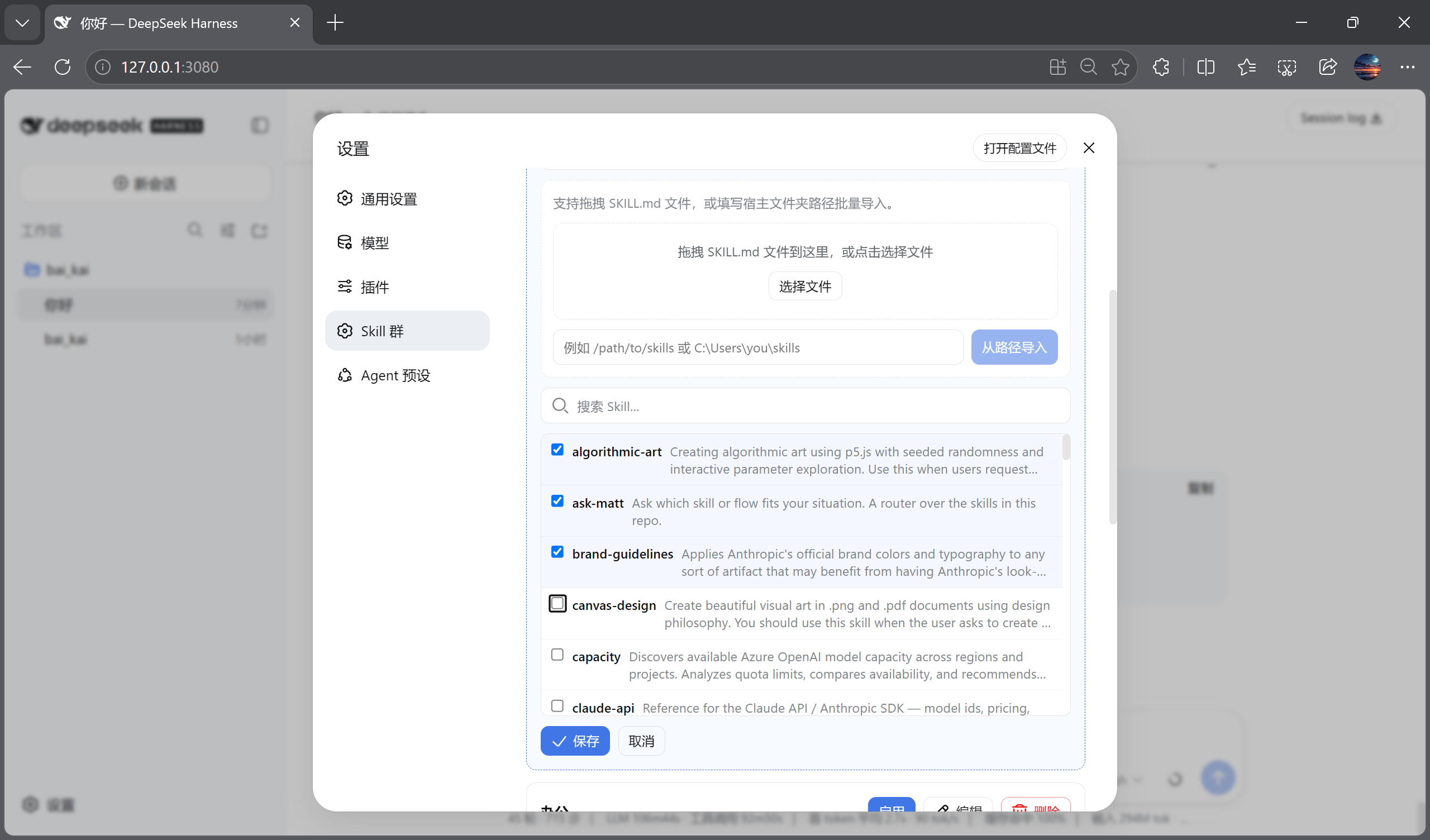
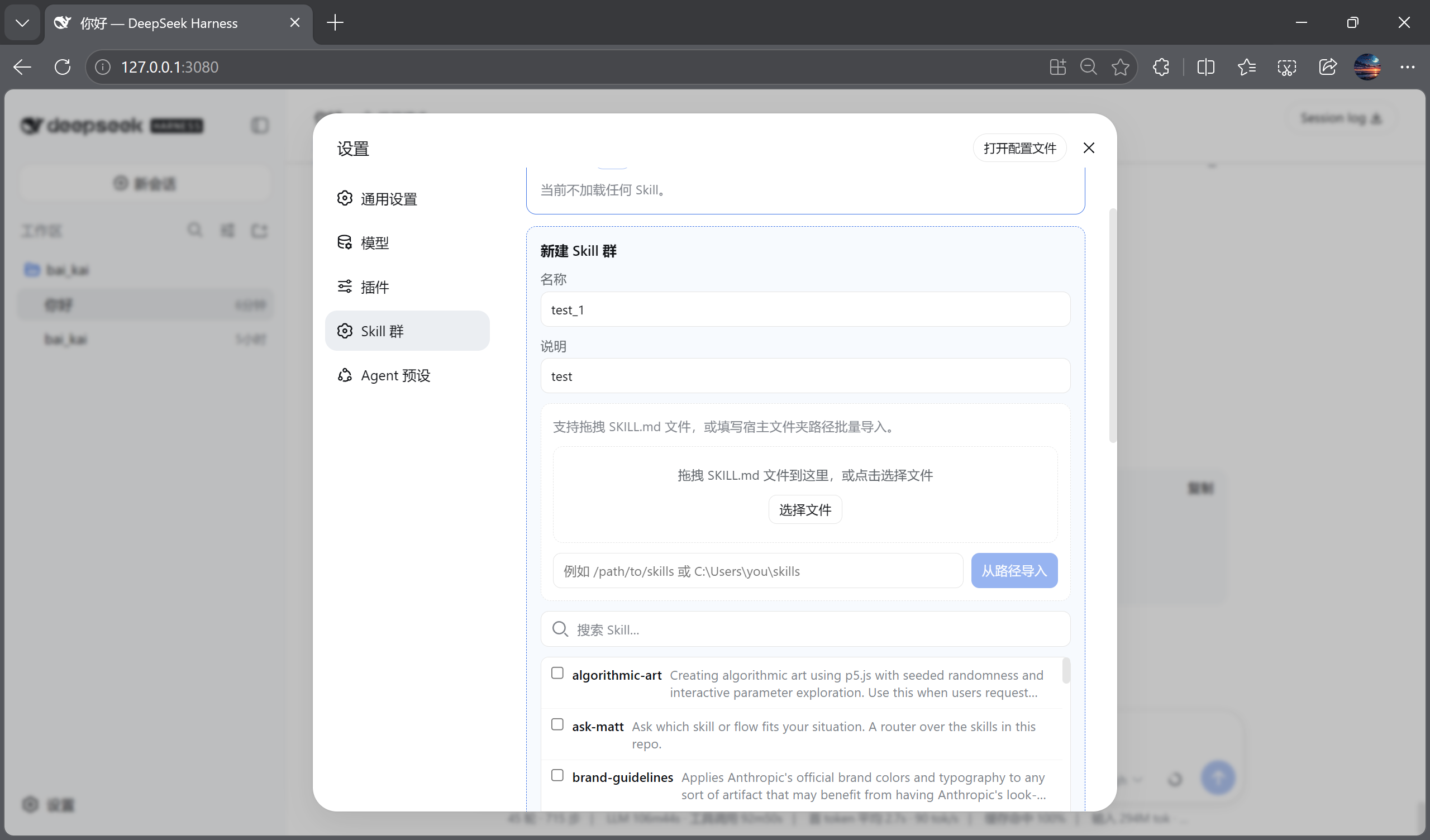
SKILL.md文件导入,或填写宿主文件夹路径批量导入 - 新建 / 编辑 / 删除 Skill 群
- 预设场景:
- 办公
- Vibe Coding
- 科研写作
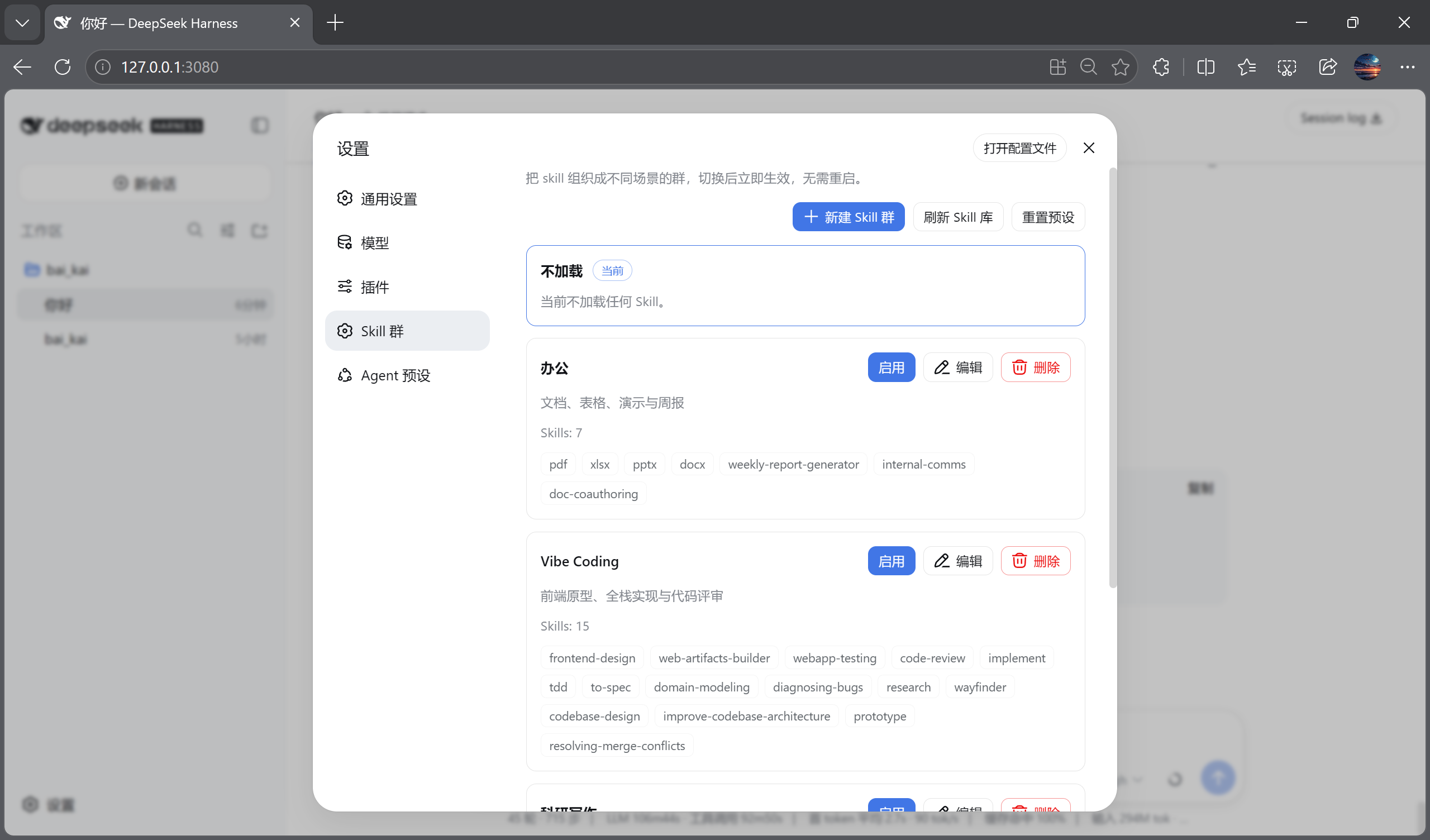
- 全部启用(自动跟随 Skill 库,后续导入也自动纳入)
- 不加载
- 切换 Skill 群后立即生效,无需重启 DSH
- 一键刷新 Skill 库
- 一键重置预设
- 与 DSH Web UI 的设计语言保持一致
安装
普通用户:一条命令(已发布到 npm)
通过 DSH 官方推荐的 npx 命令使用 DSH:
npx @deepseek-ai/dsh plugin --profile web add @baikai233/dsh-skills-manager
npx @deepseek-ai/dsh web
如果你已经全局安装了 dsh:
dsh plugin --profile web add @baikai233/dsh-skills-manager
dsh web
两种方式都会写入同一个 DSH profile(默认 ~/.dsh),插件安装后自动生效。
headless 用户:
npx @deepseek-ai/dsh plugin --profile headless add @baikai233/dsh-skills-manager
如果已全局安装 dsh:
dsh plugin --profile headless add @baikai233/dsh-skills-manager
开发者:从源码构建
git clone https://github.com/BAIKAI23333/dsh-skills-manager.git
cd dsh-skills-manager

# 需要一份 deepseek-harness 源码(用于 client bundle 构建预设)
HARNESS=~/AI_Coding/deepseek-harness ./scripts/make-release.sh
构建产物输出到:
release/dsh-skills-manager-0.1.0-rc.3.tgz
本地 tarball 验证:
dsh plugin --profile web add ./release/dsh-skills-manager-0.1.0-rc.3.tgz
使用
dsh web
打开 设置 → Skill 群。
截图
| Skill 群 | 新建 + 导入 | 编辑导入 | 不加载 / 全部启用 |
|---|---|---|---|
 |  |  |  |
仓库结构
dsh-skills-manager/
├── packages/
│   ├── dsh-skills-manager/          # 宿主插件
│   └── dsh-client-ui-skills-manager/ # Web 设置页插件
├── docs/screenshots/                 # 界面截图
├── tests/
│   └── skills-manage-visual.mjs      # Playwright 浏览器回归
├── dsh-skills-manager                # 安装/卸载/状态 CLI
└── install.sh
开发
# 单元测试(在 deepseek-harness 内)
cd ~/AI_Coding/deepseek-harness
pnpm exec vitest run packages/client/ui-skills-manage/tests/browser-plugin.client.spec.tsx

# 浏览器自动化 + 截图
node apps/web/tests/skills-manage-visual.mjs
License
MIT
Project files and signals
Shown items are public repository signals detected in the directory snapshot.
Repository information
- Language
- TypeScript
- License
- MIT
- Last updated
- Aug 17, 2026, 5:40 PM
Install deliberately
Review source code, permissions, lifecycle hooks, dependencies and network access. Test untrusted plugins in an isolated environment.