Installation
npx -y @deepseek-ai/dsh plugin --profile web add github:Civitasv/dsh-plugin-diff-reviewThis installation command is an unverified starting point generated from the GitHub repository address.
README
Maintainer-authored documentation snapshot.
Codex-style diff review inside DeepSeek Harness
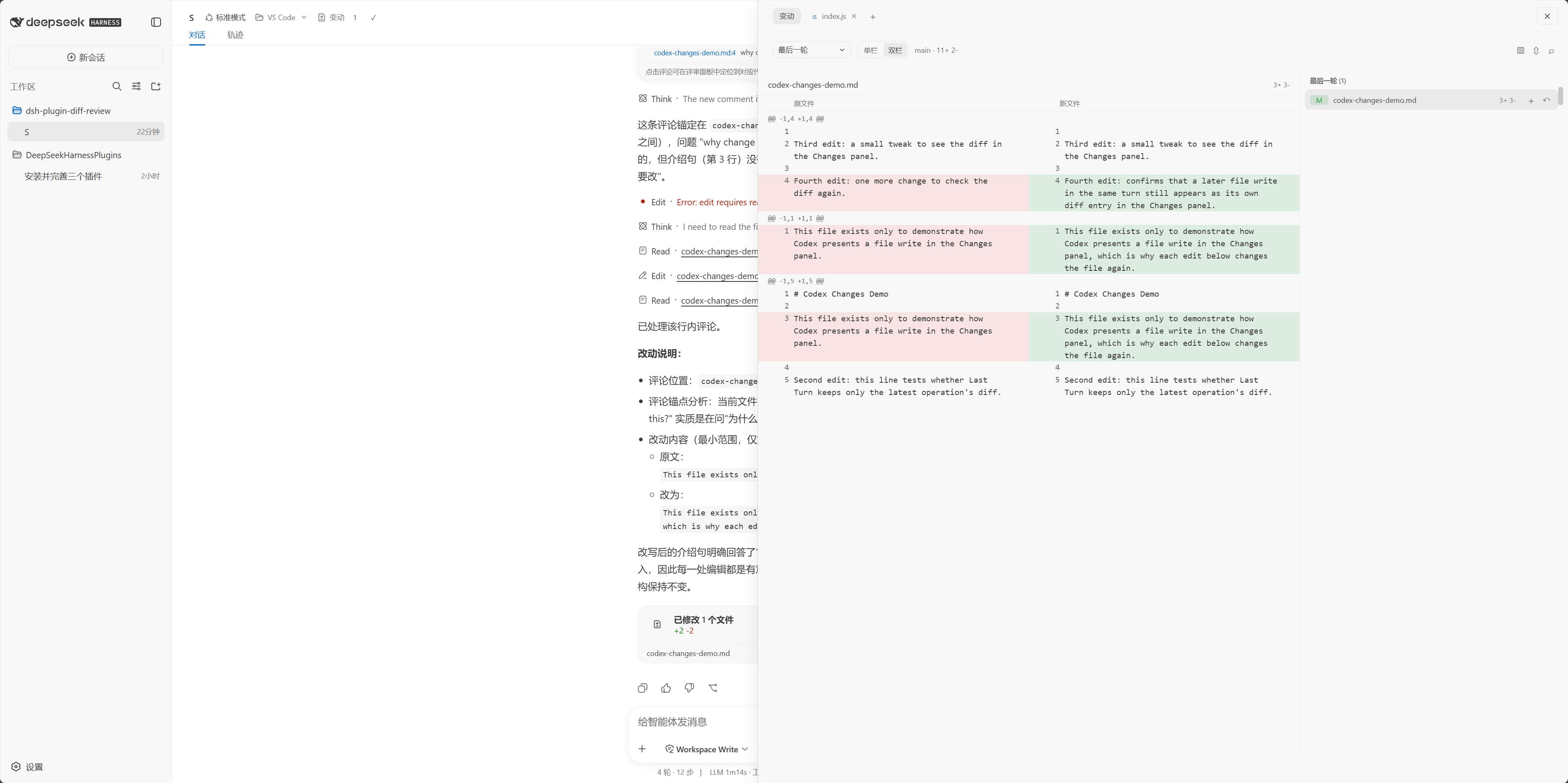
在 DSH 中查看、处理和评审当前工作区改动。点击会话页头的 变动 即可打开右侧评审工作台。
中文文档:本文件 · English docs: README.en.md
安装
本插件依赖 dsh-plugin-open-editor,请一并安装:
dsh plugin --profile web add github:Civitasv/dsh-plugin-open-editor#main
dsh plugin --profile web add github:Civitasv/dsh-plugin-diff-review#v0.1.2
上面两条 dsh plugin add 命令负责安装包,但 DSH 只会加载在 web profile 的补丁文件中注册的插件,因此还需在 ~/.dsh/profiles/web/cordis.patch.yml 中列出它们:
- insert:
    - id: open-editor
      name: dsh-plugin-open-editor
    - id: diff-review
      name: dsh-plugin-diff-review
重启 DSH 后即可使用。更新时重新执行两条安装命令。
本地开发安装
# macOS / Linux
bash install.sh

# Windows PowerShell
powershell -ExecutionPolicy Bypass -File install.ps1
脚本会安装并注册 dsh-plugin-open-editor,并将当前目录链接到 profile;安装后重启 DSH。
查看改动
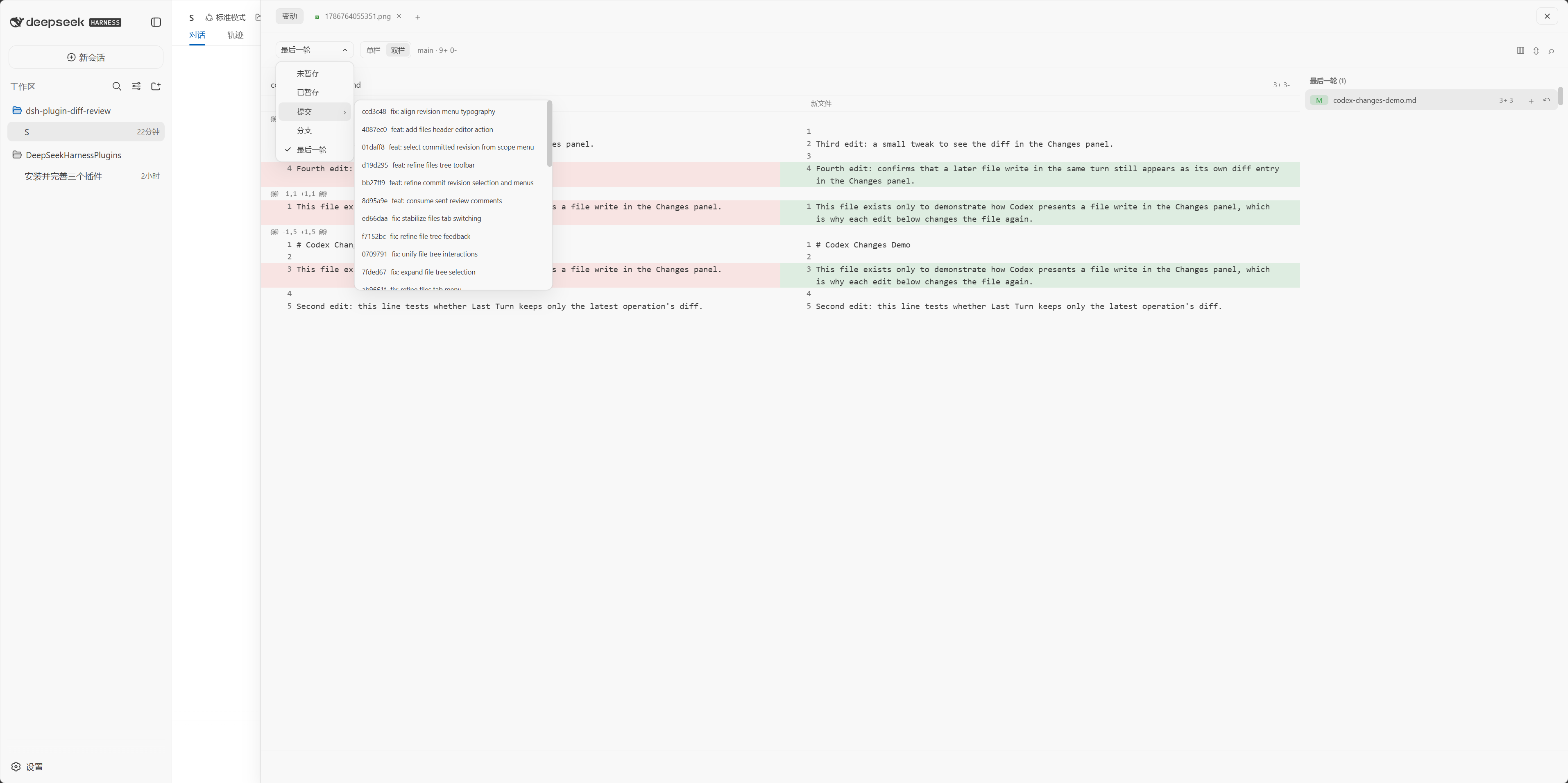
在 变动 中选择范围:最后一轮、未暂存、已暂存、提交 revision 或分支。点击文件可查看 diff;标题栏可切换单栏/双栏、跳转文件、收起 diff,以及显示或隐藏文件树。
选择 提交 后,在子菜单选择具体 revision 才会打开其 diff。
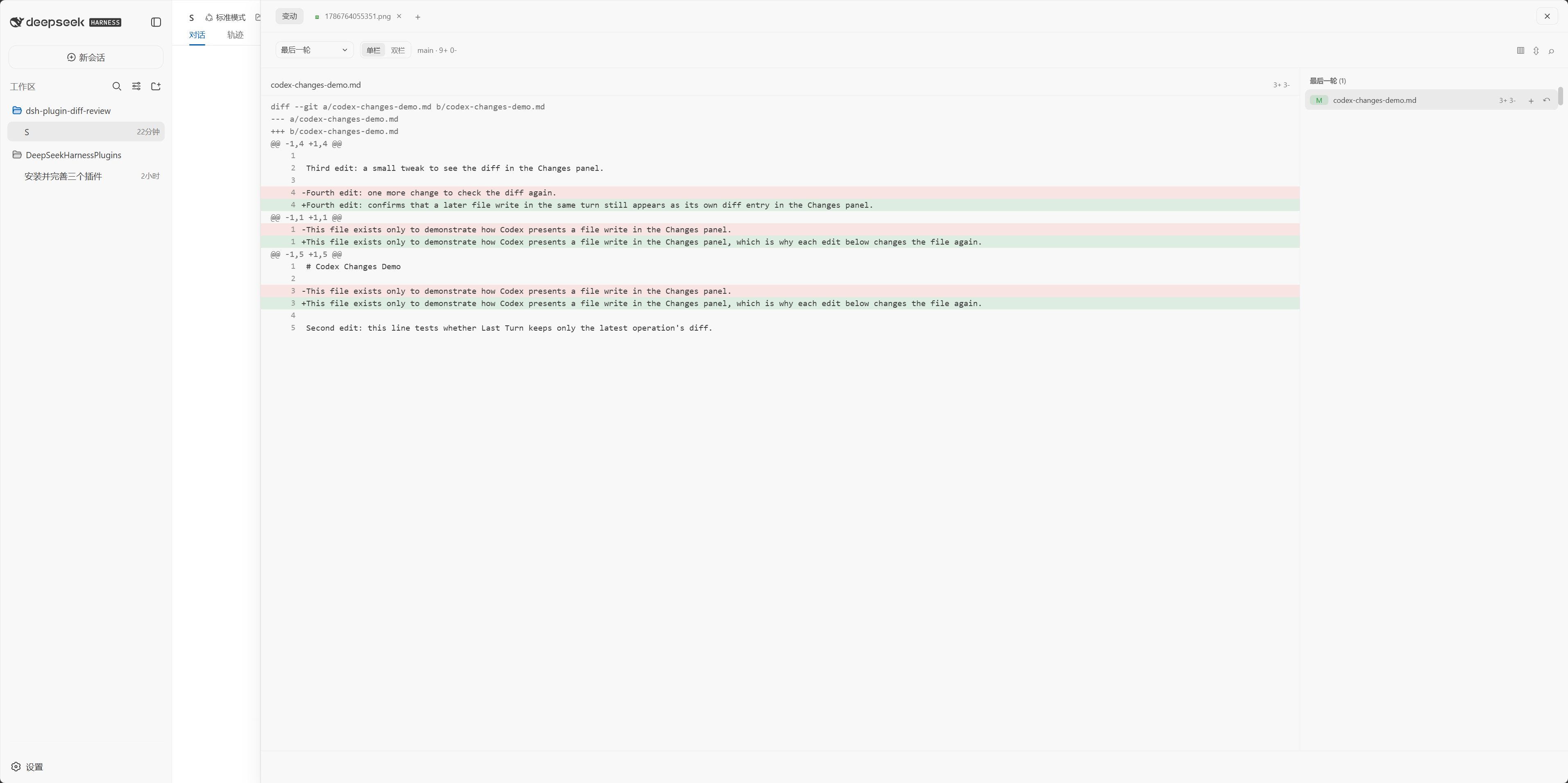
文件树
文件树可搜索、展开目录、拖拽调整宽度,并会定位当前打开的文件。右键文件可在编辑器中打开、复制路径或添加到当前对话。
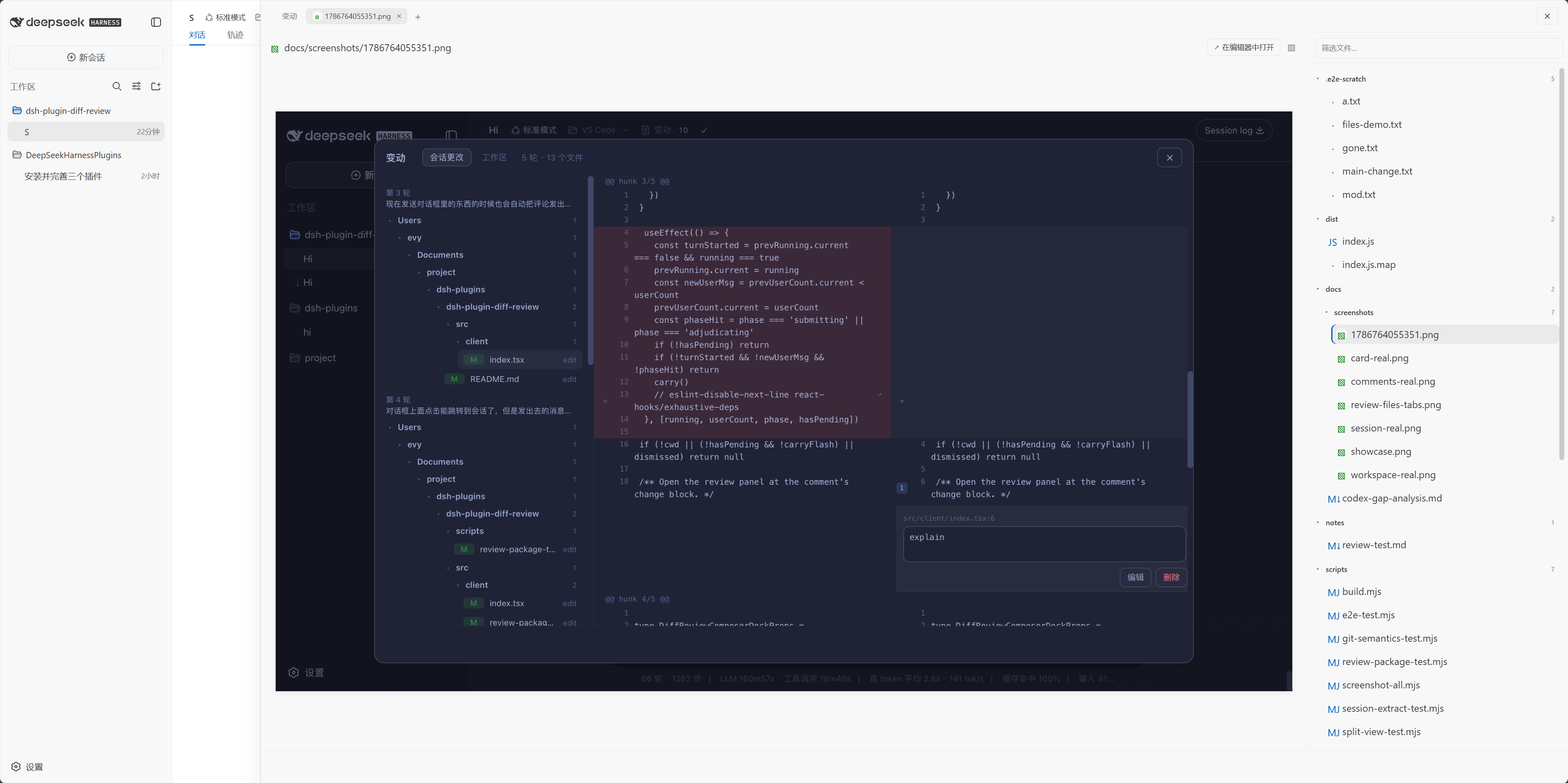
文件页签
在文件树中选择文件,或从 Review 打开文件,会创建可关闭的文件页签。文本文件可直接编辑并自动保存;支持图片预览与常见代码/文档格式的高亮显示。
引用助手回复到对话
在 DeepSeek 助手回复中选中一段文字,会浮出 添加到对话 按钮;点击即可将该内容追加到当前会话输入框,方便继续追问。
处理与提交
- 使用文件或 hunk 旁的按钮暂存、取消暂存或丢弃改动。
- 点击 提交,填写说明后选择提交、提交并推送或推送。
评论与摘要
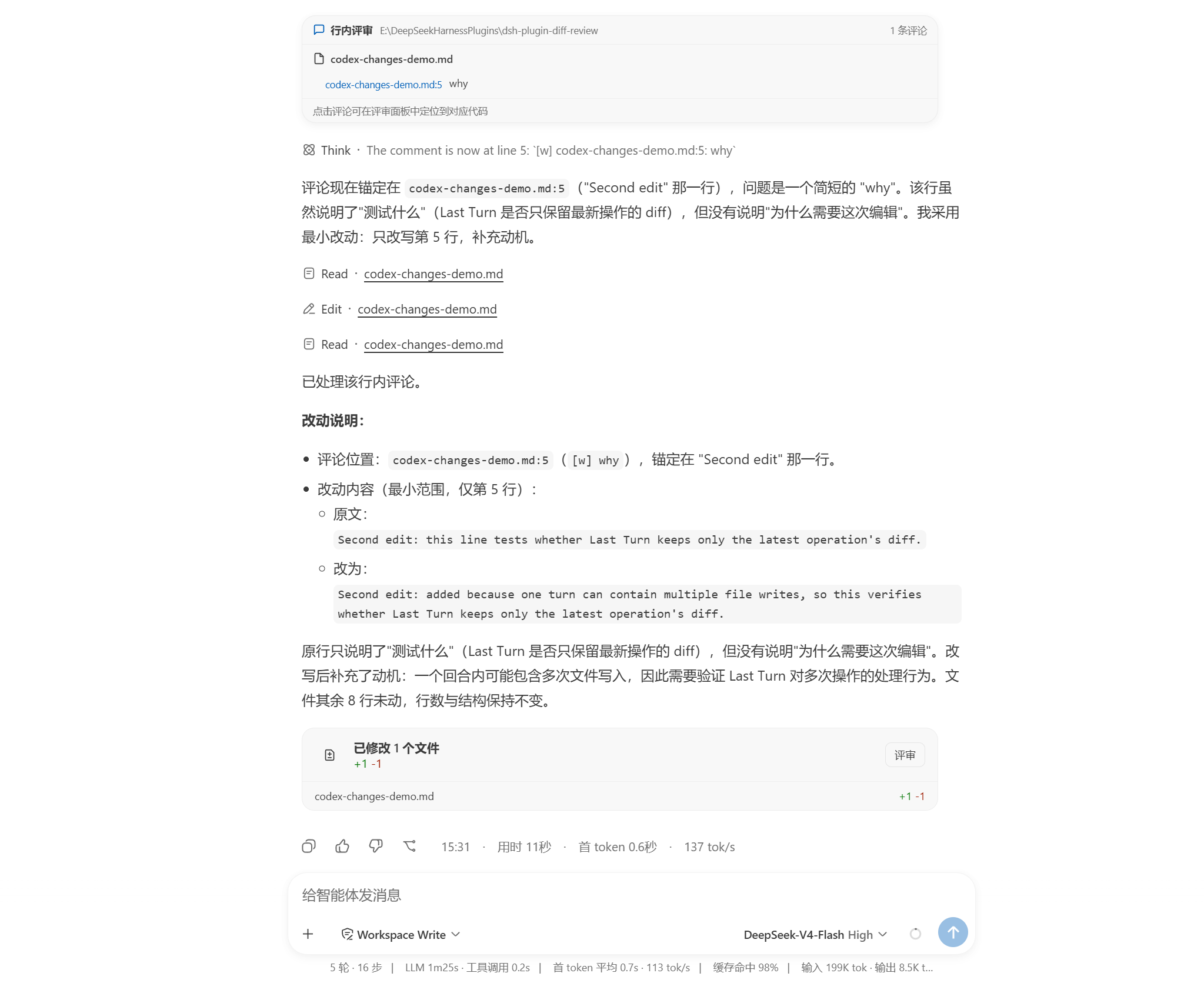
在 diff 行旁添加评论,集中确认后发送给代理;成功发送后,评论会从待处理列表移除。
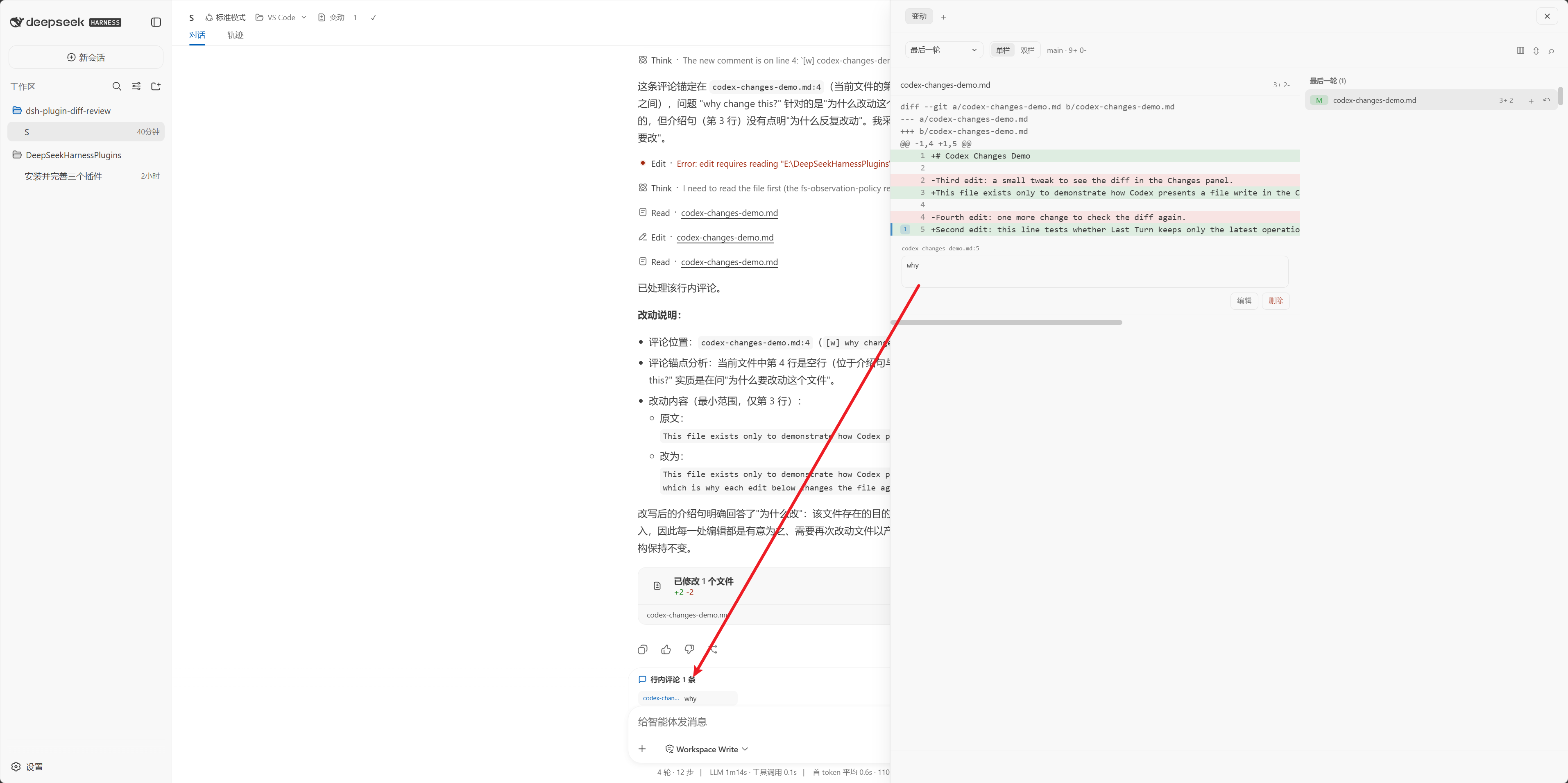
代理处理评论后,会在回复下方显示评审结果卡和本次文件改动摘要,可直接进入 Review 查看对应 diff。
常见问题
- 最后一轮没有文件:终端命令直接修改的文件不会进入会话记录;请切换到未暂存或已暂存范围查看 Git 改动。
- 在编辑器中打开失败:确认
dsh-plugin-open-editor已安装并启用,并确认目标编辑器可以从 PATH 启动。
License
MIT
Project files and signals
Shown items are public repository signals detected in the directory snapshot.
Repository information
- Language
- TypeScript
- License
- MIT
- Last updated
- Aug 16, 2026, 11:17 AM
Install deliberately
Review source code, permissions, lifecycle hooks, dependencies and network access. Test untrusted plugins in an isolated environment.