Installation
pnpm dsh plugin --profile web add "$PLUGIN_DIR"This command is generated from the GitHub repository address. Inspect the upstream README and source before running it; pin a release or commit when reproducibility matters.
README
Maintainer-authored documentation snapshot.
dsh-safe-workflow
English | 简体中文
An independent DeepSeek Harness plugin for safer, evidence-backed coding workflows.
It provides one model-facing tool, safe_workflow, with these operations:
start: create a task contract;status: inspect the active contract;checkpoint: snapshot the selected workspace state;restore: restore a checkpoint;verify: run a verification command and record its output;close: close the contract.
It also installs two native policy listeners:
tools/pre-execute: checks path rules and asks for approval before mutating tools;tools/execute: creates an automatic best-effort checkpoint before mutation.
Install into a DSH source checkout
Build this project first:
npm install
npm run check
Then, from the DSH checkout, install this directory into the Web profile:
DSH_DIR=/path/to/deepseek-harness
PLUGIN_DIR=/path/to/dsh-safe-workflow

cd "$DSH_DIR"
pnpm dsh plugin --profile web add "$PLUGIN_DIR"
pnpm dsh --profile web --dump-config | grep dsh-safe-workflow
pnpm dsh web
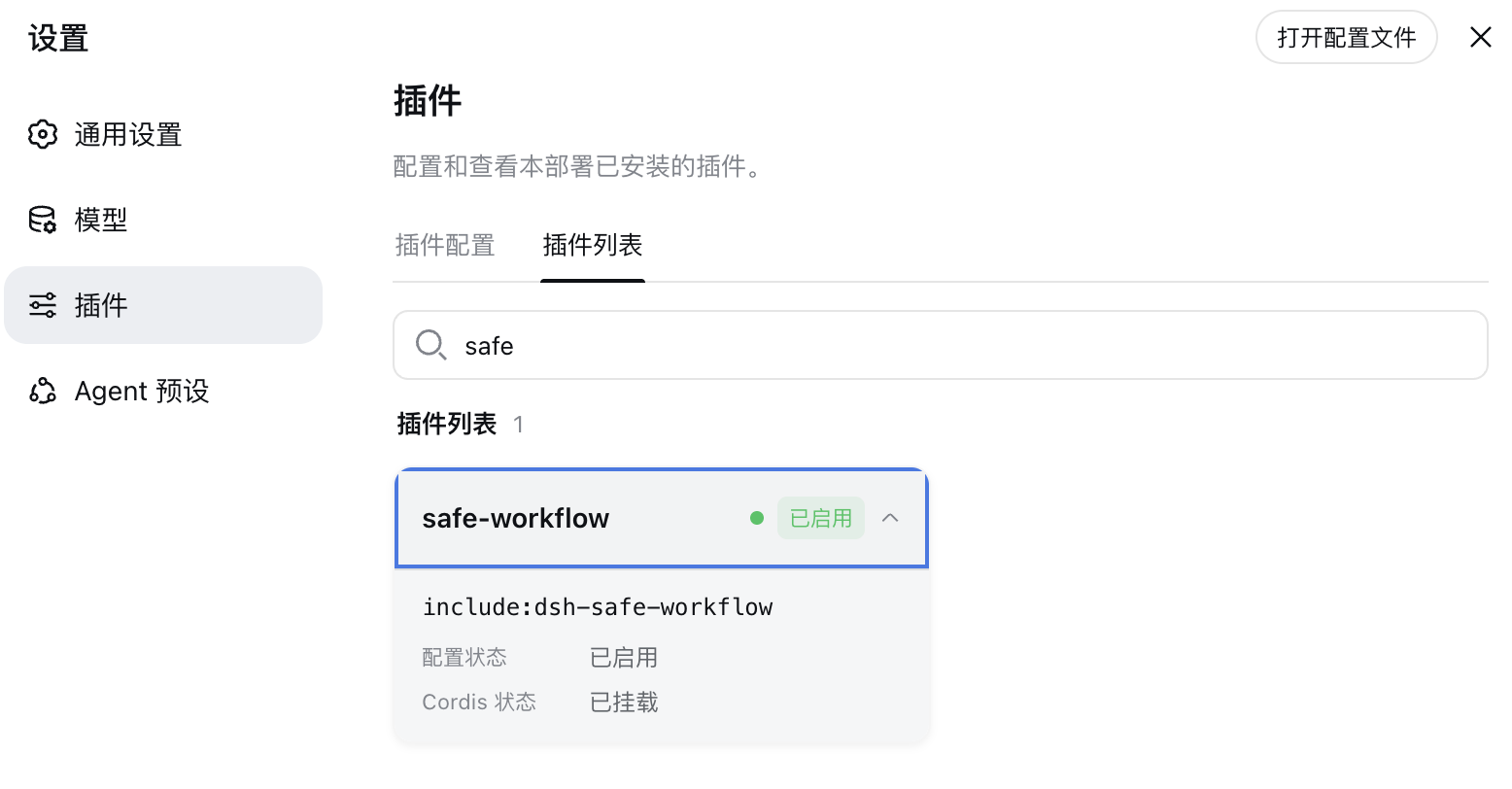
After installation, the plugin appears in the DSH plugin list and is enabled for the Web profile:
The plugin writes state into the current session workspace under .dsh-safe-workflow/:
contract.json       active task contract and verification records
audit.jsonl         append-only session/tool/checkpoint evidence
checkpoints/        checkpoint manifests and copied files
Example workflow
Start a safe workflow titled "Fix parser regression".
Goal: fix the parser regression without changing public APIs.
Acceptance checks: run npm test and npm run typecheck.
Only allow changes under src/ and test/.
Require approval before bash, write, edit, or str_replace_editor.
Then ask the agent to use safe_workflow verify after the implementation and safe_workflow close only when the acceptance checks pass.
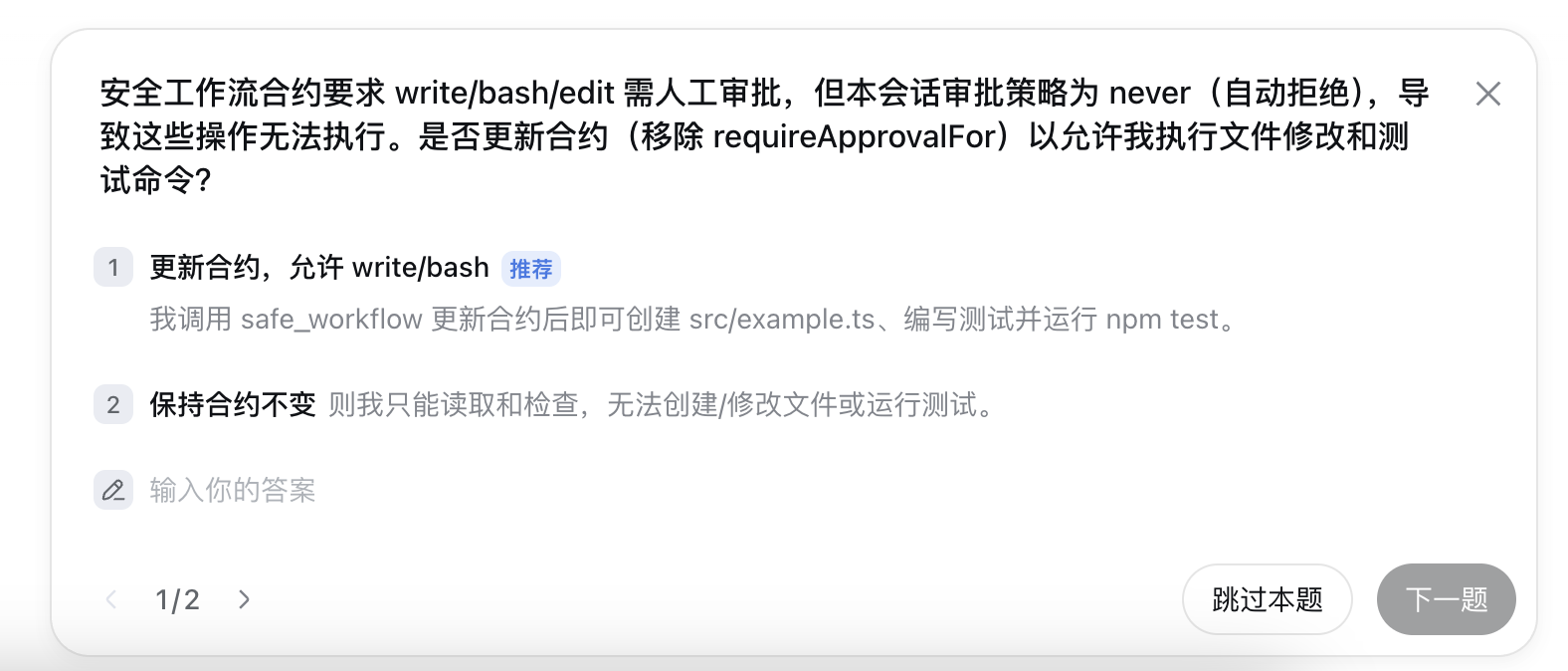
When a mutating tool is about to run, the approval gate explains the requested operation and lets you approve or keep the contract unchanged:
Important limitations
This is a workflow guard, not a process sandbox. A plugin runs in the host process and has the host's permissions. The first version provides policy, evidence, and best-effort file snapshots; it does not promise atomic rollback of arbitrary shell side effects, network operations, databases, or files that were not included in a checkpoint.
For production use, review the source, pin the plugin version or commit, keep .dsh-safe-workflow out of sensitive repositories if needed, and run it with DSH's normal sandbox and approval layers enabled.
Project files and signals
Shown items are public repository signals detected in the directory snapshot.
Repository information
- Language
- TypeScript
- License
- MIT
- Last updated
- Aug 16, 2026, 3:57 PM
Install deliberately
Review source code, permissions, lifecycle hooks, dependencies and network access. Test untrusted plugins in an isolated environment.