Installation
npx -y @deepseek-ai/dsh plugin --profile web add github:dawsondx/dsh-web-openThis installation command is an unverified starting point generated from the GitHub repository address.
README
Maintainer-authored documentation snapshot.




中文
一句话:
dsh web启动完成 → 完整链接自动打印 → 浏览器自动打开。 装一次,任何装了 dsh 的机器都能用;零依赖、跨平台、故障安全。
以前 vs 现在
| 以前(每次都要) | 现在(一次装好) |
|---|---|
记一长串 npx @deepseek-ai/dsh web | 输 dsh web 即可(想更省事可自建快捷方式/别名) |
启动后自己拼 http://127.0.0.1:3080/ 复制进浏览器 | 链接自动打印,浏览器自动打开 |
| 每台机器手动配 PATH、建快捷方式 | dsh plugin --profile web add @dawsondx/dsh-web-open 一行安装 |
效果长这样
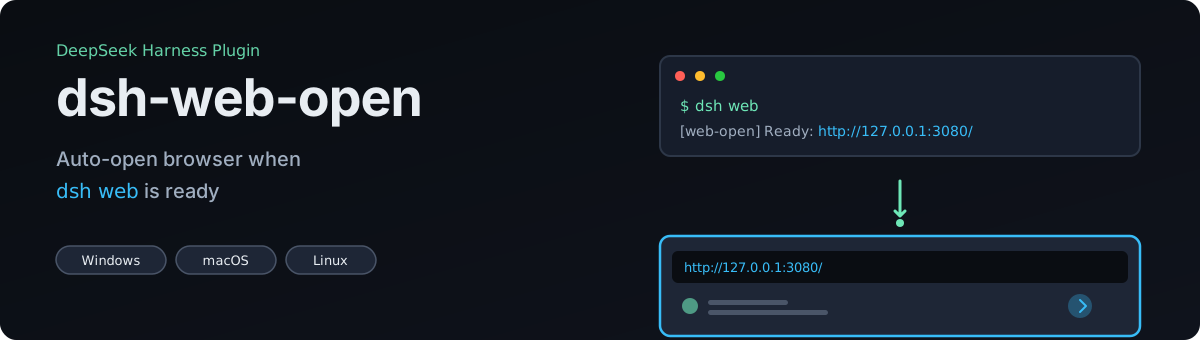
$ dsh web
[web-open] Web GUI ready: http://127.0.0.1:3080/
# ↑ 完整链接自动打印,浏览器同时自动打开 —— 全程零手动操作
本仓库包含什么(安装前先看清楚)
| 部分 | 内容 | 安装方式 | 平台 |
|---|---|---|---|
| 插件本体(核心) | index.js / opener.js / cordis.patch.yml:dsh web 就绪后打印链接并自动打开浏览器 | dsh plugin --profile web add @dawsondx/dsh-web-open(或 GitHub 直装) | Windows / macOS / Linux |
| 可选:Windows 启动器 | contrib/windows/dsh-web.cmd:一键启动 + 自动检查官方新版 | 自行复制到 PATH 目录,或为它建桌面快捷方式 | 仅 Windows |
| 可选:Windows 更新脚本 | contrib/windows/dsh-update.cmd:一键更新 harness | 同上 | 仅 Windows |
| 可选:Unix shell 函数 | contrib/unix/dsh-fn.sh:dsh = dsh web | 加入 ~/.bashrc / ~/.zshrc | macOS / Linux |
插件本体不包含更新功能,也不包含桌面快捷方式——桌面快捷方式、PATH 配置属于每台机器自己的事,仓库不替你创建;可选的 Windows 脚本复制到 PATH 后即可使用。
为什么需要它
官方 dsh (0.1.0-rc.6) 目前只有 printUrl(把链接打印到日志里),没有"启动后自动打开浏览器"的能力;CLI 也没有 --open 参数。社区现有的 dsh-plugin-browser / @anweat/dsh-browser 是给模型用的无头浏览器工具(Playwright 抓网页),与本插件解决的问题不同——本插件打开的是你自己的浏览器来看 GUI。
这个插件解决一个问题:dsh web 启动完成后,打印 URL 并自动打开浏览器。跨平台、零运行时依赖、故障安全设计。

前提条件:已安装 dsh、已初始化 profile(跑过一次 dsh web 即可),且 PATH 里有 pnpm。
从 npm 安装(推荐,已发布)
dsh plugin --profile web add @dawsondx/dsh-web-open
或从 GitHub 安装
dsh plugin --profile web add github:dawsondx/dsh-web-open
dsh plugin 会自动把包装进 profile 的 node_modules,并注册到 dsh.profile.bundles。无需手动配置。重启生效:
dsh web
# → [web-open] Web GUI ready: http://127.0.0.1:3080/
# → 浏览器自动打开
验证是否生效:
dsh web --dump-config # 输出里应能看到 "id: web-open"

插件等待 Loader 就绪,轮询 webServer 获取绑定端口(最多重试 40×250ms),然后打印 URL 并启动默认浏览器。即使使用 dsh web --port 0(系统分配端口)也能正确打开。

默认行为:打印 URL + 打开浏览器。可在 profile 的 cordis.patch.yml 里覆盖:
# ~/.dsh/profiles/web/cordis.patch.yml
- id: web-open
  config:
    open: false          # 只打印链接,不打开浏览器
    printUrl: true
    # url: http://x:8080/      # 覆盖默认 http://127.0.0.1:<port>/
    # retryAttempts: 40       # 等待服务绑定的重试次数(默认 40 × 250ms)
    # retryIntervalMs: 250
或用环境变量临时关闭:
DSH_OPEN_BROWSER=0 dsh web # 只打印,不打开浏览器
兼容性与更新策略
这个插件故意只依赖稳定层:
| 依赖 | 稳定性 | 失效时会怎样 |
|---|---|---|
@deepseek-ai/cordis(peer,>=4.0.0) | 稳定的插件核心,独立版本号 | 插件无法加载 → dsh 有明确报错,移除插件即恢复 |
dsh 内部服务 loader / webServer | 0.1.0-rc 阶段可能改名 | 降级为 no-op:只打一行 warning,dsh web 照常启动,只是不自动打开 |
防失效设计
- apply() 永不抛错。因为 cordis-plugin-loader 对"插件 apply 抛错"的处理是整个 boot 失败,所以本插件把所有步骤包进 try/catch——最坏情况 = 少一个功能,绝不是起不来。
- 缺服务就静默降级。
webServer拿不到就不打开;API 改名只影响本插件,不影响别的。 - profile 锁版本。插件装进
~/.dsh/profiles/web后由 pnpm lockfile 固定,dsh 官方发新版不会自动升级你 profile 里的插件。 - 零 rc 依赖。没有依赖任何
0.1.0-rc.x的内部包,只依赖稳定核心,降低被 rc 版本牵连的概率。
已知的真实风险(写清楚比藏着好)
- 若 dsh 官方把
loader/webServer服务改名(rc 阶段完全可能),本插件需要一次小更新(改两个服务名);期间表现为"不自动打开",不影响使用。 - 若官方未来原生支持
--open,本插件可以退役(卸载即可);为了不撞车,本插件故意不用 CLI 参数,只用 profile 配置控制。 - 恢复/卸载:
dsh plugin --profile web remove @dawsondx/dsh-web-open,或直接编辑~/.dsh/profiles/web/package.json的 bundles 列表。
跨平台兼容性(第一性原理审查)
结论:可以跨平台安装并正确运行(Windows / macOS / Linux,含 WSL)。以下逐层对照 dsh 0.1.0-rc.6 实际源码验证过,不是想当然:
| 层 | 实际机制(源码依据) | 结论 |
|---|---|---|
| 安装 | dsh plugin --profile web add <包> → pnpm 装入 profile → 命令内 reconcile 把声明了 dsh.bundle 的包写进 dsh.profile.bundles(plugin-*.js) | 需要 pnpm(dsh 官方要求);boot 不会自动 reconcile,所以必须走 dsh plugin add,手动 pnpm add 不生效 |
| 装载 | row 的 name 由 Node 内部加载器从 profile 目录解析(mountRootInclude / cordis-plugin-loader),与官方 @deepseek-ai/dsh-web-app 完全同路径 | 任意 OS 一致;纯 Cordis 插件,无需 TYPERT 清单(无 ./typert 导出的包会被 typert 注册表静默跳过,不报错) |
| 契约 | 导出 name / apply / config;Cordis unwrapExports 兼容具名导出;无 Config 导出也可(只在有 Config 时才校验) | 与官方插件同款写法 |
| 错误语义 | cordis-plugin-loader:任一插件 apply 抛错 = 整个 boot 失败(loader entries failed to apply) | 本插件 apply() 全 try/catch、永不抛错 → 任何情况下都不会拖垮 dsh web |
| 服务读取 | ctx.get("loader").await() + ctx.get("webServer").port(官方 web-app 的 printUrl 同款) | 任意 OS 一致;拿不到就降级 no-op + 警告 |
| 打开浏览器 | win32 cmd start(走 SystemRoot\System32\cmd.exe 绝对路径,GUI 启动 PATH 被裁剪也不怕);darwin /usr/bin/open;linux xdg-open → sensible-browser → google-chrome → chromium → firefox 逐级回退 | v0.1.1 修复:spawn 挂 error 监听 + 启动前 PATH 探测,缺 xdg-open 的 Linux 也不会崩(只警告并打印链接) |
| 编码 | 插件文件全部 UTF-8(JS/YAML),Node 与 js-yaml 原生支持 | 中/英/日文系统均无乱码问题 |
已知边界(不是 bug,是环境事实):
- Linux 无图形环境(服务器 / 容器 / WSL 无 DISPLAY):浏览器打不开,但
dsh web照常运行,链接照常打印——行为可预期; - headless / CI:用
DSH_OPEN_BROWSER=0关掉自动打开; - 需要
pnpm:dsh plugin的管理命令本身要求 pnpm(没装会提示安装); - dsh 版本:在 0.1.0-rc.6 上验证。rc 系列内用的都是官方 web-app 同款机制,大概率兼容;若未来 rc 改动了
loader/webServer服务名,本插件按设计自动降级为 no-op(不报错、不影响启动),等一次小更新即可。
如何更新(官方更新后)
先分清边界:插件本体(dsh-web-open)只负责"启动后打印链接 + 自动打开浏览器",不包含更新 harness 的功能——插件运行在 dsh 进程内部,无法更新正在运行的宿主。更新 harness 是终端/脚本层面的事:
| 场景 | 命令 / 操作 | 说明 |
|---|---|---|
| 更新 harness(任何系统) | npm install -g @deepseek-ai/dsh@latest | 更新 launcher = 更新整个 harness:官方 bundle(dsh-base / dsh-web-app)按"安装优先"从 launcher 解析,重启即生效 |
| 更新 profile 里的插件 | dsh plugin --profile web update | 本插件已发布到 npm,用此命令升级;GitHub 直装版需重新 dsh plugin add |
| Windows 可选一键脚本 | 把 contrib/windows/dsh-update.cmd 复制到 PATH 目录后执行 dsh-update,或自己为它建桌面快捷方式 | 自动对比 registry → 执行上面两条 |
| Windows 可选启动器自动检查 | 用 contrib/windows/dsh-web.cmd 启动器时,每次打开会静默检查新版并提示;设 DSH_AUTO_UPDATE=1 自动更新后再启动,DSH_SKIP_UPDATE_CHECK=1 关闭 | 同上,需先把脚本放入 PATH |
注意:官方
npx @deepseek-ai/dsh web不会自动更新——npx 复用本地缓存,只有显式@latest才会重新拉取。
可选的 shell 便利层
插件解决的是"启动后自动打开",跨平台一致。但"dsh 三个字母 = 启动 Web"属于 shell 层,插件做不到,需要每个用户自己的终端配置:
Windows:把 dsh-web.cmd 启动器放进 PATH(见 contrib/windows/),或自己为它创建桌面快捷方式(右键 → 发送到 → 桌面快捷方式)。
macOS / Linux:在 ~/.bashrc / ~/.zshrc 加:
dsh() {
  if [ $# -eq 0 ]; then command dsh web; else command dsh "$@"; fi
}
装了插件之后,这些便利层里"等待端口 + 打开浏览器"的逻辑都可以删掉(插件会做),只保留启动本身。
开发与测试
npm test # 13 项单元测试:平台命令形状、URL 构建、apply 永不抛错、打开/抑制路径
真实的端到端验证(dsh web 启动后浏览器弹出)请在没有占用 3080 端口的环境里跑一次。
License
MIT
English
One line: when
dsh webis ready → full URL printed → browser opens automatically. Install once, works on any machine with dsh. Zero dependencies, cross-platform, fail-safe.
Before vs After
| Before (every single time) | After (one-time setup) |
|---|---|
Memorize npx @deepseek-ai/dsh web | Run dsh web (or configure an alias / shortcut) |
Manually assemble http://127.0.0.1:3080/ and paste it into a browser | URL printed automatically, browser opens itself |
| Configure PATH / shortcuts on every machine | dsh plugin --profile web add @dawsondx/dsh-web-open — one line |
What it looks like
$ dsh web
[web-open] Web GUI ready: http://127.0.0.1:3080/
# ↑ full URL printed, browser opens automatically — zero manual steps
What's in this repo (read before installing)
| Part | Contents | Install | Platform |
|---|---|---|---|
| Plugin core | index.js / opener.js / cordis.patch.yml: prints the URL and opens your browser when dsh web is ready | dsh plugin --profile web add @dawsondx/dsh-web-open (or GitHub) | Windows / macOS / Linux |
| Optional: Windows launcher | contrib/windows/dsh-web.cmd: one-click start + checks for official updates | Copy it into a PATH dir yourself, or create a desktop shortcut | Windows only |
| Optional: Windows updater | contrib/windows/dsh-update.cmd: one-click harness update | Same as above | Windows only |
| Optional: Unix shell fn | contrib/unix/dsh-fn.sh: dsh = dsh web | Add to ~/.bashrc / ~/.zshrc | macOS / Linux |
The plugin core has no update feature and ships no desktop shortcuts — PATH placement and shortcuts are per-machine, user-owned. The optional Windows scripts work once you copy them into a PATH dir.
Why you need this
The official dsh (0.1.0-rc.6) only has printUrl to log the URL — it doesn't auto-open your browser when ready. There's no --open CLI flag either. Community plugins like dsh-plugin-browser / @anweat/dsh-browser are headless browser tools for the model (Playwright for web scraping), not for opening your own browser to view the GUI.
This plugin solves one problem: when dsh web is ready, print the URL and open it automatically. Cross-platform, zero runtime dependencies, fail-safe by design.
Requirements: dsh installed, profile initialized (run dsh web once), and pnpm in PATH.
Install from npm (recommended, published)
dsh plugin --profile web add @dawsondx/dsh-web-open
Or from GitHub
dsh plugin --profile web add github:dawsondx/dsh-web-open
dsh plugin automatically adds the bundle to your profile's node_modules and registers it in dsh.profile.bundles. No manual configuration needed. Restart to activate:
dsh web
# → [web-open] Web GUI ready: http://127.0.0.1:3080/
# → Browser opens automatically
Verify it's active:
dsh web --dump-config # Should show "id: web-open"
The plugin waits for the Loader to settle, polls webServer for the bound port (retries up to 40×250ms), then prints the URL and spawns your default browser. Works even with dsh web --port 0 (OS-assigned port).
Default behavior: print URL + open browser. Override in your profile's cordis.patch.yml:
# ~/.dsh/profiles/web/cordis.patch.yml
- id: web-open
  config:
    open: false          # Only print URL, don't open browser
    printUrl: true
    # url: http://x:8080/      # Override default http://127.0.0.1:<port>/
    # retryAttempts: 40       # Wait attempts (default 40 × 250ms)
    # retryIntervalMs: 250
Or temporarily disable with environment variable:
DSH_OPEN_BROWSER=0 dsh web # Print only, no browser
Compatibility & update strategy
This plugin deliberately depends only on stable layers:
| Dependency | Stability | If it breaks |
|---|---|---|
@deepseek-ai/cordis (peer, >=4.0.0) | Stable plugin core, independent versioning | Plugin won't load → dsh shows clear error, remove to recover |
dsh internal services loader / webServer | May change during 0.1.0-rc | Degrades gracefully: prints warning, dsh web starts normally, just won't auto-open |
Fail-safe design
- apply() never throws. Since cordis-plugin-loader fails the entire boot on plugin errors, every step is wrapped in try/catch — worst case = one feature missing, never a startup failure.
- Missing services degrade silently. If
webServeris unavailable, it warns and skips opening; other plugins unaffected. - Profile locks versions. Plugins installed in
~/.dsh/profiles/webare pinned by pnpm lockfile; official dsh updates won't auto-upgrade your plugins. - Zero rc dependencies. No internal
0.1.0-rc.xpackages, only stable Cordis core — reduces breaking change risk.
Known risks (transparency)
- If dsh renames
loader/webServerservices (possible during rc), this plugin needs a small update (change two service names); during that time it'll silently skip auto-open without breaking dsh. - If official dsh adds native
--open, this plugin can be retired (just uninstall). To avoid conflicts, this plugin deliberately avoids CLI params and uses profile config only. - Uninstall:
dsh plugin --profile web remove @dawsondx/dsh-web-openor edit~/.dsh/profiles/web/package.jsonbundles list.
Cross-platform compatibility (first-principles review)
Verified layer-by-layer against dsh 0.1.0-rc.6 source, not by assumption:
| Layer | Actual mechanism (source basis) | Result |
|---|---|---|
| Install | dsh plugin --profile web add <pkg> → pnpm installs into profile → reconciles within the command, writing bundles that declare dsh.bundle into dsh.profile.bundles | Requires pnpm (official requirement); boot does NOT reconcile, so dsh plugin add is mandatory — manual pnpm add alone won't activate it |
| Load | Row name resolves via Node's internal loader from the profile dir (mountRootInclude / cordis-plugin-loader) — the exact path official @deepseek-ai/dsh-web-app uses | Same on every OS; plain Cordis plugin, no TYPERT manifest needed (packages without a ./typert export are silently skipped by the typert registry) |
| Contract | Exports name / apply / config; Cordis unwrapExports handles named exports; Config export is optional (validated only when present) | Same writing style as official plugins |
| Error semantics | cordis-plugin-loader: one plugin throwing in apply fails the whole boot | This plugin's apply() is fully wrapped in try/catch and never throws → can never take down dsh web |
| Service reads | ctx.get("loader").await() + ctx.get("webServer").port (same pattern as the official web-app printUrl) | Same on every OS; degrades to no-op + warning if unavailable |
| Opening the browser | win32 cmd start (absolute SystemRoot\System32\cmd.exe, safe even when PATH is stripped on GUI launch); darwin /usr/bin/open; linux xdg-open → sensible-browser → google-chrome → chromium → firefox | Fixed in v0.1.1: spawn error listener + PATH probing before launch — a Linux without xdg-open warns and prints the link instead of crashing dsh |
| Encoding | Plugin files are UTF-8 (JS/YAML); Node & js-yaml native | No mojibake on any locale |
Known environment boundaries (not bugs):
- Linux without a graphical session (server / container / WSL without DISPLAY): the browser won't open, but
dsh webruns normally and the link is still printed — predictable behavior. - Headless / CI: disable auto-open with
DSH_OPEN_BROWSER=0. - pnpm is required:
dsh pluginitself requires pnpm (it prompts to install if missing). - dsh version: verified on 0.1.0-rc.6. Within the rc line this uses the same mechanism as the official web-app bundle, so compatibility is very likely; if a future rc renames
loader/webServer, the plugin degrades to no-op by design (no error, no startup impact) until a small update.
How to update (after an official release)
Boundary first: the plugin core (dsh-web-open) only prints the URL and opens the browser — it has no harness-update feature, because a plugin running inside dsh cannot update its own host. Updating the harness is a terminal / script concern:
| Scenario | Command / action | Notes |
|---|---|---|
| Update the harness (any OS) | npm install -g @deepseek-ai/dsh@latest | Updating the launcher = updating the whole harness: the official bundles (dsh-base / dsh-web-app) resolve installation-first from the launcher — effective on next start |
| Update profile plugins | dsh plugin --profile web update | Bumps this plugin (published on npm); GitHub-installed copies need a fresh dsh plugin add |
| Optional Windows one-click | Copy contrib/windows/dsh-update.cmd into a PATH dir, then run dsh-update (or create a shortcut yourself) | Compares against the registry → runs the two commands above |
| Optional Windows launcher check | Using contrib/windows/dsh-web.cmd, each launch silently checks for a newer version and prints a notice; DSH_AUTO_UPDATE=1 updates first, DSH_SKIP_UPDATE_CHECK=1 disables | Requires the script in PATH first |
Note: the official
npx @deepseek-ai/dsh webdoes NOT auto-update — npx reuses its local cache; only an explicit@latestre-fetches.
Optional shell convenience layer
The plugin solves "auto-open after boot" cross-platform. But "type dsh = start web" is a shell-layer concern the plugin can't handle — each user configures their own terminal:
Windows: put dsh-web.cmd from contrib/windows/ in PATH, or create a desktop shortcut for it yourself (right-click → Send to → Desktop).
macOS / Linux: add to ~/.bashrc / ~/.zshrc:
dsh() {
  if [ $# -eq 0 ]; then command dsh web; else command dsh "$@"; fi
}
Once the plugin is installed, these shell shortcuts can drop their "wait for port + open browser" logic (the plugin handles it) and just invoke dsh.
Development & testing
npm test # 13 unit tests: platform commands, URL construction, apply never throws, open/suppress paths
For real end-to-end verification (browser actually pops up after dsh web), test in an environment where port 3080 is free.
License
MIT
Project files and signals
Shown items are public repository signals detected in the directory snapshot.
Repository information
- Language
- JavaScript
- License
- MIT
- Last updated
- Aug 15, 2026, 2:00 PM
Install deliberately
Review source code, permissions, lifecycle hooks, dependencies and network access. Test untrusted plugins in an isolated environment.