Installation
npx -y @deepseek-ai/dsh plugin --profile web add github:Jensen-Yao/deepseek-harness-android-appThis installation command is an unverified starting point generated from the GitHub repository address.
README
Maintainer-authored documentation snapshot.
🤖 DeepSeek Harness Android App
把 DeepSeek Harness 装进你的安卓手机 —— 从零到跑起来,全程点按完成,无需命令行 Install DeepSeek Harness on your Android phone — zero to running, tap-only, no command line




📸 截图 / Screenshots
| 服务控制 Control | 部署向导 Deploy wizard | 部署进度 Deploy progress |
|---|---|---|
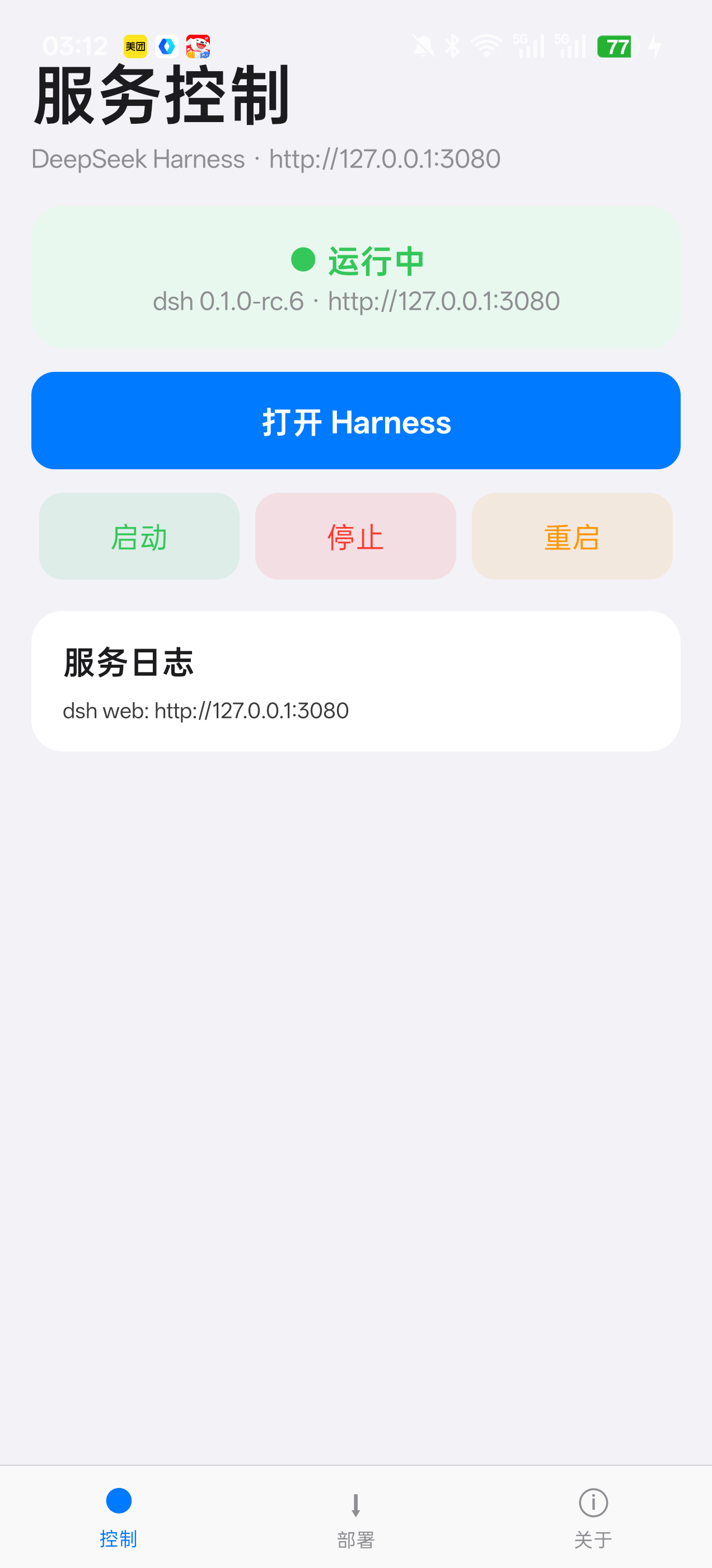 | 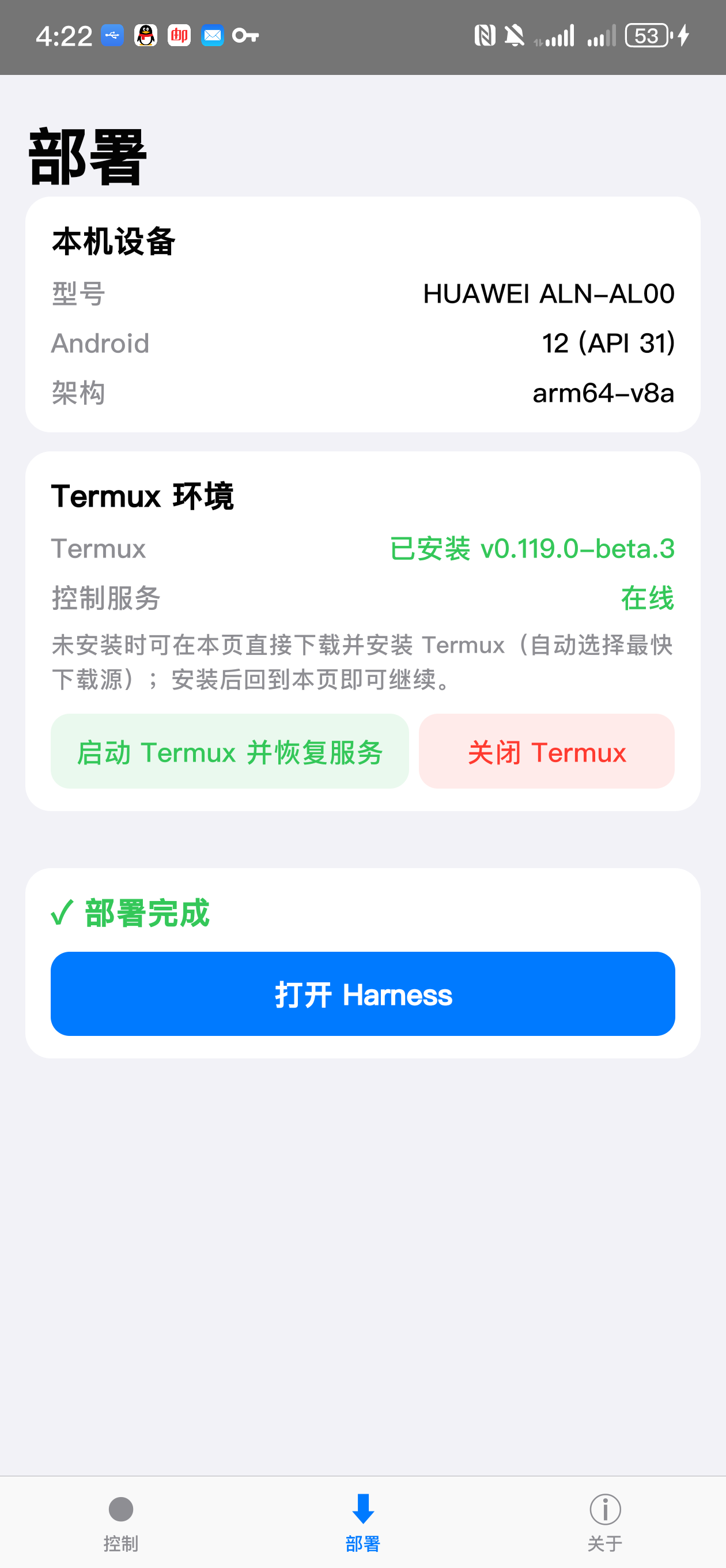 | 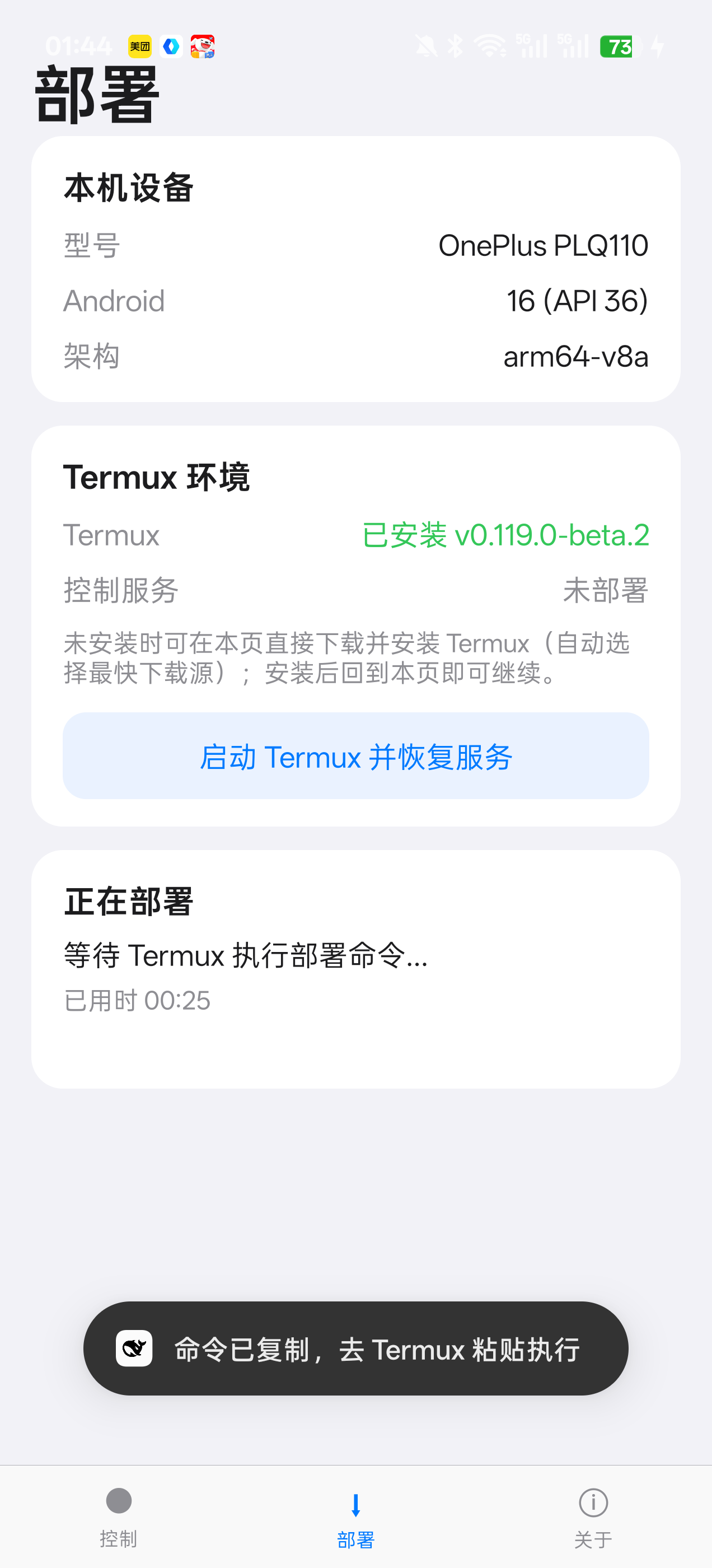 |
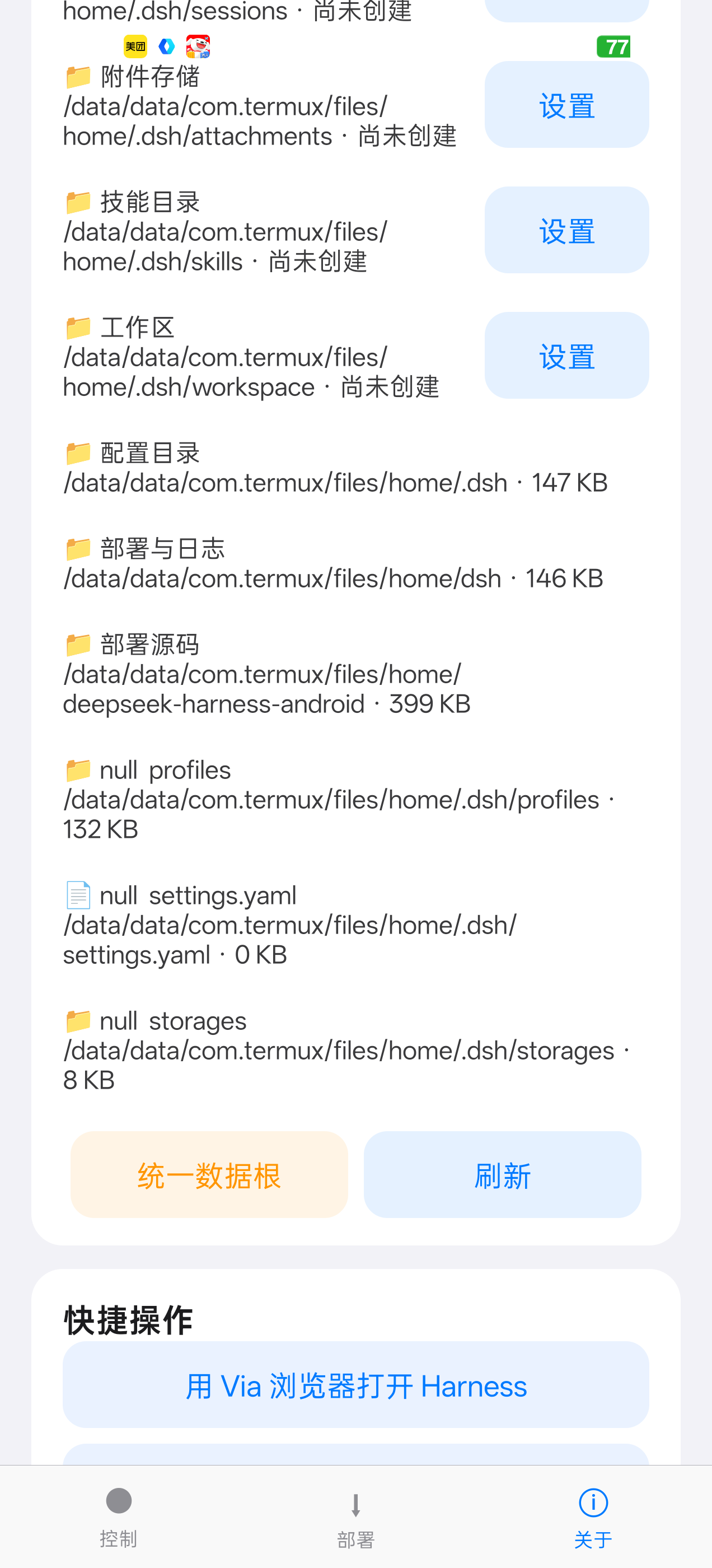
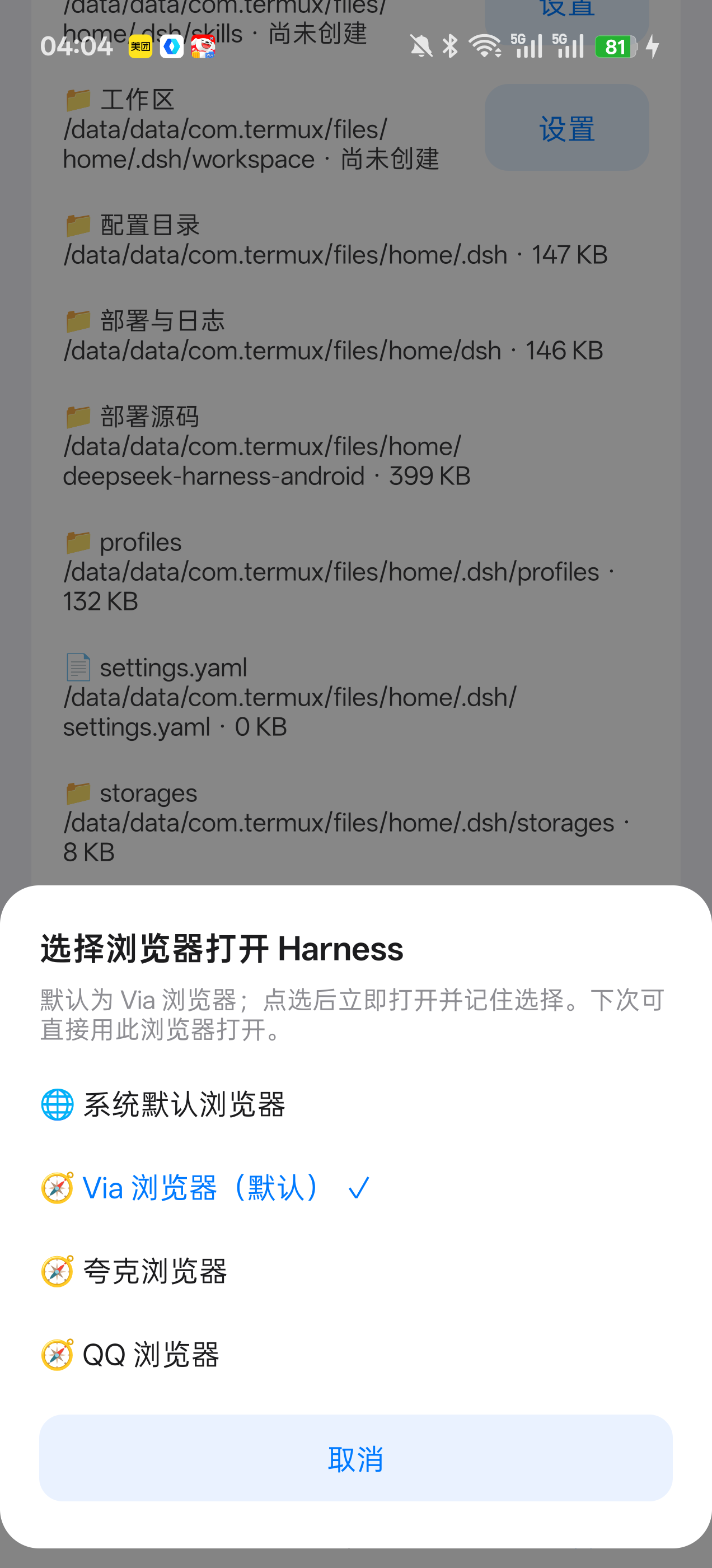
| 内置浏览器 Built-in browser | 存储管理 Storage manager | 浏览器选择器 Browser picker |
|---|---|---|
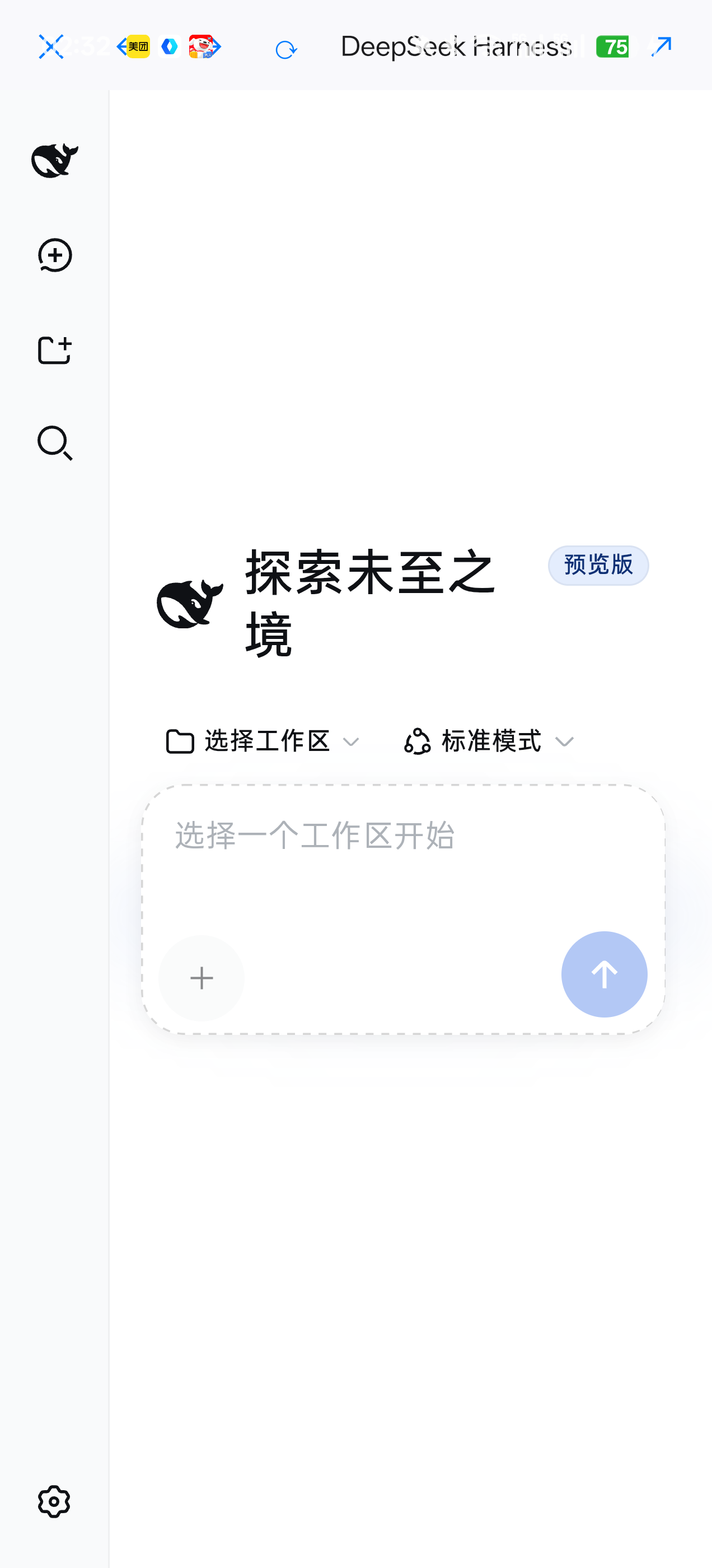 |  |  |
🇨🇳 中文 · 点击收起中文说明
✨ 特性(中文)
| 能力 | 说明 |
|---|---|
| 🧭 Termux 引导安装 | 自动识别机型与架构(arm64/armv7/x86),App 内直接下载匹配的 Termux 安装包并调起系统安装器 |
| 🚀 一键部署 | 自动测速选择最快软件源(清华/北外/中科大等 7 源)→ 安装工具链 → 编译原生模块 → 启动服务,全程实时日志 |
| 📟 三通道日志 | 部署日志从第 0 秒起同步显示在 App(脚本心跳上报 / 早期进度服务 / 控制守护进程三通道) |
| 🌐 内置浏览器 | WebView 内直接使用 Harness,顶部工具栏支持返回/前进/刷新/外部打开 |
| 🎛 服务控制 | 启动 / 停止 / 重启 / 状态监控 / 日志查看,全在手机点按完成 |
| 🔛 Termux 开关 | 从 App 内直接启动或关闭 Termux(关闭需确认,连同 dsh 服务一并停止) |
| 📁 存储管理 | 查看/编辑 harness 全部数据(会话、附件、技能、MCP 配置档案);单项或统一数据根一键迁移到共享存储 |
| 🧭 浏览器选择 | 外部打开 Harness 可选择任意已装浏览器(默认 Via,可选系统默认) |
| 🔋 防冻结引导 | 按机型(ColorOS/鸿蒙/MIUI/OriginOS/One UI)提示电池优化设置路径 |
| 🔧 自服务更新 | 手机端守护进程可经 App 一键更新,不依赖电脑 |
| 🎨 Apple 设计语言 | iOS 系统色板、大标题负字距、弹簧动画(阻尼/响应参数化)、按下变暗+震动、触觉反馈、减少动态效果适配 |
📦 快速开始(中文)
只需一次:把
install/dsh-harness.apk传到手机并安装(微信/QQ/数据线/网盘均可)。之后的每一步都在 App 内完成。
- 打开 DeepSeek Harness App →「部署」页
- 点「下载 Termux 安装包」(自动按机型匹配、自动选最快源)→「安装 Termux」
- 点「一键部署 DeepSeek Harness」→ 等待 5~15 分钟(日志实时滚动)
- 出现「✓ 部署完成」→「打开 Harness」→ 填入 DeepSeek API Key,开始使用 🎉
若自动部署被系统拦截(部分 ColorOS/鸿蒙机型),App 会自动弹出「粘贴部署」万能通道:一键复制命令 → 打开 Termux 粘贴回车,效果相同。
🇬🇧 English · click to expand English description
✨ Features (English)
| Capability | Description |
|---|---|
| 🧭 Termux setup wizard | Detects device model & ABI (arm64/armv7/x86), downloads the matching Termux APK in-app and launches the system installer |
| 🚀 One-click deploy | Auto speed-tests 7 mirrors (TUNA/BFSU/USTC…) → installs toolchain → compiles native modules → starts the service, with live logs |
| 📟 Triple-channel logs | Deploy logs visible in-app from second zero (script heartbeat push / early progress server / control daemon) |
| 🌐 Built-in browser | Use Harness directly in a WebView with back/forward/reload/open-externally toolbar |
| 🎛 Service control | Start / stop / restart / status / logs — all tap-only on the phone |
| 🔛 Termux on/off | Start or shut down Termux from the app (shutdown asks for confirmation and stops the dsh service too) |
| 📁 Storage manager | Browse/edit all harness data (sessions, attachments, skills, MCP profile patches); per-item or unified data root one-tap migration to shared storage |
| 🧭 Browser picker | Open Harness in any installed browser (default Via, system default optional) |
| 🔋 Anti-freeze guide | Model-aware battery-optimization instructions (ColorOS/HarmonyOS/MIUI/OriginOS/One UI) |
| 🔧 Self-service update | The phone-side daemon can be updated from the app itself — no PC required |
| 🎨 Apple design language | iOS palette, large-title negative tracking, parameterized spring animations, press-darken + haptics, reduced-motion support |
📦 Quick start (English)
One-time setup: transfer
install/dsh-harness.apkto the phone and install it (WeChat/QQ/USB/cloud all work). Everything else happens inside the app.
- Open the DeepSeek Harness app → 「部署 / Deploy」tab
- Tap 「下载 Termux 安装包」 (auto model-matched, fastest mirror) → 「安装 Termux」
- Tap 「一键部署 DeepSeek Harness」 → wait 5–15 min (live scrolling logs)
- When 「✓ 部署完成」 appears → 「打开 Harness」 → enter your DeepSeek API Key 🎉
If auto-deploy gets blocked (some ColorOS/HarmonyOS devices), the app pops a universal “paste deploy” channel: one-tap copy the command → paste into Termux and press Enter — same result.
🏗 架构 / Architecture
┌─────────────────────────────────────────────┐
│        DeepSeek Harness App(原生 APK)        │
│  控制 Control · 部署 Deploy · 关于 About       │
│  内置 WebView · 存储管理 Storage manager       │
└───────────────┬─────────────────────────────┘
                │ HTTP (127.0.0.1:8045 / 8023)
┌───────────────▼─────────────────────────────┐
│            Termux 环境(手机本机 on-device)    │
│  ┌───────────────────────────────────────┐  │
│  │  控制守护进程 daemon server.mjs (8023)  │  │
│  │  status/start/stop/restart/storage…   │  │
│  └───────────────┬───────────────────────┘  │
│                  │ spawn / pkill             │
│  ┌───────────────▼───────────────────────┐  │
│  │  DeepSeek Harness  (127.0.0.1:3080)   │  │
│  │  ~/.dsh: 会话/附件/技能/配置档案        │  │
│  └───────────────────────────────────────┘  │
│  runit 自启 · 部署脚本服务(8045) · sshd      │
└─────────────────────────────────────────────┘
📁 存储位置 / Storage locations
Harness 全部数据位于单一数据根 ~/.dsh(源码 @deepseek-ai/dsh-home-paths,可由 DSH_HOME 覆盖)· All harness data lives under one root ~/.dsh (see @deepseek-ai/dsh-home-paths; overridable via DSH_HOME):
| 数据 Data | 路径 Path |
|---|---|
| 凭证 Credentials | ~/.dsh/.credentials.yaml |
| 设置 Settings | ~/.dsh/settings.yaml |
| 会话 Sessions | ~/.dsh/sessions/<项目 project>/<会话 session>/session.jsonl[.zstd] |
| 会话缓存/工作区 Session cache/workspace | ~/.dsh/storages/*.json |
| 附件 Attachments | ~/.dsh/attachments/v1/objects/<sha256[:2]>/<sha256> |
| 用户技能 User skills | ~/.dsh/skills(另有 ~/.agents/skills、项目级 .dsh/skills) |
| MCP 配置 MCP config | ~/.dsh/profiles/ 配置档案 profile patches(cordis.patch.yml 等) |
App「关于 → 存储位置」可浏览/编辑以上全部,并支持统一数据根一键迁移到 /sdcard/dsh-data/(软链接回原位,harness 无感知)· The app's 「About → Storage」 can browse/edit all of the above and migrate everything under one data root to /sdcard/dsh-data/ (symlinked back, invisible to the harness).
🛠 从源码构建 / Build from source
无 Gradle,仅需 JDK 17 + Android SDK build-tools 36 · No Gradle — just JDK 17 + Android SDK build-tools 36:
cd app
# 1) 生成内嵌部署资源(把 daemon/server.mjs 等打包进 APK)
#    Generate embedded deploy assets (packs daemon/server.mjs etc. into the APK)
powershell -File gen-assets.ps1
# 2) 编译并签名 / compile & sign
powershell -File build2.ps1
# 产物 Output: build2/dsh-harness.apk
目录结构 / Layout:
app/        安卓端源码(纯 Java,无第三方依赖)+ 无 Gradle 构建脚本
            Android sources (pure Java, no third-party deps) + gradle-free build scripts
daemon/     Termux 侧控制守护进程与自启脚本(Node 零依赖)
            Termux-side control daemon & autostart scripts (zero-dep Node)
install/    预编译 APK / prebuilt APK
docs/       项目主页(GitHub Pages)/ project site (GitHub Pages)
❓ FAQ
🤔 这不是给电脑用的吗?手机也能跑?/ Isn't this PC-only? Can a phone really run it?
本质:DeepSeek Harness 是 Node.js agent 编排框架 + Web UI,对硬件的真实要求只有「Unix 环境 + Node 运行时」。手机(ARM SoC + Linux 内核)本身就是一台计算机,Termux 补齐环境;官方讨论区早有 Android/Termux 部署案例(Discussion #136),华为 Mate 60 实机已验证。
Essence: DeepSeek Harness is a Node.js agent-orchestration framework + Web UI. Its only real requirements are a Unix environment and a Node runtime. A phone (ARM SoC + Linux kernel) is a computer; Termux completes the environment. Community deployments on Android/Termux exist (see Discussion #136) and are verified on a Huawei Mate 60.
手机部署的四个独特价值 / Four values unique to phone deployment:
| 价值 Value | 说明 Description |
|---|---|
| 📱 随身 AI 工作站 / Pocket AI workstation | 会话、技能、文件全在本机,出门掏出手机接着用,无需同步或服务器 · Sessions, skills and files stay on-device — pick up anywhere, no sync or servers |
| ⚡ 真实操作手机 / Really operates the phone | agent 在手机上真执行 bash:批量处理照片、整理文件、跑脚本、装工具——把手机变成「可被 AI 编程的设备」· The agent really executes bash on the phone: batch-rename photos, organize files, run scripts, install tools — turning the phone into an AI-programmable device |
| 🔒 数据不出设备 / Data stays on-device | API Key 仅存本机(0600),不上传任何云 · API key stored locally only (0600), nothing uploaded to any cloud |
| 💰 零服务器成本 / Zero server cost | 只花 API token 钱;手机常开在线,任务随时派 · Only token costs; the phone is always online, ready for tasks |
诚实的边界 / Honest boundaries:手机上跑的是 agent 编排,模型推理走云端 API(手机无 GPU,不适合本地跑大模型);重型编译速度不如 PC;部分国产 ROM 会冻结后台——App 已内置按机型的防冻结引导。· The phone runs the agent orchestration; model inference goes through the cloud API (no GPU on phones — not for running large models locally). Heavy compiles are slower than on a PC; some Chinese ROMs freeze background apps — the app includes model-specific anti-freeze guidance.
- 自动部署被拦截? Auto-deploy blocked? 使用 App 弹出的「粘贴部署」万能通道(无需任何权限)。Use the "paste deploy" universal channel that the app pops up (no permissions needed).
- 切后台服务被冻结? Frozen in background? 按 App 内「电池优化(防冻结)」卡片完成机型对应设置。Follow the in-app "Battery optimization (anti-freeze)" card.
- App 不显示日志? No logs in app? 已三通道冗余(心跳上报/早期服务/守护进程);终端侧也可
tail -f ~/dsh/storage/deploy.log。Triple-channel redundancy already; in the terminal you can alsotail -f ~/dsh/storage/deploy.log. - 换手机? New phone? 新手机装 APK → 重走一遍部署向导即可,全部自动化。Install the APK on the new phone and re-run the deploy wizard — fully automated.
🙏 致谢 / Credits
- deepseek-ai/deepseek-harness — DeepSeek 官方 agent harness
- FunnelCakes/deepseek-harness-android — Android/Termux 部署参考与兼容补丁
- termux/termux-app
📄 License
Project files and signals
Shown items are public repository signals detected in the directory snapshot.
Repository information
- Language
- Java
- License
- MIT
- Latest release
- v1.2
- Last updated
- Aug 16, 2026, 6:23 AM
Install deliberately
Review source code, permissions, lifecycle hooks, dependencies and network access. Test untrusted plugins in an isolated environment.