Installation
npx -y @deepseek-ai/dsh plugin --profile web add github:KarlOfLaw/dsh-side-chatThis installation command is an unverified starting point generated from the GitHub repository address.
README
Maintainer-authored documentation snapshot.
DSH Side Chat
简体中文 · English
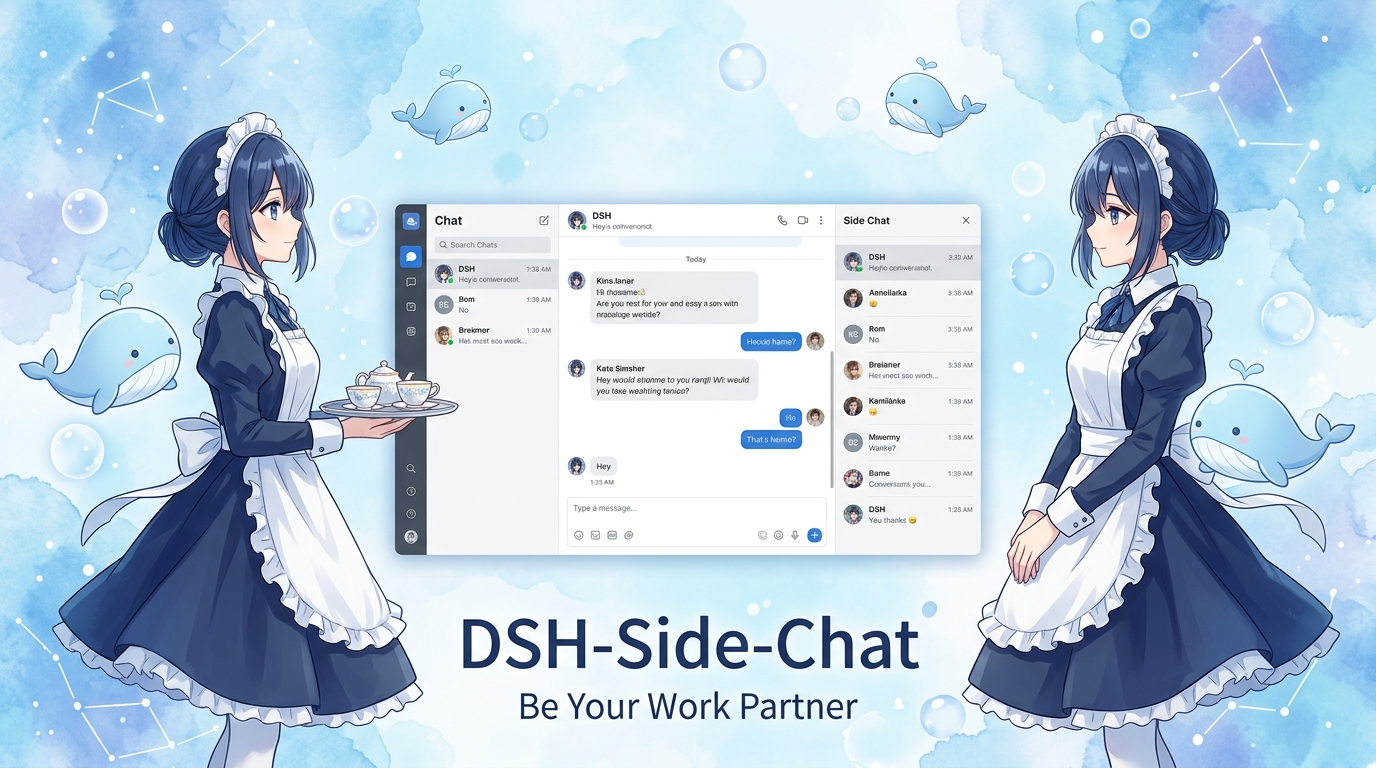




在 DeepSeek Harness 主对话旁边,打开一个真正独立、原生、理解上下文的并行对话。
界面预览 · 核心能力 · 快速开始 · 使用方式 · 架构边界
[!NOTE] 侧聊不是浮在主对话上方的临时面板,也不是手写的聊天界面。它是一个真实 DSH Session,直接复用 DSH 原生会话组件,并通过有界工具按需理解主对话。
界面预览
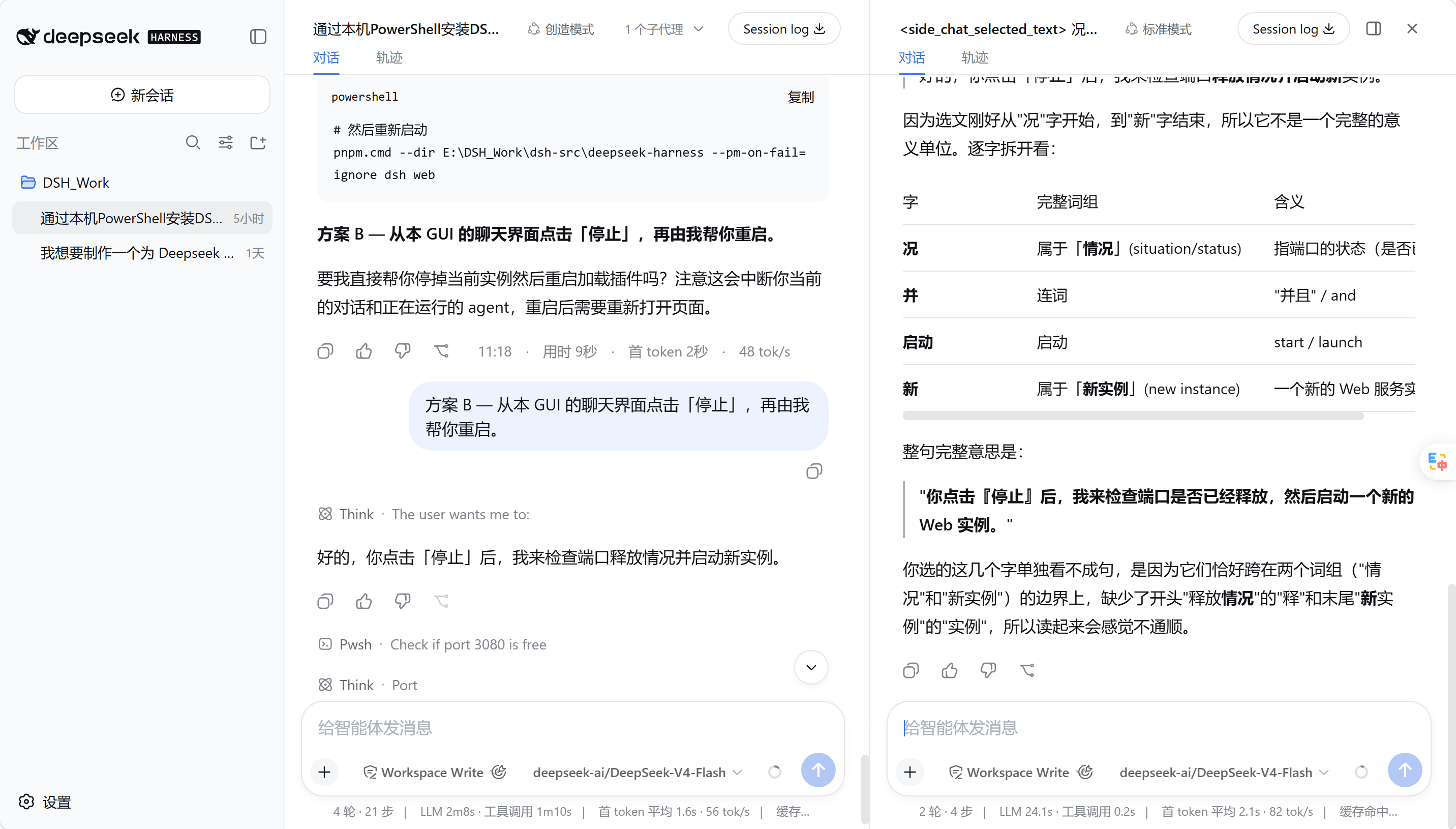
主对话与侧聊使用同一套 DSH 原生会话界面。中间分隔线可以拖动,两个输入框保持对齐,侧聊不会出现在左侧会话列表。
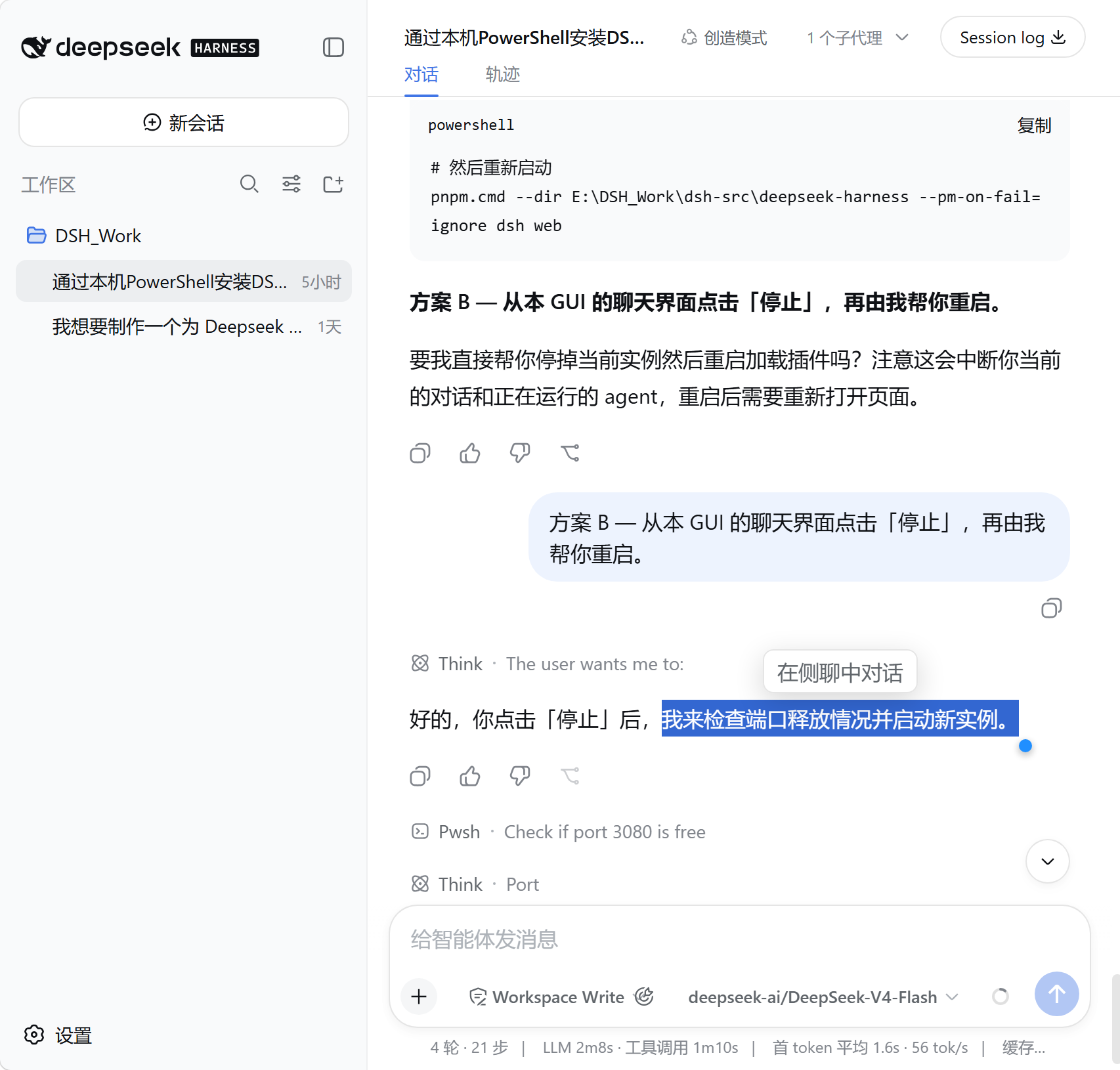
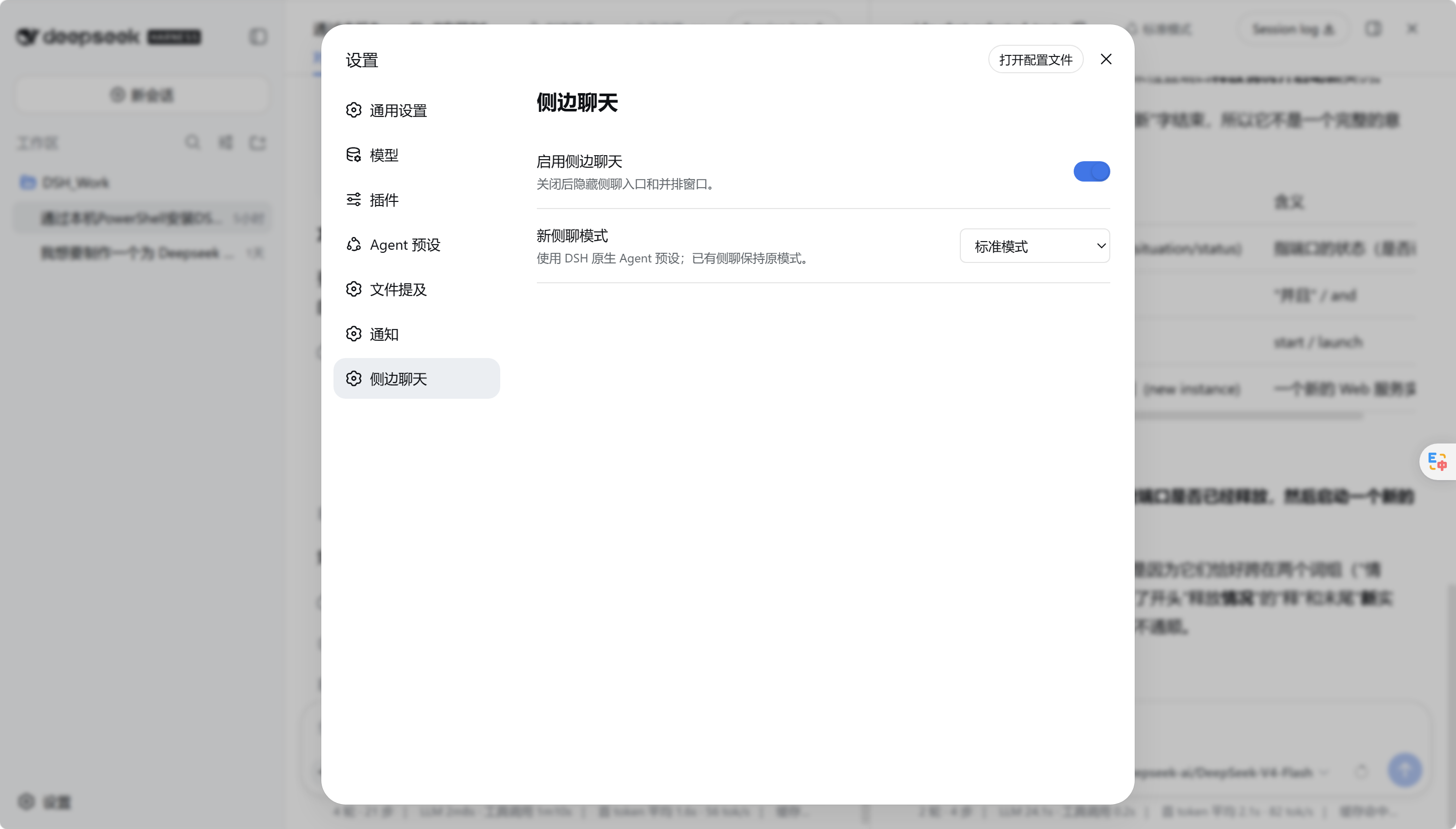
| 主对话选文入口 | 原生设置页 |
|---|---|
 |  |
核心能力
| 能力 | 实现方式 |
|---|---|
| 真实独立会话 | 通过 DSH agents.create/resume 创建带 parentSession 的 Session,不占用 subagent routing。 |
| 完整原生 UI | 左右两栏都渲染完整 ConversationRoot;消息、工具、审批、附件、输入框、模型和权限控件继续由 DSH 提供。 |
| 按需理解主对话 | 不复制主 transcript。需要背景时,通过 side_chat_context 检索有界、相关的父会话片段。 |
| 真正并排 | 只增加最小 split shell;分隔条支持拖拽和方向键微调,侧聊占比限制在 25%–70%。 |
| 不污染会话列表 | 新侧聊立即归档,不出现在 workspace 左侧列表中。 |
| 选文即问 | 选中主消息文字后出现“在侧聊中对话”,引用以可删除 chip 进入原生输入框。 |
| 可隐藏、可保留 | 隐藏只收起面板;关闭时明确提示默认删除,并提供保留对话选项。 |
| 原生模式与模型 | 新侧聊默认标准模式,可选 PTC、极简或创造模式;模型选择器保持 DSH 原生行为。 |
架构边界
host 只增加侧聊需要的生命周期与上下文能力:
主 Session
  └─ archived side Session (parentSession=主 Session)
       ├─ 原生 DSH Agent / preset / tools / approvals
       ├─ 独立 transcript
       └─ side_chat_context → 按需读取父会话的相关上下文
client 保留 DSH 已注册的原生 conversation component,只把它放进两个会话绑定中。插件没有自己的消息 renderer,也没有自己的 composer 实现。当前 DSH 没有公开“渲染任意 session 的完整 conversation”入口,因此 arbitrary-session 绑定使用现有 SessionProvider 的 BindingContext seam;若 DSH 改动该内部 seam,插件会明确失败,而不会退回手写聊天 UI。
快速开始
直接安装正式包
下载仓库 release/ 中已经构建好的插件,无需在安装阶段运行构建脚本:
dsh plugin --profile web add .\release\dsh-side-chat-1.1.2.tgz
从源码构建
git clone https://github.com/KarlOfLaw/dsh-side-chat.git
cd dsh-side-chat
npm test

$DshSource = "D:\path\to\deepseek-harness"
$PluginSource = (Get-Location).Path
pnpm --dir $DshSource dsh plugin --profile web add $PluginSource
pnpm --dir $DshSource dsh web
已安装时:
npm test
pnpm --dir $DshSource dsh plugin --profile web update dsh-side-chat
npm test 会构建动态产物、正式本地包,并运行 core、host integration、client contract 与 smoke tests。
使用方式
- 打开一个主会话,点击 header 中的消息气泡+图标。
- 拖动中间分隔线调整比例;聚焦分隔线后可用方向键微调,
Shift加速。 - 点击侧聊顶部的面板图标可隐藏;主 header 的消息气泡图标可恢复。
- 在主消息中选中文字,点击“在侧聊中对话”,选区会作为可删除的引用 chip 进入侧聊输入框。
- 在设置的“侧边聊天”页面切换插件或默认 Agent 模式。
- 点击 X 关闭侧聊,再选择保留或删除;默认提示删除且不存档。
目录
src/core.mjs          纯函数:side id、上下文筛选与 retained child 选择
src/host.template.js  DSH child 生命周期、上下文工具、关闭/保留/删除
src/client.js         原生 ConversationRoot 双绑定与最小 split shell
dev/                  隔离 DSH profile、构建与本地验收种子
tests/                core、integration、client contract、smoke
License
MIT。参考的 DeepSeek Harness checkout 同为 MIT。
Project files and signals
Shown items are public repository signals detected in the directory snapshot.
Repository information
- Language
- JavaScript
- License
- MIT
- Last updated
- Aug 18, 2026, 9:10 AM
Install deliberately
Review source code, permissions, lifecycle hooks, dependencies and network access. Test untrusted plugins in an isolated environment.