Installation
pnpm dsh plugin --profile web add "github:mantonlove/dsh-conversation-landmarks#v0.1.0"This command is generated from the GitHub repository address. Inspect the upstream README and source before running it; pin a release or commit when reproducibility matters.
README
Maintainer-authored documentation snapshot.
Conversation Landmarks for DeepSeek Harness
English | 简体中文
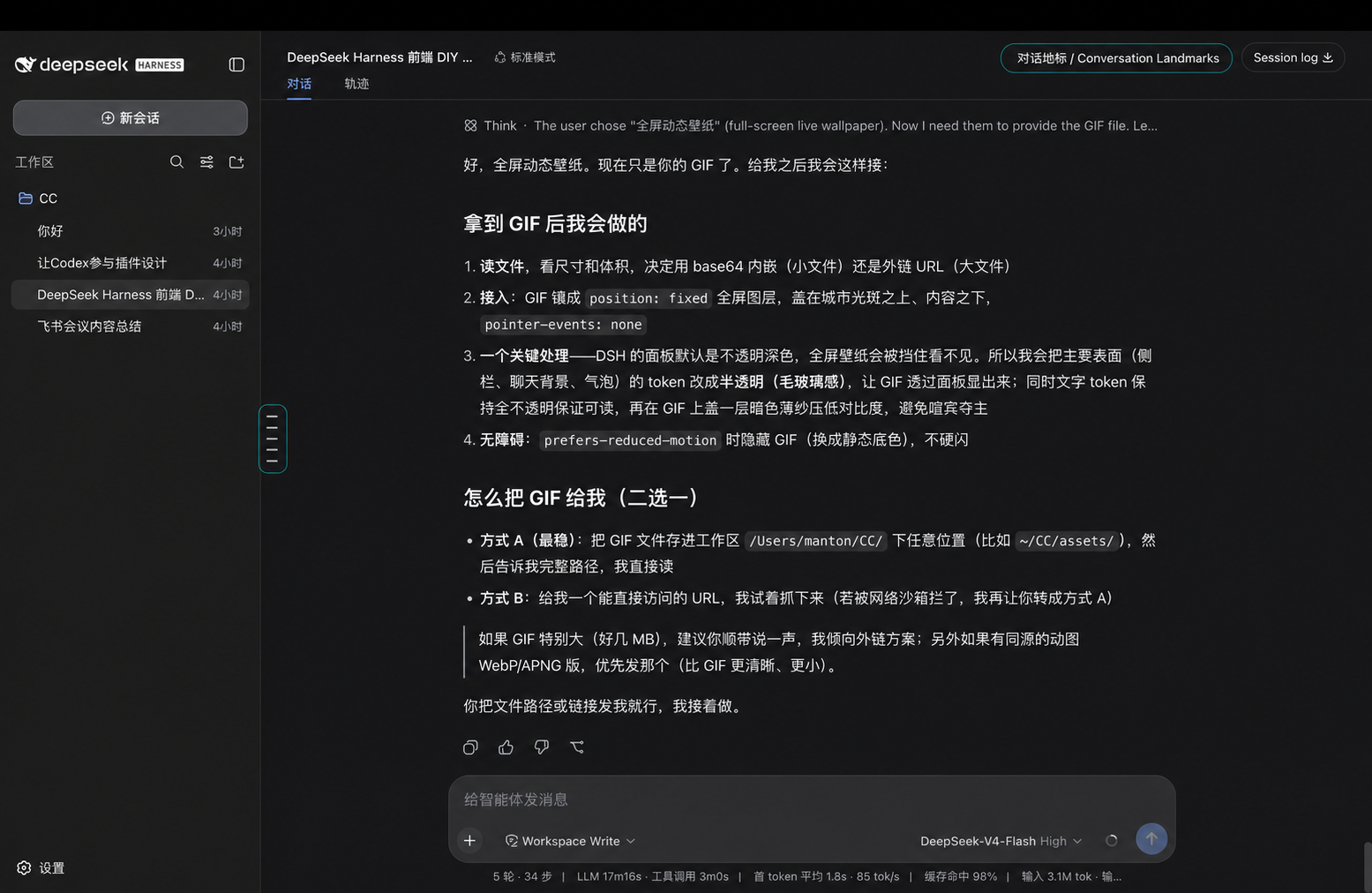
Conversation Landmarks is an independent DeepSeek Harness Web plugin for navigating long conversations. It adds a fixed, vertically centered landmark rail to the left edge of the conversation workspace. Each line represents one direct user task rather than every individual message.
What it does
- Keeps the complete landmark rail fixed and centered in the whole conversation column while it scrolls.
- Hides the rail until at least three user tasks exist (it appears from the third line).
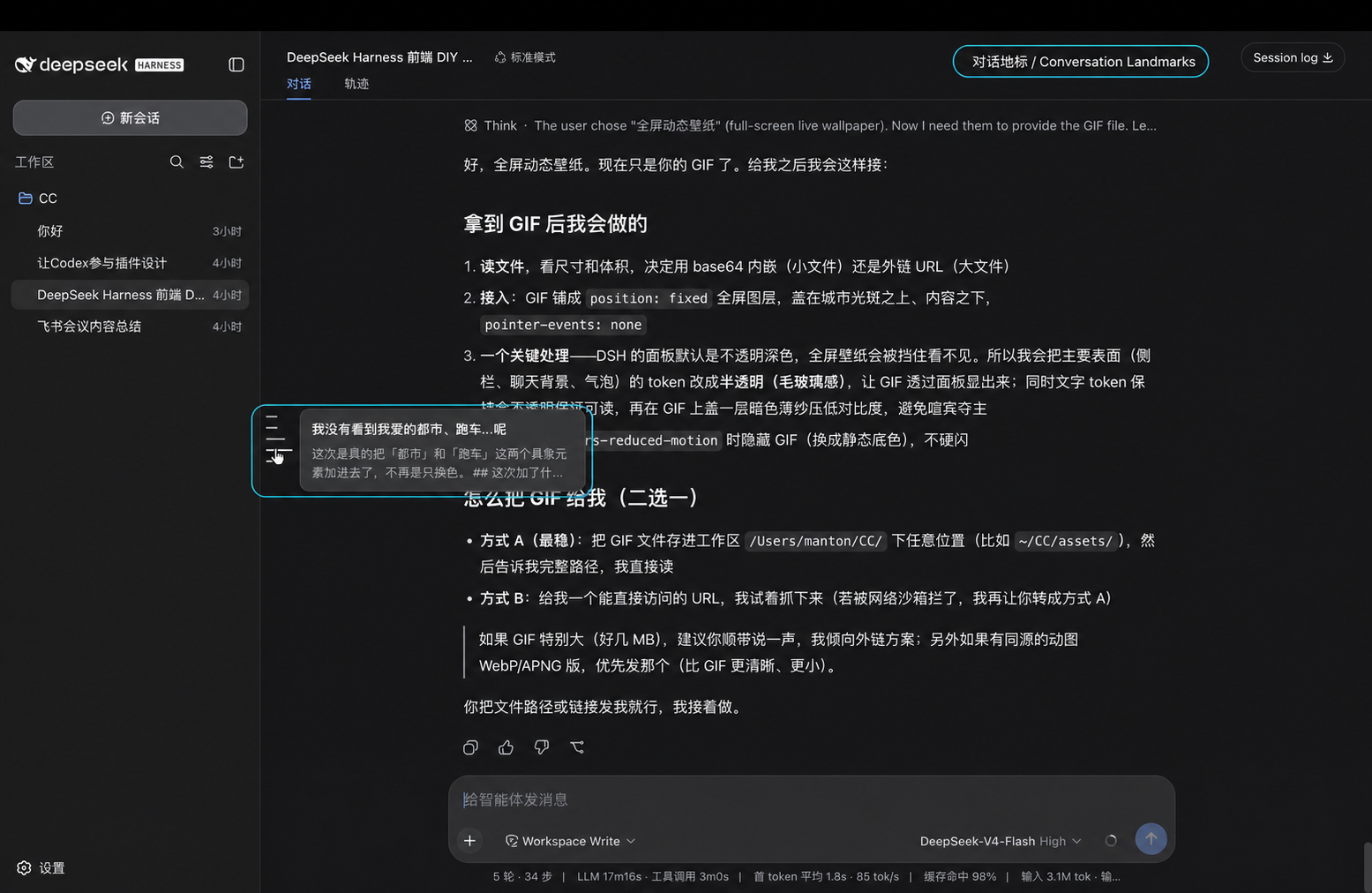
- Selects the line nearest the pointer. The selected line becomes longest and pure white; the two lines on each side taper down (28/20/16px) to the resting length.
- Shows a compact preview of the user request and the latest following Assistant answer.
- Loads older history when necessary, then scrolls to the selected user message with clearance so the highlight outline stays fully visible.
- Uses the official session projection and Client slot extension points. It does not patch DeepSeek Harness source files.
- Performs no plugin-owned network requests and collects no telemetry.
Install
Requirements: DeepSeek Harness 0.1.0-rc.7 or later and its supported Node.js version.
Install the prebuilt plugin into the Web profile, then restart Web:
dsh plugin --profile web add "github:mantonlove/dsh-conversation-landmarks#v0.1.0"
dsh web
The repository commits the required lib/ artifacts, so this GitHub install does not ask pnpm to run a package build script.
Open the actual URL printed after dsh web: in the startup output. The default is http://127.0.0.1:3080, but the address can differ when the port or host is configured.
If you run DeepSeek Harness from its source checkout, use the same commands with pnpm dsh:
pnpm dsh plugin --profile web add "github:mantonlove/dsh-conversation-landmarks#v0.1.0"
pnpm dsh web
Remove the plugin with:
dsh plugin --profile web remove dsh-conversation-landmarks
Prompt for an AI coding agent
You can paste this into an agent that has terminal access to your DeepSeek Harness installation:
Install
github:mantonlove/dsh-conversation-landmarks#v0.1.0into the DeepSeek Harnesswebprofile withdsh plugin, restartdsh web, and tell me the actual URL printed afterdsh web:. Do not edit DeepSeek Harness source files.
Develop
pnpm install
pnpm run check
The package is a Cordis Service plugin. Its Host half registers the conversationLandmarks session projection through ctx.effect(). Its browser half mounts through conversation.input.dock, then renders the fixed rail in a portal.
Feedback
Report bugs or request features in Issues. Please search existing issues before opening a new one.
Status
This is a community project, not an official DeepSeek release. The current compatibility target is DeepSeek Harness 0.1.0-rc.7.
License
Project files and signals
Shown items are public repository signals detected in the directory snapshot.
Repository information
- Language
- TypeScript
- License
- MIT
- Latest release
- v0.1.0
- Last updated
- Aug 18, 2026, 12:26 AM
Install deliberately
Review source code, permissions, lifecycle hooks, dependencies and network access. Test untrusted plugins in an isolated environment.