Installation
npx -y @deepseek-ai/dsh plugin --profile web add github:mxl2498/dsh-balanceThis installation command is an unverified starting point generated from the GitHub repository address.
README
Maintainer-authored documentation snapshot.
余额悬浮球(@dsh-external/余额悬浮球)
DSH Web 插件:右下角悬浮显示 DeepSeek 账户余额,点击直达官网充值页。
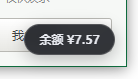
- 悬浮胶囊实时显示总余额(如
余额 ¥110.00),可拖动到任意位置(记忆在 localStorage); - 点击展开明细卡片:总余额 / 充值余额 / 赠送余额、最近更新时间、刷新与去充值 ↗ 按钮;
- 余额低于阈值(默认 ¥5)时胶囊变红并带 ⚠ 告警;
- 服务端代理余额接口,
DEEPSEEK_API_KEY密钥只留在服务端,不会进入浏览器; - 60 秒自动刷新(页面隐藏时暂停,回到前台立即补一次)。
截图
右下角悬浮球(点击展开明细与充值入口):
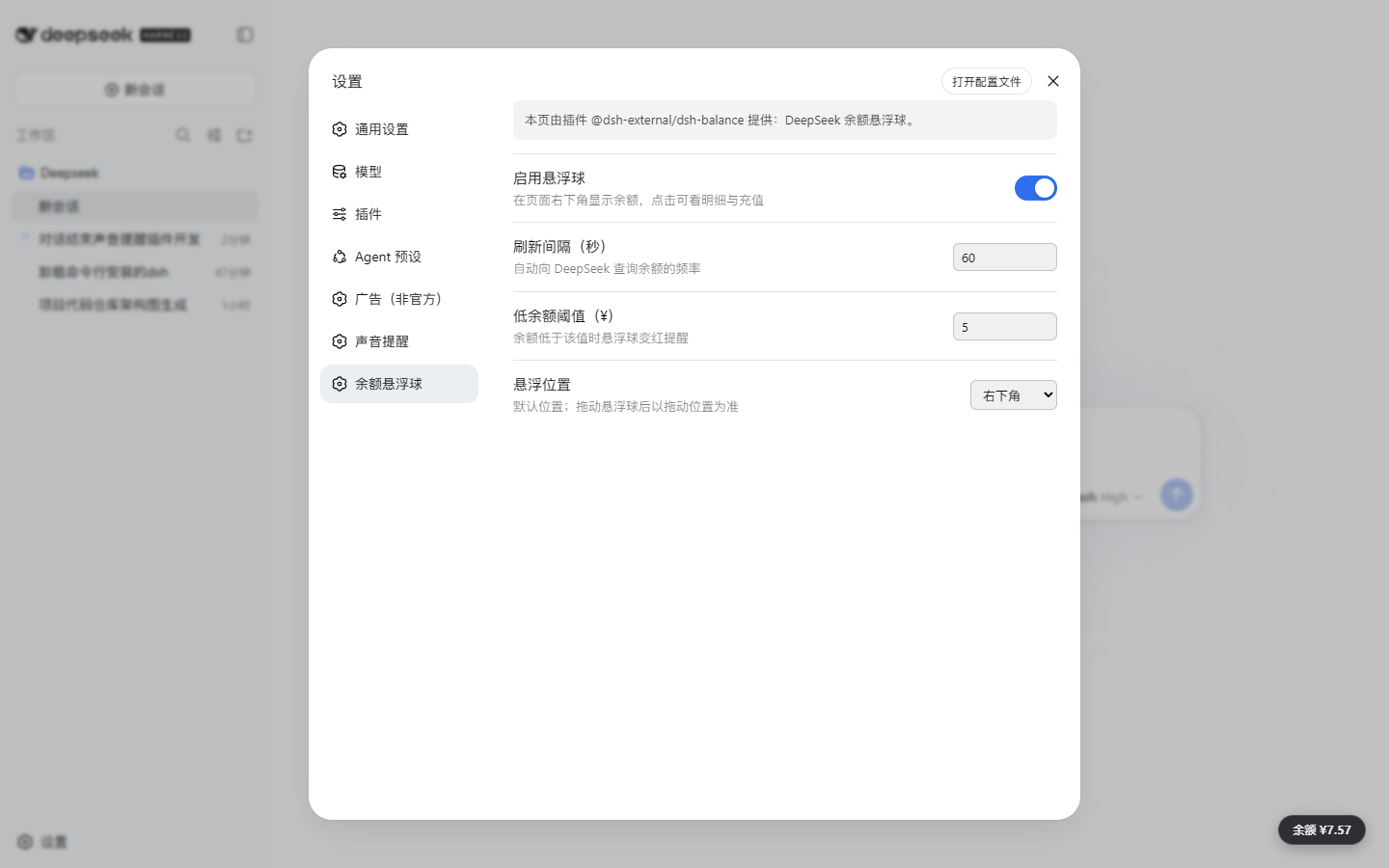
设置 → 「余额悬浮球」页(开关 / 刷新间隔 / 低余额阈值 / 悬浮位置):
架构
浏览器端(悬浮球 UI)  --fetch-->  服务端代理 /dsh-balance/balance  --fetch-->  DeepSeek API
   lib/client.js                    lib/index.js (ctx.webServer + ctx.credentials)   api.deepseek.com/user/balance
服务端通过 ctx.credentials 解析 DEEPSEEK_API_KEY(DSH 凭证系统,当前已配置),
带 Authorization: Bearer 请求 https://api.deepseek.com/user/balance,结果缓存 60 秒。
配置
在 cordis.patch.yml(本包自带,可被 profile 的 patch 覆盖)中调整:
| 配置项 | 默认值 | 说明 |
|---|---|---|
cacheSeconds | 60 | 服务端余额缓存秒数 |
topUpUrl | https://platform.deepseek.com/top_up | 充值页地址 |
enabled | true | 是否启用悬浮球 |
refreshSeconds | 60 | 客户端自动刷新间隔秒数 |
lowBalanceThreshold | 5 | 余额低于该值(CNY)时红色告警 |
position | bottom-right | 默认悬浮位置(bottom-right / top-right / bottom-left / top-left) |
安装(从 GitHub)
# 加入 web profile 的依赖(声明 dsh.bundle,dsh plugin 会自动追加进 bundles)
dsh plugin --profile web add github:mxl2498/dsh-balance
# 然后重启 DSH Desktop / dsh web
本地开发时也可用 dsh plugin --profile web add file:../dsh-balance 安装本地目录。
注意
- 余额接口以
balance_infos第一项为准(一般即 CNY 账户);多币种时卡片会列出各项。 - 若显示"余额 --",把鼠标悬停在胶囊上看具体错误(未配置密钥 / HTTP 状态 / 网络失败)。
- 充值页需要登录 DeepSeek 开放平台账号。
Project files and signals
Shown items are public repository signals detected in the directory snapshot.
DocumentationDetected
Repository information
- Language
- JavaScript
- License
- Not reported
- Last updated
- Aug 16, 2026, 11:25 AM
Install deliberately
Review source code, permissions, lifecycle hooks, dependencies and network access. Test untrusted plugins in an isolated environment.