Installation
npx -y @deepseek-ai/dsh plugin --profile web add github:pang123hui/dsh-workspace-sidebarThis installation command is an unverified starting point generated from the GitHub repository address.
README
Maintainer-authored documentation snapshot.
dsh-workspace-sidebar
DSH Web 右侧工作区侧边栏:文件树 / git 差异 / 提交历史 / @文件 引用。
功能
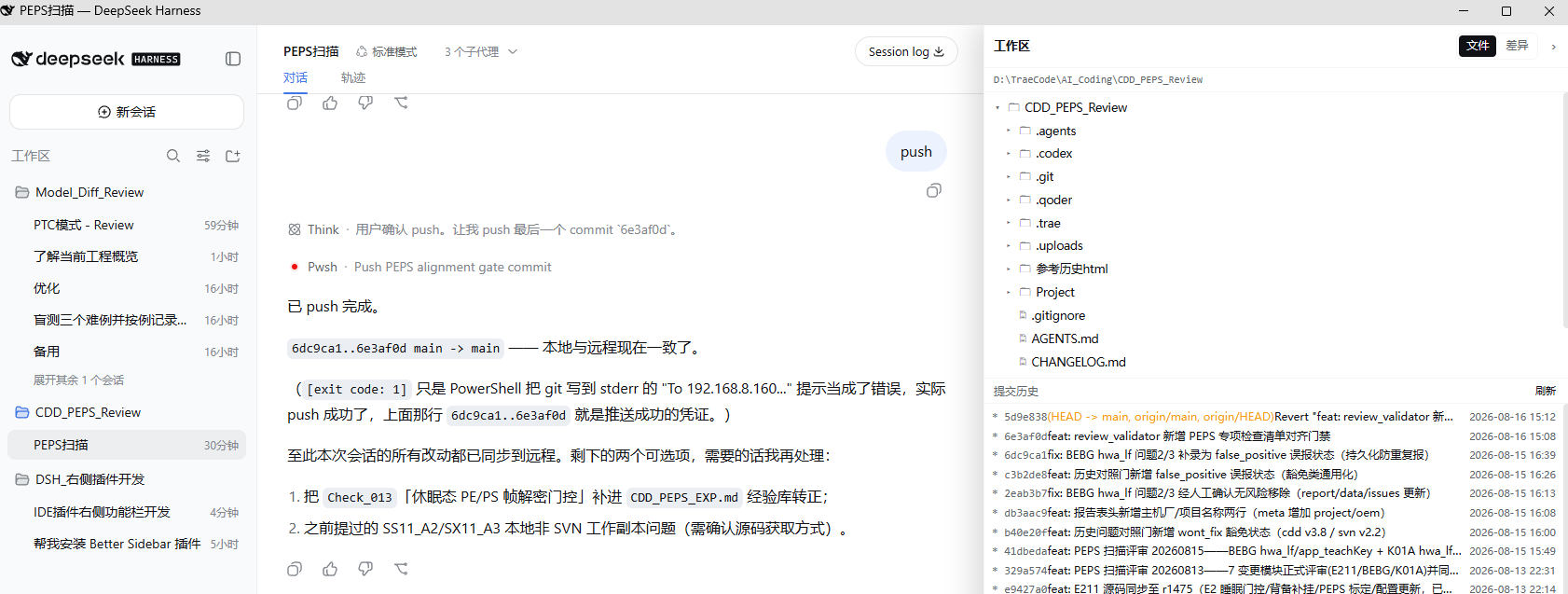
- 文件:懒加载目录树、文件重命名/删除(「⋯」菜单)、Markdown / 代码高亮预览,自动刷新(2s)
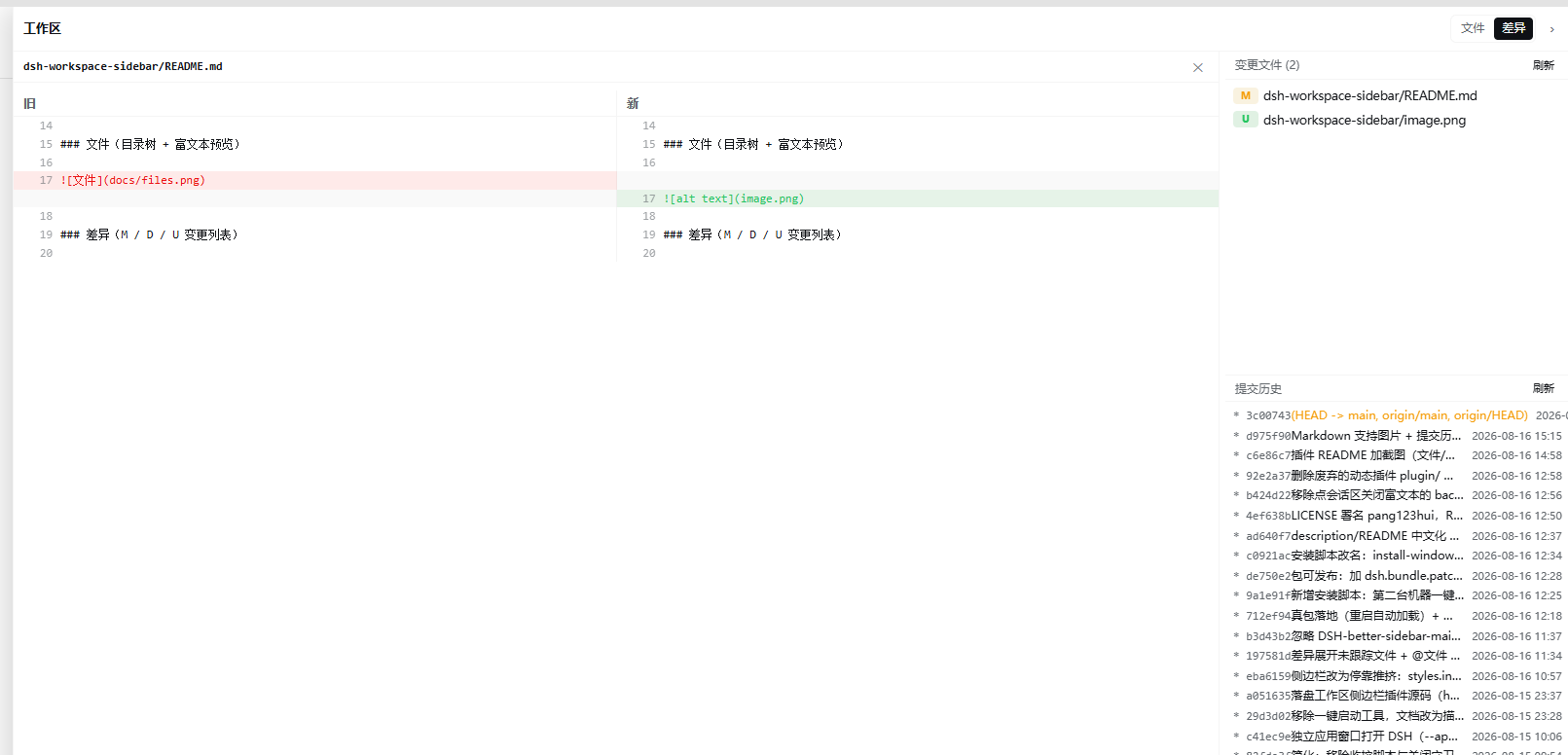
- 差异:git 变更文件列表(M=修改 / D=删除 / U=新建,优先级 M>D>U)、点文件看 diff,自动刷新(4s)
- 提交历史:
git log --graph提交树,点提交展开改动文件,点文件看该次提交 diff - @文件:文件行悬停「@」按钮,把
@相对路径追加到输入框 - 右侧停靠、可拖拽调宽,把会话区往左推(不覆盖聊天内容)
截图
文件(目录树 + 富文本预览)
差异(M / D / U 变更列表)
安装
# 从 GitHub
dsh plugin --profile web add github:pang123hui/dsh-workspace-sidebar

# 从 npm(发布后)
dsh plugin --profile web add dsh-workspace-sidebar
装完重启 dsh web(Ctrl+C 后重跑),浏览器硬刷新即可。
手动安装(不想用 dsh plugin 时)
- 把本包链接到
~/.dsh/profiles/node_modules/dsh-workspace-sidebar(Windows 用 junction,macOS/Linux 用 symlink) - 在
~/.dsh/profiles/web/cordis.patch.yml里加:
- insert:
    - id: workspace-sidebar
      name: 'dsh-workspace-sidebar'
开发
lib/index.js— host 半,/wspan/api/*HTTP 路由(文件读取、git 操作)lib/client.js— client 半,window.__ModuleLoader__.load打包格式
client 半改动后浏览器硬刷新即可;host 半改动需重启 dsh web。
License
MIT
Project files and signals
Shown items are public repository signals detected in the directory snapshot.
DocumentationDetected
Repository information
- Language
- JavaScript
- License
- MIT
- Latest release
- v0.1.0
- Last updated
- Aug 18, 2026, 3:04 PM
Install deliberately
Review source code, permissions, lifecycle hooks, dependencies and network access. Test untrusted plugins in an isolated environment.