Installation
npx @deepseek-ai/dsh plugin --profile feishu add @dsh-feishu/dsh-feishu@latestThis command is generated from the GitHub repository address. Inspect the upstream README and source before running it; pin a release or commit when reproducibility matters.
README
Maintainer-authored documentation snapshot.
The Feishu UI for DeepSeek Harness (dsh)
English | 中文


The Feishu UI for DeepSeek Harness (dsh) — a dsh-native plugin with a panel-driven control console: every slash command is a button on the ⚙️ control-panel card, approvals and questions resolve inside the chat, and one QR scan sets the whole app up.
Note: DeepSeek Harness is still pre-release (
0.1.0-rc.x) and may break between releases. dsh-feishu tracks the latest release — currently compatible with dsh0.1.0-rc.7.
https://github.com/user-attachments/assets/e9163793-52f2-4e2c-a08a-22b27372be61
2.5-min demo: control panel, streaming card, approval and question.
Quickstart
Install from npm
# 1. install Node.js ≥ 22.13
#    macOS / Linux: nvm (https://github.com/nvm-sh/nvm) → nvm install 22
#    Windows: https://nodejs.org  (or: winget install OpenJS.NodeJS.LTS)
node --version

# 2. install pnpm
npm install -g pnpm

# 3. install the plugin
#    (pnpm ≥ 11 blocks the protobufjs build script by default — if this
#     fails with ERR_PNPM_IGNORED_BUILDS, append --allow-build=protobufjs)
npx @deepseek-ai/dsh plugin --profile feishu add @dsh-feishu/dsh-feishu@latest

# 4. one QR scan — create + configure the Feishu app
npx --yes --package @dsh-feishu/dsh-feishu dsh-feishu-setup --new --profile feishu

# 5. run
npx @deepseek-ai/dsh --profile feishu
Install from source
# 1. install Node.js ≥ 22.13
#    macOS / Linux: nvm (https://github.com/nvm-sh/nvm) → nvm install 22
#    Windows: https://nodejs.org  (or: winget install OpenJS.NodeJS.LTS)
node --version

# 2. install pnpm
npm install -g pnpm

# 3. clone and build
git clone https://github.com/PGZXB/dsh-feishu.git
cd dsh-feishu
pnpm install
pnpm run build

# 4. install into a profile
npx @deepseek-ai/dsh plugin --profile feishu add link:.

# 5. one QR scan — create + configure the Feishu app
pnpm run setup:feishu -- --new --profile feishu

# 6. run
npx @deepseek-ai/dsh --profile feishu
Then message the bot in Feishu. The setup wizard handles the Feishu app end
to end — no web-console work and no manual credentials. Already have an app?
Set FEISHU_APP_ID / FEISHU_APP_SECRET (environment or profile config)
instead — see docs/feishu-setup.md.
Uninstall
# remove the plugin from the profile
npx @deepseek-ai/dsh plugin --profile feishu remove @dsh-feishu/dsh-feishu

# optional — full clean slate: delete the profile and its surface data
# (paths shown for the default dsh home, ~/.dsh)
rm -rf ~/.dsh/profiles/feishu ~/.dsh/feishu
Usage
A Feishu chat is a dsh session — the bot is the agent's avatar. A typical session goes like this:
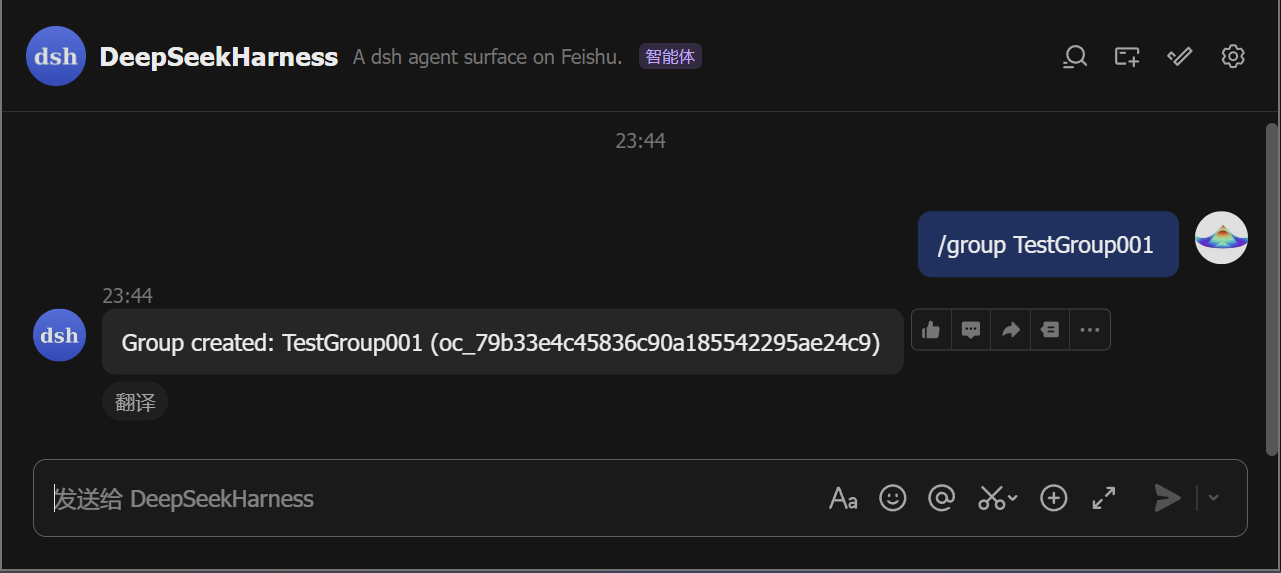
- Start a chat. Direct-message the bot, or run
/group <name>to create a group the bot joins. In a group, @-mention the bot (the default policy; a group with just you and the bot also answers plain messages, and the policy is configurable).
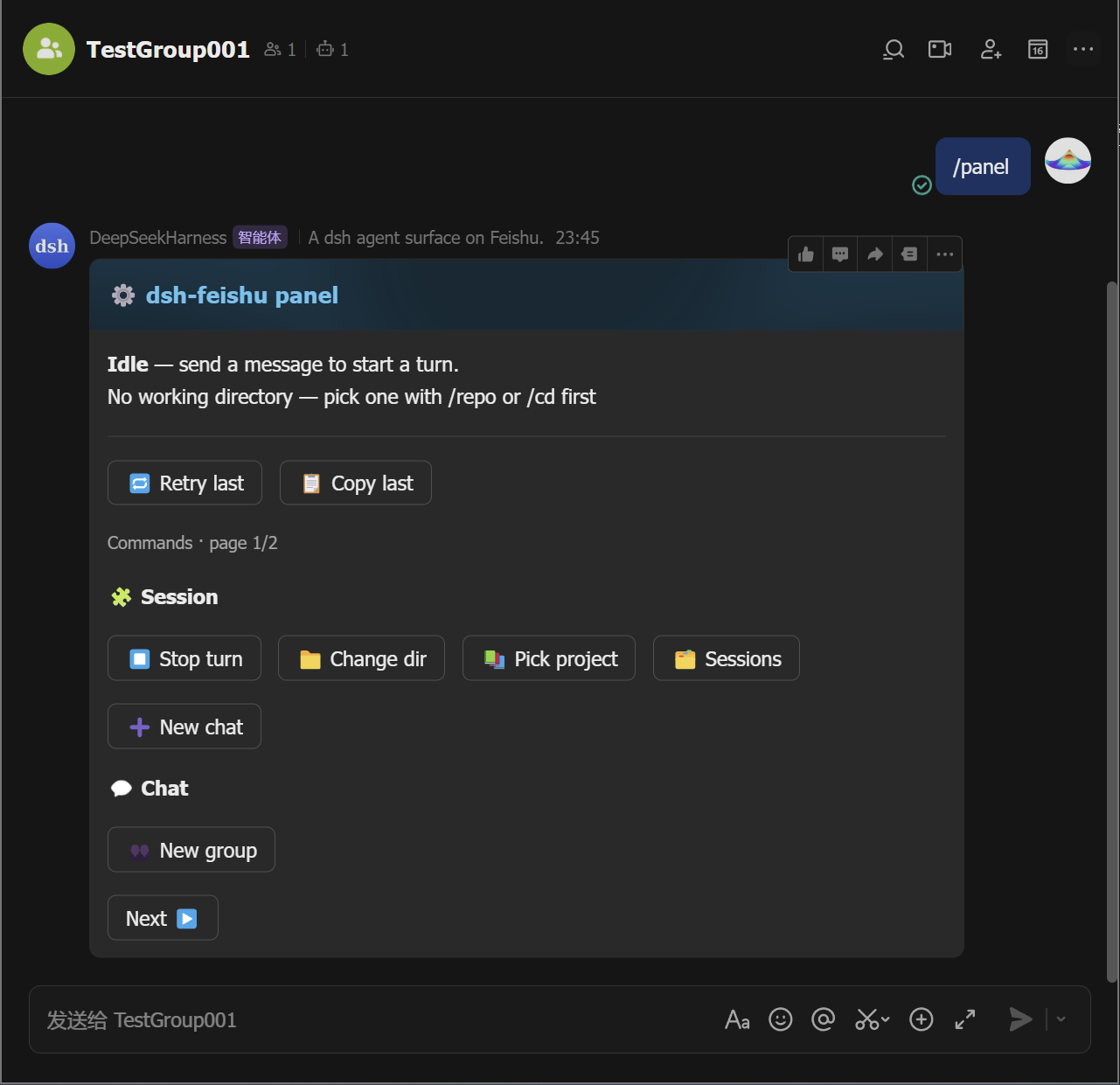
- Open the control panel. Send
/panelto pop up the panel card.
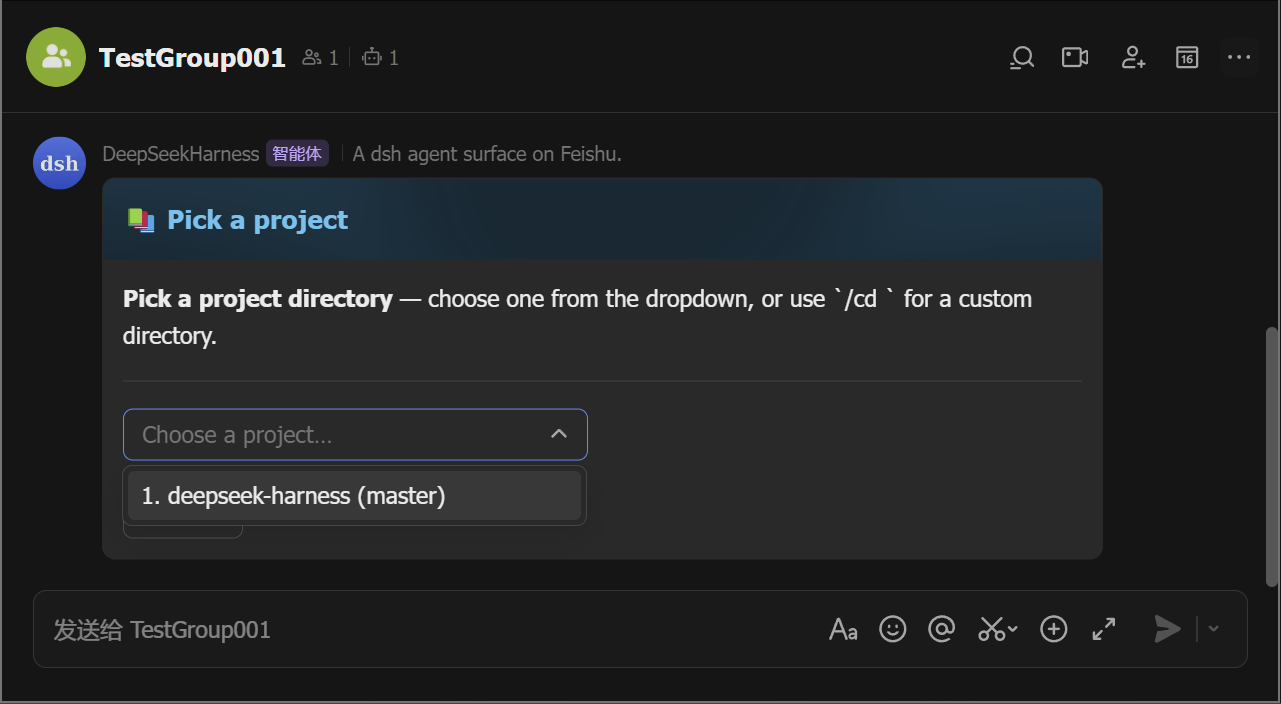
- Pick a working directory. The bot refuses work until the chat has
one: tap 📚 Pick project to choose from a list (the
/repoequivalent), or 📁 Change dir to type a path (the/cd <path>equivalent).
-
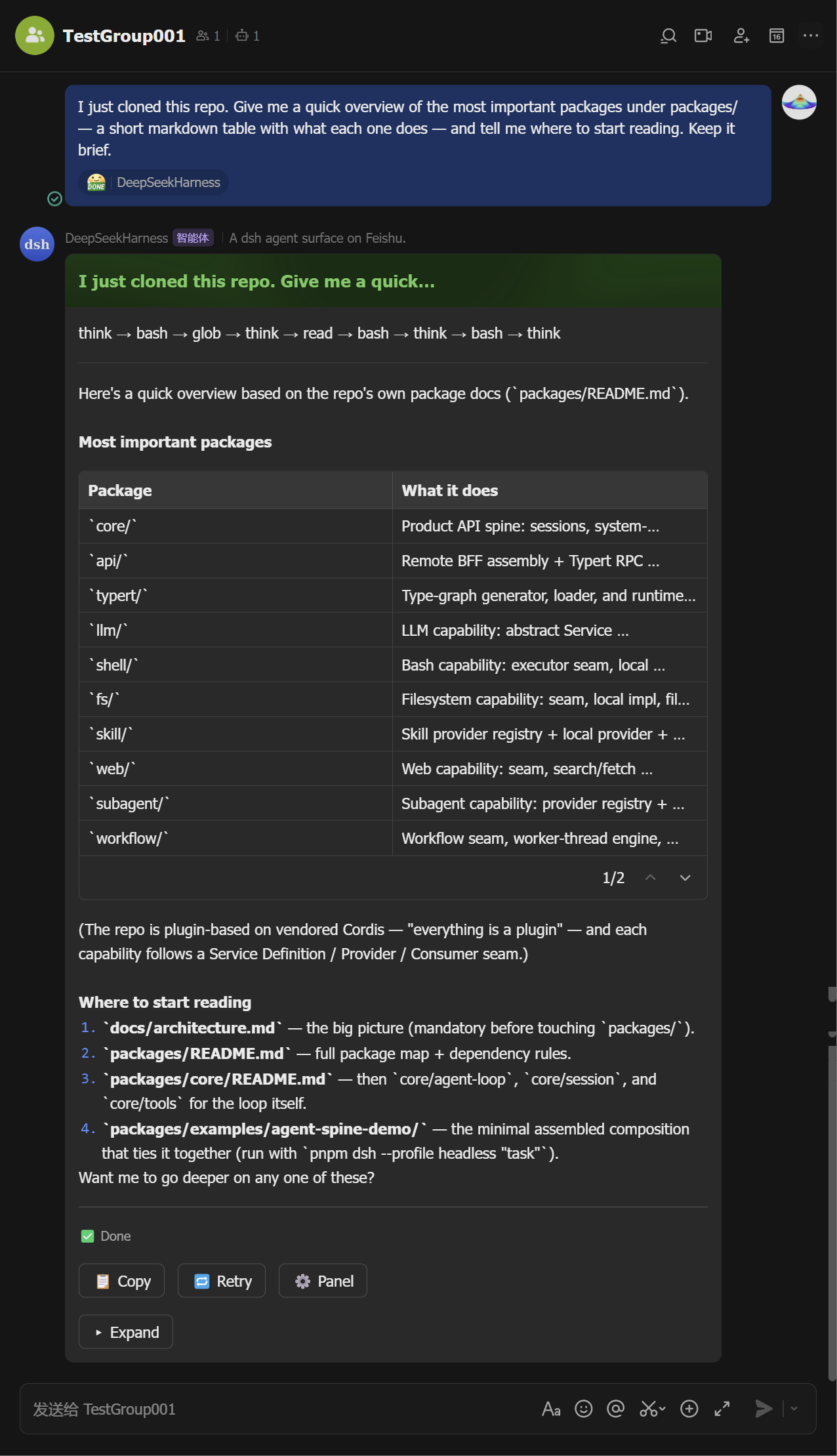
Ask. Send a message — the agent runs and its output streams into a live card (tool calls, reasoning, markdown, tables). The card ends green with the full answer inside; Stop, copy, retry, and the ⚙️ panel button sit on it.
Mid-stream Finalized 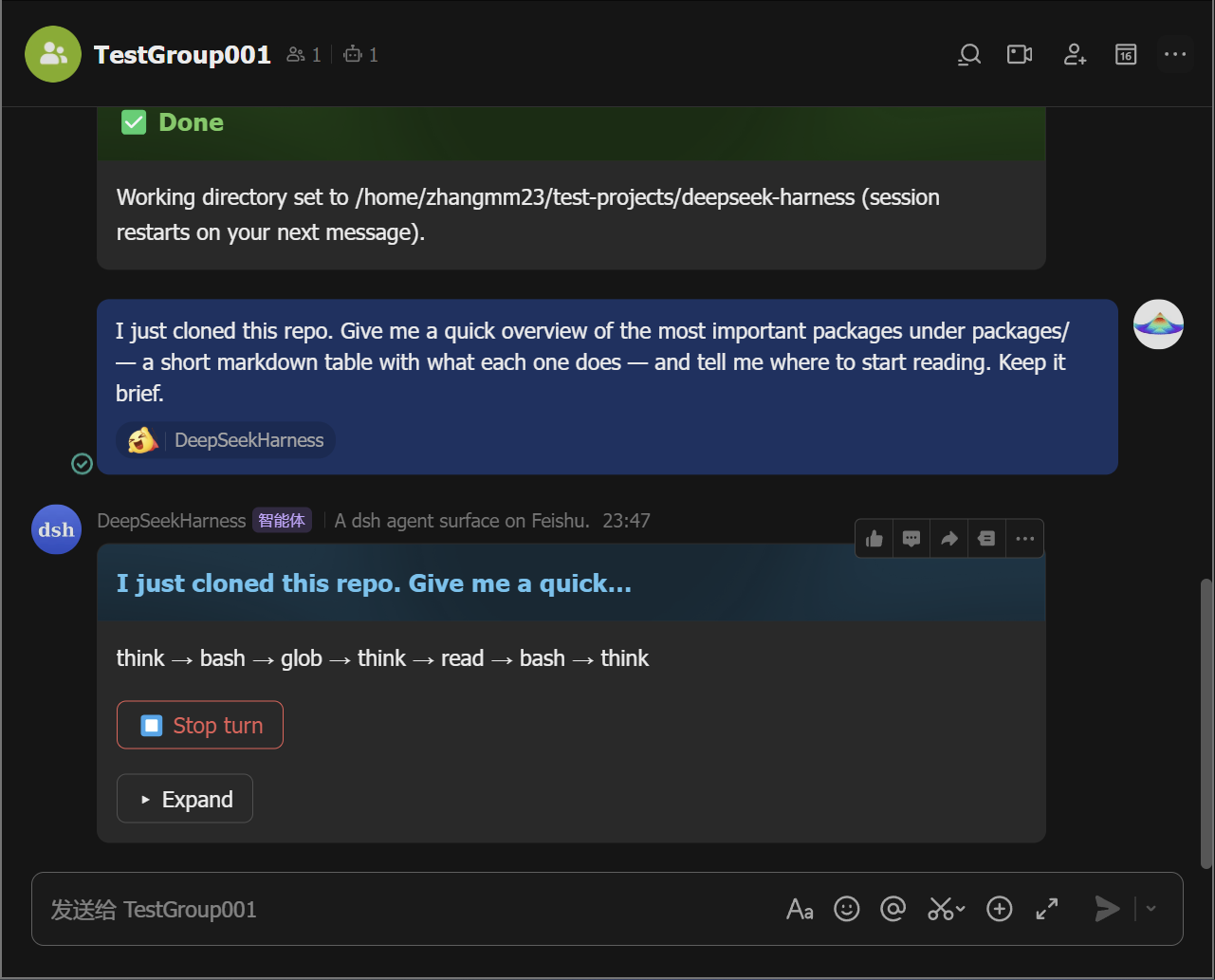
-
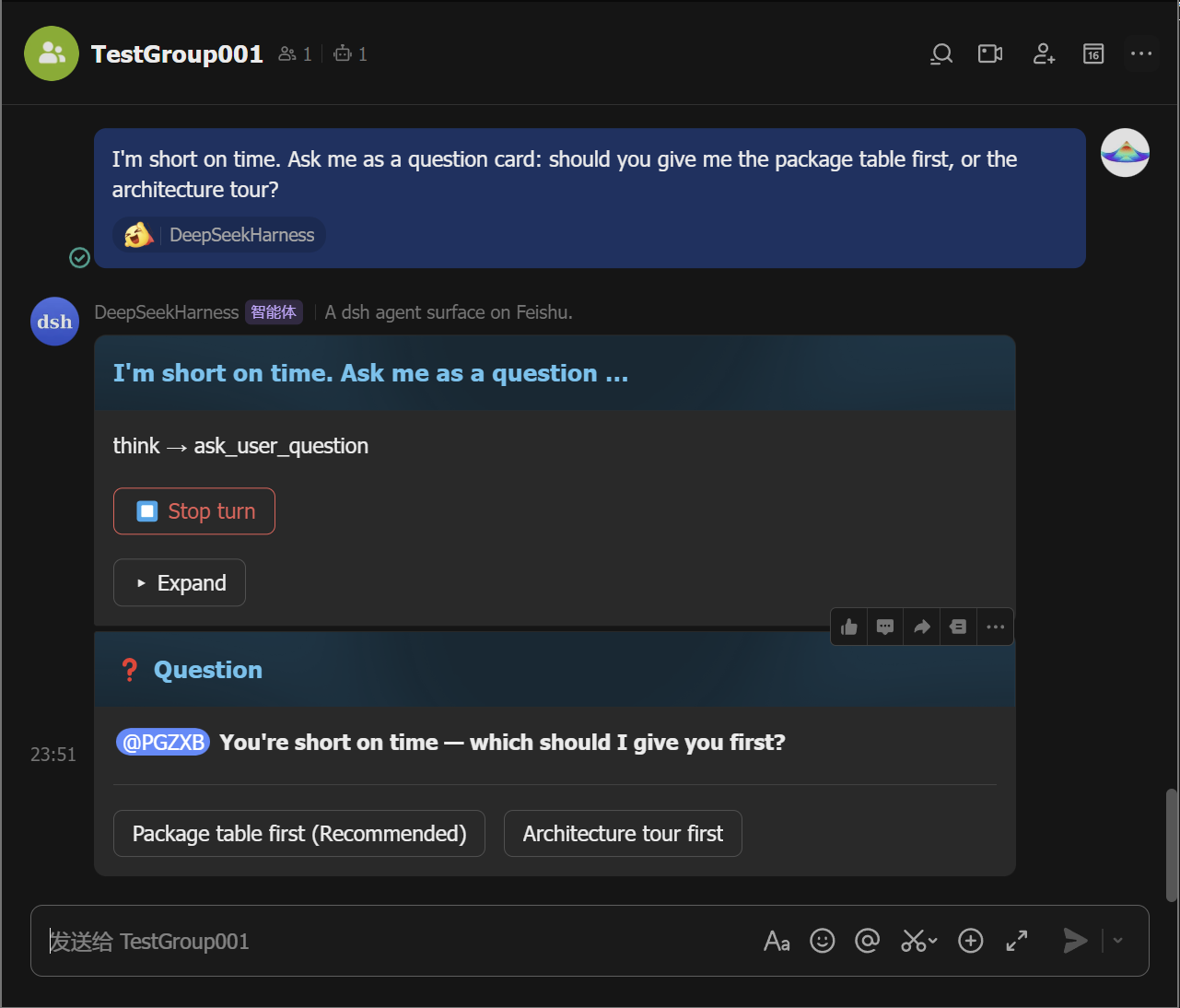
Approve or answer when asked. A permission escalation posts an approval card — tap Allow once (or Reject). A question posts a card you answer with a tap (or a reply).
Approval Question 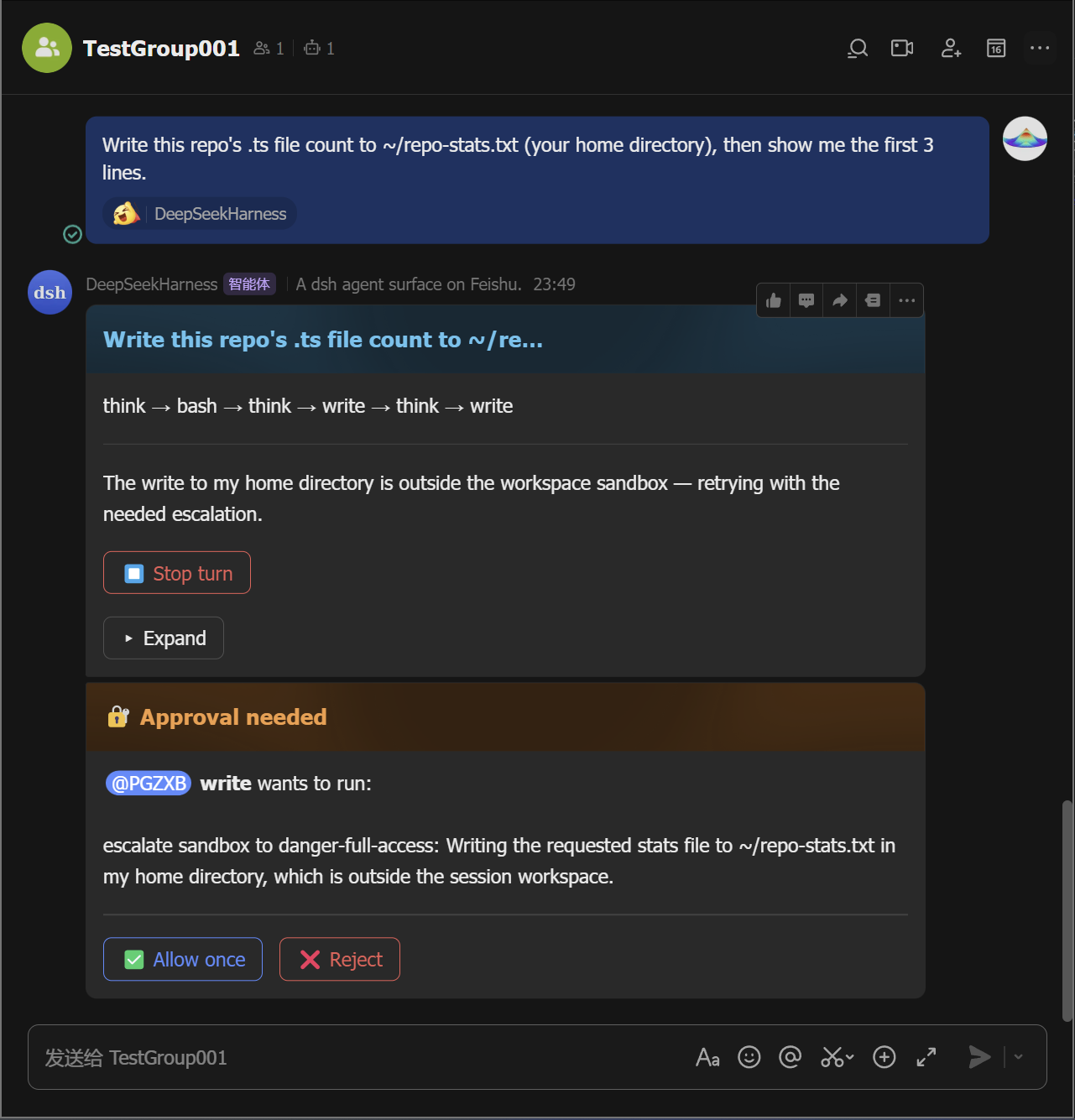
-
Manage sessions. Tap 🗂️ Sessions to list saved sessions and resume any of them from the card (the
/sessionsequivalent;/resume <id>moves one into this chat), and tap ➕ New chat (the/clearequivalent) to start fresh without deleting the old one.
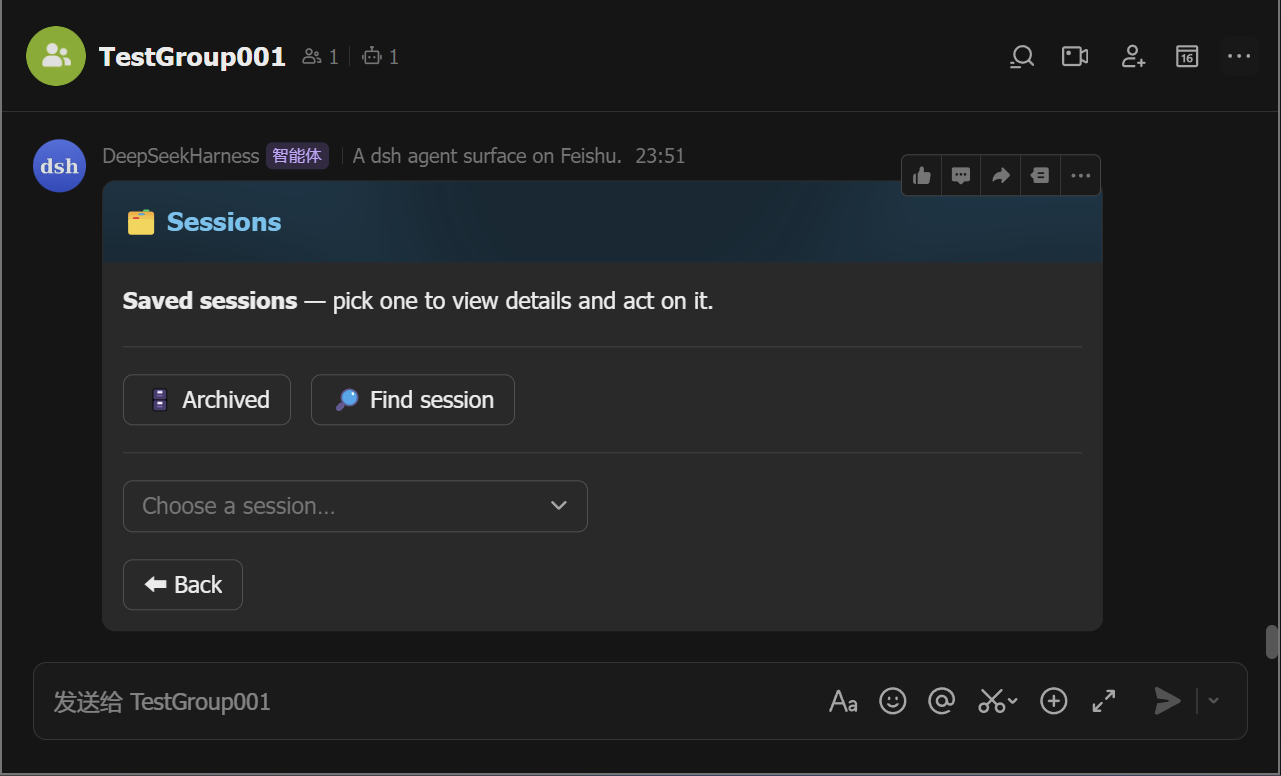
Every button on the panel card maps to a slash command — pick whichever
feels faster; /help lists them all.
Commands
| Command | What it does |
|---|---|
/cd <path> | set this chat's working directory |
/repo | list candidate project directories to pick from |
/sessions | list saved sessions (resume any of them from the card) |
/resume [id] | resume a saved session in this chat |
/clear /new | start a fresh conversation (the old session stays saved) |
/cancel | stop the running turn |
/status | show this chat's session status |
/model | pick or set the model |
/export | send this chat's session log as a file |
/schedule | list active reminders |
/feishu-status | show the surface diagnostic card |
/group | create a group with the bot |
/panel | open the control-panel card (all commands as buttons) |
/help | list all commands |
/plan /permission /goal /compact /feedback | dsh's own commands, same as the web UI |
Features
- Live streaming cards — tool calls, reasoning, markdown, and tables stream in as the agent works.
- One-tap control panel —
/panelrenders the full command palette as buttons; no command syntax to remember, and each button is the exact equivalent of typing the command. - In-card approvals & questions — approve a permission escalation or answer the agent's questions in the chat.
- Sessions survive restarts — a chat's session (and its working directory) is persisted across daemon restarts.
- Groups & mentions — @-mention the bot; error notices, approvals, and questions @ the requester.
- Reactions, allowlists, reminders, export, diagnostics — reaction ack,
allowedChats/allowedUsers, scheduled reminders, session-log files, and a status card.
Contributing
See CONTRIBUTING.md and SECURITY.md. Development, tests, and release: docs/development.md.
Credits
- botmux — the reference for the group-chat interaction patterns: streaming cards, approvals, and the QR-driven Open Platform quick-setup flow. dsh-feishu borrows botmux's interaction and onboarding patterns, not its architecture — botmux bridges external CLIs, while this surface is dsh-native and in-process.
- DeepSeek Harness — the platform this surface is built for.
- Lark Open Platform SDK — the WebSocket long connection and card APIs the transport builds on.
License
MIT — see LICENSE.
Project files and signals
Shown items are public repository signals detected in the directory snapshot.
Repository information
- Language
- TypeScript
- License
- MIT
- Latest release
- v0.2.0
- Last updated
- Aug 18, 2026, 4:25 PM
Install deliberately
Review source code, permissions, lifecycle hooks, dependencies and network access. Test untrusted plugins in an isolated environment.