Installation
npx -y @deepseek-ai/dsh plugin --profile web add github:Rycar1/dsh-for-wslThis installation command is an unverified starting point generated from the GitHub repository address.
README
Maintainer-authored documentation snapshot.
DSH for WSL
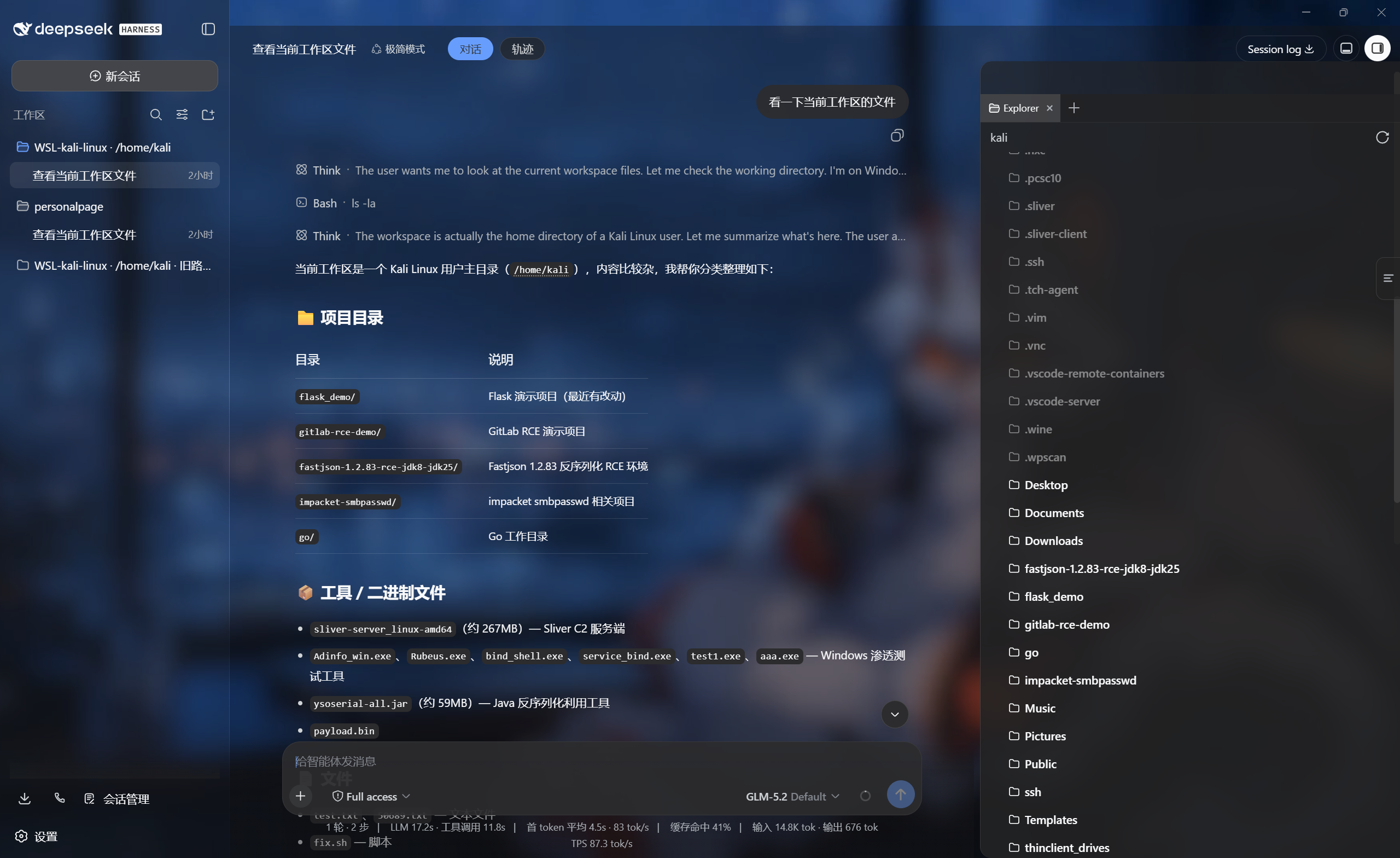
为 DeepSeek Harness Desktop 提供 WSL 工作区集成。在同一个 DSH 环境中注册本机与 WSL 工作区,文件树、编辑器和 Shell 始终指向同一份文件。
功能
- 点击 DSH 自带的“添加工作区”后,可选择本机文件夹或电脑中的 WSL 发行版。
- WSL 工作区直接使用
\\wsl.localhost\\<发行版>\\...,支持/home等 Linux 原生目录。 - 文件树、
@文件、编辑工具读取真实 WSL 文件,不再使用空的 Windows 影子目录。 - 前台 Shell 和 Minimal 持久 Bash 自动进入所选发行版及 Linux 工作目录。
- 仅 WSL 工作区增加
WSL-<发行版> · /linux/path标识,不修改本机工作区名称;旧影子记录会追加· 旧路径。 - WSL UNC 写入使用兼容的原子替换方式,避开共享不支持的 Win32 ACL API。
- 兼容旧版创建的 Windows 影子路径,历史工作区和会话无需删除或重新分组。
- 点击 WSL 发行版后可从
/浏览 Linux 目录,支持面包屑、上级目录和隐藏文件夹切换。 - 提供
wsl_list_distros、wsl_workspace和wsl_run模型工具。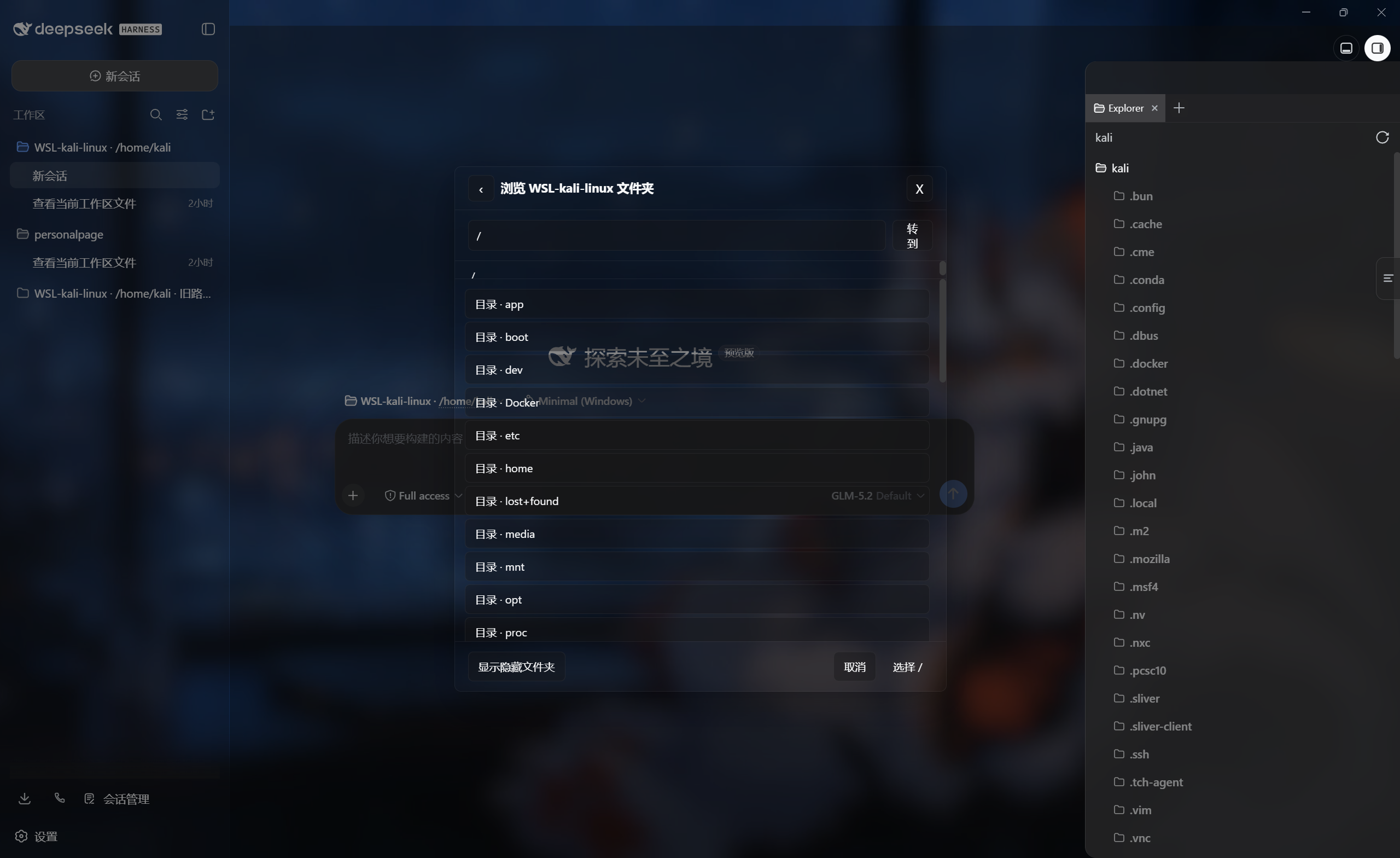
环境要求
- Windows 10/11,并已启用 WSL 2。
- DeepSeek Harness
rc.6或更高版本。 - 至少安装一个普通 WSL 发行版。
- WSL 工作区会话使用
Full access。Windows 的 Workspace Write ACL 沙箱不能约束 WSL 的 9P UNC 共享。
检查 WSL 状态:
wsl.exe --list --verbose
安装
从 GitHub 安装到 Desktop profile:
dsh plugin --profile desktop add git+ssh://git@github.com/Rycar1/dsh-for-wsl.git
也可以使用 HTTPS:
dsh plugin --profile desktop add https://github.com/Rycar1/dsh-for-wsl.git
从本地源码安装时,默认克隆目录就是 dsh-for-wsl:
git clone git@github.com:Rycar1/dsh-for-wsl.git
dsh plugin --profile desktop add ".\dsh-for-wsl"
添加本地插件必须使用 add;install 只会安装 profile 中已有的依赖。安装完成后请完全退出并重启 DSH Desktop。
使用
- 点击 DSH 的“选择工作区”或侧栏中的“添加工作区”。
- 选择“本机工作区”可打开 Windows 原生文件夹选择器。
- 点击一个 WSL 发行版,从
/展开 Linux 目录;也可以在路径框直接输入/home/kali/project。 - 进入目标文件夹后点击“选择当前文件夹”,工作区会加入 DSH 原生工作区列表。
- 在侧栏自由切换本机与带
WSL-<发行版> · /路径标识的工作区。
活动路径为 \\wsl.localhost\\<发行版>\\... 时,普通 Shell 和持久 Bash 都会通过 wsl.exe --distribution ... --cd ... 在 WSL 内执行。本机工作区仍使用 Windows Shell。
Minimal Windows 预设
Minimal 预设会隔离自己的文件系统 provider。自定义 Windows Minimal 预设需要将:
- id: fs-local
  name: '@deepseek-ai/dsh-fs-local'
替换为:
- id: fs-wsl-local
  name: 'dsh-wsl-idea/fs'
标准、Code 等使用 Host 文件系统的预设会由插件自动切换到 dsh-wsl-idea/fs-sandbox。
模型工具
wsl_list_distros:列出普通 WSL 发行版及运行状态,自动隐藏docker-desktop。wsl_workspace:创建 WSL 目录,并可初始化 Git。wsl_run:在指定发行版和 Linux 目录中执行命令。
故障排查
没有显示 WSL 发行版
运行 wsl.exe --list --verbose,确认普通发行版能够启动,然后完全退出并重启 DSH Desktop。
提示需要 Full access
新建会话时将权限切换为 Full access。WSL 工作区不会在 Workspace Write 模式下绕过沙箱执行。
旧工作区文件树为空
0.1.x 创建的是 C:\Users\Public\dsh-wsl-workspaces 影子路径。0.2.1 会把此路径透明映射到对应的 \\wsl.localhost 目录,不需要删除工作区或迁移历史会话。升级后请完全退出并重启 DSH Desktop。
DSH Better Sidebar
Better Sidebar 0.12.2 会绕过 DSH 文件系统服务直接读取工作区,因此旧影子路径下可能显示空目录。需要使用带 WSL 兼容补丁的 0.12.2-wsl.1:该版本会把文件树、编辑器、Git、@文件 和侧栏终端统一路由到对应发行版。本机 Desktop profile 已固定使用本地兼容包,插件重装后不会覆盖补丁。
许可证
MIT
Project files and signals
Shown items are public repository signals detected in the directory snapshot.
Repository information
- Language
- JavaScript
- License
- Not reported
- Last updated
- Aug 16, 2026, 12:11 PM
Install deliberately
Review source code, permissions, lifecycle hooks, dependencies and network access. Test untrusted plugins in an isolated environment.