Installation
pnpm start # 调试:拉起本地 npx dsh webThis command is generated from the GitHub repository address. Inspect the upstream README and source before running it; pin a release or commit when reproducibility matters.
README
Maintainer-authored documentation snapshot.
dsh-desktop-shell

English | 中文
DeepSeek Harness(dsh)桌面客户端 / 纯 Electron 外壳。 不打包任何 dsh 代码,窗口只加载 http://127.0.0.1:3080;启动时自动执行 npx --yes @deepseek-ai/dsh@latest web。对所有插件完全透明,官方更新无需重新编译。
界面预览
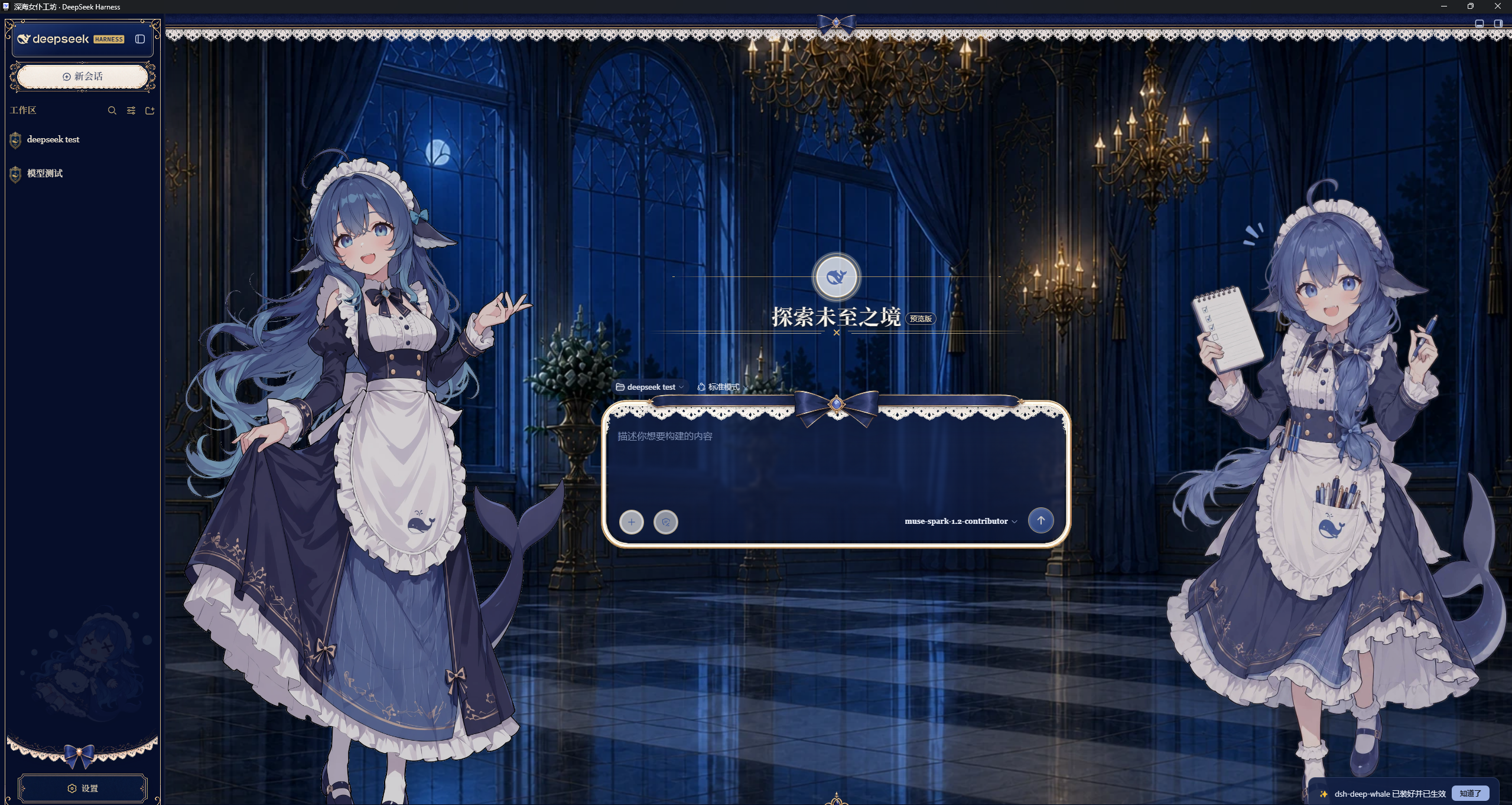
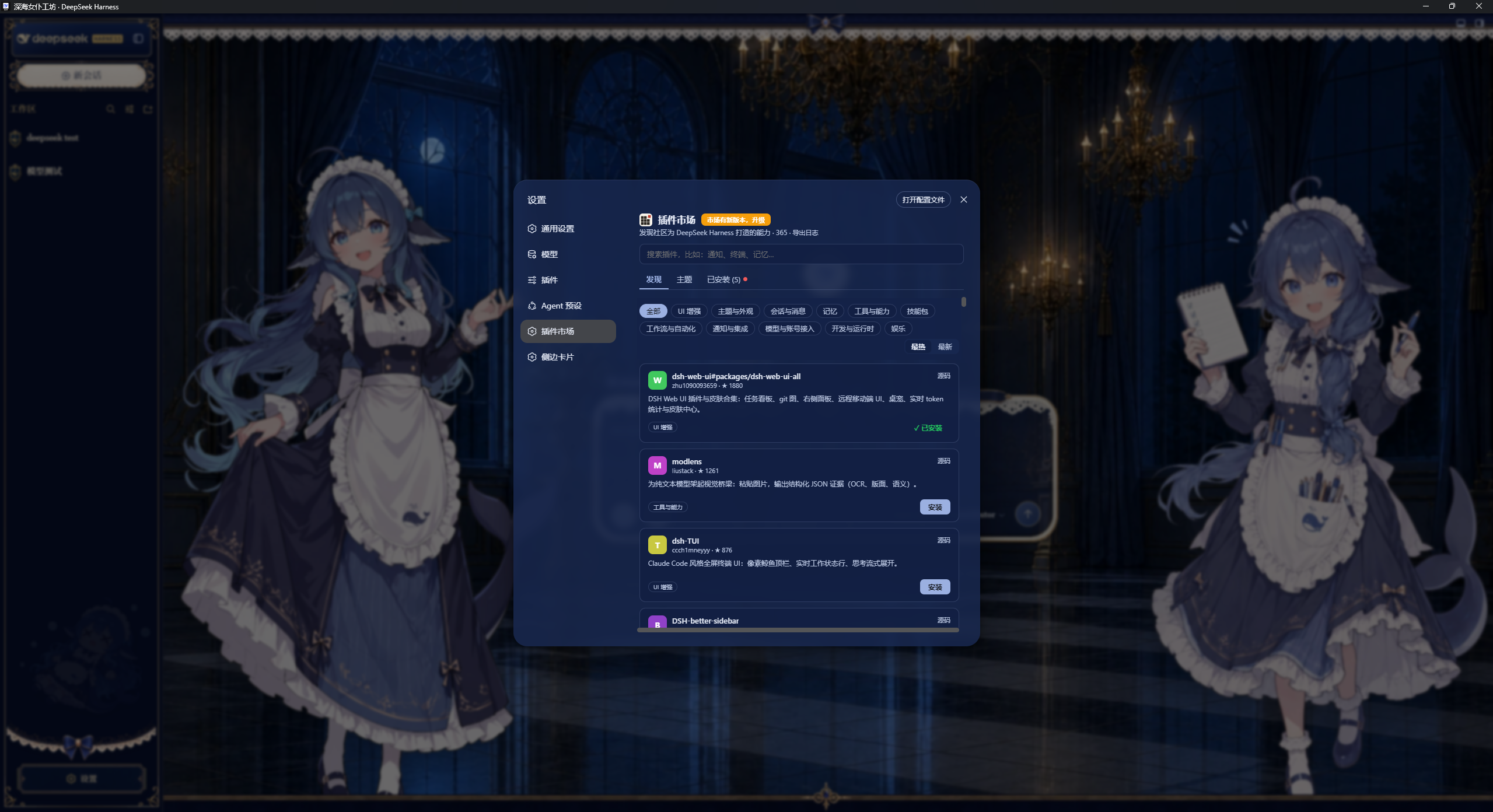
纯壳对插件透明——以下为 DSH Desktop 窗口化运行 dsh web 的实拍,皮肤与插件市场均原样生效。
| 深色 | 浅色 |
|---|---|
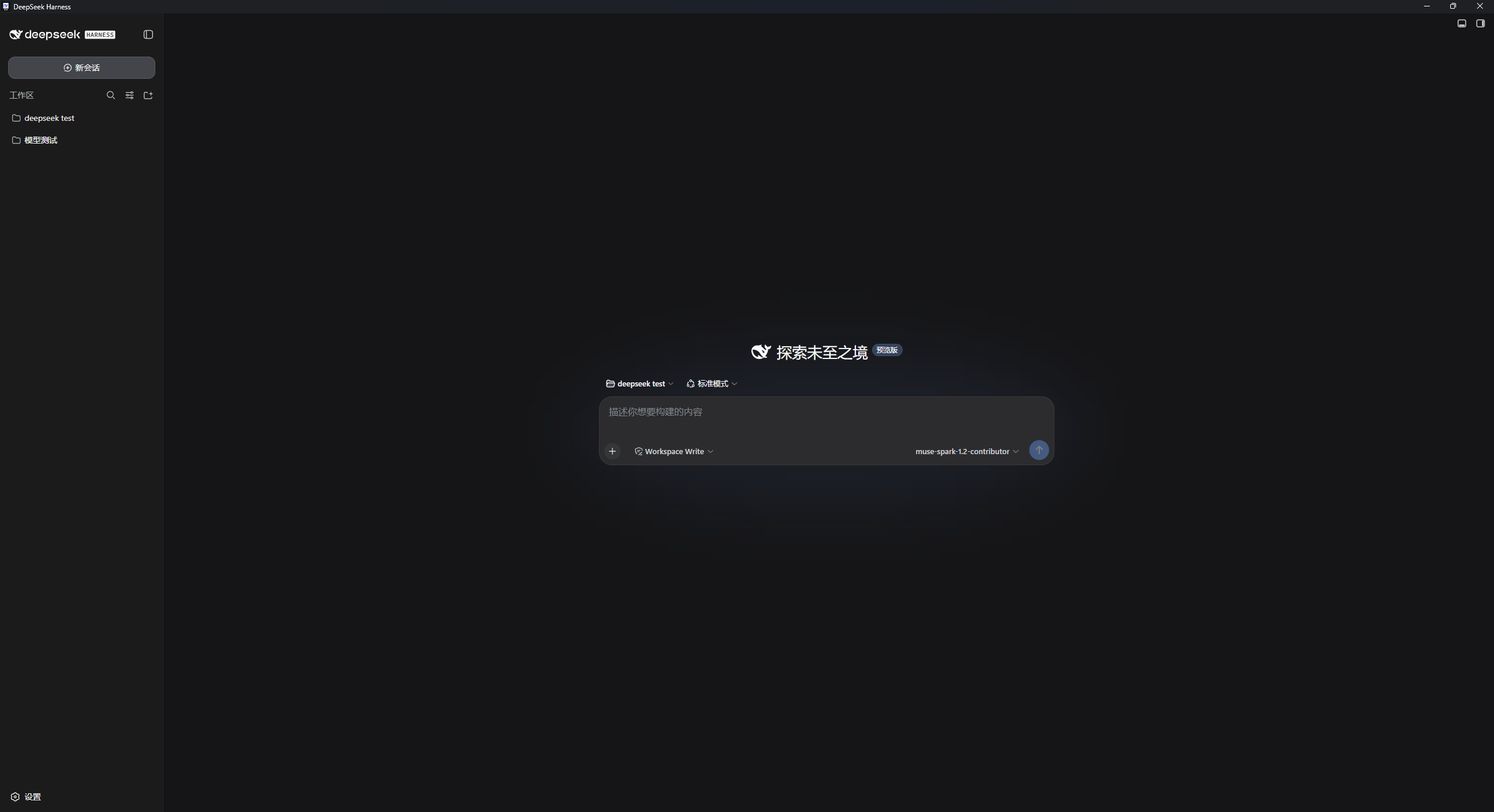 | 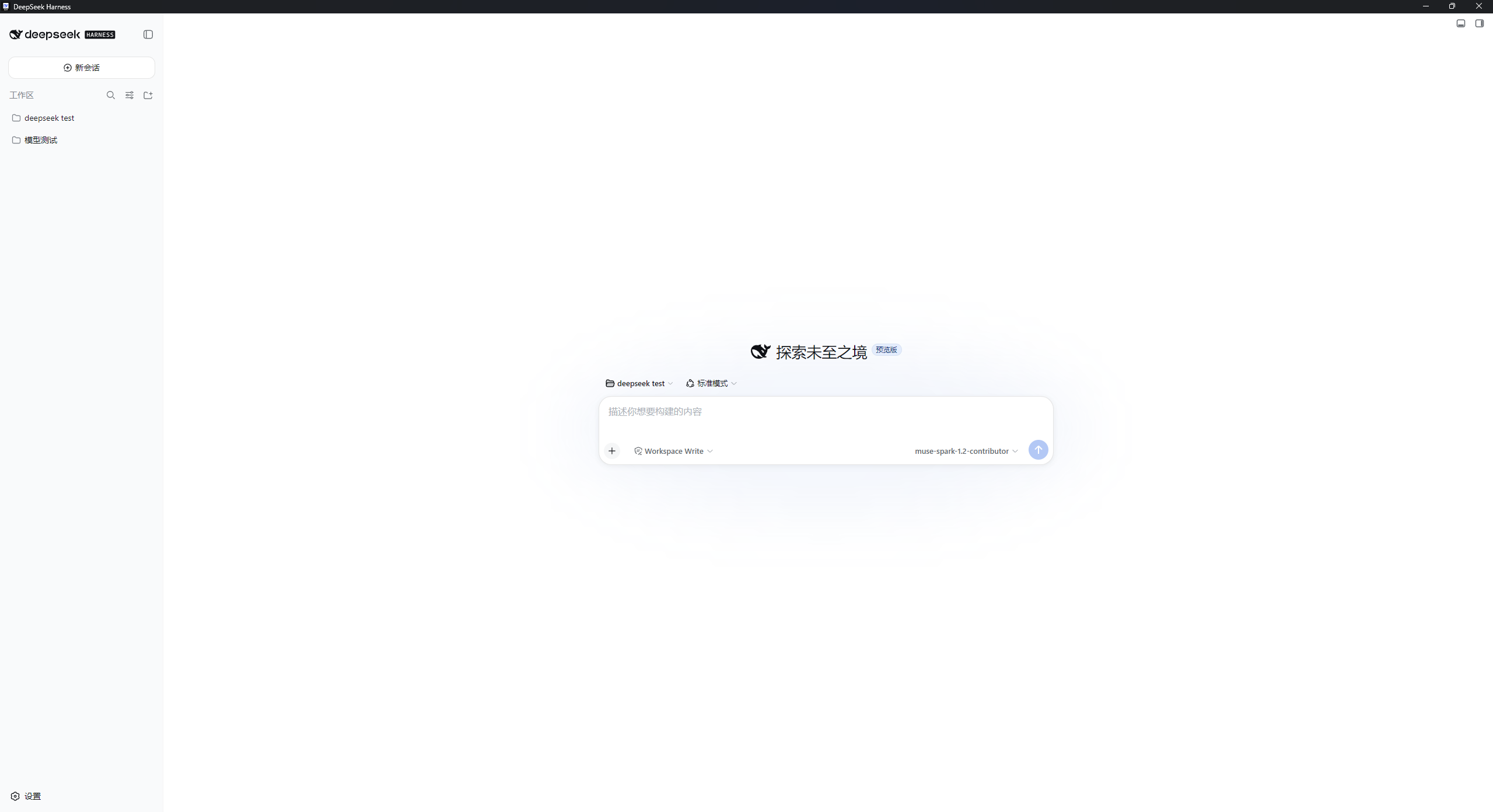 |
社区皮肤 dsh-web-ui-all(全量皮肤包)—— 纯壳直接加载,无需修改:
插件市场 dsh-market —— 打包版对 dsh-plugin 生态无影响,可正常浏览/安装:
运行
前置
Node.js ^22.19 || >=24(dsh本体要求;外壳也用它来拉起npx)- 推荐
pnpm@11.7.0,npm/yarn亦可
发行版
下载 DSH Desktop Shell Setup 0.1.1.exe 安装后双击 DSH Desktop Shell,首次启动自动 npx 拉取 @deepseek-ai/dsh@latest 并打开 Web UI。
源码
git clone https://github.com/<you>/dsh-desktop-shell.git
cd dsh-desktop-shell/dsh-desktop-electron
pnpm install
pnpm start        # 调试:拉起本地 npx dsh web
pnpm run build    # 打包:electron-builder → dist/DSH Desktop Shell Setup 0.1.1.exe(~80MB,含 Chromium)
无需克隆 deepseek-harness;npx --yes @deepseek-ai/dsh@latest web 是唯一真源(与上游 README npx @deepseek-ai/dsh web 等价)。
架构
复用英文版同图:main.js 负责 spawn → 轮询 3080 → BrowserWindow 加载;关闭窗口时 kill 子进程;与所有 dsh-plugin 无冲突(透明壳)。
配置
无配置文件。main.js 常量:DSH_URL=http://127.0.0.1:3080、轮询 15s、窗口 1280×800。
模型可见性
无。作为独立宿壳,不贡献 prompt 片段、工具 schema 或会话事件;模型可见行为完全由被拉起的 dsh 进程及其插件决定。
已知限制
同英文版 Known Limitations,含固定端口、单实例、无托盘、轮询就绪、Chromium 体积、Windows 优先。
许可
MIT,与上游一致。
作者

感谢 Star ❤️ — tonkatsu258 · 个人网站
Project files and signals
Shown items are public repository signals detected in the directory snapshot.
Repository information
- Language
- JavaScript
- License
- MIT
- Latest release
- v0.1.1
- Last updated
- Aug 17, 2026, 10:44 AM
Install deliberately
Review source code, permissions, lifecycle hooks, dependencies and network access. Test untrusted plugins in an isolated environment.