Installation
npx -y @deepseek-ai/dsh plugin --profile web add github:WEP-56/DSH-LauncherThis installation command is an unverified starting point generated from the GitHub repository address.
README
Maintainer-authored documentation snapshot.
DSH Launcher
一个基于 Tauri 2 的 DeepSeek Harness 桌面启动器。它负责启动和停止 dsh web,主窗口以浏览器式标签页承载 dsh WebUI;包管理、配置文件编辑、插件安装和新窗口入口都收纳在窄工具栏的弹窗里。
插件目录使用 DSH 插件商店 提供的 catalog.json API,仅在用户打开插件弹窗时加载一次;安装通过 dsh 官方命令完成,例如 dsh plugin --profile web add github:omdsh-dev/DSH-better-sidebar。
界面截图
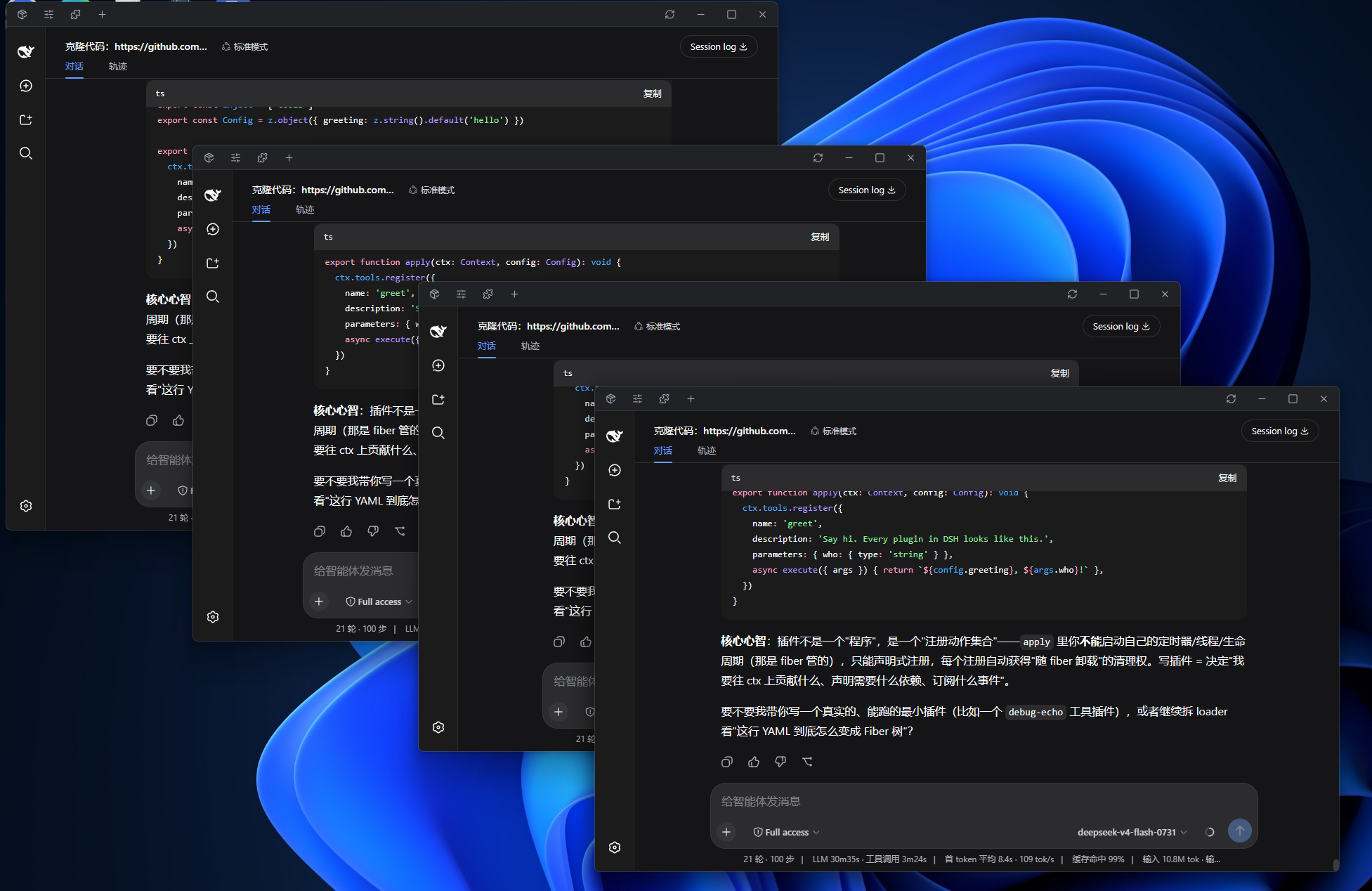
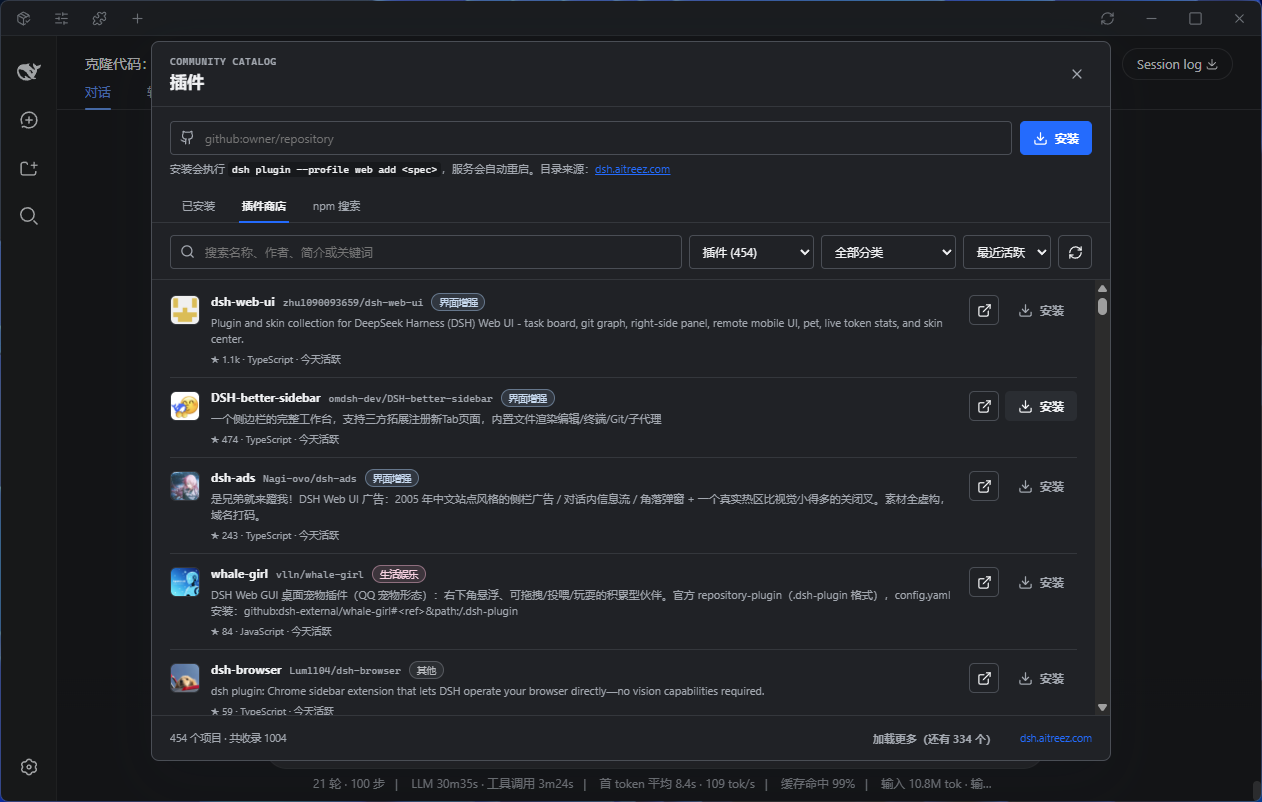
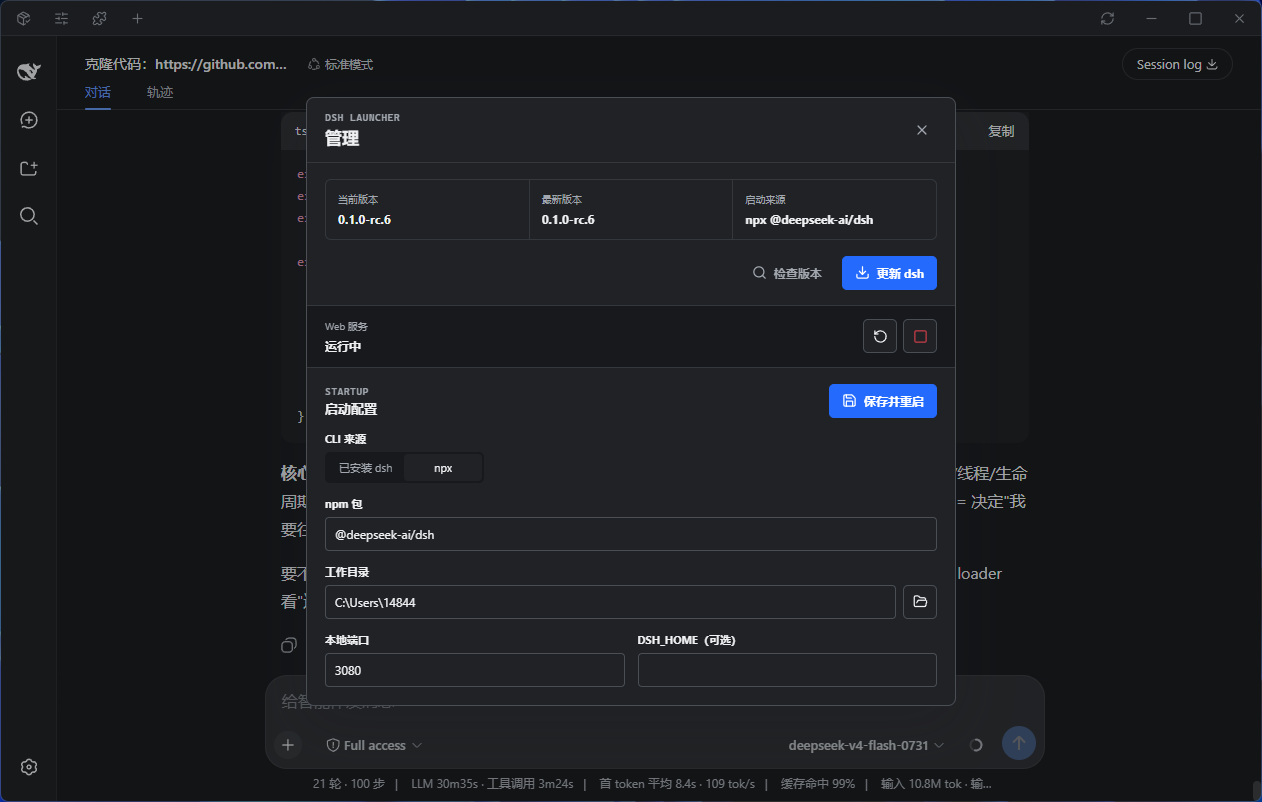
标签页
顶栏中间是标签条,每个标签都是一个独立的 WebUI 实例,切换时保留各自的会话状态:
- 新建
Ctrl+T或标签条上的 +;关闭Ctrl+W、鼠标中键或标签上的 ×;Ctrl+Tab循环切换 - 拖动标签可重排;拖出顶栏松手即成为新窗口;拖到其他 Launcher 窗口的顶栏上则并入该窗口
- 双击标签可重命名;标签很多时会像浏览器一样逐级收窄,实在放不下时标签条支持滚轮滚动
端口与外部服务
如果启动时端口(默认 3080)已被一个可用的 Web 服务占用——比如你提前在终端里自己跑了 dsh web——Launcher 会直接沿用它,而不是报端口占用:
- Launcher 不接管该进程:管理弹窗中的停止/重启会禁用,退出 Launcher 也不会结束它
- 外部服务退出后,界面自动回到可启动状态,可以一键改由 Launcher 启动
- 只有占用者不是 Web 服务(例如残留的半死进程)时才会提示端口冲突
增强插件
以下插件均属于功能与体验增强,不会较大幅度干扰 DSH 的 loop 工作流:
DSH Better Sidebar
提供更完善的侧边栏与系统终端,让 dsh WebUI 从基础对话界面进一步升级为更专业、更高效的 Agent IDE。
dsh plugin --profile web add dsh-better-sidebar
dsh-at-file
支持在对话框中快捷添加文件路径,减少手动输入与来回查找,让文件引用更加顺手自然。
dsh plugin --profile web add "github:omdsh-dev/dsh-at-file"
dsh-tool-diff
diff工具是一个值得从 Bash 中“毕业”的文件审查工具,帮助 Agent 更高效地查看与审阅文件变更,在提升审查体验的同时大幅节省 token。
dsh plugin --profile web add github:omdsh-dev/dsh-tool-diff
dsh-genui
让webui支持直接渲染图表、表格、Mermaid 甚至 html 交互组件,不仅限于基础markdown渲染!
dsh plugin --profile web add git+https://github.com/omdsh-dev/dsh-genui.git
dsh-mcp-manager
普适性的mcp适配器,让mcp接入代替那些直接添加Tools的插件吧(除非没有对应的mcp),为了你的token、维护难度考虑
npx -p @deepseek-ai/dsh dsh plugin --profile web add github:hyqhyq3/dsh-mcp-manager
开发
npm install
npm run tauri dev
启动器默认使用 PATH 中的 dsh:
npm install -g @deepseek-ai/dsh
若直接启动本地安装dsh失败,可以在启动设置中切换为 npx 模式。首次通过 npx 启动需要网络连接。
构建
npm run tauri build
配置保存在 Tauri 的应用配置目录中。
相关链接
Repository information
- Language
- Rust
- License
- Not reported
- Latest release
- v0.6.0
- Last updated
- Aug 16, 2026, 12:15 PM
Install deliberately
Review source code, permissions, lifecycle hooks, dependencies and network access. Test untrusted plugins in an isolated environment.