Installation
npx -y @deepseek-ai/dsh plugin --profile web add github:Wine-Red/dsh-codex-timelineThis installation command is an unverified starting point generated from the GitHub repository address.
README
Maintainer-authored documentation snapshot.
DSH Codex Timeline
English | 中文
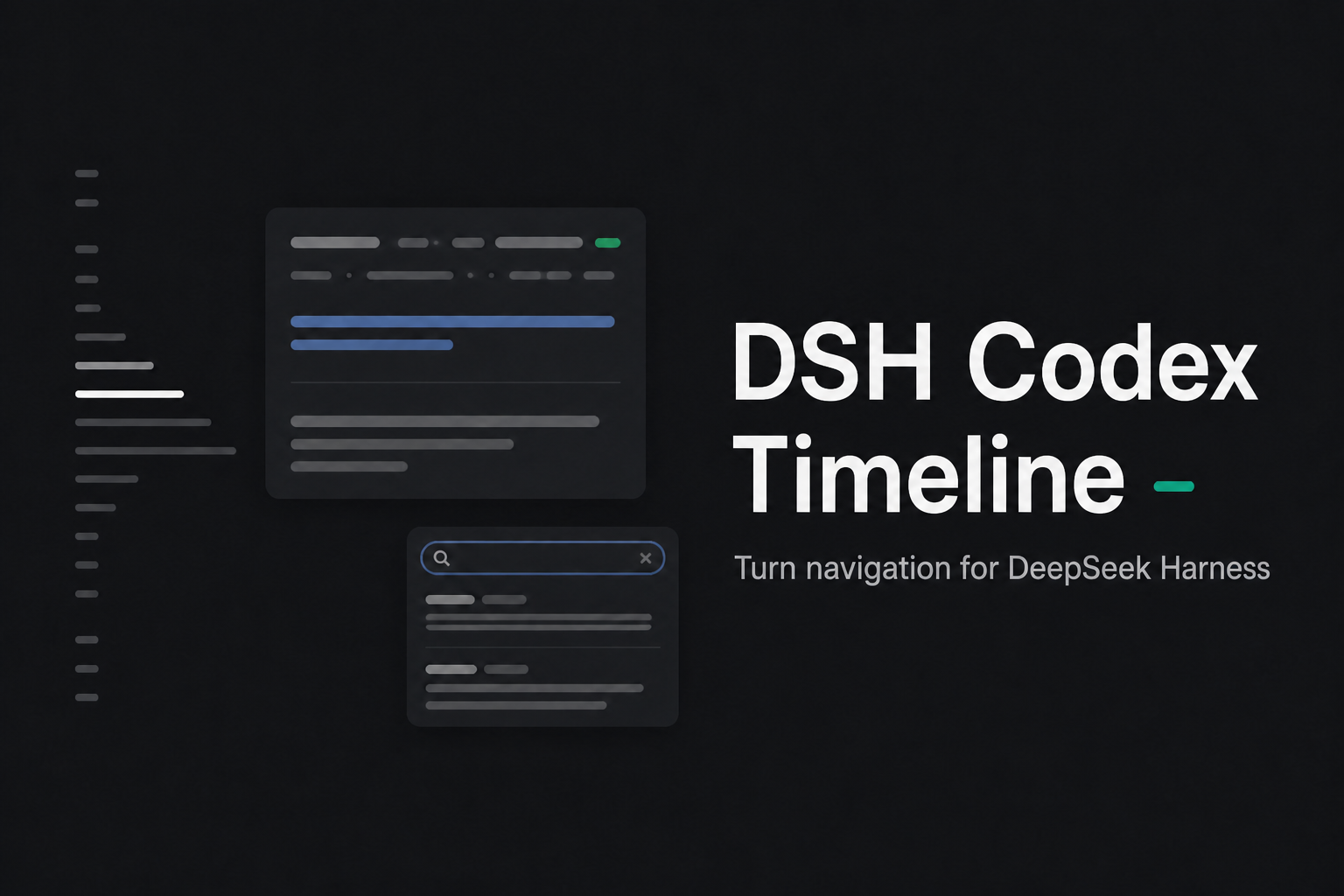


为 DeepSeek Harness Web 长会话提供一个贴在 Chat 正文左侧、低干扰的用户 Turn 导航轨道。它只标记用户发起的轮次,能随正文滚动高亮、快速跳转,并可自动展开全部历史轮次与预览。
界面预览
轨道默认保持安静:每个已加载的用户 Turn 对应一条短横,只有当前阅读位置高亮。鼠标移入后,附近标记以阶梯状展开,便于准确选择;移出后立即恢复紧凑状态。
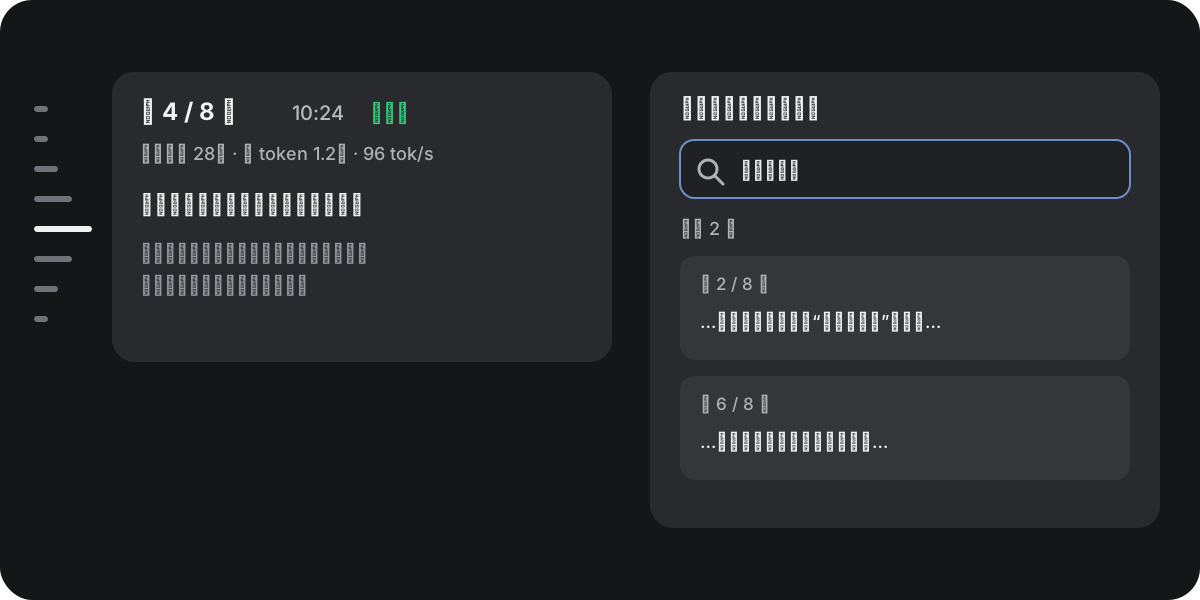
功能示意图与下方 DSH 实机截图中的提问、回答、指标和搜索结果均为专用测试文案,不包含真实会话内容。
下方两图截取自安装本插件的 DSH 0.1.0-rc.6,展示同一条真实轨道在默认和鼠标悬停时的状态:
| 默认状态 | 悬停展开 |
|---|---|
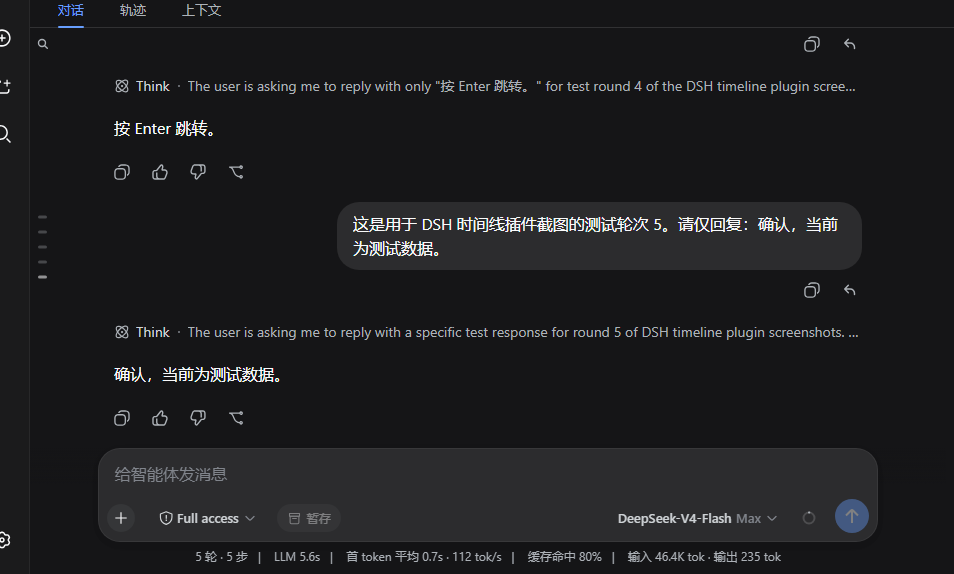 | 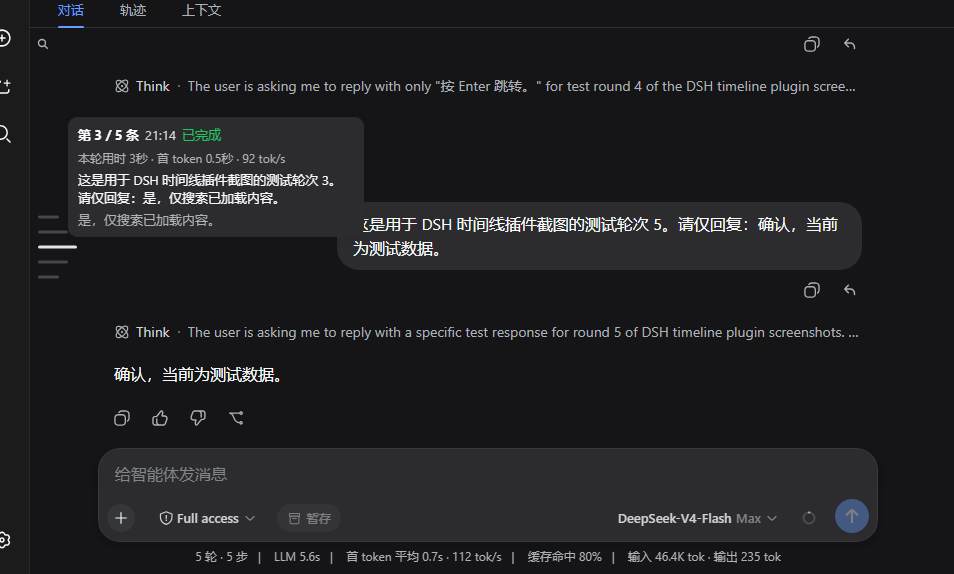 |
| 低对比度,不占用正文宽度 | 高亮跟随指针,离开后恢复当前 Turn |
功能图中的预览卡片对应实际交互:悬停可查看轮次、状态、耗时、首 token 时间、速度、提问与模型回答;搜索入口会直接展示关键词及其前后文,并可跳转到对应 Turn。
使用路径
- 滚动正文,轨道自动指示当前 Turn。
- 悬停查看两行提问与两行回答,点击或按 Enter / Space 跳转。
- 开启“自动加载全部历史”后,每 80 ms 继续调用一次 DSH 原生历史分页,直到全部旧轮次展开。
兼容性
当前版本只支持以下已验证组合,不声明更宽的兼容范围:
- 已验证 DSH:
0.1.0-rc.7 - 已验证 DSH commit:
99f6f02fecdb7dff40c3fbc9470f5907c29f74ca - 内嵌适配器来源:
@deepseek-ai/dsh-client-ui-conversation@0.1.0-rc.6 - Node.js:
^22.19.0 || >=24.0.0
原因是 rc.6 尚未暴露外部 Chat gutter/navigation slot。本包通过正式的 dsh.bundle.patch 禁用固定的 ui-conversation 配置行,再插入一个精确锁定 rc.6 的 Conversation adapter;adapter 声明受控导航 slot,并在其中注册时间线。它不会修改 DSH 的全局安装目录。
不要在其他 DSH 版本上强行安装。升级 DSH 前请先卸载本插件,并按“升级检查”重新审计契约。
安装
确认当前版本:
dsh --version
从 npm 安装到 Web profile:
dsh plugin --profile web add dsh-codex-timeline
也可以使用仓库内的版本检查脚本:
powershell -ExecutionPolicy Bypass -File .\install.ps1
安装后重启 DSH Web 进程并刷新页面。可用以下命令确认 bundle 已生效:
dsh --profile web --dump-config | Select-String -Pattern "dsh-codex-timeline|ui-conversation"
输出应包含 # == dsh-codex-timeline;内置 ui-conversation 行应为 disabled: true,并新增 codex-timeline 行,其 name 为 dsh-codex-timeline。
从旧的本地覆盖版迁移
如果曾安装过早期同名 Conversation tarball,先删除它,再安装标准 bundle:
dsh plugin --profile web remove "@deepseek-ai/dsh-client-ui-conversation"
dsh plugin --profile web add dsh-codex-timeline
卸载
dsh plugin --profile web remove dsh-codex-timeline
或运行:
powershell -ExecutionPolicy Bypass -File .\uninstall.ps1
重启后,DSH 会恢复使用自带的 Conversation UI。
功能
- 只为真实用户 Turn 建立标记;工具调用、计划确认、追问 UI、子代理和流式 assistant chunk 不增加噪声标记。
- 当前项随 viewport 更新;用户向上阅读时,流式内容不会强制拉回底部。
- 鼠标悬停时标记以短横阶梯展开并临时高亮;离开后恢复正文当前 Turn。
- 浮层显示“第 x / y 条”、时间、状态、两行用户提问、两行模型回答,以及数据可得时的本轮用时、首 token 延迟和 tok/s。
- 点击、Enter 或 Space 跳转;方向键、Home 和 End 可移动焦点;支持
focus-visible与prefers-reduced-motion。 - 顶部三点按钮复用 DSH 正式分页流程加载更早历史;prepend 后使用稳定节点 ID 保持滚动锚点。
- “自动加载全部历史”以 80 ms 间隔连续调用 DSH 原生历史分页,直到完整旧正文进入 Chat。
- 搜索按钮在浏览器本地检索可用的 Turn 预览与已加载正文,直接展示并高亮关键词上下文;不会发给模型或写入遥测。
- 少于 3 条用户消息时自动隐藏;如果仍有更早历史未加载,不会提前隐藏。
- 窄屏使用折叠入口,不遮挡消息、输入框或正文宽度。
- 设置页(设置 → 插件 → 插件配置)提供启用开关、“自动加载全部历史”和三个位置/间距滑块;所有偏好即时写入 DSH settings(settings.yaml),刷新、换浏览器均保持。
- 左上角的三点/搜索控件固定不动,位置滑块只调整时间线标记列本身。
隐私
摘要、回答预览、搜索索引、hover/focus 状态都只在当前浏览器中从正式 Chat snapshot 计算。插件不增加模型上下文、不发送网络请求,也不新增遥测事件。
开发与验证
pnpm install
pnpm run check
pnpm pack --pack-destination artifacts
安装本地 tarball做 profile 契约验证:
dsh plugin --profile web add ".\artifacts\dsh-codex-timeline-0.2.0.tgz"
dsh --profile web --dump-config
lib/client.js 是为 rc.6 生成并锁定 SHA-256 的 compatibility artifact;scripts/prepare-dist.mjs 只做包名与构建路径标准化,scripts/verify-dist.mjs 检查其 slot、observer、交互与哈希契约。src/navigation-model.mjs 保留可独立测试的 Turn 投影与搜索逻辑。上游衍生代码的许可见 NOTICE。
升级检查
DSH 升级时不要直接放宽 peer dependency。至少执行:
dsh --version
dsh --profile web --dump-config
pnpm run check
pnpm pack --pack-destination artifacts
pnpm run test
并重新核对:
ui-conversation配置行和 client module loader 规则;ConversationTimelineSnapshot、Chat snapshot、Turn location 与稳定节点 ID;- Chat scroll owner、分页 prepend、bottom-follow 和 navigation slot;
- settings namespace/scope、locale 和 slot 注入契约;
- 暗色/亮色、窄屏、键盘、reduced motion、流式回复、工具密集 Turn、断线恢复和历史加载的真实浏览器行为。
能力不再兼容时,应发布新的独立 adapter 版本;不要让旧版本覆盖未知的 Conversation 实现。
许可证
MIT。本包含有基于 DeepSeek Harness MIT 源码构建的 rc.6 compatibility adapter,详见 NOTICE。
Project files and signals
Shown items are public repository signals detected in the directory snapshot.
Repository information
- Language
- JavaScript
- License
- MIT
- Latest release
- v0.3.2
- Last updated
- Aug 18, 2026, 6:17 AM
Install deliberately
Review source code, permissions, lifecycle hooks, dependencies and network access. Test untrusted plugins in an isolated environment.