Installation
npx -y @deepseek-ai/dsh plugin --profile web add github:xiaoyanzi191/dsh-premium-themesThis installation command is an unverified starting point generated from the GitHub repository address.
README
Maintainer-authored documentation snapshot.
dsh-premium-themes
English | 中文
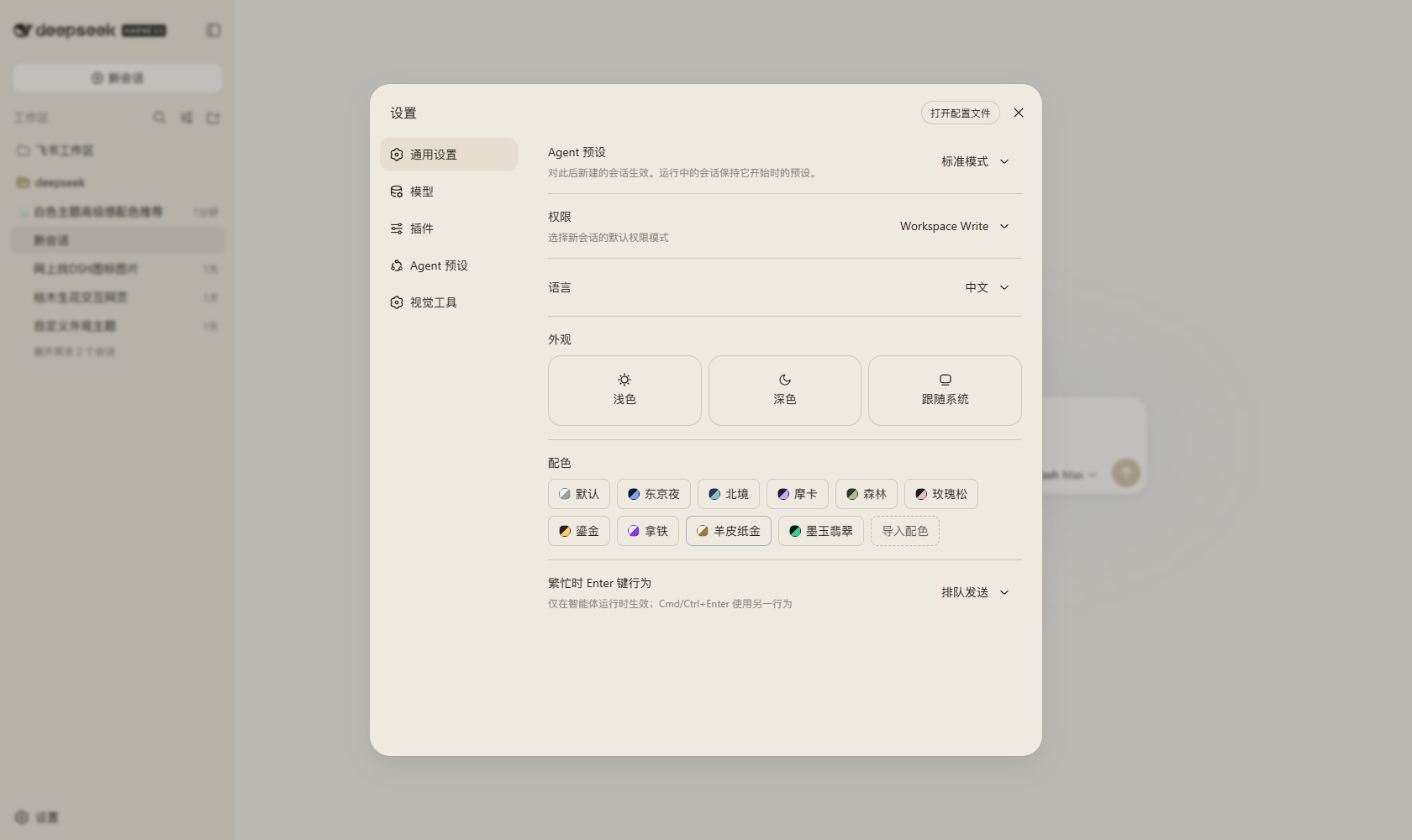
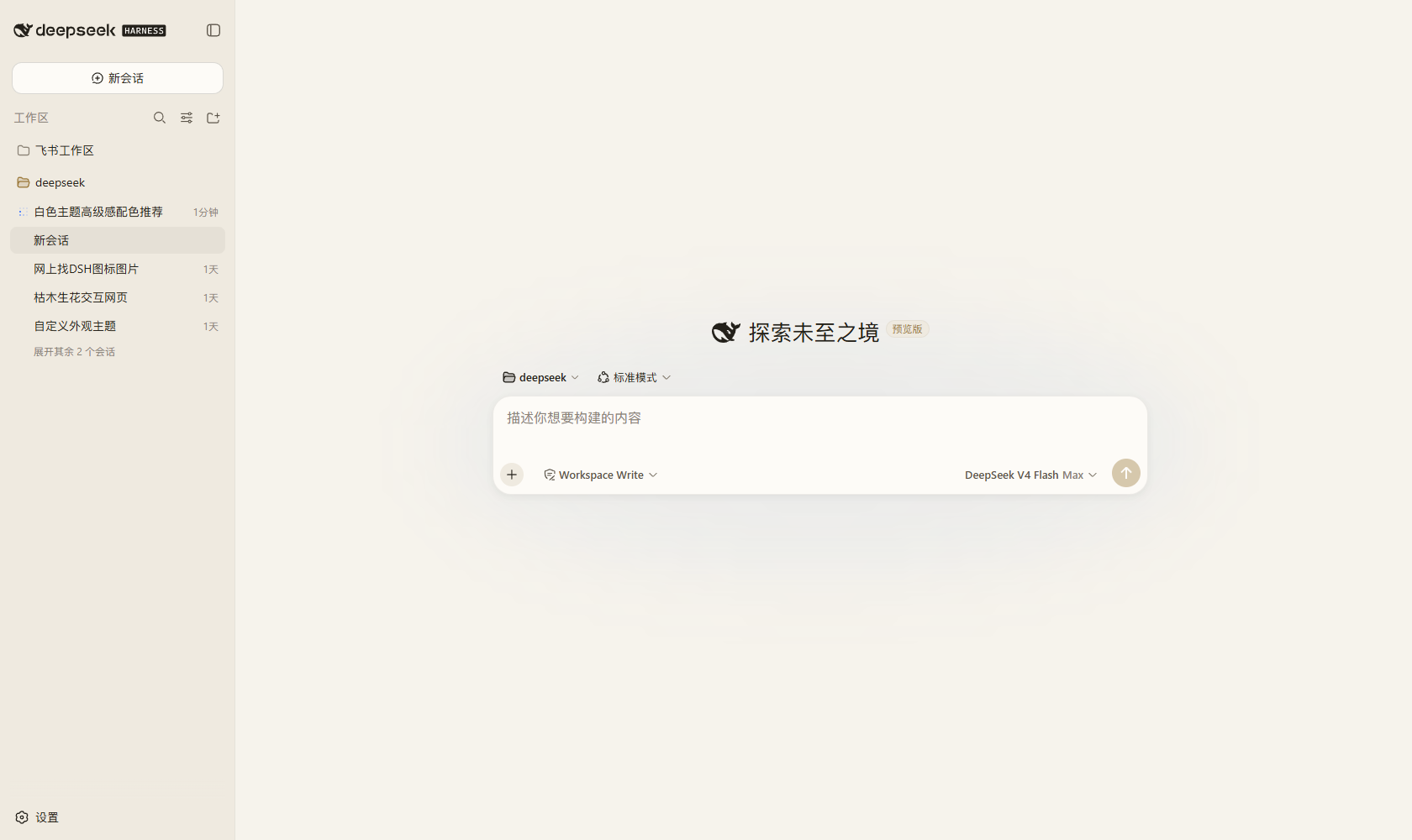
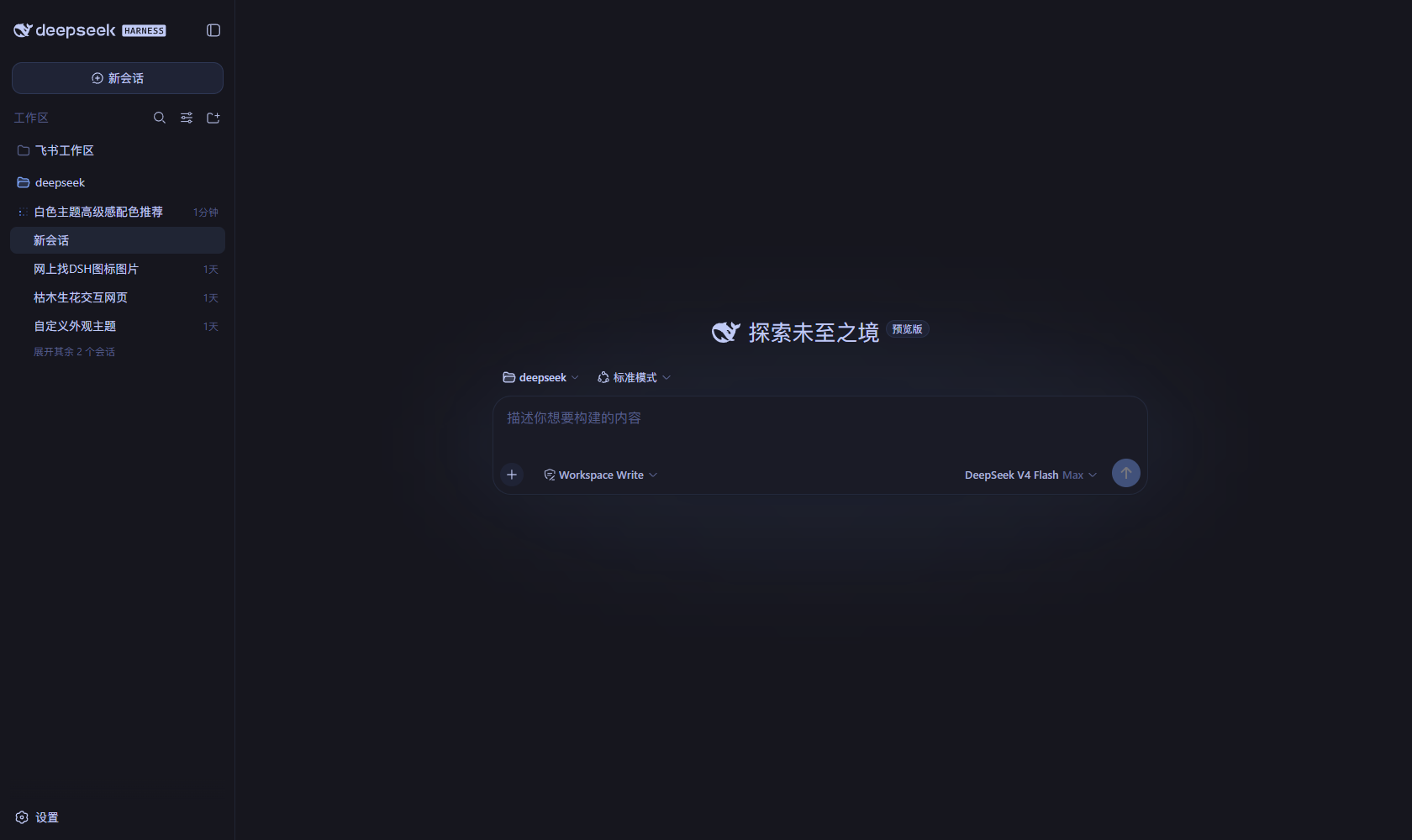
A standalone, hot-pluggable premium palette plugin for the dsh Web surface — no core changes, everything rides public extension points. It adds a 配色 (Palette) row below the Appearance row in General settings with eight curated schemes (Tokyo Night, Nord, Catppuccin Mocha, Everforest, Rosé Pine, Ayu Mirage, Catppuccin Latte, Paper Gold) and a 导入配色 (Import palette) dialog for custom palettes.
Every palette — built-in or imported — is a third-party theme definition with a full alias-token map: switching repaints backgrounds, borders, brand, buttons, text, code surfaces, the sidebar, and scrollbars. Selections persist across reloads and browser sessions; the 默认 (Default) chip restores the light/dark/system preference that was active before the palette was chosen.
Screenshots
The Palette row in settings — eight built-in chips, the imported 墨玉翡翠 chip and the 导入配色 import button:
| Paper Gold — 羊皮纸金 (light) | Tokyo Night — 东京夜 (dark) |
|---|---|
 |  |
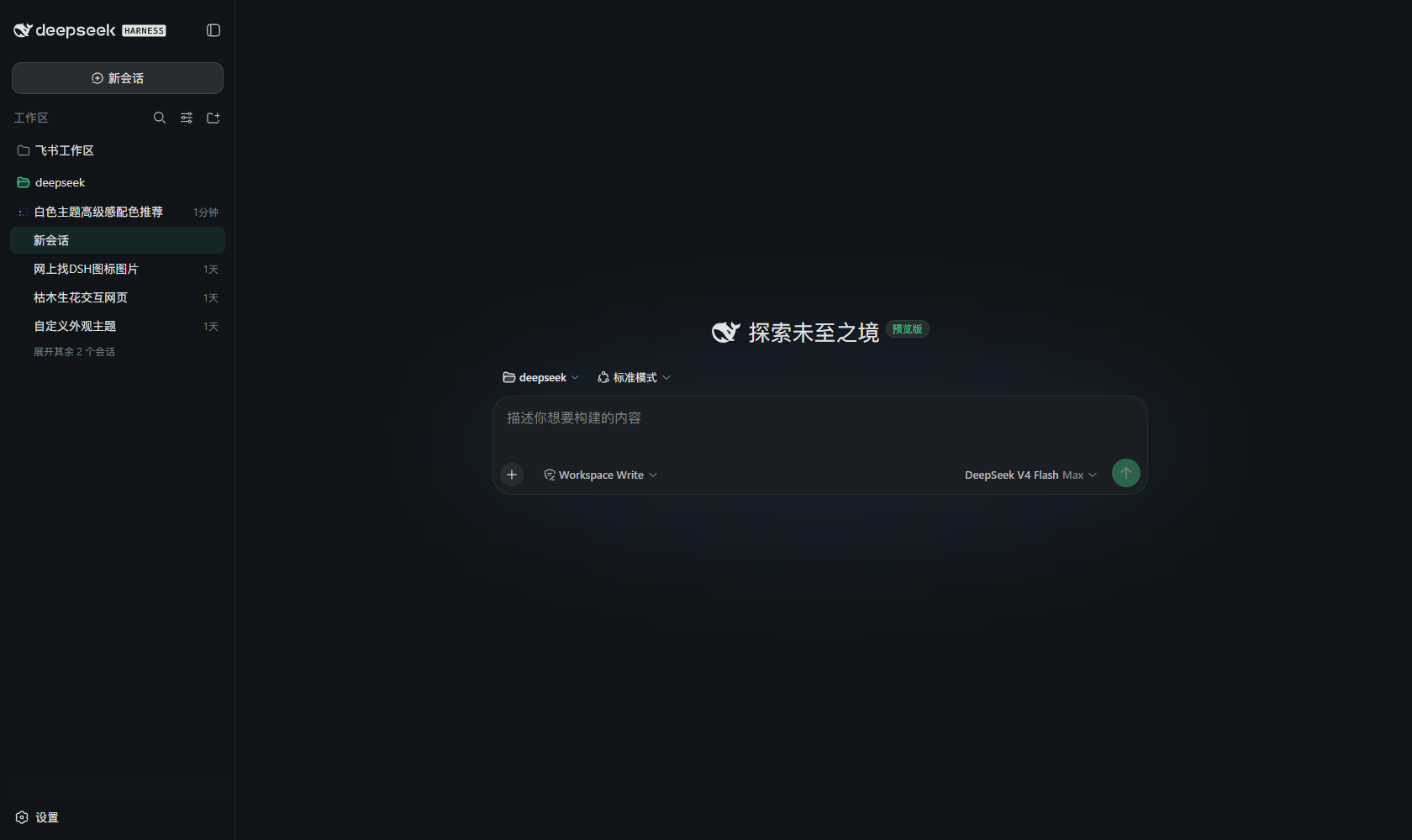
| 墨玉翡翠 — imported custom palette (dark) | Default light (base) |
|---|---|
 |  |
Custom palette import
Give a name, a scheme (light/dark), a background and an accent
color; the plugin deterministically derives the full token map
(src/derive.ts) — layered surfaces, borders, buttons, text steps, code
blocks, sidebar, scrollbars. An optional advanced JSON field accepts
text/surface seed colors and explicit --dsw-* token overrides:
{ "text": "#f2e9dc", "surface": "#20203a", "tokens": { "--dsw-alias-brand-primary": "#ffcc66" } }
Imported palettes persist in the plugin's own settings namespace (machine ids derive from the name; non-latin names get a generated id), appear as chips next to the built-ins, and can be deleted from the dialog (removing the active one restores the base preference).
Install (hot-plug)
# From this repository (pnpm builds via the prepare script):
dsh plugin web add github:xiaoyanzi191/dsh-premium-themes

# Append one row to the profile patch layer — $DSH_HOME/profiles/web/cordis.patch.yml:
#
#   - insert:
#       - id: ui-premium-themes
#         name: '@deepseek-ai/dsh-client-ui-premium-themes'
Saving the patch hot-reloads the composition; refresh the page once and the
Palette row appears in 设置 → 通用设置 below 外观. To turn the feature off,
remove the row (or add disabled: true) — the next refresh drops the row and
any active palette falls back to the base preference.
Note: row-level inject entries are service names, not plugin ids; the
browser-side load order comes from the package's own dsh.client.inject graph
edges, and the node half depends only on the optional settings/webServer
services.
Development
pnpm install
pnpm run build   # tsc -> lib/types, then tsdown -> lib/index.js + lib/client.js
pnpm test        # vitest: settings, derivation, host routes (35 specs)
The two client-wiring/UI suites (apply.client.spec.ts,
palette-row.client.spec.tsx) import the dsh client bundles, which npm ships
as browser closure factories — they run inside a deepseek-harness checkout
(pnpm run test:client there), where vitest resolves the package sources.
Clone into packages/client/ of a deepseek-harness checkout to develop inside
the monorepo (the package's workspace setup there uses workspace:*
dependencies and the upstream clientBundle preset; this repository's
tsdown.config.ts is a self-contained snapshot of that preset).
Architecture
src/
├── theme-settings.ts   # the single data contract: namespace, fields, routes, ids, schema
├── palettes.ts         # pure data: the eight built-in palette token maps
├── derive.ts           # pure functions: seed colors -> full token map (+ color math)
├── boot.ts             # pure function: selection -> pre-plugin bootstrap script
├── index.ts            # host half: settings registration + palette/custom routes
└── client/
    ├── index.ts        # browser half: theme registry + adoption + import lifecycle
    ├── PaletteRow.tsx / ImportPaletteDialog.tsx / settings-store.ts / locales.ts
Compatibility
Built against the dsh packages published under the npm next tag
(^0.1.0-rc.6). The plugin requires the ui-theme plugin in the composition
(it registers themes through its public runtime).
Project files and signals
Shown items are public repository signals detected in the directory snapshot.
Repository information
- Language
- TypeScript
- License
- MIT
- Last updated
- Aug 16, 2026, 6:31 AM
Install deliberately
Review source code, permissions, lifecycle hooks, dependencies and network access. Test untrusted plugins in an isolated environment.