Installation
npx -y @deepseek-ai/dsh plugin --profile web add github:yushi-xxh/dsh-homepage-skinThis installation command is an unverified starting point generated from the GitHub repository address.
README
Maintainer-authored documentation snapshot.
dsh-homepage-skin
给 dsh web 界面铺上 DeepSeek Harness 首页同款背景:WebGL 流体光效、点线网格和数字点云鲸鱼。
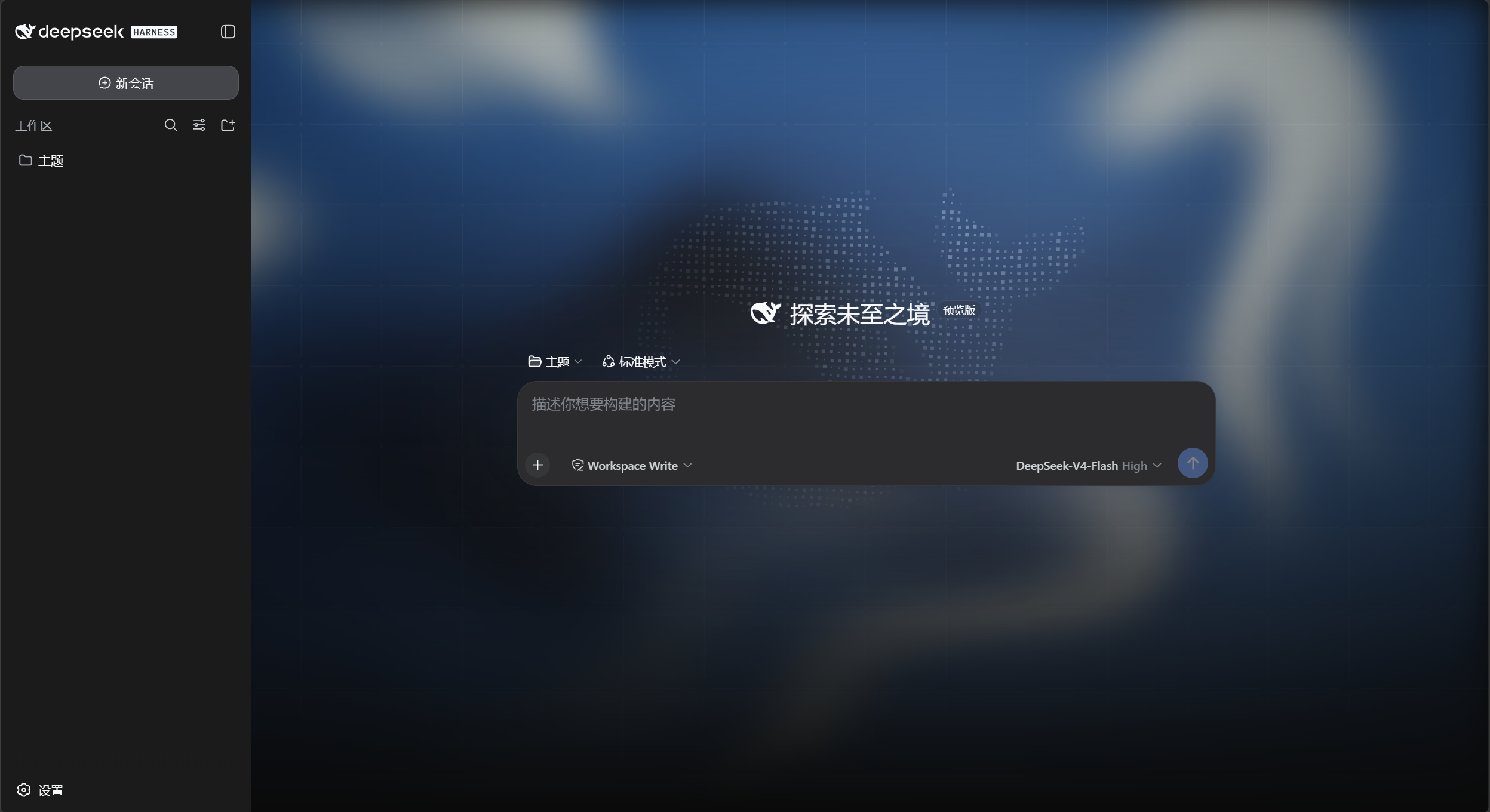
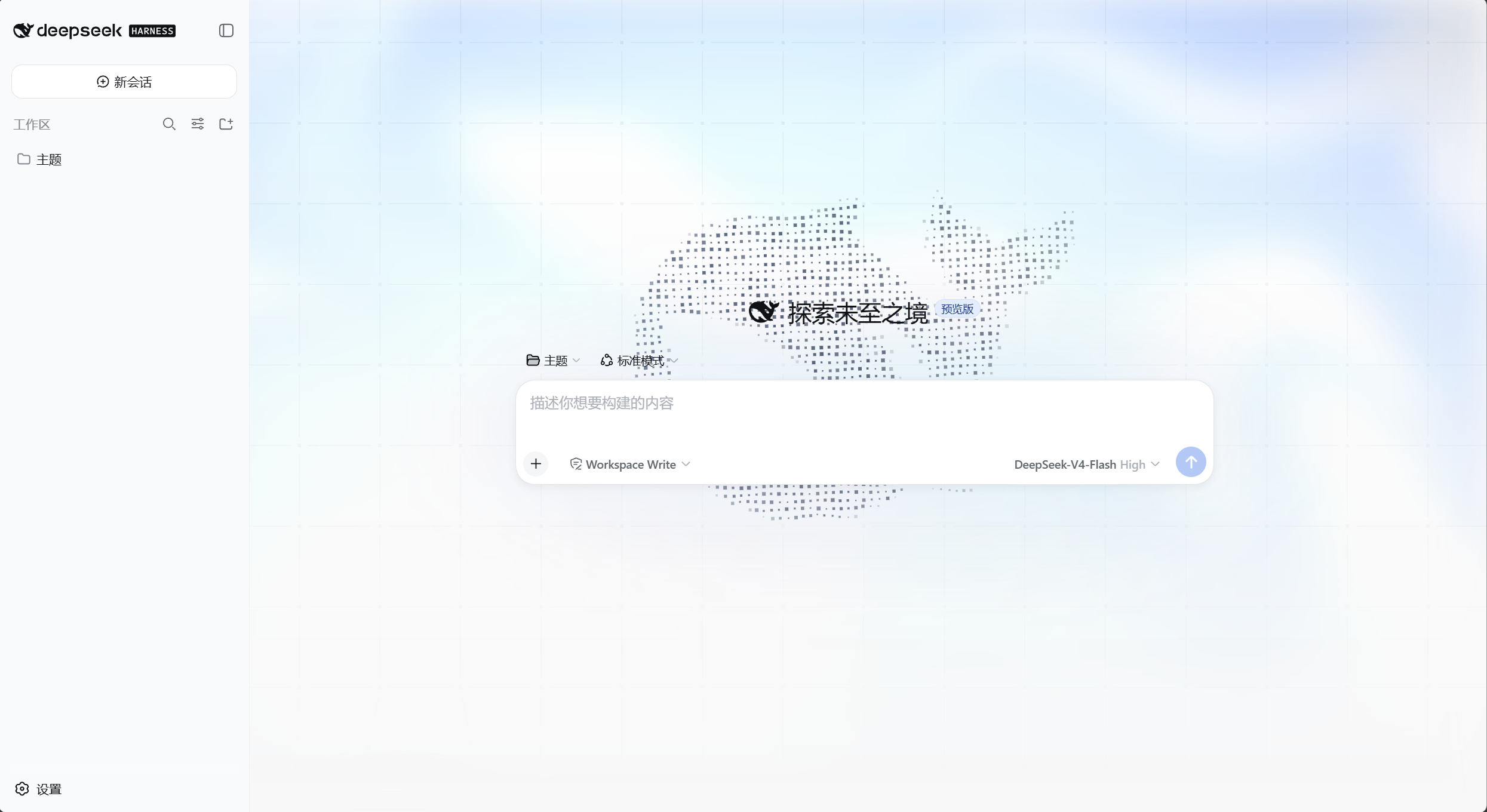
深色沿用首页深海蓝配色;亮色是适配变体(浅色流体 + 深灰蓝网格与鲸鱼)。亮 / 暗 / 跟随系统仍走自带的「外观」。
安装
# npm(推荐)
dsh plugin --profile web add dsh-homepage-skin

# 或从 GitHub
dsh plugin --profile web add github:yushi-xxh/dsh-homepage-skin
重启 dsh web,再硬刷新浏览器(Ctrl+Shift+R)。默认开启。
打开 设置 → 通用 → 首页皮肤。标题旁绿点表示已开启。
装完怎么验
| 现象 | 结论 |
|---|---|
| 聊天区背后出现流体光效 + 点线网格 + 鲸鱼 | 已生效 |
| 外观切到亮色 → 出现亮色变体 | 已生效 |
| 关掉开关背景立刻消失 | 正常 |
改了什么
| 出厂 DSH | 本皮肤 | |
|---|---|---|
| 页面背景 | 纯色 | 流体光效 + 点线网格 + 数字鲸鱼 |
| 深色配色 | 自带深色 | 首页深海蓝(#0a0a0a 基底) |
| 亮色配色 | 自带亮色 | 浅色流体 + 深灰蓝网格/鲸鱼 |
| 侧栏 | 实底 | 半透明玻璃 |
| 输入区 | 实底 | 不动(保持出厂原样) |
关掉或卸载后,出厂样式立刻恢复。
不做的事
- 不改布局和信息密度
- 不改品牌色、标签页图标或桌面壳图标
prefers-reduced-motion时不动画;768px 以下隐藏网格与鲸鱼- headless / TUI 没有界面,不必装
许可
MIT
Project files and signals
Shown items are public repository signals detected in the directory snapshot.
DocumentationDetected
Repository information
- Language
- JavaScript
- License
- MIT
- Last updated
- Aug 15, 2026, 3:46 PM
Install deliberately
Review source code, permissions, lifecycle hooks, dependencies and network access. Test untrusted plugins in an isolated environment.