安装
npx -y @deepseek-ai/dsh plugin --profile web add github:lywusichen/dsh-skill-panel此安装命令根据 GitHub 仓库地址生成,是未经验证的安装起点。
README
维护者编写的文档快照。
dsh-skill-panel
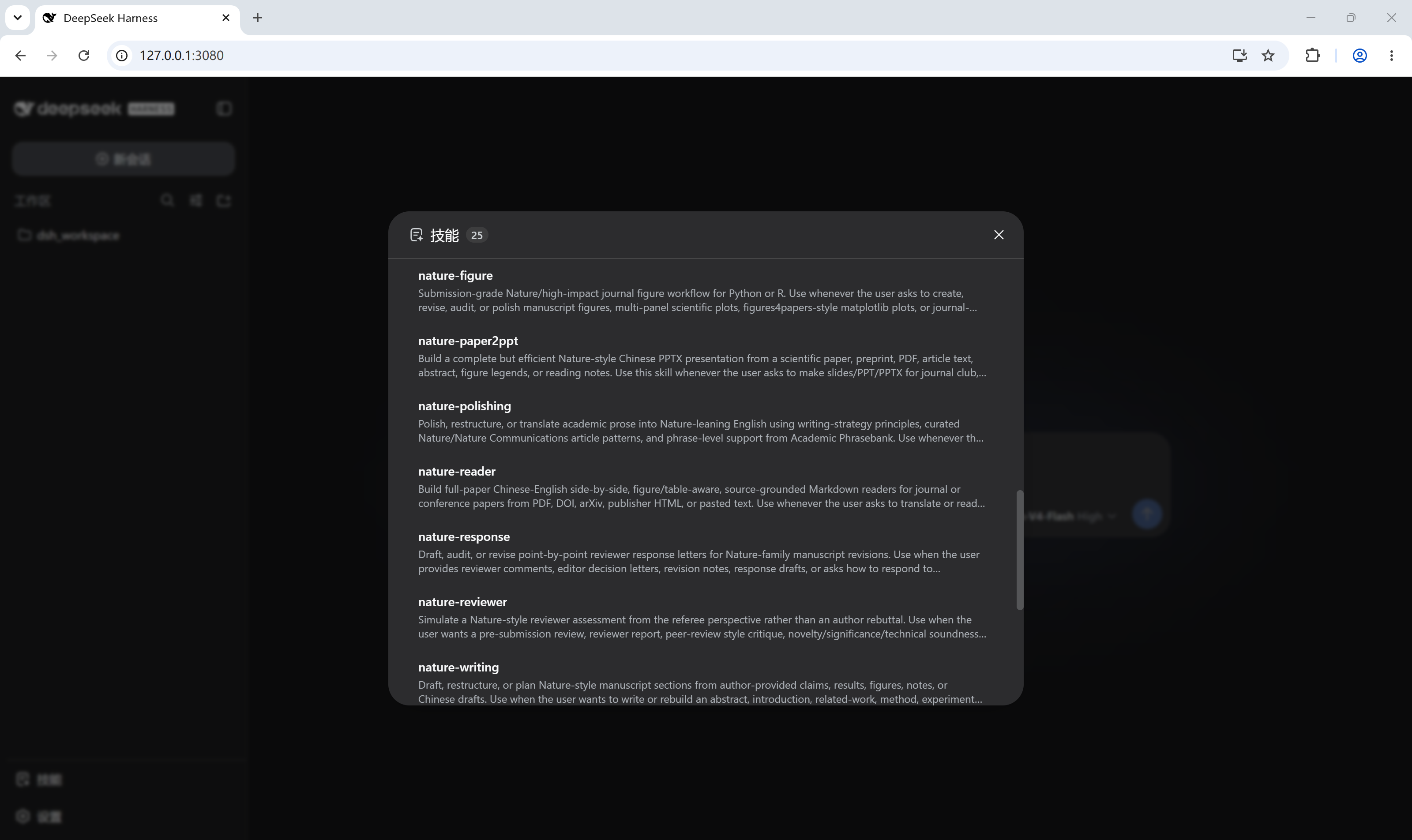
DeepSeek Harness plugin: a skill trigger in the sidebar foot that opens a dialog (same form and feel as the built-in Settings dialog) listing the current session's loaded skills, each with an "open local folder" jump to its directory on disk.
- Zero configuration —
dsh plugin addwires the plugin row automatically via the bundleddsh.bundle.patch; nocordis.patch.ymledits. - No custom RPC — the catalog rides the platform's
skill.listRPC and folder jumps ridehost.openPath. ThedirectoryPathfield is an optional host enhancement: on hosts that do not expose it, rows simply render without the folder button (the dialog still lists every skill). - Auto-refresh — the host's
skills/changeevent (plus a 30s poll fallback for older cores) keeps an open dialog in sync when skills are added, removed, or edited on disk — no reopening, no manual refresh. - Bilingual — simplified Chinese and English UI copy follows the web UI's locale.
Install
dsh plugin --profile web add github:<user>/dsh-skill-panel
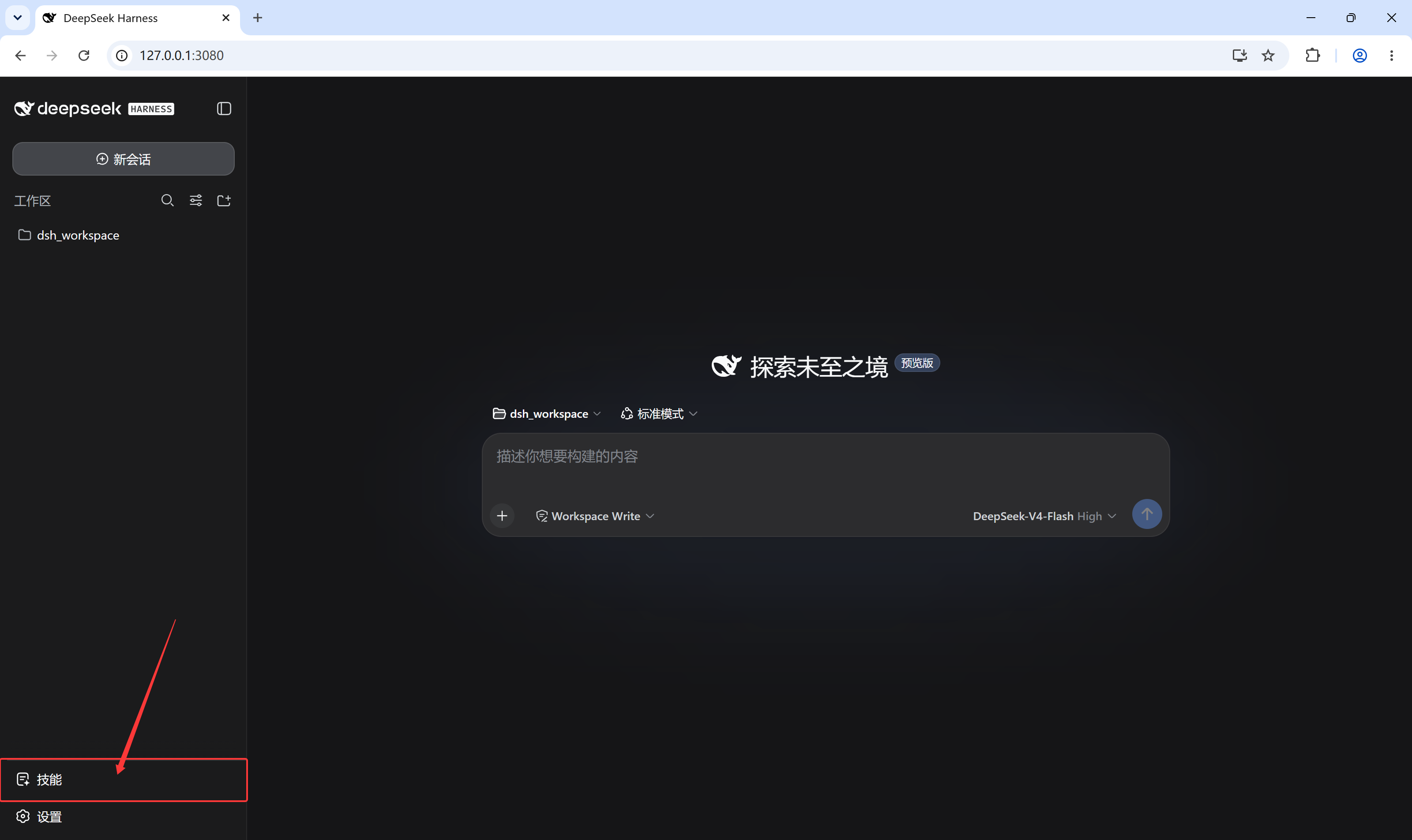
Then restart dsh web. A skill icon appears at the bottom of the left
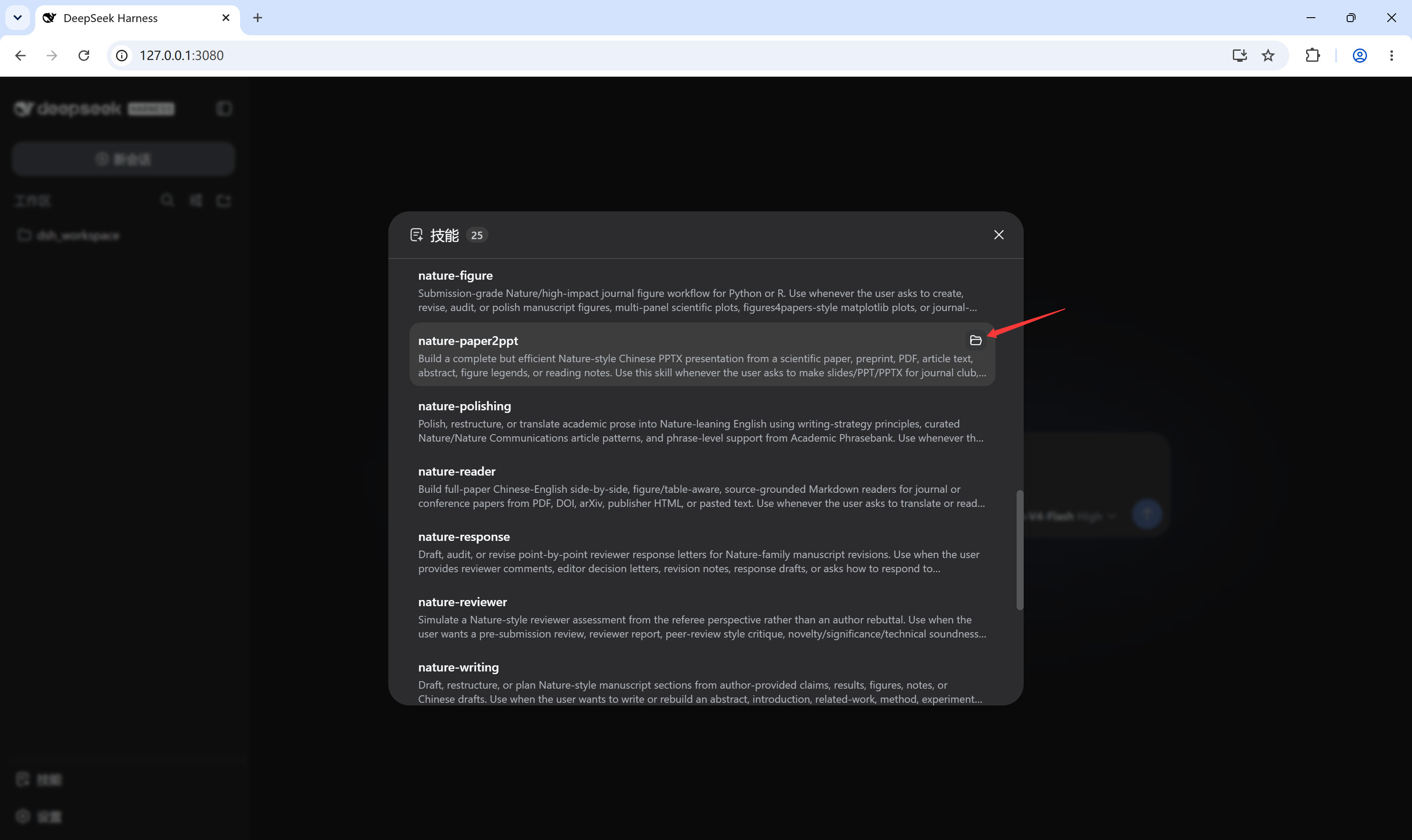
sidebar (beside Settings). Click it to open the skills dialog; hover a skill
row to reveal its folder button.
Usage
- The dialog shows the current session's skill catalog (name, routing
description, and a
user-onlybadge where applicable), re-fetched per-session and cached alongside the composer's/skill menu. - Click the folder icon on a row to open that skill's local directory with the Host's default application (e.g. Explorer / Finder).
Screenshots
The skill trigger sits at the bottom of the left sidebar, beside Settings:
Clicking it opens the loaded-skills dialog:
Hovering a skill row reveals the folder button that opens that skill's local directory:
Development
npm install        # esbuild only
npm run build      # bundles src/client.jsx -> lib/client.js (also runs via prepare on install)
The client bundle is a single CJS file; @deepseek-ai/* and react-family
modules stay external because the dsh shell provides them as platform-static
modules. Commit lib/client.js — git-hosted installs consume the built
artifact directly.
License
仓库信息
- 开发语言
- JavaScript
- 许可证
- MIT
- 最新发布
- v0.1.0
- 最后更新
- 2026年8月17日 05:01
谨慎安装
请检查源代码、权限、生命周期脚本、依赖与网络访问;不受信任的插件应先在隔离环境中测试。