설치
npx -y @deepseek-ai/dsh plugin --profile web add github:luodeb/dsh-web-auth-gateway이 설치 명령은 GitHub 저장소 주소에서 생성된 확인되지 않은 시작점입니다.
README
유지 관리자가 작성한 문서 스냅샷입니다.
dsh-web-auth-gateway
A standalone authentication reverse-proxy gateway plugin for DeepSeek Harness Web.
The plugin serves a login page on a separate loopback port. After authentication, it proxies the complete DSH Web surface, including normal pages, plugin assets, API requests, and WebSocket upgrades.
Features
- First-run administrator account creation
- scrypt salted password hashing; plaintext passwords are never stored
- HttpOnly and SameSite=Strict session cookie
- Server-side in-memory sessions
- HTTP, API, and WebSocket authentication gate
- Settings card under
Settings > Plugins > Web UI Plugins - Configurable gateway port and session lifetime
- Official
@deepseek-ai/*NPM SDK only - No changes to DeepSeek Harness source code
Install
Requires Node.js 22 or newer and DeepSeek Harness.
dsh plugin --profile web add github:luodeb/dsh-web-auth-gateway
Restart DSH Web:
dsh web --host 127.0.0.1 --port 3080
Then open:
http://127.0.0.1:3090
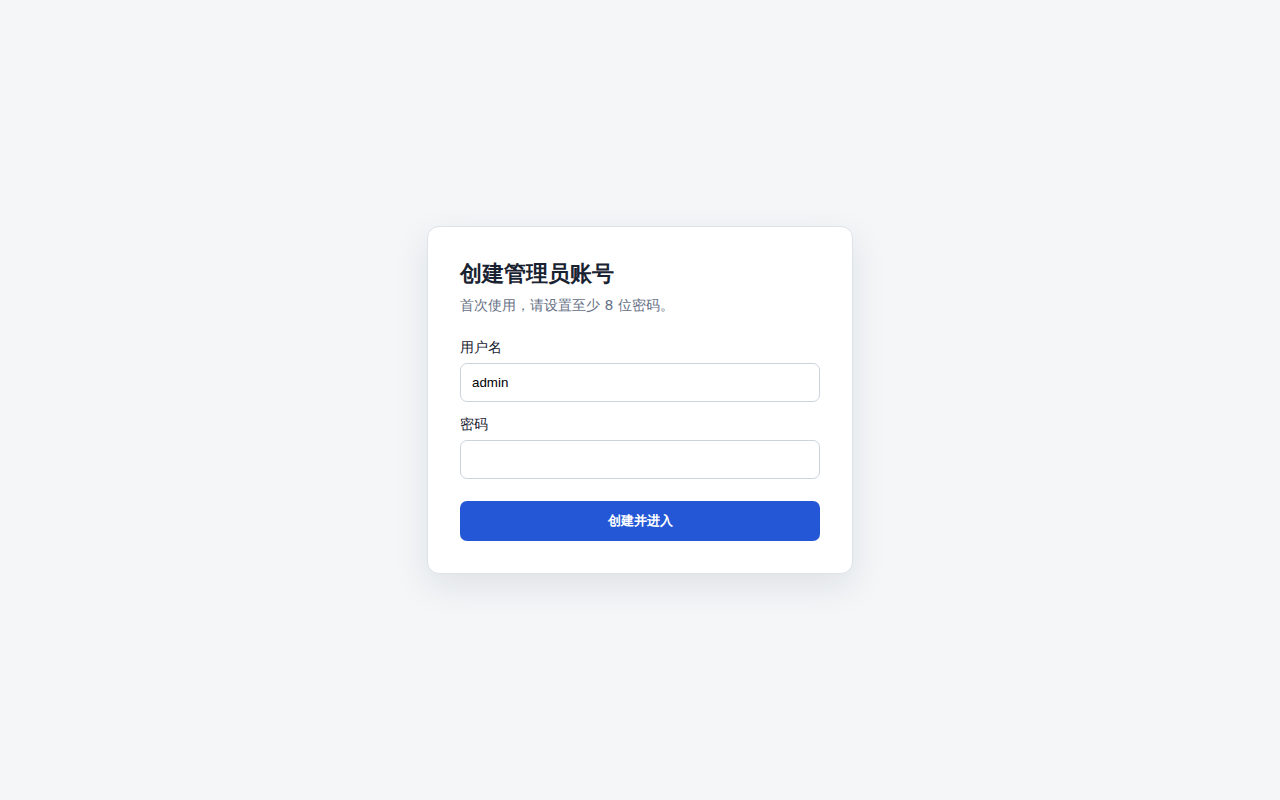
On first access, create the administrator account. Later visits require that account.
Settings
Open Settings > Plugins > Web UI Plugins > Login gateway.
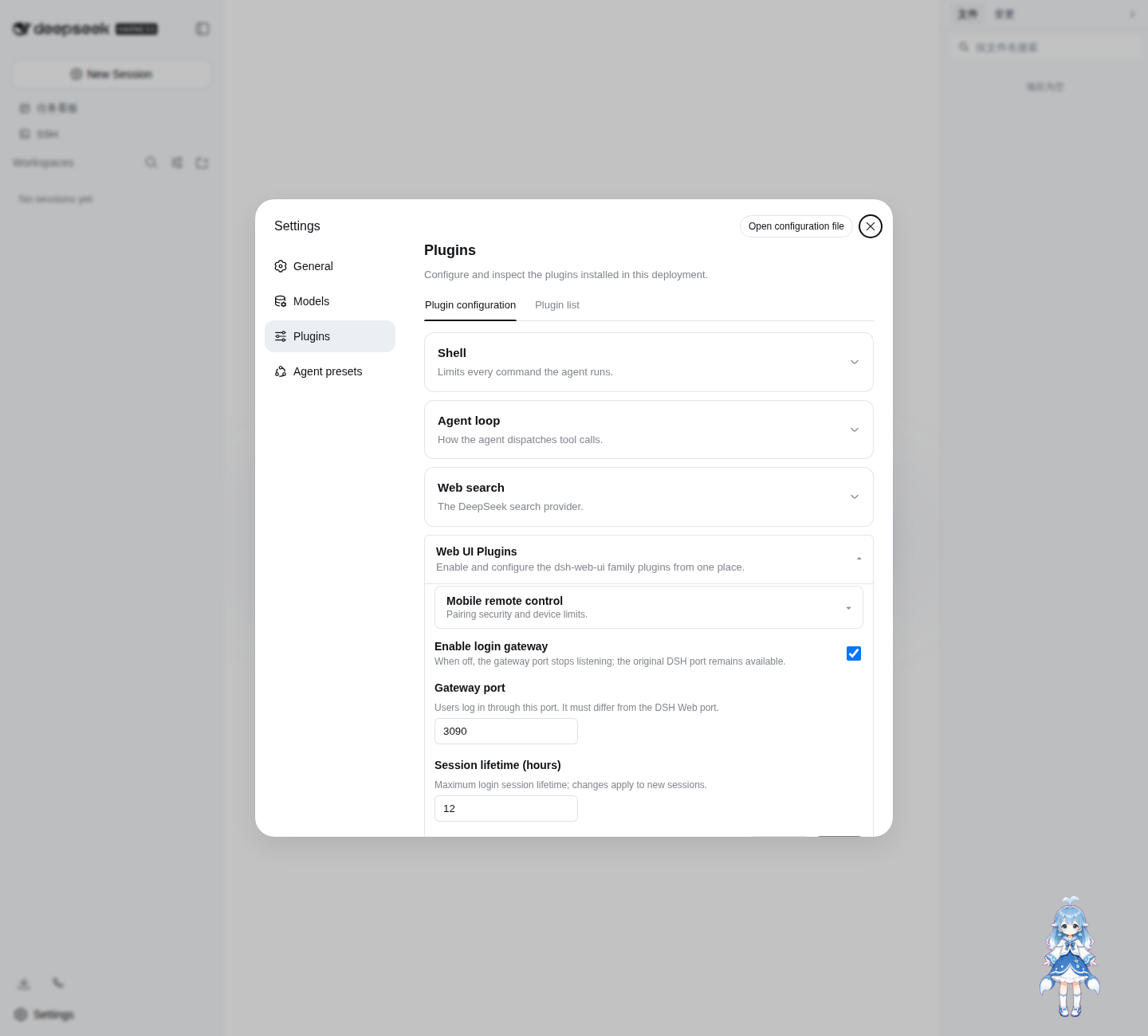
Defaults:
enabled: true
port: 3090
sessionTtlHours: 12
Settings are persisted through the official DSH Settings service in ~/.dsh/settings.yaml.
Login page
The password credential is stored at:
~/.dsh/web-auth-gateway/credential.json
The file contains only the username, random salt, and scrypt password hash. Its mode is 0600.
Security boundary
The original DSH Web port must remain bound to 127.0.0.1 or another trusted interface. If the upstream port is exposed to untrusted clients, they can bypass the gateway.
This plugin currently listens on 127.0.0.1. Use a TLS reverse proxy or a secure tunnel in front of the gateway for remote access. Do not expose plaintext HTTP directly to an untrusted network.
Sessions are stored in memory and are invalidated when DSH restarts.
Development
corepack enable
pnpm install
pnpm build
pnpm typecheck
pnpm test
Install the local checkout into the Web profile:
dsh plugin --profile web add link:$(pwd)
License
BSD-3-Clause
프로젝트 파일 및 신호
표시된 항목은 디렉터리 스냅샷에서 감지된 공개 저장소 신호입니다.
저장소 정보
- 언어
- TypeScript
- 라이선스
- BSD-3-Clause
- 마지막 업데이트
- 2026. 8. 17. AM 6:38
신중하게 설치하기
소스 코드, 권한, 수명 주기 스크립트, 의존성 및 네트워크 접근을 검토하고 신뢰하지 않는 플러그인은 격리 환경에서 테스트하세요.