安装
npx -y @deepseek-ai/dsh plugin --profile web add github:luodeb/dsh-web-auth-gateway此安装命令根据 GitHub 仓库地址生成,是未经验证的安装起点。
README
维护者编写的文档快照。
dsh-web-auth-gateway
A standalone authentication reverse-proxy gateway plugin for DeepSeek Harness Web.
The plugin serves a login page on a separate loopback port. After authentication, it proxies the complete DSH Web surface, including normal pages, plugin assets, API requests, and WebSocket upgrades.
Features
- First-run administrator account creation
- scrypt salted password hashing; plaintext passwords are never stored
- HttpOnly and SameSite=Strict session cookie
- Server-side in-memory sessions
- HTTP, API, and WebSocket authentication gate
- Settings card under
Settings > Plugins > Web UI Plugins - Configurable gateway port and session lifetime
- Official
@deepseek-ai/*NPM SDK only - No changes to DeepSeek Harness source code
Install
Requires Node.js 22 or newer and DeepSeek Harness.
dsh plugin --profile web add github:luodeb/dsh-web-auth-gateway
Restart DSH Web:
dsh web --host 127.0.0.1 --port 3080
Then open:
http://127.0.0.1:3090
On first access, create the administrator account. Later visits require that account.
Settings
Open Settings > Plugins > Web UI Plugins > Login gateway.
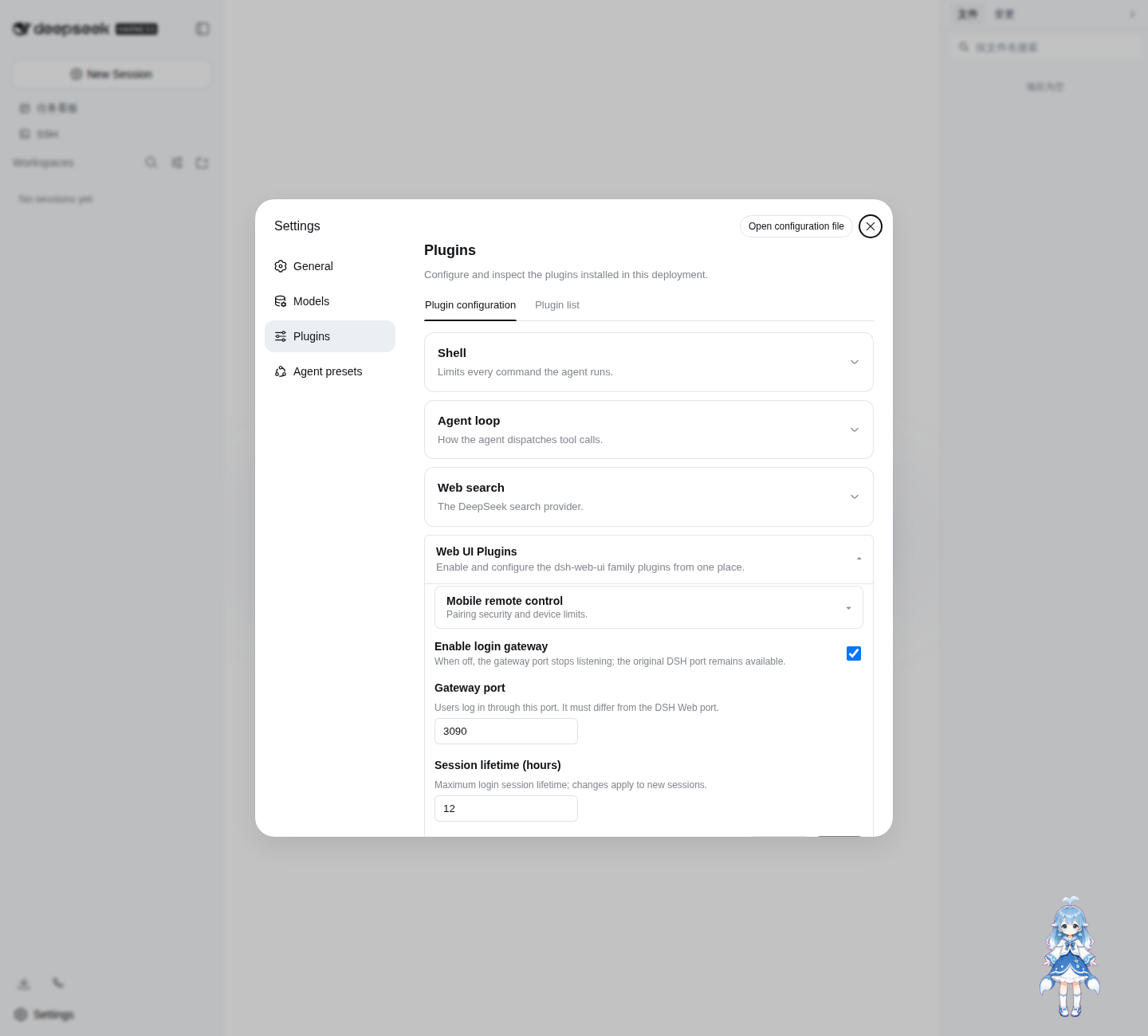
Defaults:
enabled: true
port: 3090
sessionTtlHours: 12
Settings are persisted through the official DSH Settings service in ~/.dsh/settings.yaml.
Login page
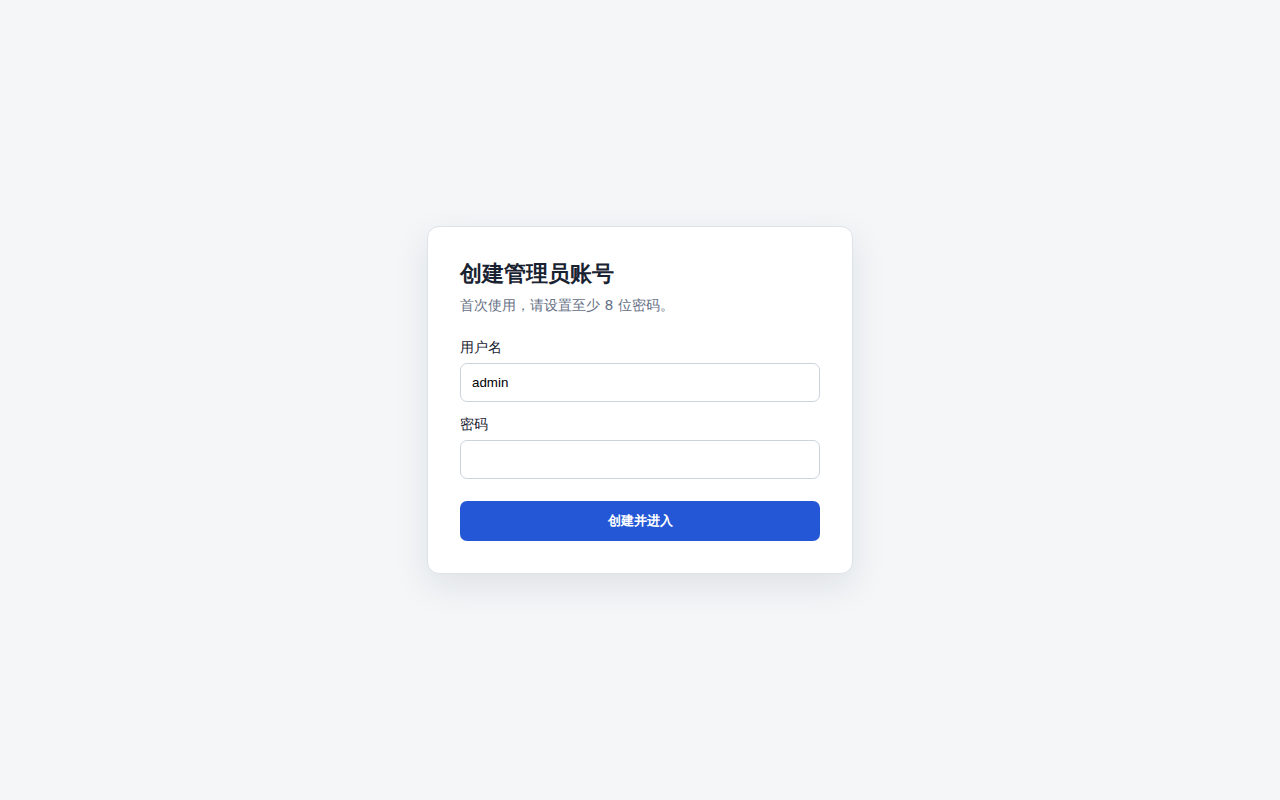
The password credential is stored at:
~/.dsh/web-auth-gateway/credential.json
The file contains only the username, random salt, and scrypt password hash. Its mode is 0600.
Security boundary
The original DSH Web port must remain bound to 127.0.0.1 or another trusted interface. If the upstream port is exposed to untrusted clients, they can bypass the gateway.
This plugin currently listens on 127.0.0.1. Use a TLS reverse proxy or a secure tunnel in front of the gateway for remote access. Do not expose plaintext HTTP directly to an untrusted network.
Sessions are stored in memory and are invalidated when DSH restarts.
Development
corepack enable
pnpm install
pnpm build
pnpm typecheck
pnpm test
Install the local checkout into the Web profile:
dsh plugin --profile web add link:$(pwd)
License
BSD-3-Clause
项目文件与信号
以下项目是目录快照中检测到的公开仓库信号。
仓库信息
- 开发语言
- TypeScript
- 许可证
- BSD-3-Clause
- 最后更新
- 2026年8月17日 06:38
谨慎安装
请检查源代码、权限、生命周期脚本、依赖与网络访问;不受信任的插件应先在隔离环境中测试。