Installation
npx -y @deepseek-ai/dsh plugin --profile web add github:apodemakeles/dsh-token-dashboardThis installation command is an unverified starting point generated from the GitHub repository address.
README
Maintainer-authored documentation snapshot.
@apodemakeles/dsh-token-dashboard
English | 中文
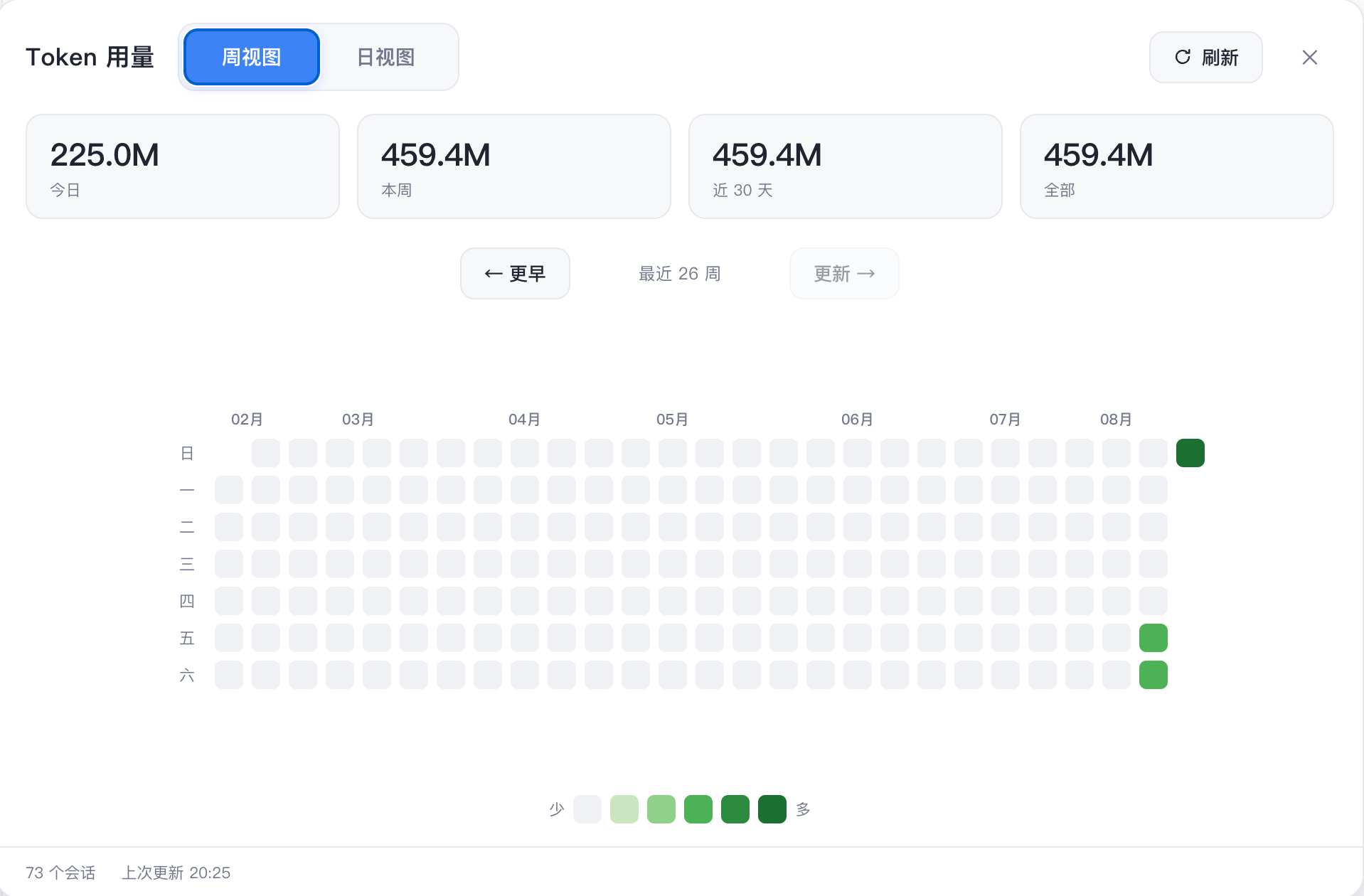
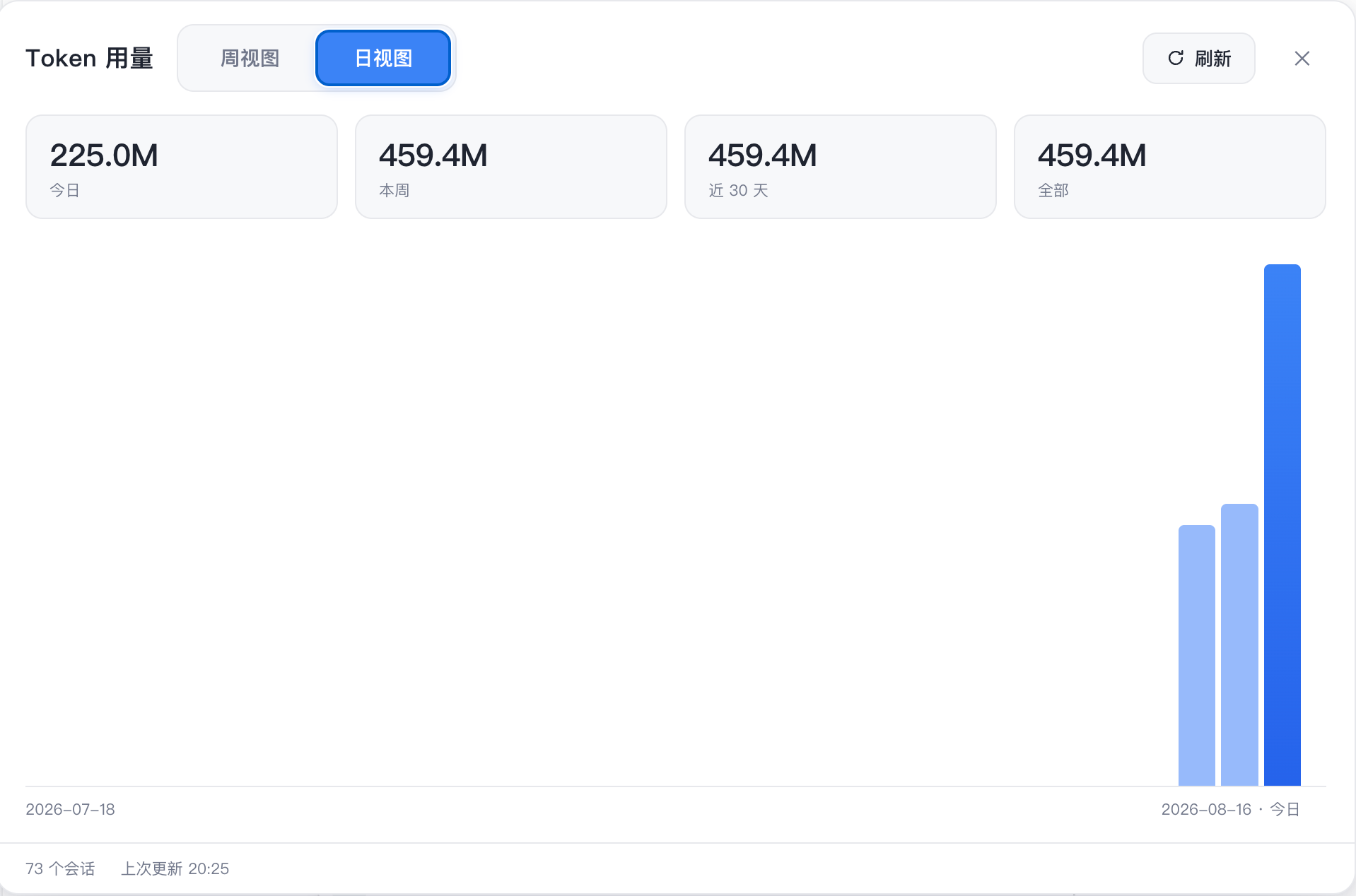
A DeepSeek Harness (DSH) web GUI plugin: a token-consumption heatmap panel. It shows your total token usage per day / per week across all projects on this machine, GitHub-contributions style. Usage facts are projected into a local SQLite database by a persistent Worker, so opening the panel never scans session logs.
Status: released v0.2.0 — GitHub distribution is live. The package is not currently published to npm.
Screenshots
Weekly heatmap
Daily view
What it does
- Host half — listens to live
session/event, flushes through DSH's durability barrier, and sends minimal usage deltas to a persistent Worker. The Worker owns SQLite (node:sqlite), commits facts/checkpoints atomically, and serves one consistent snapshot endpoint. - Client half — registers a Token entry in the sidebar and opens a dedicated panel rendering the heatmap (weekly grid + daily view). It fetches a single
GET /api/token-dashboard/snapshotper open/refresh/page change. - CLI —
dsh-token-dashboard status|verify|rebuild|backups|restore|cleanupfor local maintenance.
Installation
From GitHub:
dsh plugin --profile web add github:apodemakeles/dsh-token-dashboard
Then restart dsh web. Open any project session and click the Token entry in the sidebar.
The npm package is not currently published; use the GitHub installation above.
Data and operations
- Projection database:
$DSH_HOME/data/token-dashboard/usage-v1.sqlite(default~/.dsh). - Total tokens =
inputTokens + outputTokens + cacheReadTokens(cache reads count into the headline). - The panel only calls the snapshot route; it does not trigger
listSnapshots,inspect,readFrom,flush, or backfill. - First startup initializes the database in the background; the panel shows phase/progress until
ready.
Development
git clone https://github.com/apodemakeles/dsh-token-dashboard.git
cd dsh-token-dashboard
pnpm install && pnpm build
dsh plugin --profile web add link:$(pwd)
See .scratch/dsh-token-dashboard/map.md for the project map (planning tracker), docs/durable-usage-architecture.md for the architecture contract, and docs/dev-loop.md for the full dev loop.
Known limitations
- Projection is machine-local: it reads sessions stored on this machine (
~/.dsh/sessionsis the authority; SQLite is a rebuildable projection). - Host/Worker changes require restarting DSH; client HMR does not cover the persistent Worker.
- SQLite is experimental in Node 24 (
node:sqlite); the plugin checks capability at startup and does not hide the warning globally.
License
MIT
Project files and signals
Shown items are public repository signals detected in the directory snapshot.
Repository information
- Language
- TypeScript
- License
- MIT
- Latest release
- v0.2.0
- Last updated
- Aug 16, 2026, 12:50 PM
Install deliberately
Review source code, permissions, lifecycle hooks, dependencies and network access. Test untrusted plugins in an isolated environment.