Installation
npx -y @deepseek-ai/dsh plugin --profile web add github:Cheerwhy/dsh-chat-anchorsThis installation command is an unverified starting point generated from the GitHub repository address.
README
Maintainer-authored documentation snapshot.
This README snapshot could not be refreshed during the latest directory sync.
dsh-chat-anchors
dsh web 客户端插件:对话锚点刻度带。设计与体验跟官网对话一致——悬浮在会话列旁(默认左侧),列出当前会话的用户消息锚点,点击瞬时定位到对应消息。
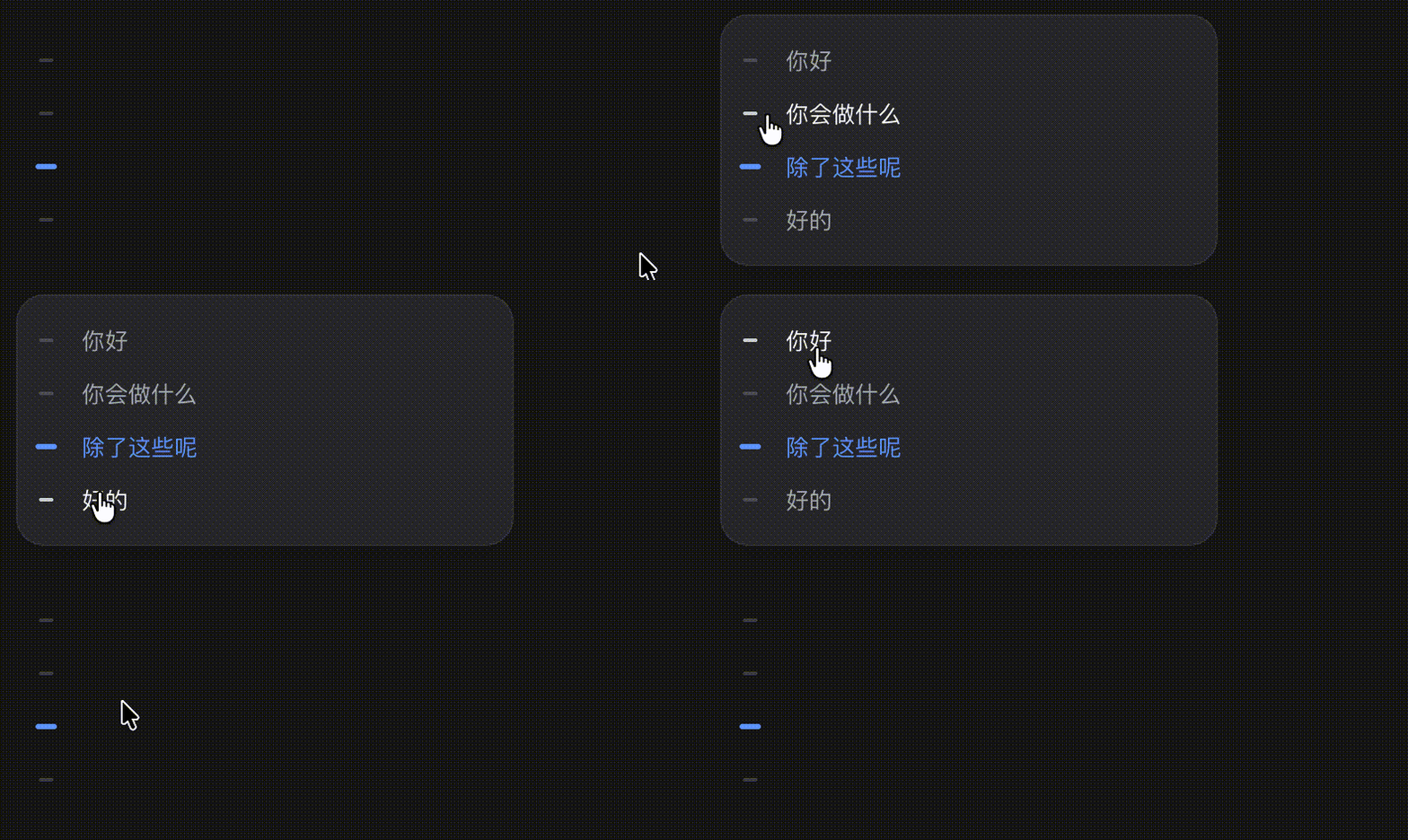
功能
- 刻度带常驻:每条用户消息一个刻度,活跃锚点品牌蓝,随滚动实时追踪。
- 悬停展开为锚点面板(消息预览列表),移开即收起。
- 点击任意锚点瞬时跳转到对应消息并短暂高亮。
- 显示位置可配置:设置 → 插件 → 插件配置 → 对话锚点,左/右即时切换并持久化(dsh ≥ 0.1.0-rc.7)。
- 主题跟随、双语(中/英)。
安装
需要 dsh 与 pnpm。装入 web profile:
dsh plugin --profile web add github:Cheerwhy/dsh-chat-anchors
- pnpm ≥ 10 首次会拦截依赖构建脚本——把 pnpm 报错里打印的键原样加进
~/.dsh/profiles/web/pnpm-workspace.yaml的allowBuilds,再重跑同一命令。 - 装完重启
dsh web。
更新与卸载(操作后同样重启):
dsh plugin --profile web update dsh-chat-anchors
dsh plugin --profile web remove dsh-chat-anchors
开发
pnpm install
pnpm test         # build + vitest:全部执行 dist 产物断言组装契约与行为
pnpm dev          # watch 热更调试(需 link: 安装,见 AGENTS.md)
契约细节与坑位见 AGENTS.md。
许可证
Project files and signals
Shown items are public repository signals detected in the directory snapshot.
TestsDetected
Repository information
- Language
- JavaScript
- License
- MIT
- Last updated
- Aug 18, 2026, 6:54 AM
Install deliberately
Review source code, permissions, lifecycle hooks, dependencies and network access. Test untrusted plugins in an isolated environment.