Installation
npx -y @deepseek-ai/dsh plugin --profile web add github:cookiesheep/whale-on-deskThis installation command is an unverified starting point generated from the GitHub repository address.
README
Maintainer-authored documentation snapshot.
whale-on-desk 🐳
English | 中文
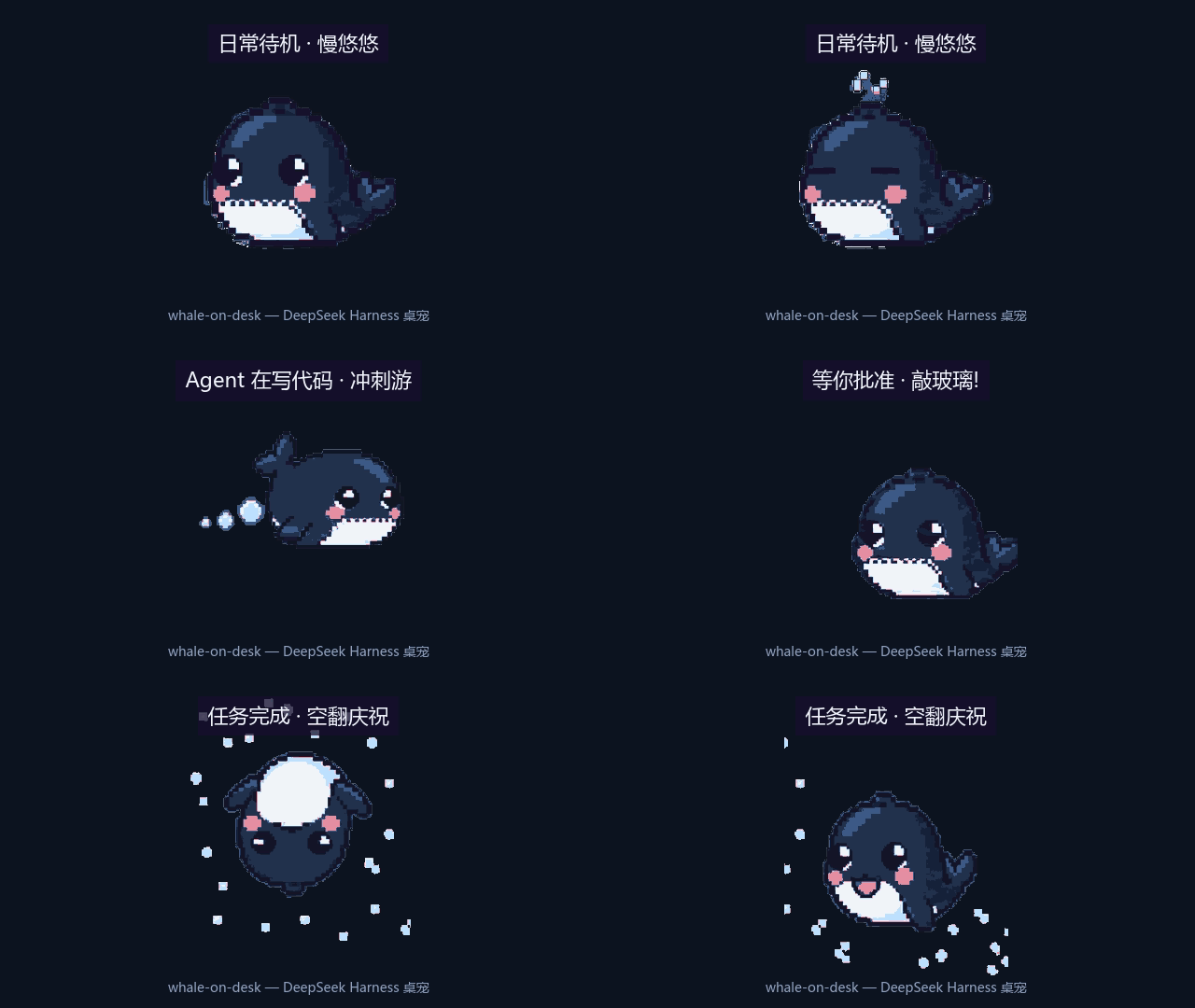
A pixel-art whale companion for DeepSeek Harness. It swims while your agents work, blows bubbles for tool calls, and taps the glass when an approval is waiting.



What it does
The whale lives in the corner of your DeepSeek Harness web UI and reacts to what your agents are doing:
| Agent activity | Whale reaction |
|---|---|
| Turn running | swims fast 🏊 |
| Model streaming | thinks along, thought bubble 💭 |
| Tool call | blows a bubble with a friendly label (敲命令 / 读文件 / …) |
| Approval requested | presses against the glass, taps, amber pulse 🔔 |
| Turn completed | jumps with a flip and foam confetti 🎉 |
| Turn failed | sinks, eyes flatline 😢 |
| Context ~62% / ~82% full | feeding time — "还能吃一点 / 吃饱了" 🍤 |
| Idle 10 minutes | dozes off 💤 |
| 00:00–06:00 local | nightcap 🌙 |
| You click / double-click it | squeak / startled flail (with sound) |
Drag it anywhere — the position sticks. Tiny synthesized sounds, zero audio assets.
Install
dsh plugin --profile web add whale-on-desk
DSH Desktop (the community Electron app) works too — it runs the official web client with the same plugin system and DSH home. From the app tray, open Open DSH Terminal and run dsh plugin add whale-on-desk, then restart DSH Desktop.
Then open (or restart) the DSH web UI. That's it — no API key, no config.
Uninstall / configure
dsh plugin --profile web remove whale-on-desk
Sleep timeout is configurable in cordis.patch.yml (sleepAfterMinutes, default 10). Right-click the whale for a small menu (mute sounds / reset position / switch pet / hide — double-click the corner 🐳 to restore). Setting allowPreview: true additionally exposes POST /whale/preview {"state":"glass-tap"} (clear with {"state":null}) — handy for demos and screenshots; off by default.
Custom pets
Drop a sprite pack into ~/.dsh/whale-on-desk/pets/<name>/ — a manifest.json mapping states to GIF files, plus the GIFs:
{ "idle": "idle.gif", "glass-tap": "tap.gif" }
States you don't provide fall back to your idle sprite, and any file you don't ship falls back to the bundled whale. Right-click the whale to switch pets; the change applies instantly (no reload). Related config: pet (pet name to activate at boot), petsDir, and enabled: false to unmount the overlay entirely.
How it works
- Host half (
lib/index.js): a Cordis plugin listening tosession/event(turns, chunks, tool calls, approvals — all durable session events) and folding them into a small state machine (lib/pet-machine.mjs). Exposes/whale/state,/whale/poke,/whale/assets/*on the DSH web server. Read-only: it never touches your sessions or files. - Browser half (
lib/client.js): registers via the DSH shell module loader, mounts into theshell.overlayslot, renders the current state's sprite (500 ms poll), plays synthesized sounds, and persists its position. - Art pipeline (
tools/process-sprites.mjs): AI-generated sprite sheets in, clean looping GIFs out — slicing, exact 8-color palette snapping (pure nearest-color math), magenta chroma-key, decoration removal.
Making your own states
See docs/GPT_PROMPT_PLAYBOOK.md — the full workflow for generating new whale animations with an AI image tool, and the one-line pipeline command that turns a sheet into a live state.
Project layout
art/     source sprite sheets from the AI workflow (repo only)
assets/  shipped runtime: state GIFs + manifest.json
docs/    art spec, prompt playbook, canonical character reference
lib/     plugin host half + browser half + state machine
test/    state machine unit tests
tools/   sprite processing pipeline + test grid generator
Credits & disclaimer
Animation grammar and pixel discipline inspired by clawd-on-desk (style reference only — no assets or code shared; clawd art is Anthropic's). Whale art generated with AI assistance. Not affiliated with DeepSeek. MIT licensed.
Project files and signals
Shown items are public repository signals detected in the directory snapshot.
Repository information
- Language
- JavaScript
- License
- MIT
- Latest release
- v0.5.0
- Last updated
- Aug 17, 2026, 7:35 AM
Install deliberately
Review source code, permissions, lifecycle hooks, dependencies and network access. Test untrusted plugins in an isolated environment.