Installation
npx -y @deepseek-ai/dsh plugin --profile web add github:jhonden/my-dsh-pluginsThis installation command is an unverified starting point generated from the GitHub repository address.
README
Maintainer-authored documentation snapshot.
my-dsh-plugins
English | 中文
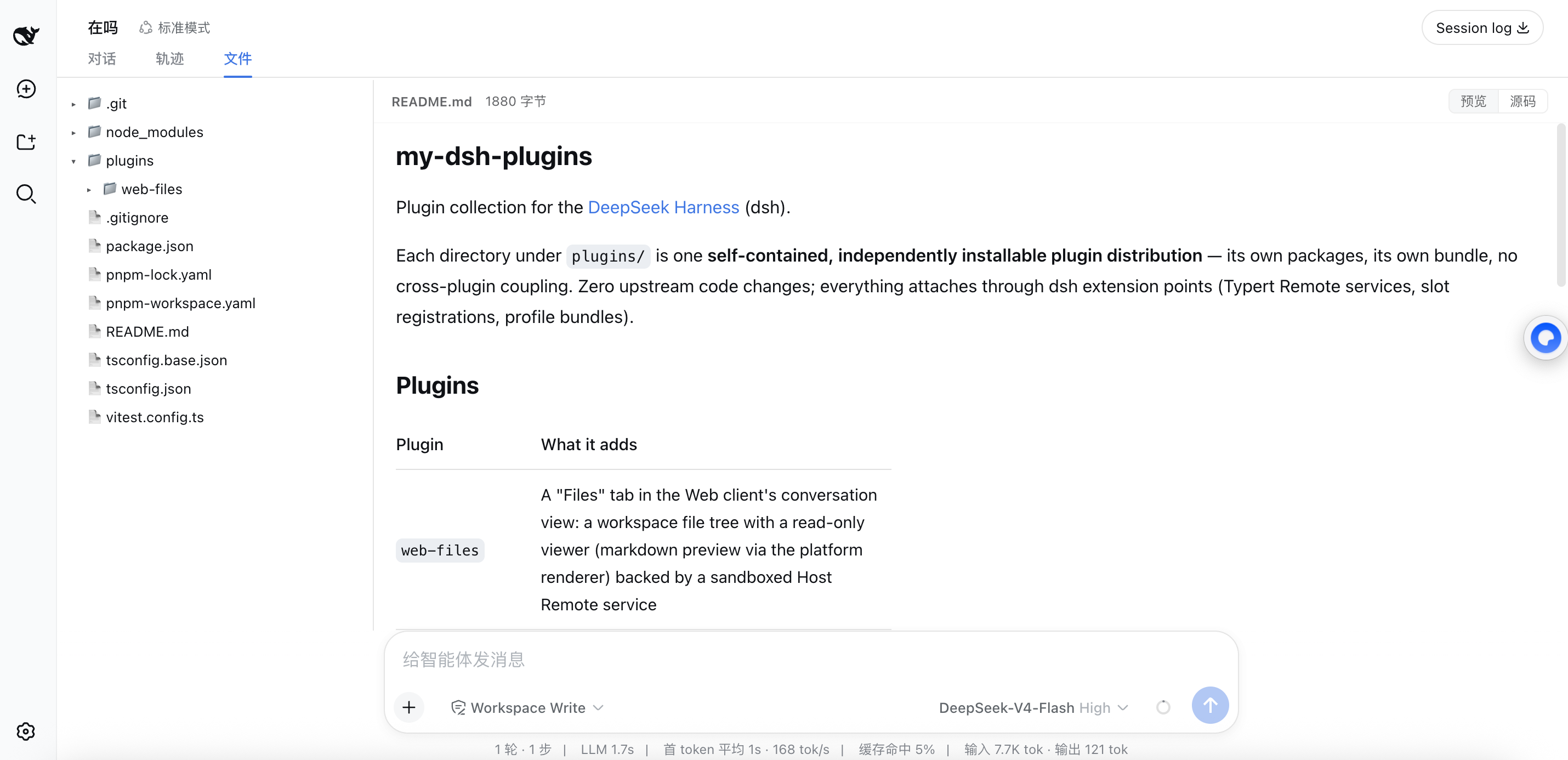
Plugin collection for the DeepSeek Harness (dsh).
Each directory under plugins/ is one self-contained, independently installable plugin distribution — its own packages, its own bundle, no cross-plugin coupling. Zero upstream code changes; everything attaches through dsh extension points (Typert Remote services, slot registrations, profile bundles).
Plugins
| Plugin | What it adds |
|---|---|
web-files | A "Files" tab in the Web client's conversation view: a workspace file tree with a read-only viewer (markdown preview via the platform renderer) backed by a sandboxed Host Remote service |
session-notify | Per-session completion alerts in the Web client: arm a session with a bell in the composer tool row (or a !notify message prefix); the sound is user-customizable (system sounds / custom file / volume) via hot-reloaded settings |
Install
One command per plugin — each bundle carries its implementation packages as dependencies, and build outputs are committed, so no local clone or build is needed:
dsh plugin --profile web add "github:jhonden/my-dsh-plugins#main&path:plugins/<name>/bundle/<name>"
Two one-time preparations:
-
pnpm v11 blocks git-hosted subdependencies — allow them once in the profile's
pnpm-workspace.yaml(created on firstdsh pluginuse):blockExoticSubdeps: false -
On a slow link to codeload.github.com, widen pnpm's fetch timeout once:
pnpm config set fetch-timeout 600000 --location=global
For web-files, copy the ready-to-run command from its
README.
From a local checkout (plugin development)
pnpm install && pnpm build
dsh plugin --profile web add link:$(pwd)/plugins/<name>/bundle/<name> \
                                link:$(pwd)/plugins/<name>/packages/<pkg-a>
After editing source, rebuild and commit lib/ together with the change —
GitHub installs carry what is in the tree.
Repository layout
plugins/<name>/          one plugin distribution
  packages/...           the plugin's npm packages (Host half, Client half, ...)
  bundle/<name>/         the installable profile bundle (cordis.patch.yml)
  docs/                  design notes
tsconfig.json            root solution: references every package
pnpm-workspace.yaml      plugins/*/packages/* + plugins/*/bundle/*
Development
pnpm install
pnpm build        # tsc project references + client browser bundles (tsdown)
pnpm test         # vitest across all plugins
Typert Remote descriptors (lib/typert.*.js) are committed: regenerating them requires the upstream generator, so consumers never do.
Compatibility
dsh is a developer preview (0.1.0-rc); these plugins pin the upstream packages they were built against and follow upstream releases deliberately.
Project files and signals
Shown items are public repository signals detected in the directory snapshot.
Repository information
- Language
- TypeScript
- License
- Not reported
- Last updated
- Aug 17, 2026, 9:11 AM
Install deliberately
Review source code, permissions, lifecycle hooks, dependencies and network access. Test untrusted plugins in an isolated environment.