Installation
npx @deepseek-ai/dsh plugin --profile web add dsh-conversation-exporterThis command is generated from the GitHub repository address. Inspect the upstream README and source before running it; pin a release or commit when reproducibility matters.
README
Maintainer-authored documentation snapshot.
DSH Conversation Exporter
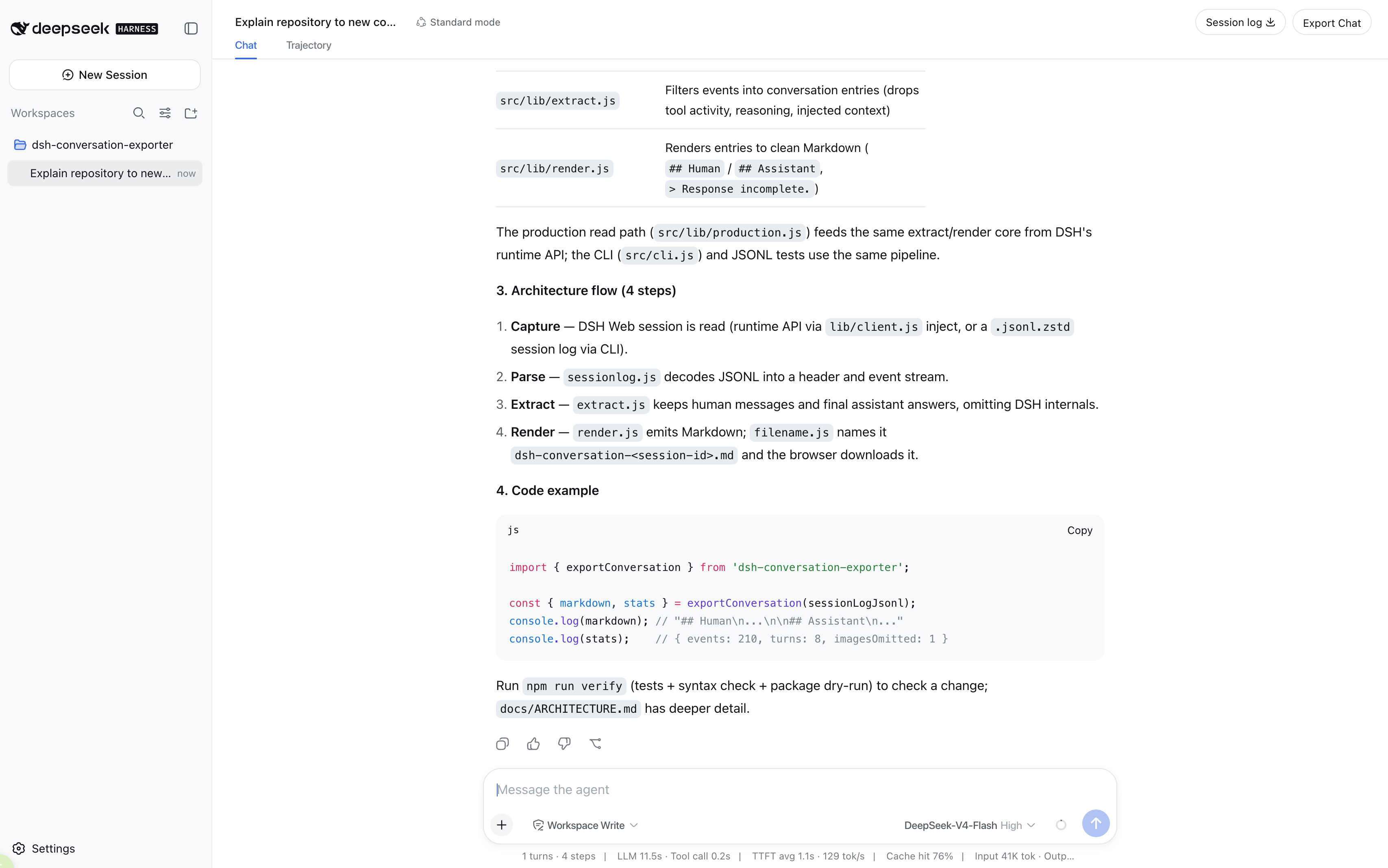
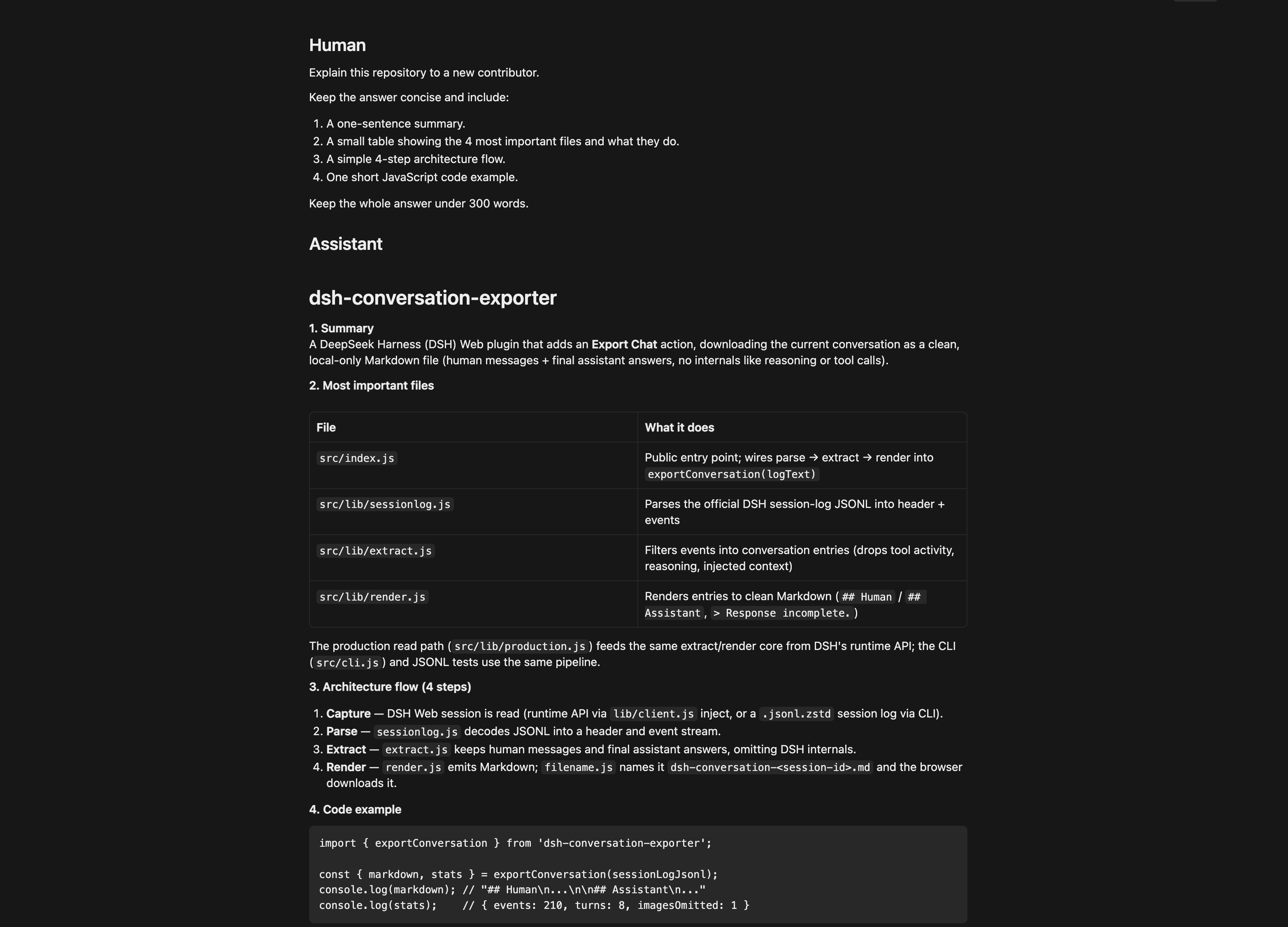
DSH Conversation Exporter adds an Export Chat action to DeepSeek Harness (DSH) Web. It downloads the current conversation as a clean Markdown file containing the human-authored messages and final assistant answers, ready for reading, notes, Git, or handoff to another AI assistant.
Demo
Export directly from DSH Web
Clean Markdown output
Export Chat vs. Session Log
Export Chat is an additive action; it does not replace or modify DSH's official Session Log export.
| Export Chat | Official Session Log | |
|---|---|---|
| Purpose | Reading and AI handoff | Debugging, recovery, and replay |
| Contents | Human messages and final assistant answers | Raw events, chunks, tool activity, metadata, and attachments |
| Format | One Markdown file | ZIP of JSONL artifacts and media |
Use Export Chat when you want the conversation. Use Session Log when you need a lossless record of how DSH produced it.
Install and activate
For DSH installations run through npx @deepseek-ai/dsh, add the plugin to the web
profile:
npx @deepseek-ai/dsh plugin --profile web add dsh-conversation-exporter
Adding the package to the web profile activates its host and browser components. If DSH
Web is already running, stop it and restart it so the profile is recomposed:
npx @deepseek-ai/dsh web
Use
- Open a conversation in DSH Web.
- Select Export Chat in the current session header, beside Session Log.
- Your browser downloads
<session-title>--<short-session-id>.md, for exampleProject-Architecture-Guide--2002da4d.md.
The export starts with the final DSH session title as a Markdown H1, uses blockquoted
Human and Assistant labels, and preserves message Markdown. If one message leaves
a fenced code block open, the exporter closes that fence before the next transcript
section. DSH
internals such as reasoning, tool calls and results, runtime metadata, paths, and token
accounting remain omitted. An unanswered turn is marked with > Response incomplete.,
and an image-only human message is retained as [Image omitted].
Privacy
Exporting is local-only. The plugin reads the selected DSH session through the local DSH runtime and returns the Markdown to the same local Web application. It has no upload, cloud storage, telemetry, or analytics path. The repository contains only hand-written, sanitized test conversations.
Limitations
- Exports the current session only, in Markdown only.
- Keeps human-authored text and the final assistant answer; attachments, images, reasoning, tool activity, injected context, subagent logs, and intermediate responses are omitted.
- Preserves message Markdown verbatim except for a deterministic closing fence added when a message otherwise ends inside a fenced code block.
- An image-only human message is represented by
[Image omitted]; image data is not embedded.
Compatibility
DSH is developer-preview software and its plugin APIs may change. V0.2 was validated with
@deepseek-ai/dsh@0.1.0-rc.6; a later DSH version may require an exporter update.
Development
Requires Node.js 20 or newer.
To install the plugin from a local checkout for contributor or development testing:
npx @deepseek-ai/dsh plugin --profile web add .
Run the project verification locally:
npm run verify
This runs the complete test suite, JavaScript syntax checks, and an npm package dry-run.
Licensed under the MIT License.
Project files and signals
Shown items are public repository signals detected in the directory snapshot.
Repository information
- Language
- JavaScript
- License
- MIT
- Latest release
- v0.2.0
- Last updated
- Aug 17, 2026, 4:32 AM
Install deliberately
Review source code, permissions, lifecycle hooks, dependencies and network access. Test untrusted plugins in an isolated environment.