Installation
npx -y @deepseek-ai/dsh plugin --profile web add github:omdsh-dev/dsh-containerThis installation command is an unverified starting point generated from the GitHub repository address.
README
Maintainer-authored documentation snapshot.
English | 简体中文
dsh-container

dsh-container 将 npm 发布版的 DeepSeek Harness 封装为支持 linux/amd64 和 linux/arm64 的开箱即用 Docker 服务。
- 开箱即用: 预装 DSH 与运行依赖,宿主机无需安装 Node.js 或 npm 包。
- 局域网访问: 支持多台设备访问 WebUI,兼容普通 HTTP 与无头主机环境。
- 容器加固与持久化: 镜像以非 root 用户运行;推荐使用只读根文件系统、删除 Linux capabilities,并独立保存配置与工作区。
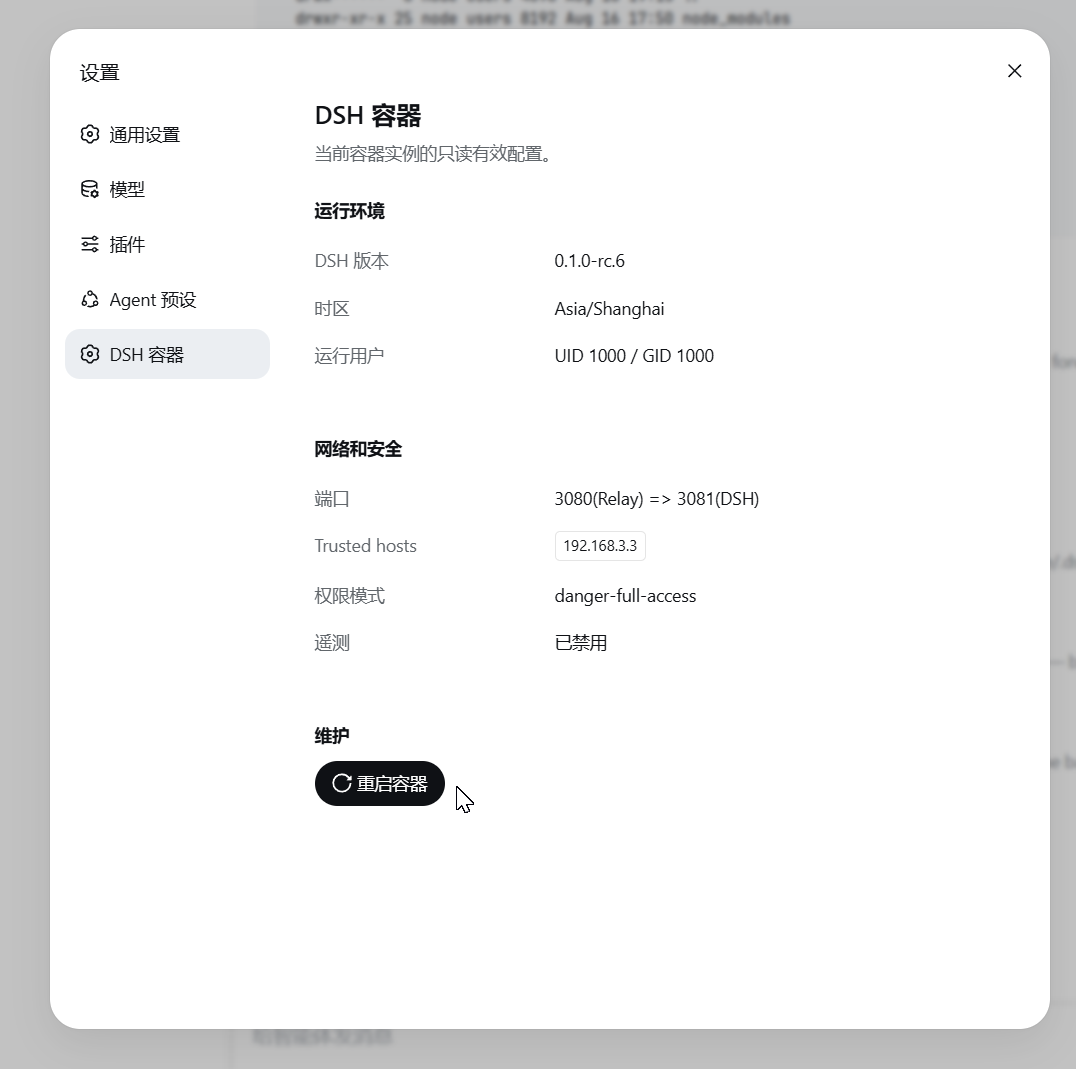
- Web 端管理: 可在 WebUI 中查看容器有效配置,并发起平滑重启。
[!WARNING] 请勿将本服务直接暴露到公网。 dsh-container 不提供身份认证,trusted-host 也不能替代认证。仅在可信网络中使用;远程访问必须额外配置 HTTPS、身份认证和访问控制。
快速开始
Docker
docker run -d --name dsh-container --restart unless-stopped -p 127.0.0.1:3080:3080 -e "DSH_CONTAINER_TRUSTED_HOSTS=localhost,127.0.0.1" ghcr.io/omdsh-dev/dsh-container:latest
健康检查通过后访问 http://localhost:3080。此命令适合临时体验,删除容器后设置和工作区数据会丢失。
Docker Compose
cp .env.example .env
mkdir -p .dsh workspace
sudo chown -R 1000:1000 .dsh workspace
docker compose up -d --build
Compose 会从当前仓库构建镜像,并默认仅允许本机访问。
完整文档
完整使用指南包含持久化部署、局域网访问、配置、WebUI 管理、安全说明和更新方法。
许可证
Project files and signals
Shown items are public repository signals detected in the directory snapshot.
DocumentationDetected
Repository information
- Language
- JavaScript
- License
- MIT
- Last updated
- Aug 17, 2026, 7:01 AM
Install deliberately
Review source code, permissions, lifecycle hooks, dependencies and network access. Test untrusted plugins in an isolated environment.