Installation
npx @deepseek-ai/dsh plugin --profile web add github:weisiren000/dsh-remote-ssh-ops#v0.0.9This command is generated from the GitHub repository address. Inspect the upstream README and source before running it; pin a release or commit when reproducibility matters.
README
Maintainer-authored documentation snapshot.
dsh-remote-ssh-ops
dsh-remote-ssh-ops 是 DeepSeek Harness 的 SSH 远程运维插件。它为 DSH 增加 SSH 直连、remote-hostd 配对、远程命令执行、远程文件读写、任务管理和远程工作台。
插件不会替代 DSH 的本地工具:检查当前本地工作区时,应使用 DSH 自带的本地工具;只有用户明确要求远程、服务器或指定主机操作时,才使用 host_* 工具。
工作方式
- SSH 直连:在 DSH 设置中填写服务器、端口、用户名和首次登录密码。首次连接确认 SSH 指纹后,插件保存本机专用密钥,后续不再保存或使用密码。
- 高级配对:远端运行
remote-hostd,本地输入地址和一次性配对码。适合已经部署 hostd 的机器。 - 远程工作台:会话标题栏的“服务器”入口用于浏览远程文件、运行远程命令和审阅远程文件变更。
界面预览
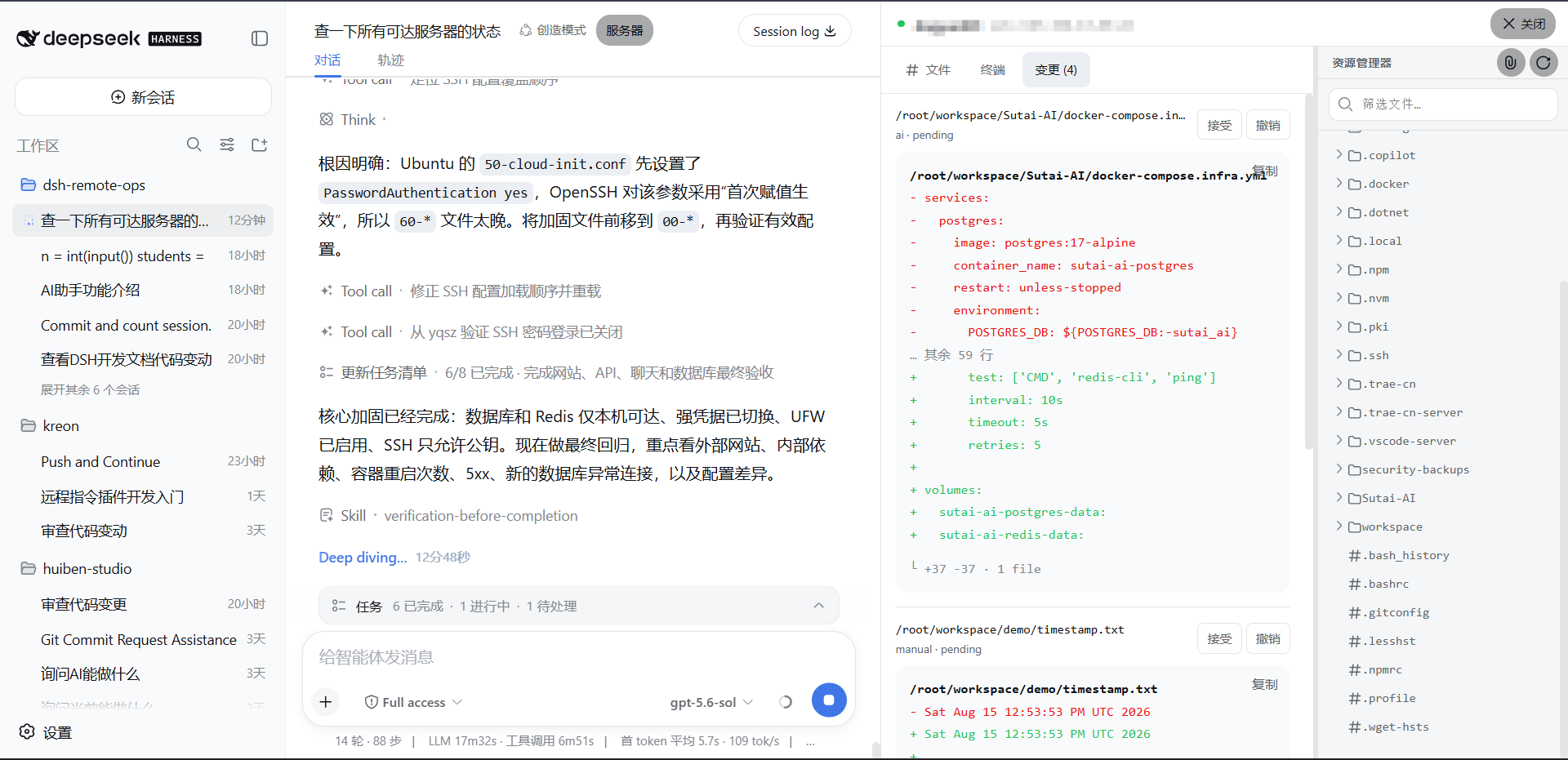
安装
从 GitHub 安装(推荐)
安装当前稳定版本:
dsh plugin --profile web add github:weisiren000/dsh-remote-ssh-ops#v0.0.9
DSH 会自动把插件安装到 Web profile,并将 dsh-remote-ssh-ops 注册到 dsh.profile.bundles。不需要克隆仓库、手动安装依赖、构建客户端或修改 profile 的 package.json。
如果系统没有全局 dsh 命令,可以通过 npx 执行:
npx @deepseek-ai/dsh plugin --profile web add github:weisiren000/dsh-remote-ssh-ops#v0.0.9
安装命令需要本机可以使用 Git 和 pnpm。使用 npx 时还需要 Node.js。
启动或重启 DSH Web
关闭旧的 DSH Web 进程,然后重新启动:
dsh web
使用 npx 的启动方式:
npx @deepseek-ai/dsh web
启动后进入“设置 → 插件 → 远程主机”。看到远程主机面板,说明插件已加载。
升级
发布新版本后,重新执行安装命令并替换 TAG:
dsh plugin --profile web add github:weisiren000/dsh-remote-ssh-ops#vX.Y.Z
随后重启 DSH Web。
卸载
dsh plugin --profile web remove dsh-remote-ssh-ops
没有全局 dsh 命令时:
npx @deepseek-ai/dsh plugin --profile web remove dsh-remote-ssh-ops
连接远程机器
SSH 直连(推荐)
在远程主机面板填写服务器、SSH 端口、用户名和首次登录密码,点击“连接主机”。首次连接显示服务器指纹时,只有确认指纹属于你的服务器才继续。
高级配对
在远端启动 remote-hostd,复制终端打印的一次性配对码,然后在面板切换到“高级配对”并填写地址和配对码。
验证安装
Invoke-WebRequest 'http://127.0.0.1:3080/remote-ops/v1/hosts' | Select-Object StatusCode
预期状态码为 200。然后在对话中明确说“列出远程主机”或“在指定服务器执行命令”验证 host_* 工具;检查本地代码时不要用远程请求作为验证。
远端安装 remote-hostd
remote-hostd 只在使用“高级配对”时需要。它把自己的工作目录作为远程工作区,因此启动前应先切换到要开放的项目目录。
本机回环监听(已有反向代理或只允许本机访问):
cd /path/to/remote-project
node /path/to/dsh-remote-ssh-ops/src/hostd/cli.js --listen 127.0.0.1:7680
直接对局域网或公网提供服务时必须使用 TLS:
cd /path/to/remote-project
node /path/to/dsh-remote-ssh-ops/src/hostd/cli.js \
  --listen 0.0.0.0:7680 \
  --tls-cert /path/to/fullchain.pem \
  --tls-key /path/to/privkey.pem
只有在临时隔离网络中,才使用不安全的明文监听:
node /path/to/dsh-remote-ssh-ops/src/hostd/cli.js --listen 0.0.0.0:7680 --allow-insecure
终端会打印监听地址和配对码。不要把配对码提交到代码仓库或写入公开日志。
模型工具
host_pair:配对一个远程主机。host_list:列出已配对主机和在线状态。host_use:切换当前远程目标。host_bash:在远程主机执行前台或后台命令。host_jobs/host_job_log:查询远程任务和日志。host_list_files/host_read_file:浏览、读取远程文件。host_write_file:按版本校验写入远程文件并创建待审阅变更。host_review_changes:查看或处理远程文件变更。
所有远程工具都是显式远程能力。用户没有明确指定远程操作时,Agent 不应调用它们。
Project files and signals
Shown items are public repository signals detected in the directory snapshot.
Repository information
- Language
- JavaScript
- License
- Not reported
- Last updated
- Aug 17, 2026, 9:04 AM
Install deliberately
Review source code, permissions, lifecycle hooks, dependencies and network access. Test untrusted plugins in an isolated environment.