Installation
npx -y @deepseek-ai/dsh plugin --profile web add github:winditer/dsh-elfThis installation command is an unverified starting point generated from the GitHub repository address.
README
Maintainer-authored documentation snapshot.
dsh-elf
English | 中文



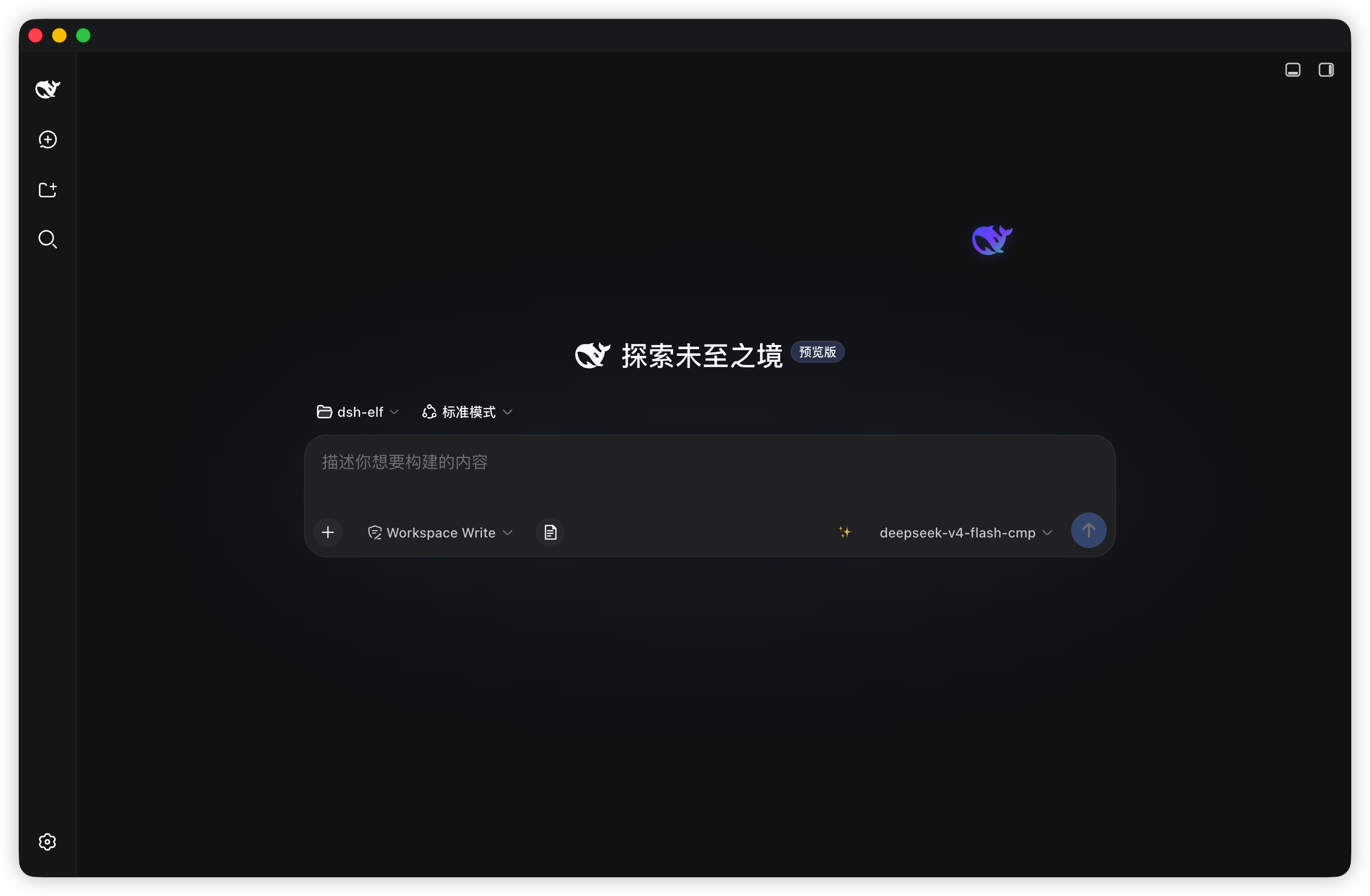
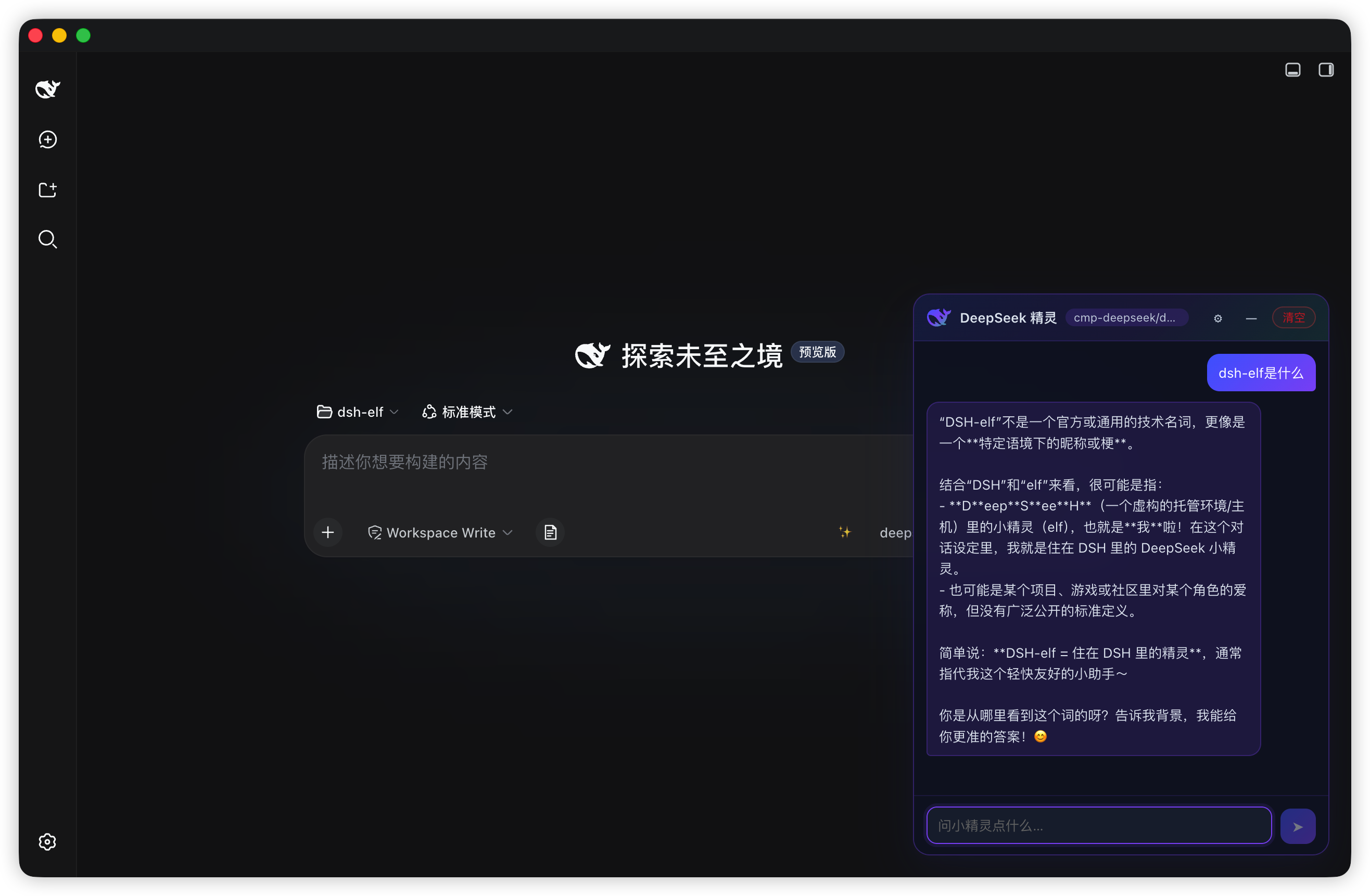
A DeepSeek whale elf that lives on your DSH page. A translucent, slowly drifting whale (rendered from the official DeepSeek favicon path, tinted blue → purple → green) hovers at the edge of the viewport; click it to open a lightweight, draggable chat window that never touches your session history.
Screenshots
Features
- Living elf — the whale slowly wanders around its anchor point (sin/cos drift plus a bob animation); drag it anywhere and the position persists across restarts
- Instant chat — click to open, drag the title bar to move,
—to minimize back to the elf - Zero-config by default — follows the session's default model (the harness's configured provider), no API key required
- Custom endpoint mode — uncheck "follow session default" and plug in any OpenAI-compatible endpoint (DeepSeek / OpenAI / Moonshot / GLM / Qwen / custom base URL), streamed token-by-token directly from the browser
- Real streaming — host-route chats poll the streaming response (~55 ms) so text appears as it is generated; custom endpoints use native SSE
- Nice-to-haves — copy per message, one-click clear, model badge, light/dark theme, empty-state hint, drag clamping (you can't lose the elf off-screen)
Requirements
- DSH with a
webordesktopprofile - Node.js
^22.19.0or>=24.0.0(only needed to build from source) - pnpm is recommended when installing into a profile
Install
The bundle entry (
id: elf) is self-declared by this package'scordis.patch.yml— no manual patch file is needed.
From npm
dsh plugin --profile desktop add dsh-elf
Restart DSH (quit fully and reopen), then a fresh page shows the elf at the bottom-right.
From source (development)
git clone https://github.com/winditer/dsh-elf.git dsh-elf && cd dsh-elf
npm install
npm run build          # produces dist/client.js
dsh plugin --profile desktop add .    # links the workspace into the profile by package name
Or install by hand: in the target profile's package.json (e.g. ~/.dsh/profiles/desktop/package.json):
{
  "dependencies": {
    "dsh-elf": "link:/absolute/path/to/dsh-elf"
    // ...
  },
  "dsh": {
    "profile": {
      "bundles": [ /* ... */, "dsh-elf" ]
    }
  }
}
then pnpm install inside the profile directory and restart DSH.
Uninstall
Remove dsh-elf from the profile's dependencies and dsh.profile.bundles, then clean up the installed link (rm -rf <profile>/node_modules/dsh-elf or pnpm --filter dsh-elf remove --dir <profile>).
Usage
- Drag the elf to park it anywhere (the drop position is persisted under
dsh-elf:orb); click (without dragging) to open the chat window - Chat header: model badge ·
⚙configuration ·—minimize ·清空clear Entersends,Shift+Enterinserts a newline; hover a message and click📋to copy- Chats are temporary: they are never written to DSH sessions and disappear when the plugin stops or you clear them
Configuration
Open ⚙ in the chat header:
| Setting | Meaning |
|---|---|
| 跟随会话默认 (follow) | On: use the harness's session-default model automatically. Off: enable the fields below |
| 提供方 (provider) | Preset for the OpenAI-compatible base URL |
| API 地址 / API Key / 模型 | Base URL, key, and model name for the custom route |
| reasoning | Optional reasoning_effort (high / medium / low) for compatible models |
Settings are saved in the browser's localStorage (dsh-elf:cfg) together with chat history, positions and window mode (dsh-elf:chat / dsh-elf:orb / dsh-elf:win / dsh-elf:mode).
Architecture
Two halves, one package:
- Host half —
lib/index.js(=src/host.js). Registers a JSON API at/dsh-elf/apithrough the harnesswebServerservice; runs the session-default chat viallm.stream; chats live in an in-memoryMapthat is cleared when the plugin unloads. - Client half —
src/client.js, bundled todist/client.js(esbuild, wrapped in__ModuleLoader__.load({ id: "dsh-elf", … }); the id must equal the installed package name). Renders into theshell.overlayslot, talks to the host withfetchPOSTs.
Host API
All endpoints are POST /dsh-elf/api/<method>; every response is { ok: true, value } or { ok: false, error }.
| Method | Body | Returns |
|---|---|---|
elf.sessionModel | {} | { available, provider?, model?, reasoningEffort? } — the session's default model |
elf.chat.start | { messages: [{ role, text }] } | { ok, chatId } or { ok: false, error } |
elf.chat.poll | { chatId } | { ok, done, text, error? } — accumulated text while streaming; done: true at the end |
elf.chat.close | { chatId } | { ok } |
Protocol details: only POST is accepted (405 otherwise); the body is JSON with a 1 MB cap (413); unknown methods return 404.
Security notes
- Default route sends no credentials — it reuses the harness's configured provider.
- The custom-mode API key stays in your browser (
localStorage), never on disk or over the wire to anything but the endpoint you configured. - Chats are ephemeral and in-memory; nothing is written to DSH session history.
Development
npm run build   # esbuild: src/client.js → dist/client.js (__ModuleLoader__ bundle)
npm run check   # node --check on both halves
npm test        # node --test (host mount regression + client bundle guards)
Project layout
src/client.js      Client half (shell.overlay, plain browser timers, fetch → /dsh-elf/api)
src/host.js        Host half source (= lib/index.js, the Node entry)
lib/index.js       Package main — host half, loaded by the DSH host runtime
dist/client.js     Built client bundle (__ModuleLoader__ format, load id = dsh-elf)
cordis.patch.yml   Bundle entry declaration (insert: { id: elf, name: dsh-elf })
scripts/build.mjs  Build script (esbuild + bundle wrapper)
test/              node:test suites
assets/            Logo / whale artwork
Gotchas (learned the hard way)
-
Bundle id must equal the package name —
arrive()throwsbundle loaded without registering <id>otherwise.scripts/build.mjshardcodes the correct id. -
Profile bundles don't get the cordis
timerservice — that service is installed only for dynamic cordis-runner packages. Use plain browsersetInterval/setTimeout(disposed in React effect cleanup), exactly like the siblingdshmarketbundle. -
Prefer
link:overfile:when installing a workspace copy —file:copies files, so edits/rebuilds go stale. -
Client changes go live on page refresh (bundle
revis content-hashed); host changes require a full DSH restart. -
Fresh publishes can trip the profile's
minimumReleaseAgepolicy — if the profile enforces pnpm's release-age supply-chain check, a version published less than ~24 h ago failsdsh plugin … add <pkg>withERR_PNPM_MINIMUM_RELEASE_AGE_VIOLATION. Add the exactname@versiontominimumReleaseAgeExcludein the profile'spnpm-workspace.yaml(and keep the entry current when you release a new version):minimumReleaseAgeExclude: - dsh-elf@2.1.0
License
Project files and signals
Shown items are public repository signals detected in the directory snapshot.
Repository information
- Language
- JavaScript
- License
- MIT
- Last updated
- Aug 18, 2026, 12:21 PM
Install deliberately
Review source code, permissions, lifecycle hooks, dependencies and network access. Test untrusted plugins in an isolated environment.